


 Video Converter Ultimate
 Εγγραφή οθόνης
 Επισκευή βίντεο
 Ασφαλές κατέβασμα
Λάβετε τις απόλυτες διαδικασίες σχετικά με τον τρόπο μετατροπής NEF σε JPG
Κατά τη λήψη φωτογραφιών, πάντα θέλουμε να κρατήσουμε τις αξέχαστες στιγμές της ζωής μας σε εικόνες όσο το δυνατόν καλύτερης ποιότητας. Γι’ αυτό οι άνθρωποι αγοράζουν εξαιρετικές κάμερες που προσφέρουν πολύ καλά αποτελέσματα. Ωστόσο, μπορείτε να πετύχετε την καλύτερη δυνατή ποιότητα αποθηκεύοντας την εικόνα σε μορφή raw. Αυτό, όμως, μπορεί να δημιουργήσει πολλά προβλήματα. Το NEF σημαίνει Nikon Electronic Format. Η Nikon, μία από τις πιο δημοφιλείς εταιρείες κατασκευής φωτογραφικών μηχανών, χρησιμοποιεί μορφές raw εικόνας. Υπάρχουν φορές που δεν μπορείτε να προβάλετε αυτά τα αρχεία σε έναν υπολογιστή. Χρειάζονται κάποιο επαγγελματικό πρόγραμμα, το οποίο συχνά είναι ακριβό και δύσχρηστο. Σε αυτή την περίπτωση, η καλύτερη λύση είναι να μετατρέψετε τα αρχεία NEF σε μια καθολική μορφή εικόνας, όπως το JPG. Η ευελιξία αυτής της μορφής θα σας επιτρέψει να βλέπετε φωτογραφίες σχεδόν σε οποιαδήποτε συσκευή. Ταυτόχρονα, μπορεί να εξοικονομήσει χώρο στον αποθηκευτικό σας χώρο. Αν θέλετε να μετατρέψετε τα αρχεία σας σε αρχείο JPG, διαβάστε αυτόν τον οδηγό και γνωρίστε τους καλύτερους μετατροπείς NEF σε JPG που μπορείτε να χρησιμοποιήσετε.

Μέρος 1. NEF εναντίον JPG
| Μορφή αρχείου | NEF | JPG / JPEG |
| Επέκταση ονόματος αρχείου | .νεφ | .jpg / .jpeg |
| Πλήρες όνομα | Ηλεκτρονική μορφή Nikon | Ένωση Επαγγελματιών Φωτογράφων |
| Αναπτύχθηκε από | Nikon | Ένωση Επαγγελματιών Φωτογράφων |
| Περιγραφή | Τα αρχεία Nikon Raw Image είναι γνωστά ως NEF αρχεία. Όπως και άλλα αρχεία εικόνας RAW, τα αρχεία NEF αποθηκεύουν όλες τις πληροφορίες που κατέγραψε η κάμερα πριν από την επεξεργασία. Περιλαμβάνει μεταδεδομένα όπως μοντέλα κάμερας και φακού. Οι φωτογραφίες NEF προσφέρουν απίστευτα υψηλή ποιότητα εικόνας. | Η Joint Photographic Experts Group δημιούργησε το JPG μορφή στα τέλη του 1980. Περιλαμβάνει επίσης την αποθήκευση εικόνων σε ψηφιακές φωτογραφικές μηχανές και άλλα εργαλεία αναπαραγωγής. Η μέθοδος συμπίεσης με απώλειες Τα αρχεία JPEG χρησιμοποιούν για έγχρωμα έως 24 bit και περισσότερη αποθήκευση εικόνων. |
| Συμπίεση | Χαλασμένος | Χαλασμένος |
| Συνδεδεμένα προγράμματα / προγράμματα περιήγησης | Πρόγραμμα προβολής γραφικών Adobe Lightroom IrfanView Adobe Photoshop ViewNX 2 Pics.io | Πρόγραμμα IrfanView Graphic Viewer Photos Paint Adobe Photoshop Google Chrome Internet Explorer Microsoft Edge Mozilla Firefox |
Μέρος 2. Πώς να μετατρέψετε το NEF σε JPG στο Web
Πώς να μετατρέψετε το NEF σε JPG στο Safeimageconverter
Χρησιμοποιήστε το Safeimageconverter για να μετατρέψετε γρήγορα online από μορφή εικόνας JPF σε NEF. Με αυτό το απλό online εργαλείο, μπορείτε εύκολα να αλλάξετε τη μορφή του αρχείου. Ο μετατροπέας εικόνας είναι δωρεάν, διαδικτυακός και δεν απαιτεί εγκατάσταση, ώστε να μπορείτε να τον χρησιμοποιείτε όσο συχνά θέλετε χωρίς να πληρώνετε τίποτα. Αρκεί να ανεβάσετε το αρχικό αρχείο σε αυτό το εργαλείο για να λάβετε ένα μετατραπέν αρχείο εικόνας σε μορφή NEF. Επίσης, το εργαλείο είναι πολύ χρήσιμο και μας επιτρέπει να εξοικονομήσουμε πολύτιμο χρόνο. Μπορούμε γρήγορα και εύκολα να μετατρέψουμε από jpg σε μορφή NEF. Μπορείτε να μετατρέψετε τα αρχεία απευθείας στο πρόγραμμα περιήγησης. Ωστόσο, κατά τη μετατροπή των αρχείων εικόνας, εμφανίζονται στην οθόνη πολλές ενοχλητικές διαφημίσεις. Επίσης, υπάρχουν περιπτώσεις όπου το online εργαλείο εμφανίζει σφάλματα μετά τη διαδικασία μετατροπής. Συνιστάται, ακόμη, σύνδεση στο διαδίκτυο κατά τη χρήση αυτού του online εργαλείου.
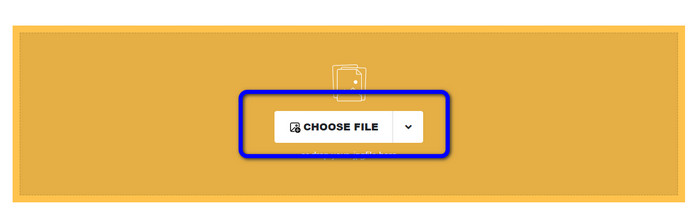
Βήμα 1. Μεταβείτε στην ιστοσελίδα του Safeimageconverter. Έπειτα, κάντε κλικ στο κουμπί Choose File για να ανεβάσετε το αρχείο NEF που θέλετε να μετατρέψετε.
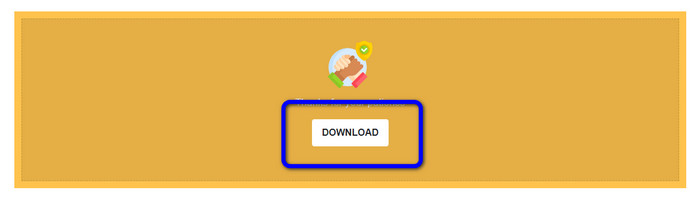
Βήμα 2. Μετά τη μεταφόρτωση, ο μετατροπέας εικόνας θα μετατρέψει αυτόματα το αρχείο εικόνας. Μετά τη διαδικασία μετατροπής, κάντε κλικ στο κουμπί Download. Με αυτόν τον τρόπο, μπορείτε να αποθηκεύσετε την μετατραπείσα εικόνα στον υπολογιστή σας.
Μέρος 3. Πρακτική μέθοδος για τη μετατροπή NEF σε JPG σε Mac και Windows
Σε αυτό το μέρος, αν προτιμάτε να χρησιμοποιείτε Windows ή Mac για τη μετατροπή NEF σε JPG, χρησιμοποιήστε το Photoshop. Το Adobe Photoshop δεν είναι μόνο καλό για την επεξεργασία εικόνων. Είναι επίσης αξιόπιστο όσον αφορά τη μετατροπή διαφόρων αρχείων, συμπεριλαμβανομένων των NEF. Επιπλέον, μπορείτε να κάνετε μαζική μετατροπή NEF σε JPG στο Photoshop. Διαθέτει επίσης γρήγορη διαδικασία μετατροπής, γεγονός που το καθιστά ιδανικό για όλους τους χρήστες. Επιπλέον, το πρόγραμμα που λειτουργεί εκτός σύνδεσης μπορεί να διατηρήσει την ποιότητα των εικόνων σας. Έτσι, μετά τη μετατροπή των αρχείων, διασφαλίζει ότι η φωτογραφία θα εξακολουθεί να έχει ικανοποιητική ποιότητα. Ωστόσο, το Adobe Photoshop δεν είναι δωρεάν. Πρέπει να αγοράσετε ένα συνδρομητικό πακέτο για να χρησιμοποιήσετε το πρόγραμμα. Προσφέρει μόνο μια δωρεάν δοκιμαστική έκδοση 7 ημερών. Επιπλέον, η διαδικασία εγκατάστασης είναι αρκετά περίπλοκη.
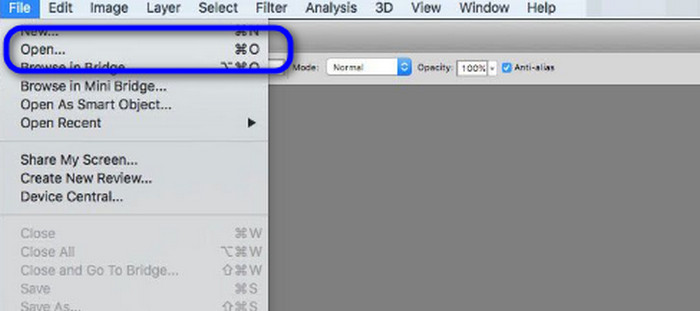
Βήμα 1. Κατεβάστε το Adobe Photoshop στον υπολογιστή σας. Στη συνέχεια, μετά την εγκατάσταση του προγράμματος, εκκινήστε το για να δείτε το περιβάλλον εργασίας. Έπειτα, μεταβείτε στο μενού File και επιλέξτε Open για να εισαγάγετε το αρχείο εικόνας NEF.
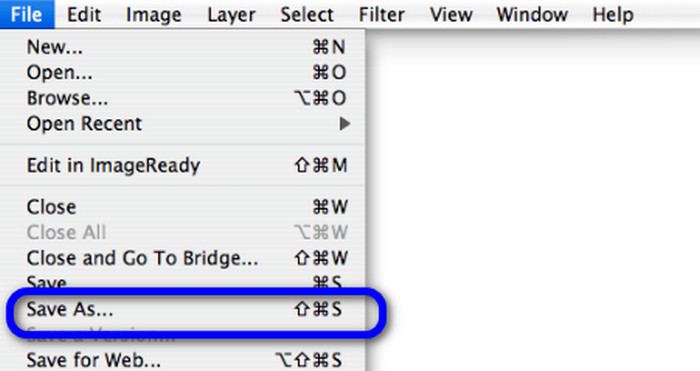
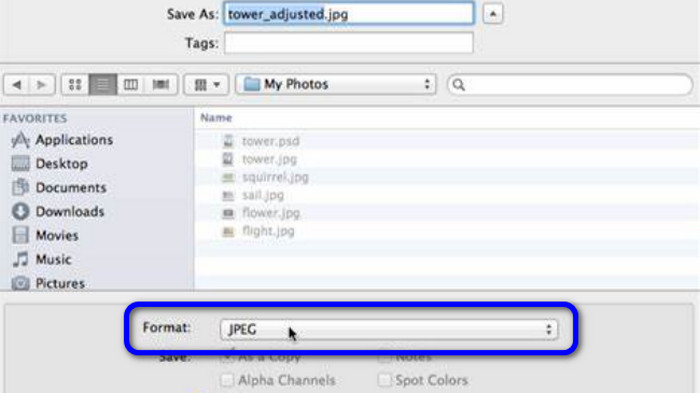
Βήμα 2. Αφού εισαγάγετε την εικόνα NEF στο περιβάλλον εργασίας, μεταβείτε ξανά στο μενού File και επιλέξτε την επιλογή Save as.
Βήμα 3. Έπειτα, επιλέξτε JPG από την επιλογή μορφής και κάντε κλικ στο Save.
Μέρος 4. Προτεινόμενος μετατροπέας εικόνας
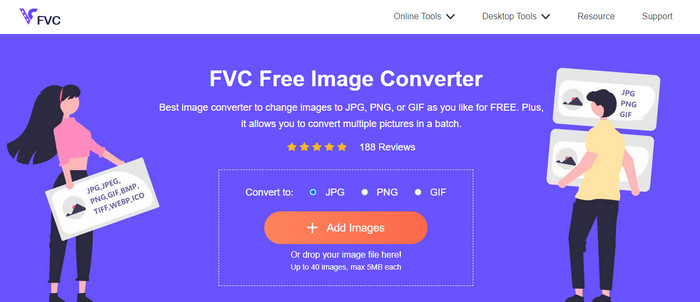
Σε αυτό το μέρος, αν αναζητάτε έναν ακόμη μετατροπέα εικόνας για να μετατρέψετε άλλες μορφές εικόνων online, η χρήση του FVC Free Image Converter σας προσφέρει την καλύτερη λύση. Αυτός ο online μετατροπέας εικόνας μπορεί να μετατρέψει διάφορες μορφές με ευκολία. Το FVC Free Image Converter υποστηρίζει JPG, PNG, GIF, BMP, TIFF και άλλα. Επίσης, μπορείτε να έχετε πρόσβαση στον μετατροπέα εικόνας από διαφορετικά προγράμματα περιήγησης, όπως Google, Explorer, Edge, Firefox και άλλα. Επιπλέον, μπορείτε να ολοκληρώσετε τη διαδικασία μετατροπής μέσα σε λίγα δευτερόλεπτα, γεγονός που το καθιστά πρακτικό για όλους τους χρήστες. Μπορείτε, επίσης, να ανεβάσετε πολλαπλές εικόνες σε αυτό το online εργαλείο. Με τη λειτουργία μαζικής μετατροπής, μπορείτε να ανεβάσετε έως και 40 εικόνες ταυτόχρονα. Επιπλέον, κατά τη λήψη των μετατραπέντων εικόνων, μπορείτε να τις κατεβάσετε με ένα μόνο κλικ.
Μέρος 5. Συχνές ερωτήσεις σχετικά με τη μετατροπή NEF σε JPG
1. Είναι δυνατή η μετατροπή JPG σε NEF;
Δυστυχώς, δεν μπορείτε να μετατρέψετε ένα αρχείο JPG σε NEF. Αυτό συμβαίνει επειδή το NEF είναι μια πραγματική λήψη που τραβήχτηκε σε κάμερα Nikon. Η μορφή NEF χρησιμοποιείται κάθε φορά που ένας φωτογράφος χρησιμοποιεί φωτογραφική μηχανή Nikon και ανεβάζει ψηφιακά αρχεία.
2. Πώς να ανοίξετε ένα αρχείο NEF;
Μπορείτε εύκολα να ανοίξετε το αρχείο NEF εάν έχετε τον σωστό κωδικοποιητή στα Windows σας. Ωστόσο, εάν δεν μπορείτε να ανοίξετε το αρχείο NEF, χρειάζεστε τη βοήθεια προγραμμάτων με δυνατότητα λήψης. Μπορείτε να χρησιμοποιήσετε το Microsoft Camera Codec Pack, το Adobe Photoshop, το Irfan View, το GIMP και άλλα.
3. Γιατί πρέπει να κάνετε μετατροπή από NEF σε JPG;
Είναι απαραίτητο να μετατρέψετε το NEF σε JPG επειδή ορισμένα προγράμματα και προγράμματα επεξεργασίας εικόνων δεν υποστηρίζουν αρχεία NEF. Επίσης, το NEF έχει μεγάλο μέγεθος αρχείου που καταναλώνει πάρα πολύ χώρο αποθήκευσης στη συσκευή. Έτσι, η καλύτερη επιλογή είναι να μετατρέψετε το αρχείο NEF σε JPG.
συμπέρασμα
Τα αρχεία NEF μπορούν να σας προσφέρουν εικόνες υψηλής ποιότητας. Ωστόσο, ορισμένα προγράμματα περιήγησης και προγράμματα δεν υποστηρίζουν αυτόν τον τύπο αρχείου, κάτι που είναι απογοητευτικό. Ευτυχώς, το άρθρο παρείχε μια εξαιρετική λύση για να μετατρέψετε αρχεία NEF σε JPG. Επιπλέον, το κείμενο σάς παρουσίασε έναν ακόμη online μετατροπέα εικόνας που μπορείτε να χρησιμοποιήσετε για να μετατρέψετε άλλες μορφές εικόνων, το FVC Free Image Converter. Μπορείτε να χρησιμοποιήσετε αυτόν τον online μετατροπέα για να μετατρέψετε διάφορους τύπους εικόνων.
-
 4 αξιόπιστες προσεγγίσεις για να μετατρέψετε εύκολα το JFIF σε JPG
 Αυτός ο οδηγός θα σας πει τα πάντα σχετικά με τη μετατροπή του JFIF σε JPG online και offline. Αν θέλετε να μάθετε τις πιο αποτελεσματικές μεθόδους, διαβάστε αμέσως αυτήν την ανάρτηση!
-
 Πώς να μετατρέψετε GIF σε JPG χωρίς απώλεια ποιότητας
 Διαβάστε και αποκτήστε τις πιο αποτελεσματικές μεθόδους για να μετατρέψετε επαγγελματικά GIF σε JPG. Θα μάθετε να μετατρέπετε αρχεία εικόνας με τον οδηγό των τέλειων μετατροπέων εικόνας
-
 Εύκολες διαδικασίες για τη μετατροπή εικόνων σε διάνυσμα
 Εδώ είναι μερικοί από τους αξιοσημείωτους τρόπους για το πώς να διανυσματοποιήσετε μια εικόνα. Επιπλέον, θα έχετε αρκετές γνώσεις σχετικά με τον μετατροπέα εικόνας που μπορείτε να χρησιμοποιήσετε.
