


 Video Converter Ultimate
 Εγγραφή οθόνης
 Επισκευή βίντεο
 Ασφαλές κατέβασμα
Απόλυτοι μειωτήρες ποιότητας εικόνας που πρέπει να έχετε αυτό το 2022
Το ανέβασμα πολλών εικόνων και το μοίρασμα όσων μας συμβαίνουν σε όλο το διαδίκτυο έγινε εύκολο χάρη στα διάφορα μέσα κοινωνικής δικτύωσης που μπορούμε να χρησιμοποιήσουμε δωρεάν. Δυστυχώς, όμως, οι εικόνες γίνονται κακής ποιότητας όταν τις δημοσιεύετε σε αυτά τα sites, ειδικά αν η αρχική ποιότητα είναι υψηλότερη από το συνηθισμένο πρότυπο. Ίσως σκέφτεστε να ανεβάσετε κατευθείαν την εικόνα σας στην ιστοσελίδα, αλλά σταματήστε λίγο! Θα σας δείξουμε ένα «μυστικό» που μπορείτε να εφαρμόσετε ώστε τουλάχιστον να μειώσετε τη συμπίεση που εφαρμόζεται στην εικόνα, και αυτό είναι να χαμηλώσετε την ποιότητα. Σε αυτή την ανάρτηση θα παρουσιάσουμε τα καλύτερα εργαλεία μείωσης της ποιότητας εικόνας που μπορείτε να χρησιμοποιήσετε για να αντιμετωπίσετε το πρόβλημα. Διαβάστε προσεκτικά τις παρακάτω πληροφορίες για να αποφασίσετε ποιο εργαλείο θα χρησιμοποιήσετε.

Μέρος 1. Μείωση ποιότητας εικόνας που πρέπει να γνωρίζετε για να μειώσετε την ποιότητα της εικόνας εύκολα [Κριτική]
ReduceImages.com
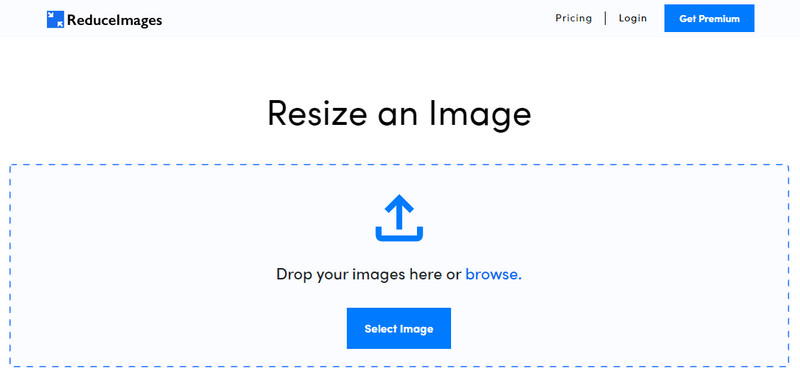
Το ReduceImages.com είναι μια δημοφιλής online λύση που μπορείτε να χρησιμοποιήσετε για να μειώσετε την ποιότητα μιας εικόνας, ώστε να προσαρμόζεται στα πρότυπα μιας ιστοσελίδας. Ευτυχώς, πρόκειται για ένα διαδικτυακό εργαλείο, οπότε δεν χρειάζεται να κατεβάσετε αρχεία· μπορείτε να αρχίσετε να το χρησιμοποιείτε από οποιονδήποτε browser έχετε στη συσκευή σας, απλώς αναζητώντας το όνομά του. Επιπλέον, μπορείτε να αλλάξετε διαστάσεις σε αρχεία JPG, PNG και GIF που ανεβάζετε εδώ. Παρόλο που μπορείτε να χρησιμοποιήσετε αυτό το online εργαλείο δωρεάν, υπάρχουν κάποια μειονεκτήματα που μπορεί να σας εκνευρίσουν, ειδικά αν θέλετε να δουλέψετε μαζικά ή αν δεν σας αρέσουν οι διαφημίσεις. Αν έχετε τη δυνατότητα, μπορείτε να αγοράσετε κάποιο πρόγραμμα συνδρομής· οι τιμές ξεκινούν από $ 3,99.
Πλεονεκτήματα
- Δωρεάν χρήση και δεν χρειάζεται εγκατάσταση.
- Μπορείτε να αλλάξετε το μέγεθος της εικόνας εδώ αν θέλετε.
- Αλλάξτε το φόντο μιας διαφανούς εικόνας σε ασπρόμαυρο.
- Ο καθένας μπορεί να καταλάβει πώς να το χρησιμοποιήσει σε ελάχιστο χρόνο.
Μειονεκτήματα
- Υπάρχουν μερικές διαφημίσεις στη δωρεάν έκδοση.
- Δεν μπορεί να κάνει μαζική επεξεργασία στη δωρεάν έκδοση.
Lunapic
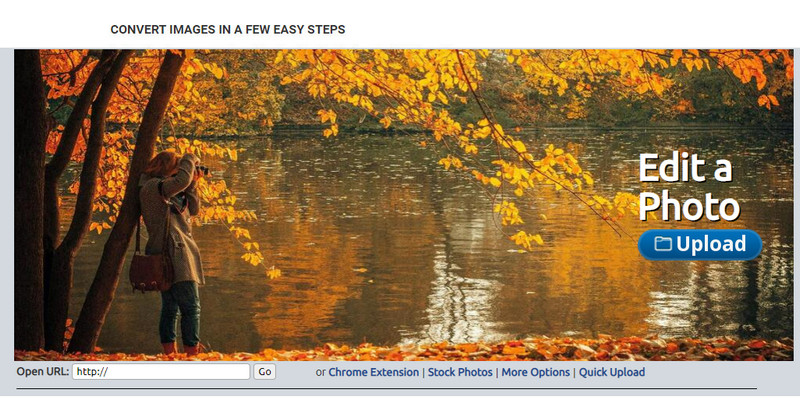
Το Lunapic είναι ένα εξαιρετικά εύχρηστο εργαλείο για να μειώσετε την ποιότητα μιας εικόνας στην ανάλυση που επιθυμείτε, με περιβάλλον που θυμίζει το Paint. Μπορείτε εύκολα να εξοικειωθείτε με αυτό το online εργαλείο λόγω της ομοιότητάς του με το γνωστό Paint στα Windows. Αν και μπορείτε να βασιστείτε σε αυτό για να προσαρμόσετε την ποιότητα της εικόνας όπως θέλετε, το μόνο φορμά που υποστηρίζει είναι το JPEG και κανένα άλλο. Αντιγράφοντας το URL της εικόνας που θέλετε, μπορείτε να την ανεβάσετε εδώ για επεξεργασία, ακόμη κι αν δεν την έχετε κατεβάσει τοπικά. Όπως και το πρώτο εργαλείο, δεν χρειάζεται να το εγκαταστήσετε για να το χρησιμοποιήσετε, καθώς είναι διαθέσιμο στο διαδίκτυο.
Πλεονεκτήματα
- Διαισθητικό περιβάλλον χρήστη που σας επιτρέπει να χειρίζεστε εύκολα την ποιότητα.
- Το παράθυρο προεπισκόπησης υποστηρίζεται για την προβολή της προσαρμοσμένης ποιότητας εικόνας.
- Μπορείτε να αντιγράψετε και να επικολλήσετε τη διεύθυνση URL της εικόνας που θέλετε να ανεβάσετε.
- Είναι δωρεάν και δεν υποστηρίζει την premium έκδοση.
Μειονεκτήματα
- Η υποστηριζόμενη μορφή είναι μόνο JPEG.
- Το GUI είναι ξεπερασμένο και χρειάζεται κάποια προσαρμογή.
EzGIF
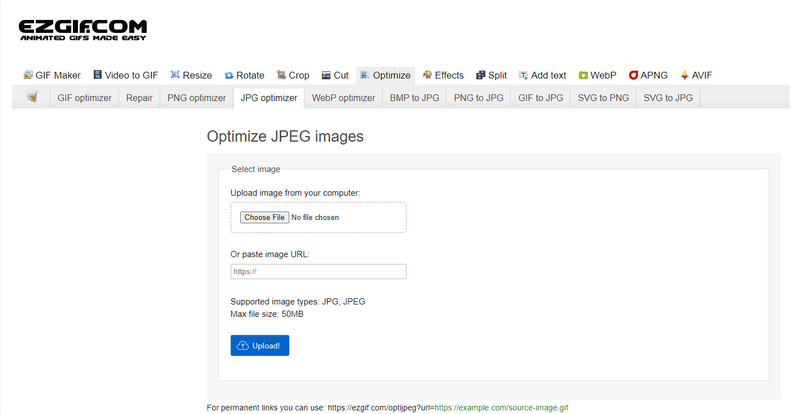
Το EzGIF μπορεί να γίνει ο δημιουργός «χαμηλής ποιότητας» εικόνων σας, ή πιο απλά, μπορεί να βελτιστοποιήσει την ποιότητα των εικόνων που ανεβάζετε. Είναι γνωστό ως εργαλείο διόρθωσης GIF, αλλά πλέον μπορεί επίσης να αλλάζει την ποιότητα εικόνων JPEG, WebP και PNG, όταν χρειάζεται. Αυτό το εργαλείο είναι πιο δημοφιλές από τα δύο προηγούμενα που αναφέραμε, χάρη στην αποτελεσματικότητά του και στα χρόνια παρουσίας του ως διαδικτυακό εργαλείο. Προσφέρει μια πρακτική αλλά και αποτελεσματική λύση, την οποία μπορείτε εύκολα να μάθετε να χειρίζεστε. Δεν μπορείτε, ωστόσο, να ανεβάσετε και να επεξεργαστείτε πολλά αρχεία ταυτόχρονα, παρά το ότι είναι ιδιαίτερα βολικό εργαλείο. Επίσης, δεν μπορείτε να ανεβάζετε εικόνες που δεν είναι JPEG ή JPG, PNG, WebP ή GIF, είτε στατικές είτε κινούμενες.
Πλεονεκτήματα
- Υποστηρίζει πολλές δυνατότητες, όπως προσαρμογή της ποιότητας, βελτίωση, μετατροπή και πολλά άλλα.
- Μπορείτε να το έχετε ελεύθερα πρόσβαση και να το χρησιμοποιήσετε σε διαφορετικά προγράμματα περιήγησης ιστού.
- Βελτιστοποιήστε την εικόνα σας εδώ και δείτε το αποτέλεσμα στο παράθυρο προεπισκόπησης πριν την εξαγωγή.
- Δεν προσθέτει υδατογράφημα μετά την αλλαγή της ποιότητας της εικόνας.
Μειονεκτήματα
- Το γραφικό περιβάλλον χρήστη του χρειάζεται κάποιες τροποποιήσεις.
- Δεν υποστηρίζει άλλες μορφές εικόνας όπως BMP, SVG, HEIF και άλλες.
- Η μεταφόρτωση ομαδικών εικόνων δεν υποστηρίζεται.
Adobe Photoshop
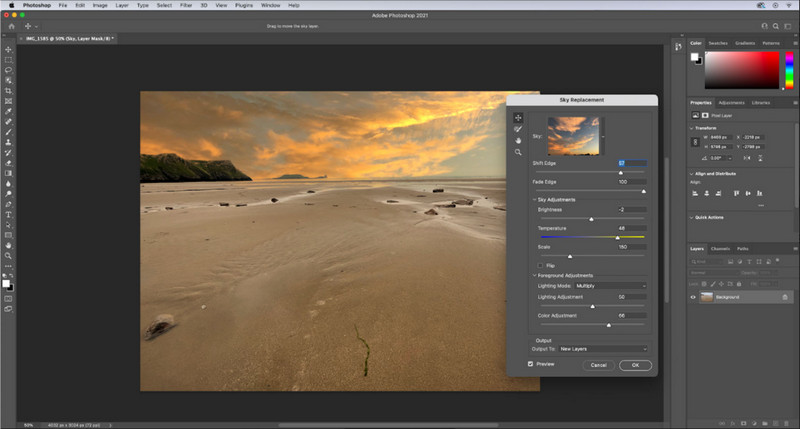
Το Adobe Photoshop είναι σαν «κωδικός εξαπάτησης» για το πώς να μειώσετε την ποιότητα μιας εικόνας, καθώς είναι το καλύτερο εργαλείο για μετατροπές εικόνας. Με αυτό μπορείτε να ανεβάσετε οποιεσδήποτε φωτογραφίες και να ρυθμίσετε τον αλγόριθμο επεξεργασίας της εικόνας. Όλοι προτιμούν ένα επαγγελματικό εργαλείο, επειδή είναι γεμάτο προηγμένες λειτουργίες που δεν θα βρείτε σε άλλους επεξεργαστές στην αγορά ή online. Υπάρχει διαφορά ανάμεσα σε ένα κορυφαίο εργαλείο και σε ένα απλώς «καλούτσικο», και αυτό το πρόγραμμα το αποδεικνύει. Ωστόσο, κάποιοι χρήστες δυσκολεύονται να το μάθουν λόγω του πολύπλοκου και «βαριού» περιβάλλοντος χρήσης. Αν είναι η πρώτη φορά που χρησιμοποιείτε αυτό το λογισμικό, ίσως αντιμετωπίσετε δυσκολίες. Συνολικά, πρόκειται για τον πιο επαγγελματικό επεξεργαστή εικόνας που μπορείτε να χρησιμοποιήσετε, προσφέροντας δυνατότητες που δεν έχουν τα τρία πρώτα εργαλεία που αναφέραμε.
Πλεονεκτήματα
- Παρέχει αποκλειστικές δυνατότητες που δεν διαθέτει το άλλο πρόγραμμα επεξεργασίας εικόνας στο διαδίκτυο.
- Παρέχει αποκλειστικές δυνατότητες που δεν διαθέτει το άλλο πρόγραμμα επεξεργασίας εικόνας στο διαδίκτυο.
- Είναι μακράν η καλύτερη επιλογή για την εκτέλεση επαγγελματικής επεξεργασίας εικόνας.
- Ένα συμπαγές και πλήρως εξοπλισμένο εργαλείο που μπορείτε να κατεβάσετε σε διαφορετικές συσκευές.
Μειονεκτήματα
- Οι χρήστες που κάνουν πρώτη φορά δυσκολεύονται να βρουν πώς να το χρησιμοποιήσουν.
- Πρέπει να αγοράσετε ένα πρόγραμμα για να συνεχίσετε να το χρησιμοποιείτε μετά τη δωρεάν δοκιμή.
Μέρος 2. Μπόνους: Πώς να κάνετε την εικόνα χαμηλής ποιότητας υψηλότερη με το Top Image Upsclaer στον Ιστό
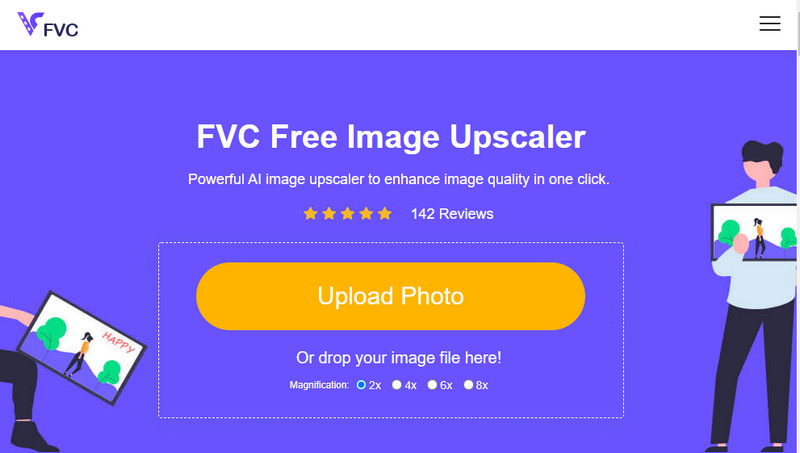
Έχετε ποτέ δημιουργήσει μια χαμηλής ποιότητας εικόνα που κατέληξε να είναι pixelated ή θολή και θέλατε να την επαναφέρετε στην αρχική της ποιότητα; Αν ναι, μπορείτε να χρησιμοποιήσετε το FVC Free Image Upscaler. Αυτή η online λύση μπορεί να ολοκληρώσει τη δουλειά, 'ιχνηλατώντας' τον αλγόριθμο της εικόνας, προσαρμόζοντας την ποιότητα και κάνοντάς την upscale με βάση όσα ανιχνεύει η τεχνητή νοημοσύνη. Θα έχετε σημαντικά πλεονεκτήματα χρησιμοποιώντας αυτό το εργαλείο, όπως κορυφαία απόδοση στο upscaling, μηδενική ανάγκη εγκατάστασης, ασφάλεια, ευκολία χρήσης και υποστήριξη πελατών 24 ώρες το 24ωρο. Επιπλέον, μπορείτε να ανεβάσετε JPEG/JPG, PNG, BMP, SVG και πολλά άλλα αρχεία για να αυξήσετε την ανάλυση εικόνας εδώ. Μπορείτε επίσης να χρησιμοποιήσετε αυτό το λογισμικό ακόμη κι αν δεν έχετε μειώσει προηγουμένως την ποιότητά της εικόνας και απλώς θέλετε να βελτιώσετε τη συνολική της εμφάνιση. Ξεκινήστε να χρησιμοποιείτε το εργαλείο κάνοντας κλικ στο όνομά του και ανεβάζοντας αμέσως την εικόνα που θέλετε να κάνετε upscale!
Μέρος 3. Συχνές ερωτήσεις σχετικά με το πώς να κάνετε μια εικόνα χαμηλότερης ποιότητας
Η αλλαγή της ποιότητας μειώνει το μέγεθος του αρχείου;
Όχι, δεν θα επηρεαστεί. Αν έχετε προσαρμόσει τα pixel της εικόνας και τα έχετε μειώσει, η εμφάνιση της εικόνας θα αλλάξει, αλλά όχι το μέγεθος του αρχείου. Εδώ είναι μερικοί από τους καλύτερους βελτιωτές pixel που μπορείτε να δοκιμάσετε.
Γιατί άλλαξε το bitrate της εικόνας μου μετά τη μείωση της ποιότητας;
Αφού αλλάξετε την ποιότητα της εικόνας, θα δείτε μια σημαντική αλλαγή στο ρυθμό μετάδοσης bit μόλις την εξαγάγετε, σημαντικά όταν αλλάζετε την ανάλυση της εικόνας.
Γιατί το κινούμενο GIF μετατρέπεται σε στατικό μετά τη μείωση της ποιότητας;
Το πρόγραμμα που χρησιμοποιείτε για να μειώσετε την ποιότητα σας επιτρέπει να ανεβάσετε το κινούμενο GIF, αλλά δεν μπορείτε να εξαγάγετε ένα κινούμενο GIF, επομένως το αποτέλεσμα θα μετατραπεί σε στατικό GIF. Η επέκταση εικόνας θα παραμείνει ως έχει, αλλά το κινούμενο όχι.
συμπέρασμα
Μπορείτε να επιλέξετε τον μειωτήρα ποιότητας εικόνας με τα τέσσερα λογισμικά που προσθέτουμε και τα οποία μπορείτε να κατεβάσετε και να έχετε πρόσβαση στον Ιστό. Εάν διασκεδάζετε διαβάζοντας αυτό το άρθρο, θα το εκτιμούσαμε ιδιαίτερα εάν βαθμολογήσετε αυτό το με πέντε αστέρια.
-
 Top 7 Best Online και Offline Μεγεθυντές φωτογραφιών
 Θέλετε να μάθετε τους μεγεθυντές φωτογραφιών με κορυφαία απόδοση για τη συσκευή σας Windows ή Mac; Διαβάστε αυτήν την ανάρτηση για να μάθετε τους καλύτερους μεγεθυντές φωτογραφιών που αξίζει να δοκιμάσετε.
-
 Κορυφαίοι 4 μεγεθυντές GIF εκτός σύνδεσης και σε απευθείας σύνδεση που δεν πρέπει να χάσετε
 Αυτή η ανάρτηση είναι για εσάς εάν ψάχνετε για τους καλύτερους μεγεθυντές GIF. Παραθέσαμε τους μεγεθυντές GIF στο διαδίκτυο και εκτός σύνδεσης με τις καλύτερες επιδόσεις για τον υπολογιστή σας.
-
 Οι καλύτερες διαδικτυακές και εκτός σύνδεσης εφαρμογές Photo Resizer για υπολογιστή
 Ψάχνετε για τις καλύτερες εφαρμογές αλλαγής μεγέθους φωτογραφιών για την επιφάνεια εργασίας σας; Παραθέσαμε τις κορυφαίες εφαρμογές αλλαγής μεγέθους φωτογραφιών στο διαδίκτυο και εκτός σύνδεσης που πρέπει να δοκιμάσετε.
