


 Video Converter Ultimate
 Εγγραφή οθόνης
 Επισκευή βίντεο
Μάθετε ποια είναι τα διαφορετικά προγράμματα αναπαραγωγής AVI που μπορείτε να χρησιμοποιήσετε για την αναπαραγωγή αρχείων .AVI
Όλοι μας αγαπάμε να παρακολουθούμε ταινίες, κορεάτικα δράματα, σειρές και πολλά άλλα. Έτσι, αντί να κάνουμε streaming του βίντεο από τον ιστότοπο, συνήθως κατεβάζουμε το αρχείο για να αποφύγουμε το συνεχές φόρτωμα στην οθόνη. Επιπλέον, τα αρχεία AVI είναι δύσκολο να αναπαραχθούν στο πρόγραμμα αναπαραγωγής πολυμέσων που χρησιμοποιείτε, επειδή αυτή η μορφή χρειάζεται συμπίεση. Αφού συμπιέσετε το αρχείο, θα πρέπει να κατεβάσετε τον κωδικοποιητή που χρησιμοποιείτε, κάτι που είναι κάπως μπελάς. Για να λύσουμε αυτό το πρόβλημα, σας παρουσιάζουμε αυτόν τον διαφορετικό AVI Media Player που μπορείτε να χρησιμοποιήσετε για να αναπαράγετε αρχεία .avi. Επιλέξτε ποιο εργαλείο από τα παρακάτω θα σας βοηθήσει να διορθώσετε το πρόβλημα. Ας συνεχίσουμε λοιπόν να εξερευνούμε τις διαθέσιμες λύσεις στον ιστό ή σε προγράμματα.

Μέρος 1. Καλύτερο Online πρόγραμμα αναπαραγωγής αρχείων AVI
Δωρεάν πρόγραμμα αναπαραγωγής βίντεο FVC
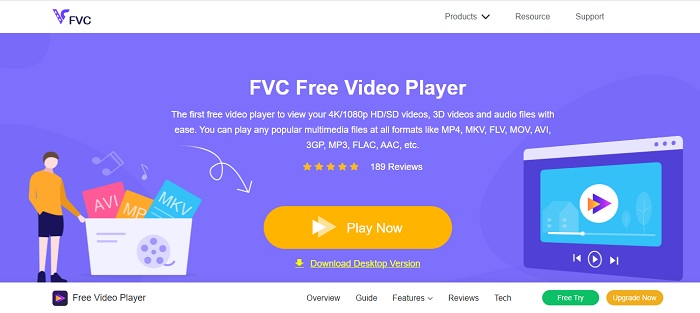
Αν το να κατεβάσετε έναν AVI file player δεν είναι το δυνατό σας σημείο, τότε πρέπει να σκεφτείτε να χρησιμοποιήσετε το FVC Free Video Player. Αυτό το εργαλείο είναι χωρίς διαφημίσεις, οπότε αν το ανοίξετε μέσω της μηχανής αναζήτησής σας, μην περιμένετε να δείτε διαφημίσεις. Επίσης, το εργαλείο είναι δωρεάν και εύκολο στην πρόσβαση. Οι περισσότεροι χρήστες το χρησιμοποιούν για να αναπαράγουν αρχεία AVI στον υπολογιστή τους. Ωστόσο, το εργαλείο δεν υποστηρίζει τις περισσότερες μορφές και codecs. Παρ’ όλα αυτά, παραμένει το καλύτερο εργαλείο στην αγορά. Επομένως, αν θέλετε να αποκτήσετε πρόσβαση σε αυτό το δωρεάν εργαλείο που σας προσφέρει η FVC, ακολουθήστε τα παρακάτω βήματα για να μάθετε πώς να αναπαράγετε αρχεία .avi online.
Βήμα 1. Για να μεταβείτε στην κεντρική ιστοσελίδα του AVI player online πρέπει να κάνετε κλικ σε αυτόν τον σύνδεσμο.
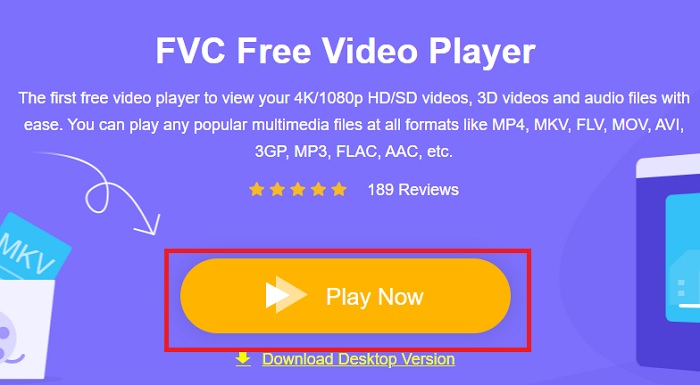
Βήμα 2. Κάντε κλικ στο Play Now για να ξεκινήσετε και να εκκινήσετε το online πρόγραμμα αναπαραγωγής πολυμέσων.
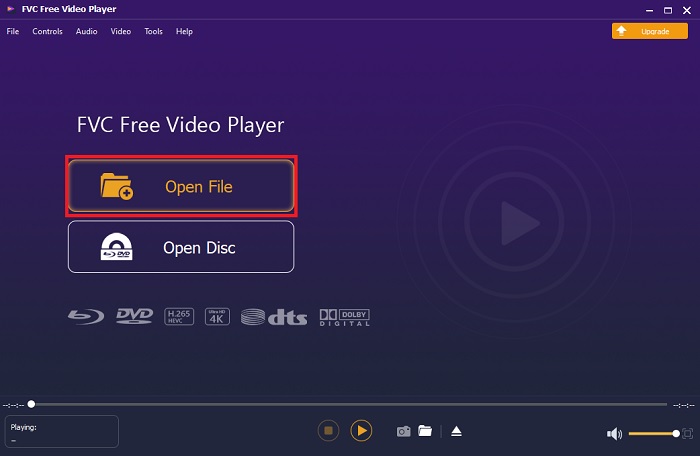
Βήμα 3. Πατήστε το Open File και εντοπίστε το αρχείο AVI που θέλετε να αναπαραχθεί. Έπειτα κάντε κλικ στο open για να ξεκινήσει η προβολή του αρχείου.
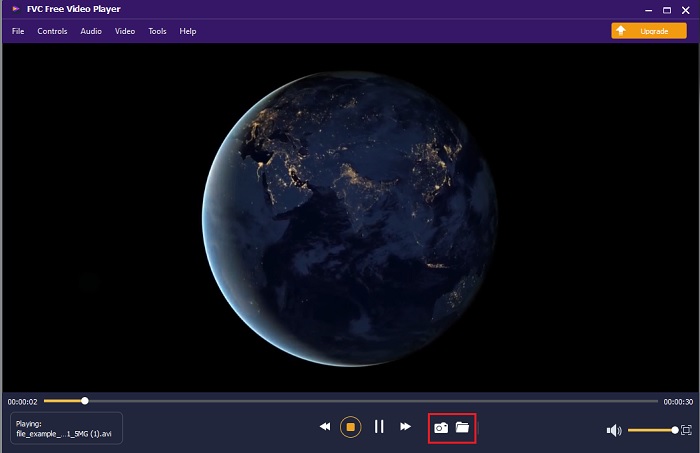
Βήμα 4. Ενώ το αρχείο AVI παίζει στην οθόνη σας, μπορείτε επίσης, αν θέλετε, να τραβήξετε στιγμιότυπα οθόνης. Κάντε κλικ στο folder για να δείτε τις λήψεις οθόνης που μόλις κάνατε.
Βήμα 5. Για να αναπαράγετε ένα άλλο αρχείο AVI ή οποιοδήποτε άλλο αρχείο βίντεο, απλώς επαναλάβετε τα βήματα που παρουσιάζονται εδώ και απολαύστε.
Μέρος 2. 4 των καλύτερων προγραμμάτων αναπαραγωγής αρχείων AVI εκτός σύνδεσης
1. FVC Blu-ray Player
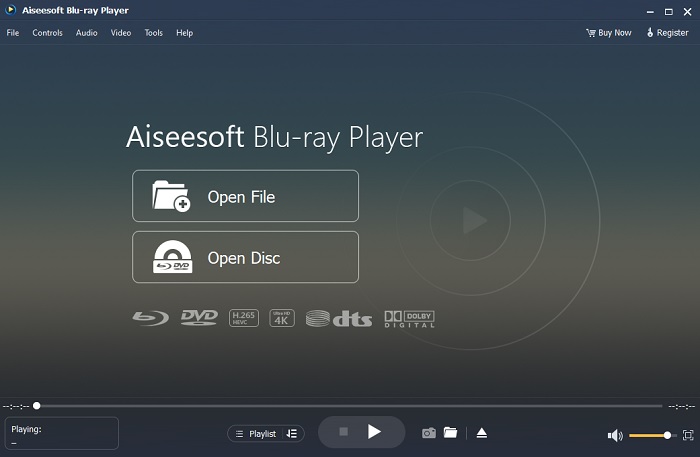
Αν θέλετε μια κινηματογραφική ατμόσφαιρα ενώ βλέπετε το βίντεό σας, τότε πρέπει να χρησιμοποιήσετε το Blu-ray Player. Σε αντίθεση με οποιονδήποτε άλλο AVI player, αυτό το εργαλείο έγινε δημοφιλές σε πολλούς χρήστες σε όλο τον κόσμο. Επίσης, αυτό το εργαλείο έχει παρόμοιες λειτουργίες με τα άλλα προγράμματα αναπαραγωγής πολυμέσων. Ποια όμως είναι τα βασικά του πλεονεκτήματα σε σχέση με τα υπόλοιπα; Πρώτον, αυτό το εργαλείο υποστηρίζει και αναπαράγει πολλές διαφορετικές μορφές. Δεύτερον, το πρόγραμμα αναπαραγωγής μπορεί να παίξει το βίντεο ακόμη κι αν η λήψη δεν έχει ολοκληρωθεί. Τέλος, τα CD, DVD ή Blu-ray που τοποθετείτε στη μονάδα οπτικού δίσκου μπορούν επίσης να αναπαραχθούν εδώ. Έτσι, μπορείτε να πετύχετε μια εμπειρία σαν να παρακολουθείτε ταινία στον κινηματογράφο από τον υπολογιστή σας, χωρίς να πληρώνετε πολλά, κατεβάζοντας αυτό το εργαλείο.
Δωρεάν λήψηΓια Windows 7 ή νεότεροΑσφαλής λήψη
Δωρεάν λήψηΓια MacOS 10.7 ή νεότεροΑσφαλής λήψη
Πλεονεκτήματα
- Υποστηρίζει περισσότερες μορφές από τις άλλες συσκευές αναπαραγωγής πολυμέσων που αναφέρονται εδώ.
- Παρακολουθήστε ή ακούστε τις λίγες λεπτομέρειες σχετικά με το αρχείο, ακόμα κι αν τα δεδομένα χαθούν ή σπάσουν. Επίσης, αν παίξετε βίντεο εδώ θα νιώσετε σαν να βρίσκεστε σε κινηματογράφο.
- Μπορεί να προσαρμόσει το εφέ βίντεο της απόχρωσης, του κορεσμού, της φωτεινότητας, της αντίθεσης και των ακτίνων γάμμα σε.
Μειονεκτήματα
- Αυτό το εργαλείο πληρώνεται αλλά δεν είναι ακριβό.
- Το πρόγραμμα αναπαραγωγής πολυμέσων με δυνατότητα λήψης στη μονάδα σας.
2. FileHorse
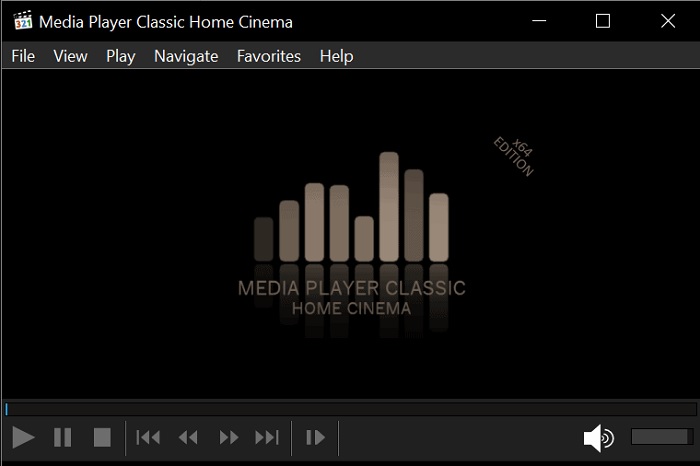
Το File Horse είναι μια συλλογή από διάφορα εργαλεία στην ιστοσελίδα του. Αν και αυτός ο AVI player for Mac και Windows είναι εύκολα προσβάσιμος, η σελίδα του εργαλείου έχει πολλές διαφημίσεις. Γι’ αυτό προσέξτε να μην τις πατήσετε, ώστε να μην ανοίξουν νέες καρτέλες με άχρηστες ιστοσελίδες. Επίσης, οι ενοχλητικές διαφημίσεις εδώ μπορεί να κάνουν ολόκληρο το σύστημά σας λίγο πιο αργό.
Πλεονεκτήματα
- Περιέχει διαφορετικές λύσεις για τα προβλήματα.
- Είναι σαν τη μηχανή αναζήτησης για εργαλεία.
- Κατεβάστε τα εργαλεία εδώ δωρεάν.
Μειονεκτήματα
- Οι ενοχλητικές διαφημίσεις είναι παντού στον ιστότοπο.
- Το μοτίβο λήψης για το εργαλείο είναι λίγο άκαμπτο. Αν και διαθέτει κουμπί λήψης, πρέπει να επιλέξετε μια έκδοση του εργαλείου που θέλετε να κατεβάσετε.
3. VLC Media Player
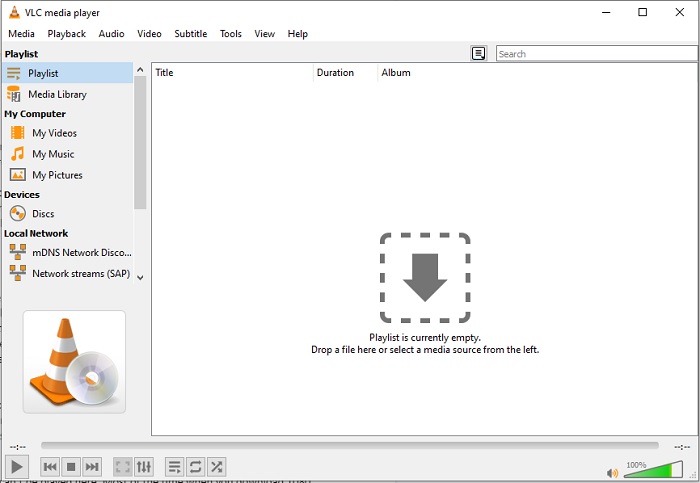
Αν ψάχνετε τον πιο γνωστό AVI video player, τότε το VLC Media Player είναι αυτό που θέλετε. Οι περισσότεροι από εμάς χρησιμοποιούμε ήδη το VLC για να αναπαράγουμε και να παρακολουθούμε βίντεο στις συσκευές μας. Αν και είναι το πιο χρησιμοποιημένο πρόγραμμα αναπαραγωγής πολυμέσων σε αυτή τη λίστα, το εργαλείο εξακολουθεί να αντιμετωπίζει πολλά σφάλματα και μη αναπαραγόμενες μορφές εξαιτίας δυσλειτουργιών στον κώδικα. Επιπλέον, δοκιμάσαμε να αναπαράγουμε αρχεία AVI εδώ. Το βίντεο έπαιξε καλά στην αρχή, αλλά όσο περνούσε η ώρα άρχισαν να εμφανίζονται προβλήματα.
Πλεονεκτήματα
- Το πιο χρησιμοποιούμενο εργαλείο για παρακολούθηση και αναπαραγωγή βίντεο.
- Υποστηρίξτε τις περισσότερες μορφές και κωδικοποιητές για αναπαραγωγή σε αυτό το λογισμικό.
- Μπορείτε επίσης να κάνετε μετατροπή εδώ με περιορισμένη μορφή αρχείου υποστήριξης.
Μειονεκτήματα
- Ορισμένες αναπαραγωγές βίντεο δεν μπορούν να αναπαραχθούν εδώ. Τις περισσότερες φορές, όταν κάνετε λήψη βίντεο 1080 px μέσω Διαδικτύου και τα παίζετε εδώ. Η ποιότητα των βίντεο θα μειωθεί στα 720 px.
- Οι περισσότερες από τις γνωστές μορφές που παίζονται εδώ αντιμετωπίζουν δυσλειτουργίες όπως το AVI και το MOV.
4. Windows Media Player
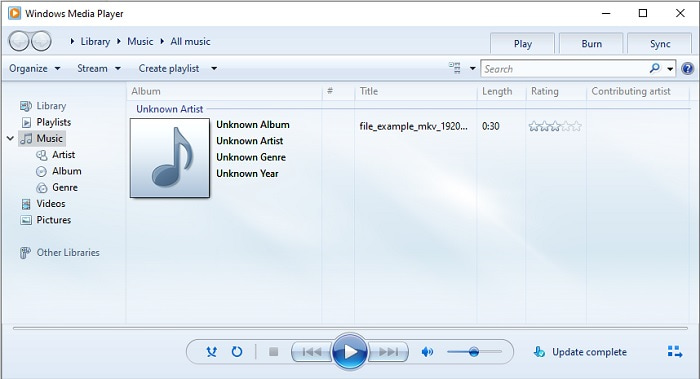
Το προεπιλεγμένο AVI player for Windows 10 είναι το Windows Media Player. Τα περισσότερα από τα φορμά που έχει αναπτύξει η Microsoft παίζουν πολύ καλά εδώ, όπως το AVI. Όμως αυτό το εργαλείο έχει πρόβλημα να παίξει άλλες μορφές που έχουν δημιουργηθεί από τρίτους, όπως το MOV. Επίσης, αν αναπαράγετε μια μορφή που έχει κωδικοποιηθεί με έναν συγκεκριμένο codec, τότε πιθανότατα θα χρειαστεί να κατεβάσετε επιπλέον λογισμικό μόνο και μόνο για να παίξετε αυτό το βίντεο, επειδή υποστηρίζει λιγότερους codecs και, κατά συνέπεια, λιγότερες μορφές.
Πλεονεκτήματα
- Δεν απαιτείται λήψη γιατί είναι ήδη εγκατεστημένο στην επιφάνεια εργασίας σας.
- Είναι πολύ πιο εύκολο στη χρήση από το VLC.
- Η πολυπλοκότητα του εργαλείου δεν είναι τόσο δύσκολη σε σύγκριση με το VLC.
Μειονεκτήματα
- Είναι διαθέσιμο μόνο στα Windows. Επομένως, εάν είστε χρήστης Mac, δεν μπορείτε να χρησιμοποιήσετε το κύριο εργαλείο.
- Ελλείψεις κωδικοποιητή και υποστήριξης μορφής που προέρχονται από το εργαλείο.
Μέρος 3. Συχνές ερωτήσεις σχετικά με το AVI Player
Πώς να παίξετε αρχεία .avi στο Android;
Πρώτα κατεβάστε έναν AVI player on Android. Όταν αναζητήσετε μια εφαρμογή προγράμματος αναπαραγωγής πολυμέσων στο Play Store, θα βρείτε πολλές επιλογές για να αναπαράγετε το αρχείο .avi στις συσκευές Android σας.
Είναι η μορφή AVI η πιο ιδανική μορφή;
Το AVI είναι μία από τις καλύτερες μορφές που μπορείτε να χρησιμοποιήσετε για να αποθηκεύσετε ακατέργαστα αλλά υψηλής ποιότητας αρχεία πολυμέσων σε αυτό. Αλλά η μορφή δεν είναι συμπιεσμένη, επομένως είναι ιδανικό να μετατρέψετε το AVI σε νέα μορφή με κωδικοποιητή. Έτσι, για να μάθετε περισσότερα σχετικά με τον μετατροπέα AVI, κάντε κλικ σε αυτόν τον σύνδεσμο για να μεταβείτε σε ένα νέο άρθρο που εστιάζει στη συζήτηση για τους καλύτερους μετατροπείς.
Γιατί τα βίντεό μου AVI δεν μπορούν να αναπαραχθούν στα τηλέφωνά μου Android;
Υπάρχουν ορισμένες συνηθισμένες παρανοήσεις σχετικά με το γιατί τα αρχεία AVI δεν μπορούν να αναπαραχθούν στο τηλέφωνό σας. Για να εντοπίσετε λοιπόν ποιο είναι το πρόβλημα στο Android τηλέφωνό σας, πρέπει να γνωρίζετε την αιτία και να μάθετε πώς να το διορθώσετε. Ας δούμε λοιπόν γιατί τα βίντεο δεν παίζουν στα Android τηλέφωνά σας.
συμπέρασμα
Για να ολοκληρώσουμε, σε αυτό το άρθρο μιλήσαμε για πολλές λύσεις ώστε να διορθώσετε τα προβλήματα με τα AVI. Ωστόσο, υπάρχει ένα εργαλείο που προσφέρει την καλύτερη οπτική απόδοση ως πρόγραμμα αναπαραγωγής πολυμέσων. Το FVC Blu-ray player προσφέρει περισσότερη κινηματογραφική ή τύπου iMax αίσθηση από οποιοδήποτε άλλο πρόγραμμα αναπαραγωγής. Γιατί λοιπόν να συμβιβαστείτε με ένα εργαλείο κλάσης A, όταν μπορείτε να έχετε ένα εργαλείο κλάσης S που προσφέρεται από το FVC Blu-ray Player;.
-
 op 4 Καλύτερες συσκευές αναπαραγωγής VOB για κινητά Android για διαφορετικές χρήσεις
 Όταν κατεβάζετε βίντεο VOB και θέλετε να τα παρακολουθείτε σε Android, μπορείτε να επιλέξετε το πιο κατάλληλο από τα ακόλουθα κορυφαία 4 προγράμματα αναπαραγωγής VOB σε αυτό το άρθρο.
-
 Εξαιρετικός οδηγός για τον τρόπο αναπαραγωγής αρχείων MOV σε κινητές συσκευές Android
 Αντιμετωπίζετε πρόβλημα γιατί τα αρχεία MOV δεν αναπαράγονται στο android media player σας; Στη συνέχεια, διαβάστε αυτό το άρθρο, θα σας προσφέρει 2 διαφορετικές μεθόδους για να διορθώσετε αρχεία MOV και να τα κάνετε αναπαραγωγή.
-
 Καλύτερο πρόγραμμα αναπαραγωγής βίντεο 1080p HD για Windows / Mac / iOS / Android το 2021
 Αν αναζητάτε ένα πρόγραμμα αναπαραγωγής βίντεο για να παρακολουθείτε βίντεο υψηλής ευκρίνειας 1080p στον υπολογιστή σας, ελέγξτε τις επιλογές μας από τα καλύτερα προγράμματα αναπαραγωγής βίντεο 1080p HD για Mac, Windows PC, iOS και Android.
