


 Video Converter Ultimate
 Εγγραφή οθόνης
 Επισκευή βίντεο
Σε λεπτομερείς κριτικές σχετικά με τους 3 μετατροπείς ιστού και επιτραπέζιων υπολογιστών που χρησιμοποιούνται για τη μετατροπή αρχείων WMV σε AVI
There will be a time that you want to convert your file into a new one because they aren't playable. An excellent example in this situation is the WMV format. If you are a Windows user, you have already heard of this format. It stores different video and audio files in one container. However, this format doesn't gain support from most of the media players. So the best way to watch the video file stored in the file extension of .wmv is to convert. If you're asking the same question as others, can you convert WMV to AVI? Then try to proceed below as we accumulate different web tools you can use with the steps provided.
Μέρος 1. Κορυφαίοι 3 μετατροπείς σε δωρεάν Μετατροπή WMV σε AVI Online
Κορυφή 1. Δωρεάν μετατροπέας βίντεο FVC Online
Converting can be quickly done if you have internet access and use this FVC Free Video Converter Online. This software supports a much faster and better conversion, unlike other webtool. Also, you will not need to wait for the file to upload because this tool doesn't want you to wait for too long. Another good thing about this web tool is the built-in converted video library this tool provides. To access the video or audio, you convert efficiently and effectively. However, if you don't have internet access, you can't use this just like the other web tool below. Moreover, if you want to try this tool, then here are some provided steps you can follow to convert WMV to AVI for free online.
Step 1. First, go to the main website of the FVC by clicking this link.
Step 2. Then click Add Files to Convert to install the launcher of the web tool. No need to worry because it is only just a few bytes, and it is safe also. If the installer is on your drive, re-click the Add Files to Convert, choose the .wmv format on the folder, and click Open.
Κατεβάστε την έκδοση για υπολογιστή για μαζική μετατροπή αρχείων.
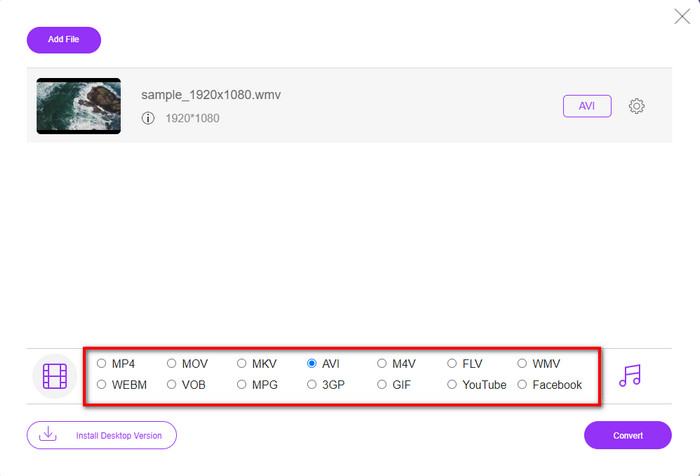
Step 3. Once the WMV file is on the interface, you must now choose the AVI format on the options available below.
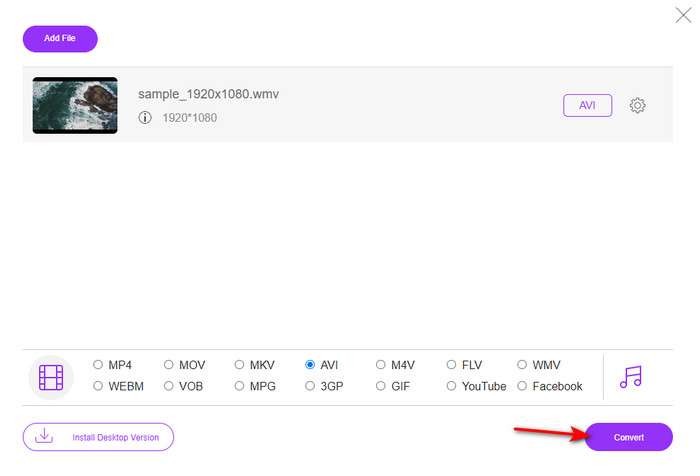
Step 4. After selecting the format, it is now the right time to convert it by clicking Convert.
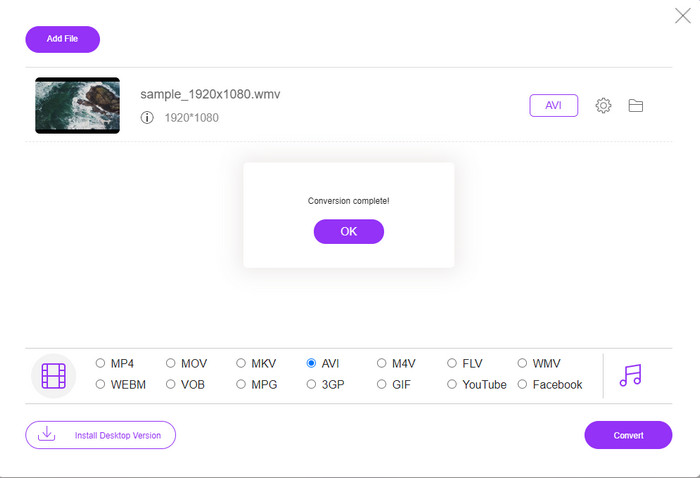
Step 5. Wait for a few minutes for the process to end, and if it is a folder containing your converted file will show on your screen. Then click it to watch the new WMV format you've made with this tool.
Κορυφή 2. Μετατροπή
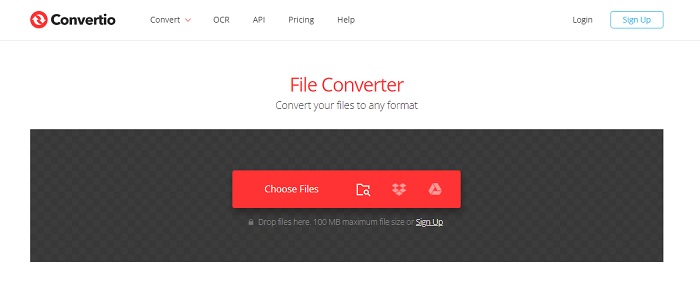
Another online converter you can use to convert WMV files to AVI for free is the Convertio. Unlike the web tool mentioned first, you will not need a launcher to use it. Also, you can convert PDFs, images, audio, and more in this tool. However, the major drawback is that uploading and downloading files will take a lot of time. Also, it doesn't have a built-in library containing all the converted files you've made. So now, if you want to use this as your converter, then follow these steps.
Step 1. Go to your favorite browser and search Convertio.io.
Step 2. Click Choose File and locate the WMV file you want to convert to the folder. Then click the drop-down button and choose AVI.
Step 3. The uploading process will take your time, and click Download to save the converted format.
Κορυφή 3. CloudConvert
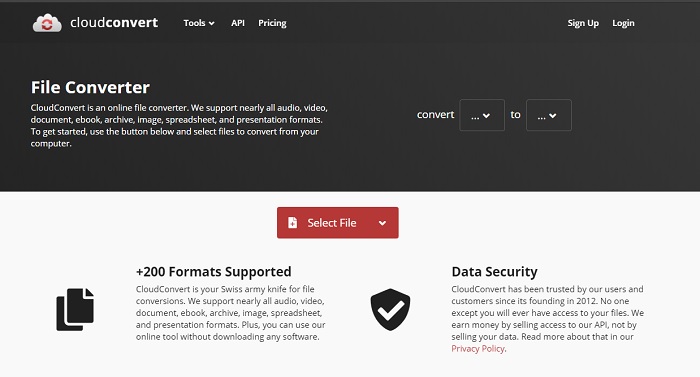
CloudConvert supports small-scale formats you can choose to convert on. Also, the conversion process here is safe and doesn't keep a record of your converting process. Just like the Convertio, this tool doesn't have a library as well. And the process of converting format here is so much slower as it doesn't support hardware acceleration to boost the conversion speed. Moreover, if you want to experience a free convert WMV to AVI online, copy the steps below.
Step 1. Open your web browser and search the Cloud Convert.
Step 2. Press Select File, then search for the .wmv file on the folder that will show on your screen.
Step 3. Click Convert to, choose the AVI format, click the Convert button, click Download after the conversion.
Μέρος 2. Πώς να αλλάξετε το WMV σε AVI σε Mac & PC με το Lightning Speed Converter
The online software mentioned above can't copy what FVC Video Converter Ultimate provides to its customers. If you are looking for a multi-purpose tool, this must be the best choice. Also, you can use this software as a converter, editor, GIF maker, and more. Moreover, this software is more than expected on what it can do and how fast it can finish. The overall performance of this tool amazes us and if you want to be surprised too, then download this phenomenal converter on your desktop. And now, let's proceed with converting WMV to AVI on Mac and PC by following the step-by-step procedure we made below.
Step 1. Before you can access the tool, you will need to download it first and choose which platform you are currently using. Then install the software on your desktop and so the quick set-up takes less than a minute.
Δωρεάν ΛήψηΓια Windows 7 ή νεότεραΑσφαλής λήψη
Δωρεάν ΛήψηΓια MacOS 10.7 ή νεότεροΑσφαλής λήψη
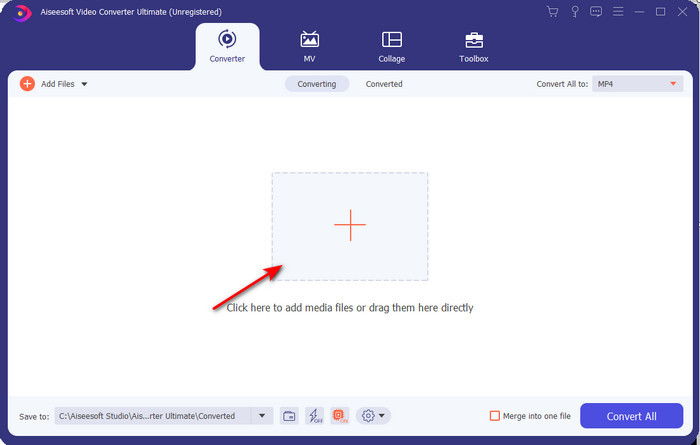
Step 2. Open the software to proceed to the next step; after launching it, you will see a + sign; click it to add the files, then select Open.
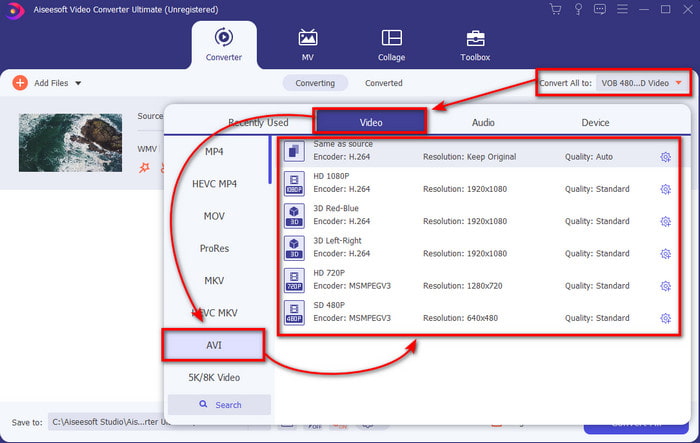
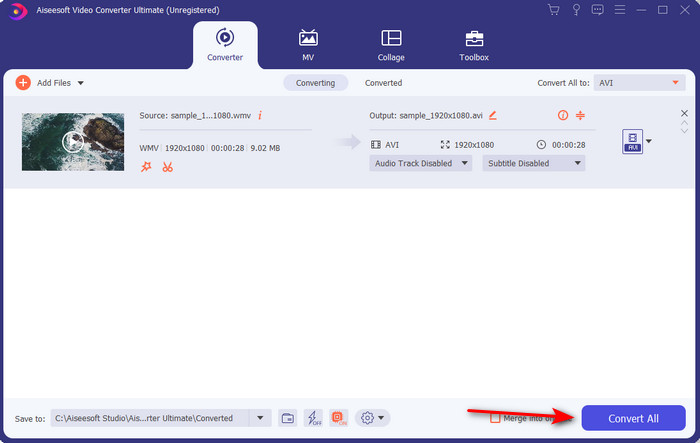
Step 3. To change the format, click the drop-down menu of Convert All to and choose AVI on the submenu.
Step 4. So now, to convert the WMV file to AVI successfully, click Convert All and wait for several seconds for the process to be done.
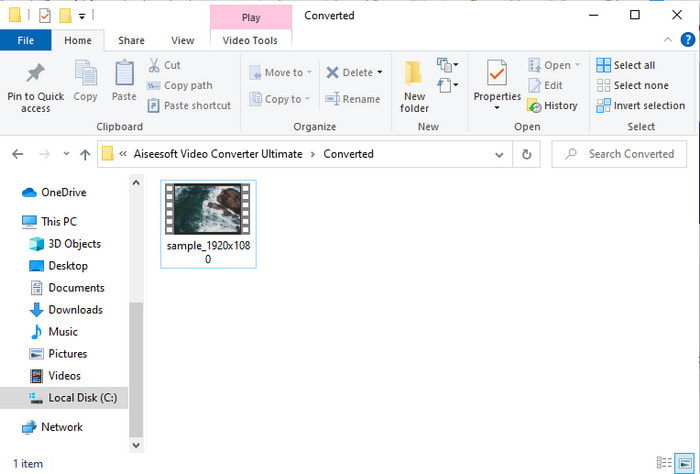
Step 5. After converting, a folder will show on your screen with the converted file you made a few seconds ago. To watch it click the video file and enjoy your converted WMV file without losing the quality.
Μέρος 3. WMV VS AVI; Ποια μορφή έχει καλύτερη απόδοση
Τα WMV και AVI είναι μερικά από τα κορυφαία κοντέινερ αρχείων βίντεο που θα θέλατε να χρησιμοποιήσετε. Οι δύο αναφερόμενες μορφές μπορούν να περιέχουν βίντεο και ήχο υψηλής ποιότητας, αλλά τώρα ας προσδιορίσουμε τις διαφορές τους διαβάζοντας αυτό το γράφημα σύγκρισης.
| WMV | AVI | |
| Γνωστός και ως | Windows Media Video | Αλληλεπίδραση ήχου βίντεο |
| Βέλτιστη χρήση για | Συνήθιζε να μετατρέπει ένα μεγάλο αρχείο σε μικρότερο για καλά δομημένη ροή βίντεο στο διαδίκτυο. | Χρησιμοποιείται για την αποθήκευση βίντεο και ήχου ξεχωριστά και την αναπαραγωγή τους ταυτόχρονα χωρίς καθυστερήσεις. |
| Αναπτύχθηκε από | Microsoft | Microsoft |
| Μειονεκτήματα της Μορφής | Κερδίζει λιγότερη προσοχή και υποστήριξη από τις συσκευές αναπαραγωγής πολυμέσων. | Χρειάζεται έναν κωδικοποιητή για να συμπιέσει αυτό το μεγάλο αρχείο σε ένα πολύ μικρότερο αλλά εντός ενός ορίου. |
WMV εναντίον AVI
Κατασκευασμένο από τη Microsoft, το WMV ήταν μια από τις πιο κοινές μορφές βίντεο τη δεκαετία του 2000. Μπορεί να είναι ορατό στον Ιστό και να αναπαραχθεί από διάφορες συσκευές αναπαραγωγής πολυμέσων στα Windows. Και είναι επίσης η προεπιλεγμένη μορφή αρχείου βίντεο του Windows Media Player. Αλλά το έχουν καταλάβει και άλλες μορφές πρόσφατα.
Με βάση τη μορφή αρχείου ανταλλαγής πόρων (RIFF), η μορφή AVI εισήχθη από τη Microsoft το 1992. Μπορεί να εξοικονομήσει βίντεο/ήχο υψηλής ποιότητας, καθώς χρησιμοποιεί λιγότερη συμπίεση. Αλλά αυτό προκαλεί επίσης το μεγάλο μέγεθος αρχείου ενός αρχείου AVI, το οποίο μπορεί να είναι πρόβλημα όταν υπάρχει περιορισμένος χώρος.
Μέρος 4. Συχνές ερωτήσεις σχετικά με τη μορφή WMV και AVI
Η μετατροπή του WMV σε AVI επηρεάζει την ποιότητα;
Η ποιότητα του αρχείου WMV όταν το μετατρέπετε σε AVI δεν πρέπει να αλλάξει. Ωστόσο, ας υποθέσουμε ότι το WMV σας αλλάζει και η ποιότητα πέφτει. Σε αυτήν την περίπτωση, ο μετατροπέας που χρησιμοποιείτε δεν υποστηρίζει pixel υψηλής ποιότητας του βίντεό σας.
Αλλάζει το μέγεθος του WMV μου μετά τη μετατροπή;
Το μέγεθος αρχείου του WMV μπορεί να είναι λίγο διαφορετικό από το αρχικό μέγεθος αρχείου. Υπάρχει λόγος που αλλάζει. Ένας από τους λόγους είναι ότι το συμπιεσμένο αρχείο γίνεται ασυμπίεστο, οπότε αλλάζει το μέγεθος του αρχείου. Ωστόσο, οι αλλαγές πρέπει να είναι κοντά στο αρχικό μέγεθος του αρχείου και δεν πρέπει να είναι τόσο μακριά ή μεγάλες.
Μπορώ να χρησιμοποιήσω το WMV για να επισυνάψω ένα βίντεο σε ένα email;
Ναι, είναι ιδανικό να χρησιμοποιήσετε τη μορφή WMV και να επισυνάψετε το βίντεο σε ένα email επειδή υποστηρίζει καλύτερη και ταχύτερη συμπίεση από το MPEG-4, σύμφωνα με τη Microsoft. Επίσης, είναι γνωστή ως μορφή μινιατούρας λόγω του πόσο μικρό θα μπορούσε να είναι το μέγεθος του αρχείου. Ωστόσο, η ποιότητα του βίντεο παραμένει.
συμπέρασμα
Καθώς τελειώνουμε, είναι πιο εύκολο για εμάς να καταλάβουμε ότι δεν υποστηρίζουν όλες οι πλατφόρμες και το λογισμικό το WMV. Επιπλέον, το webtool έχει καλή απόδοση, αλλά υπάρχει ένα εργαλείο που μπορεί να μετατρέψει ομαδικά αρχεία πολύ πιο γρήγορα και πιο εύκολα: το FVC Video Converter Ultimate. Ας υποθέσουμε ότι θέλετε να ζήσετε την εκπληκτική μετατροπή που παρέχει αυτό το λογισμικό. Σε αυτήν την περίπτωση, πρέπει να το κατεβάσετε τώρα στον υπολογιστή σας και να το χρησιμοποιήσετε.
-
 Τρόπος μετατροπής WMV σε MP4 δωρεάν και διαδικτυακά [Επίλυση]
 Πώς να μετατρέψετε αρχεία WMV σε MP4; Εδώ είναι οι 4 εύκολοι τρόποι μετατροπής του WMV σε MP4 σε Mac και Windows με απλά βήματα.
-
 WMV σε MP3 – Πώς να μετατρέψετε βίντεο σε ήχο δωρεάν [Επιτραπέζιος/Διαδικτυακός]
 Ενώ παρακολουθείτε ένα βίντεο WMV, βρίσκετε το κομμάτι του ήχου συναρπαστικό. Έτσι, θέλετε να το παίξετε στο MP3 player σας. Αλλά προφανώς η συσκευή σας δεν υποστηρίζει μορφή WMV. Αυτό σας κάνει να αναρωτιέστε αν υπάρχει τρόπος να μετατρέψετε το WMV σε MP3.
-
 2 ευκολότεροι τρόποι μετατροπής αρχείων WMV σε FLV σε υπολογιστή / Mac
 Πώς μπορείτε να μετατρέψετε WMV σε FLV; Πρώτον, πρέπει να διαβάσετε την πρότασή μας και να βρείτε την αγαπημένη σας μέθοδο και, στη συνέχεια, ακολουθήστε τον οδηγό μας για να κάνετε τη δουλειά γρήγορα.

