


 Video Converter Ultimate
 Grabador de pantalla
 Reparación de vídeo
Cómo convertir VOB a MOV utilizando las herramientas más competentes [gratis y fácil]
In the case of a DVD, a VOB file is a movie data file that is typically kept in the VIDEO TS folder at the root of the DVD. It contains a large portion of the material recorded on a disc, which includes video and audio files and subtitles, DVD menus, and other navigational content. However, the QuickTime File Format (QTFF) is a multimedia container file format that can be used to save a MOV file. Media data, including video, audio, and text, can be stored on one or more tracks (subtitles). To save video files, MOV files are often utilized.If you have a second thought of his video format and need to know all the details about it or how to convert it to other video formats using different converters? This is the right article for you, presenting the best and easiest ways to convert VOB to MOV.

Parte 1. ¿Qué son VOB y MOV?
La mayoría de los datos en un DVD están contenidos en este formato de archivo, que incluye video digital, audio, contenido de navegación, menús de DVD y subtítulos. Los archivos VOB se almacenan en la carpeta VIDEO TS y son el núcleo de cualquier video DVD. Estos son los datos de una película. Los flujos de video MP2, DTS, AC3 y MPEG-2 se derivan todos de esta ubicación. Los archivos guardados en formato VOB pueden haber sido encriptados. VOB es un tipo de archivo de video que se parece mucho a WMV. La extensión de archivo VOB se utiliza para archivos VOB. Por ejemplo, el formato VOB se basa en el formato de flujo de programas MPEG, pero incluye restricciones y criterios adicionales en el sector privado.
Nevertheless, In the QuickTime framework of Mac, the MOV file extension indicates the QuickTime video format, developed by Apple. The Windows platform also supports this multimedia container's capacity to store several tracks, each one containing a specific sort of data (audio, video, subtitles). Video editing programs can benefit significantly from separating media data from media offsets, abstract data references, and track edit lists. For sharing movies and videos on the internet, the MOV video container is a popular choice.
| Extensión de archivo | VOB | MOV |
| Tipo de archivo | Archivo objeto de vídeo de DVD | Película QuickTime de Apple |
| Desarrollado por | N / A | manzana |
| Pros | Alta calidad; Se pueden hacer DVD a partir de él. | Excelente calidad de video; adecuado para transmisión web; separación clara de los elementos principales |
| Contras | 4,7 GB para 2 horas de película, que es mucho espacio | Este formato tiene un tamaño de archivo más grande que otros formatos de transmisión populares. |
Parte 2. Cómo convertir VOB a MOV [Mac y Windows]
Starting with converting VOB to MOV offline, this best tool is the most reliable in restoring a wide range of formats. Video Converter Ultimate can convert VOB to MOV in the fastest way possible. Plus, you can change the quality output of the video before you upload the file. This converter also has different tools that can help you improve your video file to the next level. Since it supports a massive amount of video formats, you won't have to worry about converting unfamiliar video formats to your desired format. Now that you have learned about this best converter, you can now learn the procedures given below:
Step 1. To begin, click on the Free Download button below to start the download process. You have the option of downloading the software from Windows or Mac if you prefer once the download is complete. Before you simply run the program, you need to get it installed on your computer's desktop and click Start Now to get started.
Descarga gratuitaPara Windows 7 o posteriorDescarga segura
Descarga gratuitaPara macOS 10.7 o posteriorDescarga segura
Step 2. Launch the downloaded application. When you first start the program, a window will appear with the Converter interface. This is where you'll enter your video file and begin converting.
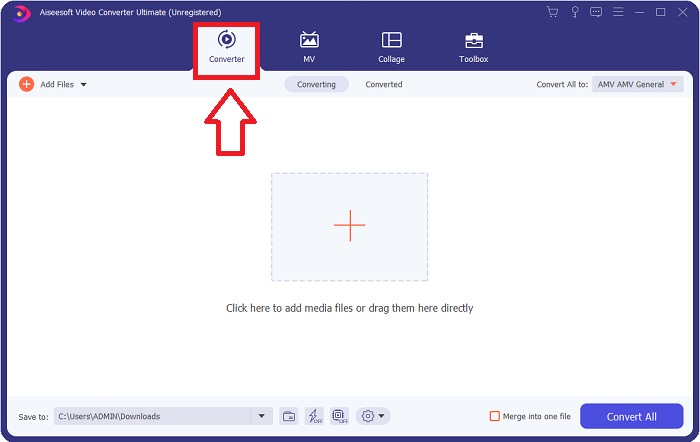
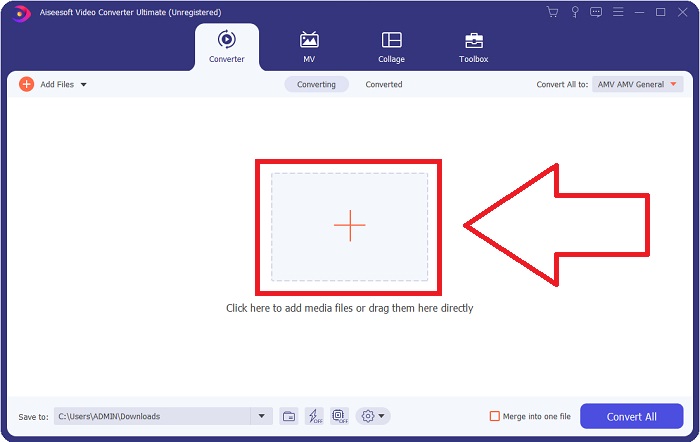
Step 3. Import your files into the converter to begin the conversion process. Drag and drop the video file you want to convert onto the + icon.
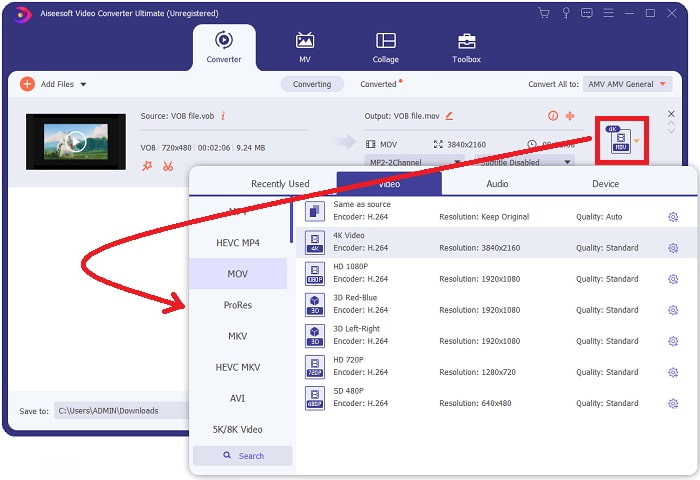
Step 4. Select a video format from the list in the upper-right corner of the screen. Locate and select the MOV file type from the drop-down menu. There are several video qualities options available once you've chosen an MOV format. However, if your preferred video output isn't listed, you can change the quality settings to suit your needs. You can alter the display's resolution, frame rate, and even audio quality by clicking the gear icon. To keep your changes, click the Create New button.
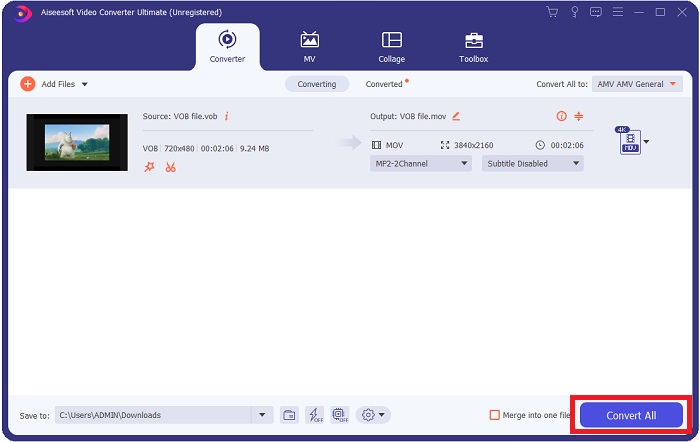
Step 5. Once you've finished editing the video and it's ready to be converted, click Convert All to start the process of transferring it to your computer.
Parte 3. Cómo convertir VOB a MOV [en línea]
If you don't have time to download the Video Converter Ultimate, you can also use this online version of the software. Free Video Converter Online is the best online web tool you can access on the internet that can convert many varieties of formats in a fast manner. Other than an online converter, this converter doesn't limit formats it can support. That's why it is recommended to use for some beginner users. To know more about this online web tool, here are the procedures given below.
Step 1. Navigate to the main website of this online converter by clicking on the link here.
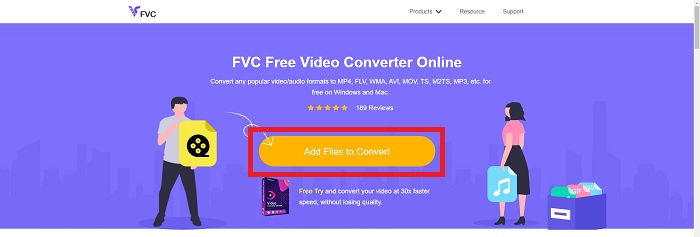
Step 2. If this is your first time using it, click the Add Files to Convert button to download the launcher for your computer. It will automatically launch when it has been downloaded once more. Select the file from your folder and click Open after it has been downloaded once again.
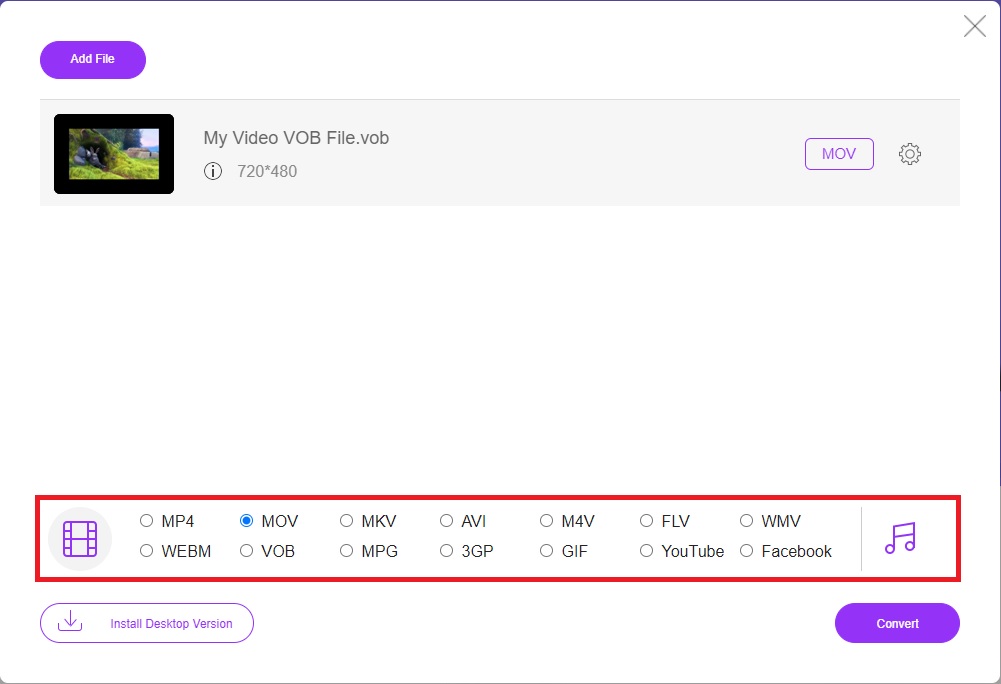
Step 3. Before the conversion process begins, select the MOV format from the category list of Video below by clicking on it.
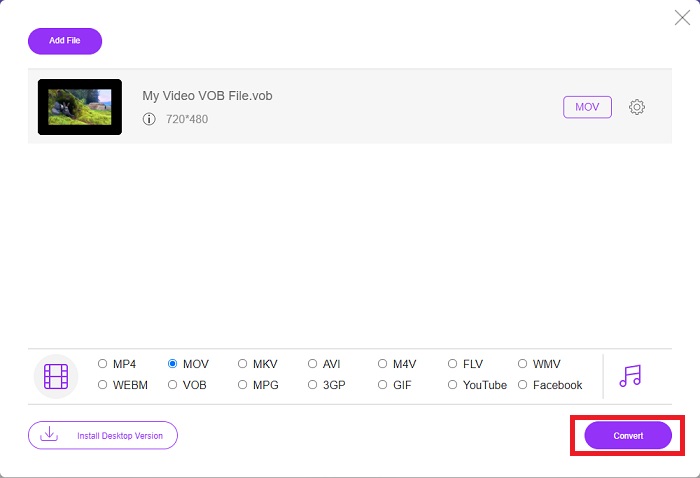
Step 4. After selecting a format, click Convert to begin the process of converting the format to another.
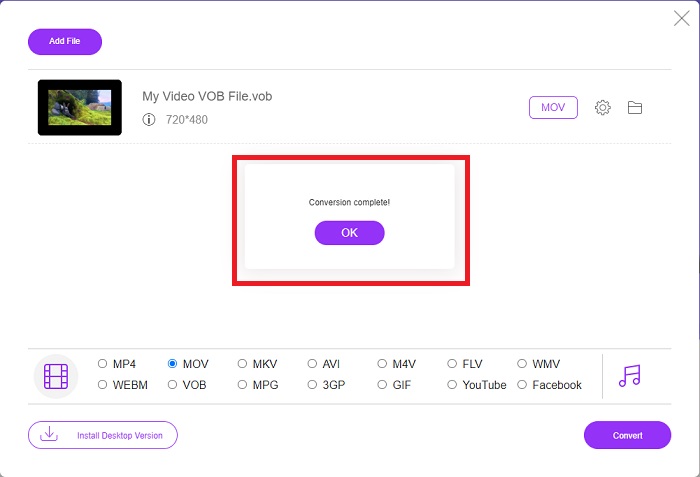
Step 5. After a few minutes, a file folder containing the converted file will appear; simply click on it to begin watching it.
Parte 4. Preguntas frecuentes sobre la conversión de VOB a MOV
¿Por qué los archivos VOB son tan grandes?
There is no reason for the big downloads other than the videos themselves (including audio). Because the video codecs use variable bit length encoding, they are diverse in length. It's, therefore, possible to encode the same number of images into a variety of various file sizes. Click here to learn how to compress large VOB files.
¿VOB es lo mismo que DVD?
Para los objetos de video, los medios DVD-Video usan VOB (abreviatura de objeto de video). Los subtítulos, los menús de DVD y la información de navegación se pueden incluir en un archivo VOB, que es un archivo multiformato. El cifrado es posible para los archivos VOB.
¿Qué contiene el archivo MOV?
Es posible utilizar archivos MOV para almacenar y sincronizar varias formas de medios, incluidos video, audio, código de tiempo y texto. Hay una variedad de códecs que se pueden usar para codificar un contenido determinado. Cuando se trata de compresión, los archivos MOV suelen utilizar el códec MPEG-4.
Conclusión
Overall, it is clear to state the differences between the software or online converter given above, and they always have flaws and good qualities in using them. But if you choose to use a very professional-wise and user-friendly converter, the software Video Converter Ultimate is the best recommended to use. As the article said about this video converter, they are nothing compared to another competitor in achieving the standard this software has brought. They can't get to the level of how excellent this software is.
-
 Los 8 mejores reproductores MOV para reproducir archivos MOV QuickTime con calidad original
 Obtenga más información sobre los 8 mejores reproductores MOV disponibles para Windows y Mac. Puede elegir el deseado y apropiado para reproducir archivos MOV con la calidad original.
-
 MKV a MOV - Cómo convertir MKV a MOV
 ¿Cómo convierto MKV a MOV en Mac? ¿Puede iMovie leer MKV? ¿Qué significa el formato MOV? Esta publicación cuenta 2 formas sencillas de ayudarlo a convertir MKV a MOV con convertidores de video profesionales y en línea gratuitos.
-
 FLV a MOV - Cómo convertir FLV a MOV en Mac / PC / Online Gratis
 ¿Cómo convertir FLV a MOV? ¿Cómo convierto FLV a MOV en Mac? ¿Existe alguna forma gratuita de convertir YouTube FLV a MOV en línea? Esta publicación comparte 3 convertidores FLV a MOV para cambiar archivos FLV a MOV.
