


 Video Converter Ultimate
 Grabador de pantalla
 Reparación de vídeo
 Descarga segura
Cómo convertir MP4 a OGG gratis y en línea
MP4 es un contenedor multimedia digital que almacena video, audio y subtítulos. OGG es un formato de contenedor abierto y gratuito para una transmisión y compresión de archivos eficientes. A veces es necesario convertir MP4 a formato OGG para reproducir en algunos reproductores de audio. Esta publicación compartirá 3 convertidores MP4 a OGG gratuitos para convertir MP4 a OGG sin problemas.

Parte 1. Manera profesional de convertir MP4 a OGG gratis
If you want to find the best MP4 to OGG converter, you can try FVC Free FLV to MP4 Converter. It is the free and easy-to-use video converting software for Windows and Mac. You can convert various videos like MP4, FLV, MOV, MKV, MTS, M2TS, etc. to OGG with ease. Moreover, it offers editing features to add themes, adjust author, time, provider at the beginning/ending part.

- Convierta videos en MP4, MKV, AVI, MOV, MP3, AAC, AIFF, etc.a OGG.
- Exporte videos OGG y archivos de audio sin pérdida desde un archivo MP4 con 1 clic.
- Permitir a los usuarios editar proveedor, título, autor, hora y agregar tema.
- Convierta por lotes MP4 a OGG para reproducir en algunos reproductores de audio portátiles.
Descarga gratuitaPara Windows 7 o posteriorDescarga segura
Descarga gratuitaPara MacOS 10.7 o posteriorDescarga segura
Step 1. After downloading, install and launch FVC Free FLV to MP4 Converter on your Windows or Mac. Click Add Files button to load the MP4 files from your computer. If you want to convert several MP4 files at one time, just upload them all.
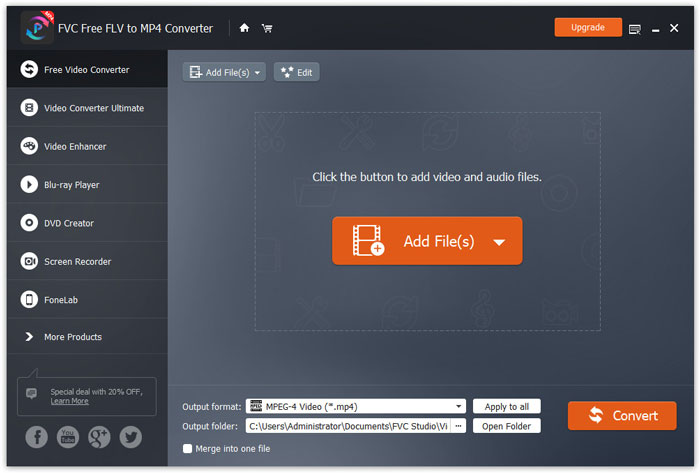
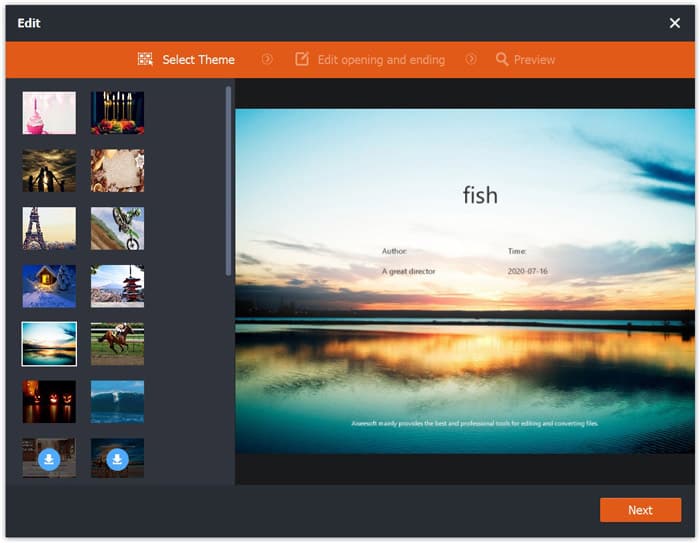
Paso 2. Haz clic en tu archivo MP4 y luego en el botón Edit. Puedes añadir un tema a tu archivo MP4 y editar el contenido de apertura y de cierre. Después haz clic en Next para previsualizar y guardar los cambios.
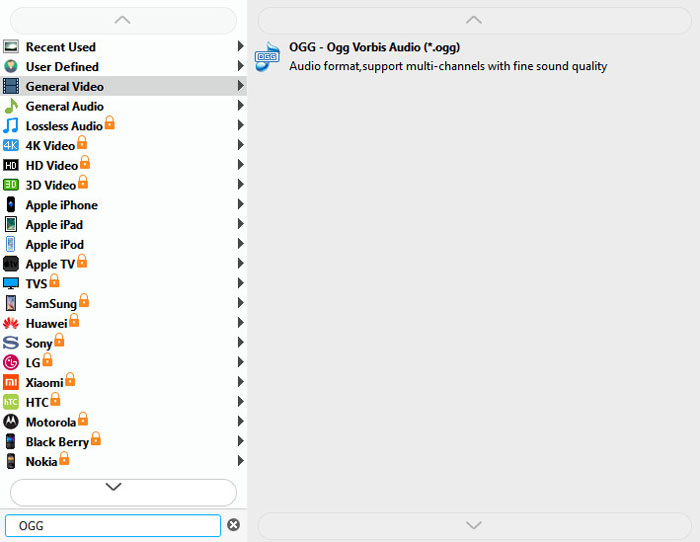
Step 3. Click the drop-down Output format button at the bottom, and search OGG format from the list. You can select OGG - Ogg Vorbis Audio (*.ogg) as the output format.
Step 4. Browse the output folder on your computer and click Convert button to start changing MP4 to OGG.
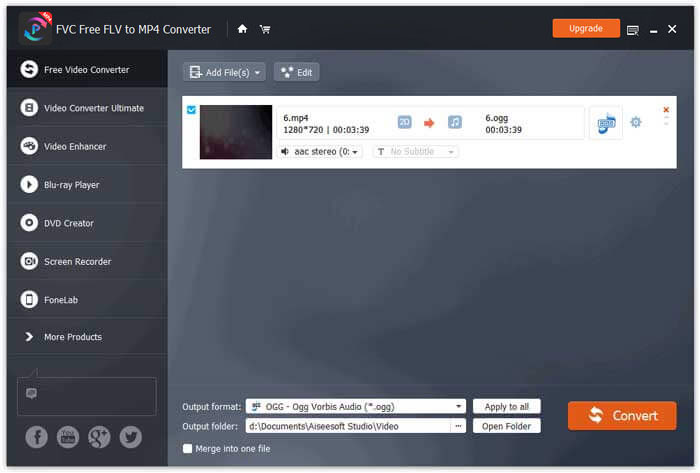
With FVC Free FLV to MP4 Converter, you can also combine several MP4 files into one.
Parte 2. Cómo cambiar MP4 a OGG en línea
En comparación con un convertidor de escritorio, usar un convertidor en línea es un método que ahorra tiempo para convertir MP4 a OGG. Hay muchos convertidores MP4 a OGG en línea que puede elegir. En esta parte, compartiremos 2 convertidores MP4 a OGG para transformar sus archivos MP4 a OGG en línea gratis.
1. Zamzar
Zamzar es una plataforma en línea multifuncional para conversor de video, conversor de audio, conversor de imágenes y conversor de libros electrónicos. Con Zamzar, puede convertir fácilmente MP4 a una variedad de otros formatos como OGG. Aquí hay pasos simples para convertir MP4 a OGG con Zamzar en línea.
Step 1. Go to www.zamzar.com/convert/mp4-to-ogg/, and click Add Files button to upload your MP4 files.
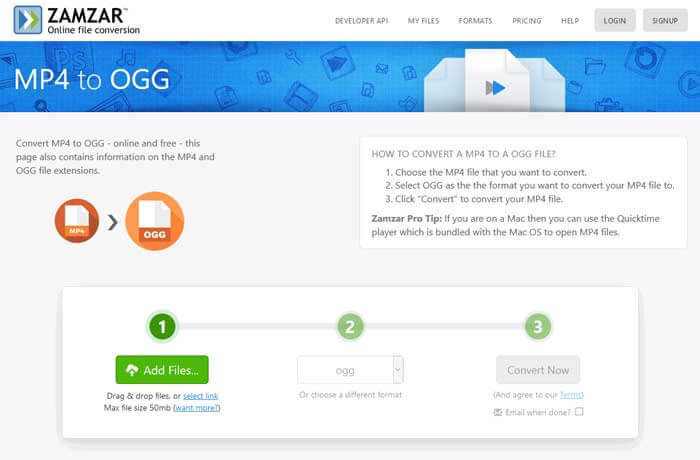
Step 2. The default output format has been set to ogg already. Click Convert Now button to start converting MP4 to OGG.
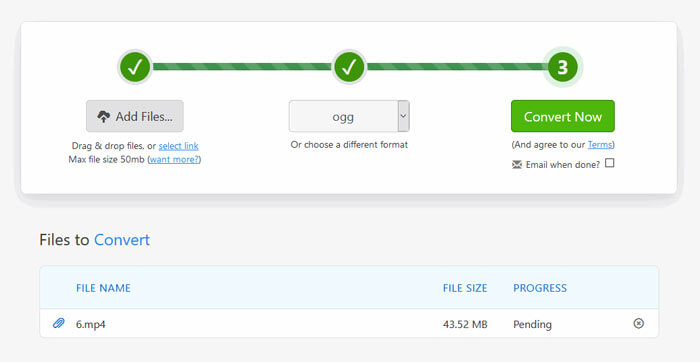
Step 3. Then it will jump to another page. You can click Download button to save the converted OGG file to your computer.
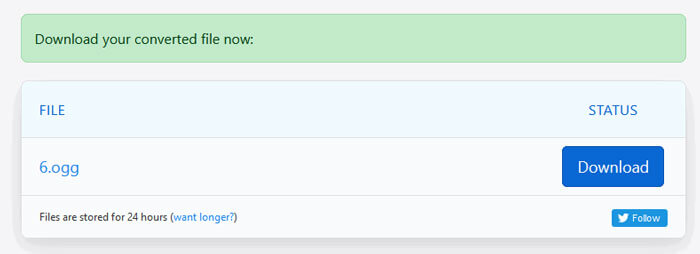
When you are converting a MP4 file in large size, the conversion may get stuck using Zamzar. You need to refresh the page and convert again. If you want a smooth conversion, FVC Free FLV to MP4 Converter can help you a lot. (See more MP4 players here)
2. Convertio
Convertio es una herramienta fácil para convertir documentos, imágenes, hojas de cálculo, libros electrónicos, archivos de audio y video. Con Convertio, los archivos MP4 se pueden convertir a MP3 con excelente precisión. Siga los pasos a continuación para exportar OGG desde MP4 con Convertio.
Step 1. Go to Convertio MP4 to OGG Converter (convertio.co/mp4-ogg/). Click Choose Files button to upload your MP4 files. You can also add MP4 files from Dropbox, Google Drive, or copy the URL.
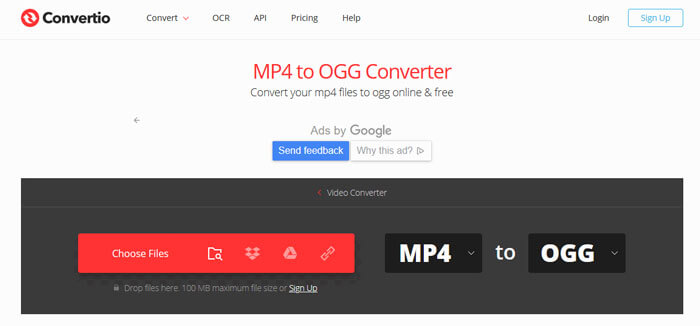
Step 2. Choose OGG from the drop-down icon, and then click the gear icon to set the codec, quality, audio channels, frequency, volume. You can cut the MP4 file to the wanted part.
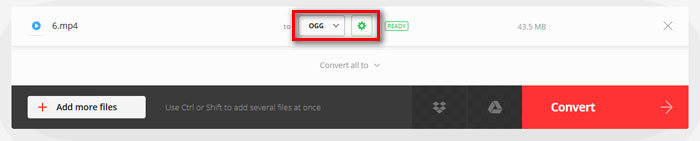
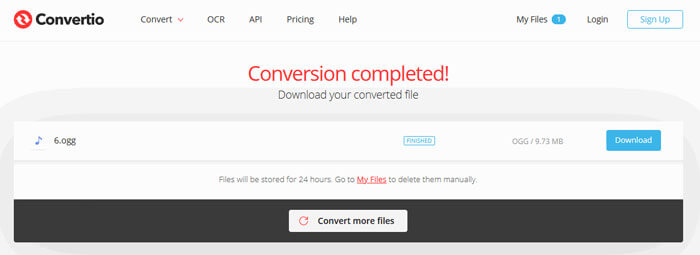
Step 3. After all is set, click the Convert button to convert MP4 to OGG. After conversion, click the Download button to save the converted OGG file to your computer.
Parte 3. Preguntas frecuentes sobre la conversión de MP4 a OGG
1. ¿Qué es el formato de video OGG?
OGG es un formato contenedor abierto y gratuito que puede contener música, videos, texto como subtítulos y metadatos.
2. ¿Qué reproductor puede reproducir archivos OGG?
Hay muchos reproductores portátiles que pueden reproducir archivos OGG como VLC, Windows Media Player, Adobe Audition, Audials, MPlayer y más.
3. ¿Cómo convierto MP4 a MP3?
With the help of FVC Free Online Video Converter, you can easily convert MP4 to MP3 online. Go to this online site and click Add Files to Convert button to install the launcher. Then select the MP4 files from computer, and check MP3 as the output format. Click Convert button to convert MP4 to MP3.
Conclusión
Principalmente presentamos 3 conversiones de MP4 a OGG para convertir archivos MP4 a OGG en línea y fuera de línea. Con el convertidor de escritorio FVC Free FLV to MP4, puede exportar fácilmente el archivo OGG de código abierto desde MP4. Si tiene mejores soluciones, no dude en dejar un comentario.
-
 WebM a MP4 | Conversión gratuita de WebM a MP4
 ¿Cómo ver archivos WebM sin navegador web? Necesita convertir WebM a MP4. Aquí están los 10 mejores convertidores de WebM a MP4 gratuitos para cambiar WebM a MP4 en línea y en computadoras Mac y Windows.
-
 MP4 a FLV | Los 3 mejores convertidores gratuitos
 Esta publicación es la guía detallada para la conversión de MP4 a FLV. Puede tomar los 3 principales convertidores gratuitos para cambiar MP4 a FLV en línea, en una computadora con Windows o Mac con facilidad.
-
 Las 6 formas principales de combinar archivos MP4 en Windows / Mac / Online
 ¿Quiere combinar sus archivos MP4 sin procesar para su proyecto? Esta publicación reúne las 6 mejores formas de ayudarlo a combinar videos MP4 en Windows, Mac y en línea con facilidad.
