


 Video Converter Ultimate
 Grabador de pantalla
 Reparación de vídeo
 Descarga segura
4 cortadores de música en línea y fusiones para recortar la canción y combinar clips de audio
Si desea hacer música de fondo para Tiktok o YouTube, ¿cómo corta y fusiona canciones en línea? Cuando desee combinar su voz con su música favorita o recortar la parte deseada para el video, especialmente los archivos de audio están en diferentes formatos, puede obtener más información sobre los 4 mejores cortadores y fusiones de música en línea. Simplemente aprenda más sobre las características y elija la deseada de acuerdo con sus requisitos.

Parte 1: 4 mejores métodos para cortar y fusionar canciones en línea
Método 1: Clideo
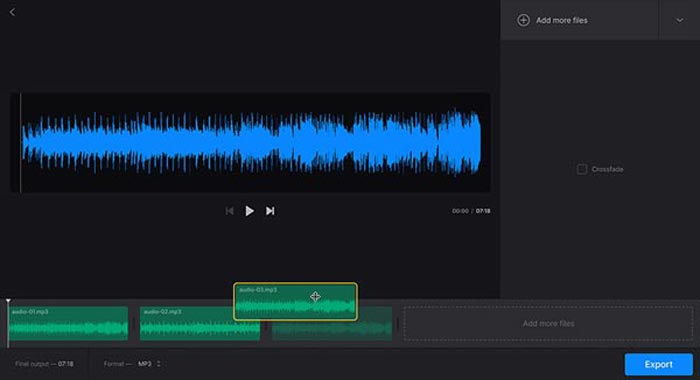
Clideo es uno de los métodos más populares para cortar y unir canciones online en MP3, WMV y muchos otros formatos de audio. Te permite subir archivos de audio desde tu disco duro, Google Drive, Dropbox e incluso mediante una URL. Además, puedes aplicar efectos de fundido cruzado para unir los archivos de música.
Paso 1: Para cortar y unir canciones online, puedes ir al combinador de audio o al cortador de audio y seleccionar los archivos de audio de diferentes canales. Además, también puedes seleccionar tu archivo o pegarlo desde una URL.
Paso 2: Una vez que hayas subido la canción, puedes introducir el intervalo de tiempo para recortar el audio o añadir más pistas para unir. Después, puedes seleccionar la parte que quieras combinar o eliminar.
Paso 3: Tras escuchar las canciones que has unido o recortado, puedes hacer clic en el botón Download para descargar la música en tu ordenador o en una cuenta de almacenamiento en la nube.
Método 2: banda sonora
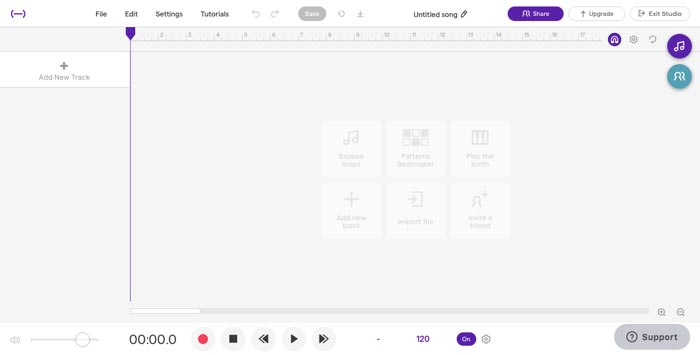
Cuando necesitas crear archivos de música impresionantes de forma profesional, Soundtrap es un excelente cortador y combinador online para añadir voz, micrófono, piano, teclado, guitarra, bajo, batería y mucho más. Puedes editar música online, en tiempo real, con tus amigos músicos de todo el mundo.
Paso 1: Una vez que hayas entrado en el Studio de Soundtrap, puedes crear un proyecto nuevo y hacer clic en el botón Music para importar distintos clips de audio y así cortar y unir canciones online.
Paso 2: Selecciona el menú Edit y elige la opción Split region o la opción Merge region para editar los archivos de música. Además, te permite silenciar una región o aplicar auto-tune a los archivos de audio.
Paso 3: Cuando estés satisfecho con el archivo de audio, puedes ajustar la calidad del sonido y retocar la configuración MIDI. Preescucha el archivo de música online antes de hacer clic en el botón Save para exportar el archivo.
Método 3: Audiotool
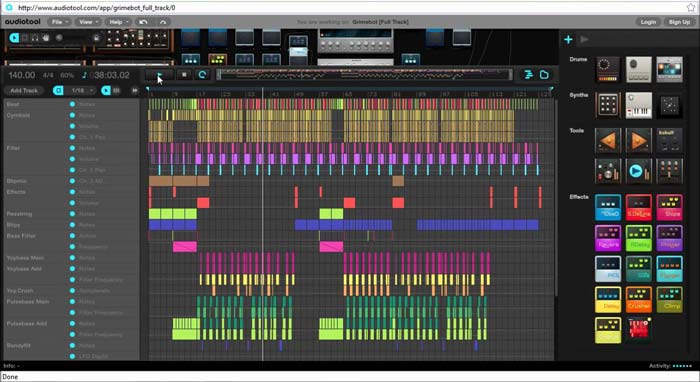
Audiotool tiene una interfaz de usuario única y visualmente atractiva que te permite cortar y unir canciones online. El estudio colaborativo de producción musical online puede dar más vida a tu música, combinar canciones e incluso importar los archivos directamente en tu navegador.
Paso 1: Cuando importes los archivos de audio en el editor de música online, puedes ir al menú Project para crear un archivo nuevo haciendo clic en el botón New. Después, podrás preescuchar el audio dentro del programa.
Paso 2: Luego puedes elegir los efectos deseados, seleccionar la herramienta adecuada, añadir notas a los archivos y mucho más. Después, puedes seleccionar el clip de audio que quieras para recortar y unir las canciones online.
Paso 3: Una vez que obtengas los archivos deseados, puedes hacer clic en la opción Publish para exportar las canciones a tu ordenador o compartirlas en redes sociales según tus necesidades.
Método 4: TwistedWave
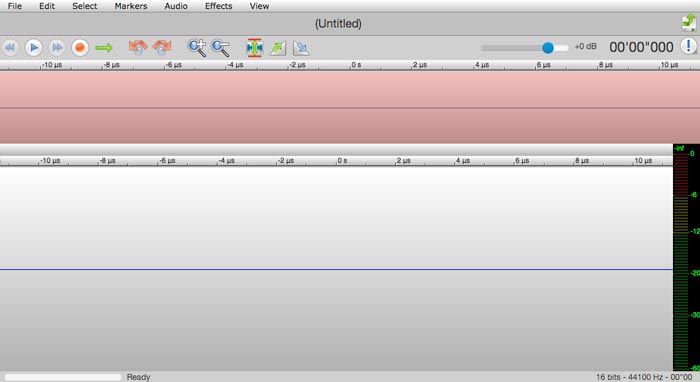
TwistedWave es un editor de audio basado en la web que no solo te permite cortar y unir canciones online, sino también grabar el audio de YouTube. Dispone de decenas de efectos, como efectos VST, amplificar, fundido de entrada, fundido de salida, eliminar el desplazamiento de CC o invertir los archivos de audio.
Paso 1: Entra en el editor de música online y podrás importar los archivos de audio desde Google Drive y otros muchos servicios en la nube. Después, podrás preescuchar los archivos de audio directamente online.
Paso 2: Cuando quieras cortar la parte deseada, puedes agarrar y arrastrar dos flechas para desplazar el audio dentro o fuera del corte. Además, las dos flechas son visibles a cada lado del corte.
Paso 3: Para unir archivos de audio online, usando las combinaciones de teclas option o shift-option mientras haces doble clic, puedes añadir o eliminar canales completos de la selección actual.
Parte 2: Mejor cortador de música en línea y alternativa de fusión
¿Qué deberías hacer si combinas el audio de un vídeo? ¿Cómo combinar distintos archivos de audio con la mejor calidad? Si quieres cortar y unir canciones online con el mejor resultado, FVC Online Video Converter es el conversor de audio adecuado. Te permite convertir archivos de audio y vídeo, personalizar el bitrate de vídeo, la frecuencia de muestreo, la tasa de fotogramas, así como la resolución.
- 1. Convierta los videos y archivos de audio a los mismos formatos de audio.
- 2. Ajuste la tasa de bits de audio, la frecuencia de muestreo, la resolución, el volumen y más.
- 3. Proporcionarle múltiples formatos de salida de audio y video para seleccionar.
- 4. No se perderán datos durante el proceso de conversión.
Descarga gratuitaPara Windows 7 o posteriorDescarga segura
Descarga gratuitaPara macOS 10.7 o posteriorDescarga segura
Parte 3: Preguntas frecuentes sobre cómo cortar y fusionar canciones en línea
1. ¿Es posible cortar y fusionar música de un video?
Si. Simplemente puede importar el video al cortador de música en línea y fusionarlo para extraer los archivos de audio cuando los formatos de video sean compatibles. Por supuesto, también puede convertir los archivos de video a formatos de audio de antemano.
2. ¿Cuándo corta y fusiona canciones en línea?
A diferencia de los editores de música profesionales, como Adobe Premiere Pro o Final Cut Pro, puede cortar y fusionar canciones en línea cómodamente. Siempre puede usar el programa cuando tenga una conexión sólida a Internet.
3. ¿Cuáles son las mejores aplicaciones en iOS / Android para cortar y fusionar música?
Para cortar y fusionar música dentro de un teléfono iPhone o Android, también puede usar algunas aplicaciones directamente, como TonePad, Medly, GarageBand, Music Maker Jam y más. Independientemente de su nivel de habilidad, siempre puede editar y crear su música cómodamente.
Conclusión
Cuando desee crear algunas canciones impresionantes cortando y fusionando canciones en línea, puede obtener más información sobre los 5 mejores métodos del artículo. Si desea editar la música como profesión, FVC Free Audio Convert es el mejor compañero para convertir, ajustar la tasa de bits de video, la muestra, la velocidad de fotogramas, la resolución y más otros parámetros.
-
 MP3 VS MP4: ¿Cuál es la diferencia entre MP3 y MP4?
 MP3 o MP4, ¿cuál es mejor? ¿Cuál es la diferencia entre MP3 y MP4? Este artículo comparará MP3 con MP4 desde todos los aspectos que pueda imaginar.
-
 Cómo agregar audio y música a videos gratis en su computadora / teléfono
 Este artículo muestra 4 formas sencillas de agregar audio a un video de forma gratuita. No importa qué pista de audio desee agregar a su video, aquí puede obtener resultados satisfactorios.
-
 Tutorial concreto: cómo fusionar dos pistas de audio en Audacity
 Audacity disfruta de la reputación de editar audio. ¿Has descargado Audacity pero no sabes cómo fusionar pistas de audio en Audacity? Esta publicación le dirá cómo fusionar pistas en Audacity.
