


 Video Converter Ultimate
 Grabador de pantalla
 Reparación de vídeo
El software en línea y fuera de línea más nuevo que puede usar para revertir videos MP4 fácilmente
La mayoría de las veces, cuando intentamos reproducir un vídeo al revés, creamos reacciones divertidas que nos hacen pensar que somos nosotros mismos. Como se reproduce hacia atrás, el efecto crea algo nuevo ante nuestros ojos. Así que, si quieres conocer formas eficaces de poner vídeos MP4 en reversa, es imprescindible que leas este artículo. Como en él se presentan diferentes programas, tanto online como de escritorio, podrás usarlos para crear muchos vídeos en reversa de forma sencilla. Así que, sin más demora, vamos a presentártelos uno por uno.

Parte 1. Cómo invertir un video MP4 (sin conexión)
La herramienta más destacada de toda la web es Video Converter Ultimate. Esta herramienta ya ha ayudado a millones de usuarios que tienen dificultades para poner en reversa un MP4. A diferencia de cualquier otra herramienta de esta lista, puedes acceder a este software aunque no tengas conexión a Internet. Además, esta herramienta puede importar y exportar de inmediato: antes de que pestañees, el archivo ya estará al revés. También, una cualidad increíble de esta herramienta, como pocas, es que integra todas las funciones avanzadas que puedas querer utilizar. Ahora, sigamos con los pasos para invertir el vídeo de forma eficaz.
Pasos sobre cómo invertir videos en Video Converter Ultimate
Paso 1. En primer lugar, tendrás que descargar la herramienta en tu disco. Después, instálala y sigue su asistente de configuración.
Descarga gratuitaPara Windows 7 o posteriorDescarga segura
Descarga gratuitaPara macOS 10.7 o posteriorDescarga segura
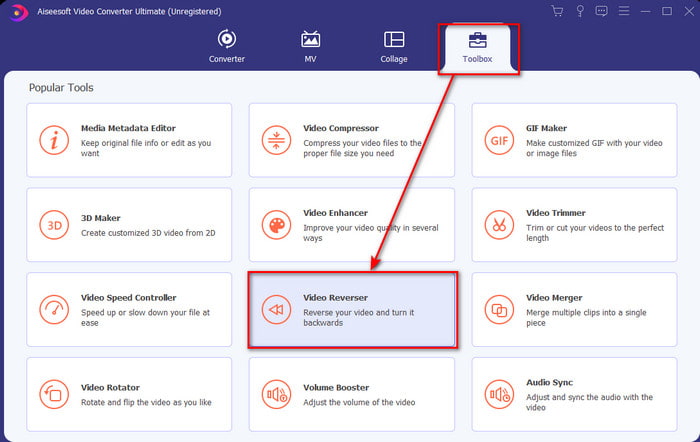
Paso 2. Inicia el programa, haz clic en Toolbox y selecciona Video Reverser.
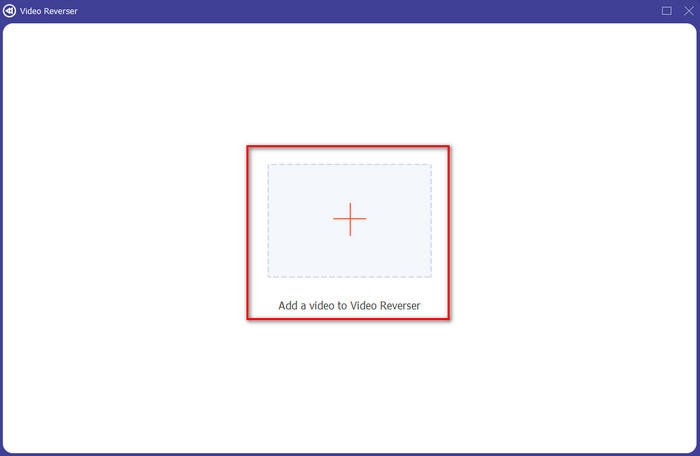
Paso 3. Luego añade el archivo MP4 haciendo clic en el signo + y eligiéndolo desde la carpeta de tu ordenador. Después haz clic en Open para insertar el .mp4 en la interfaz.
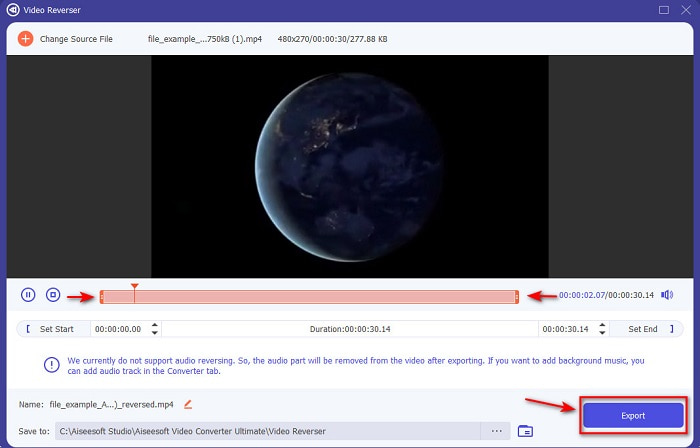
Paso 4. Ahora ajusta el playback in and out para cambiar la duración del vídeo. Haz clic en Export para continuar.
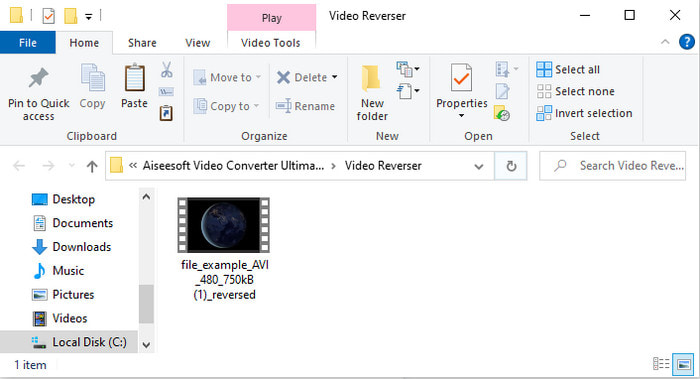
Paso 5. Una vez finalizada la exportación, haz clic en el archivo en la carpeta para reproducir el vídeo en reversa y saber dónde se encuentra guardado.
Parte 2. Cómo invertir un video MP4 (en línea)
1. ArchivoConvertir
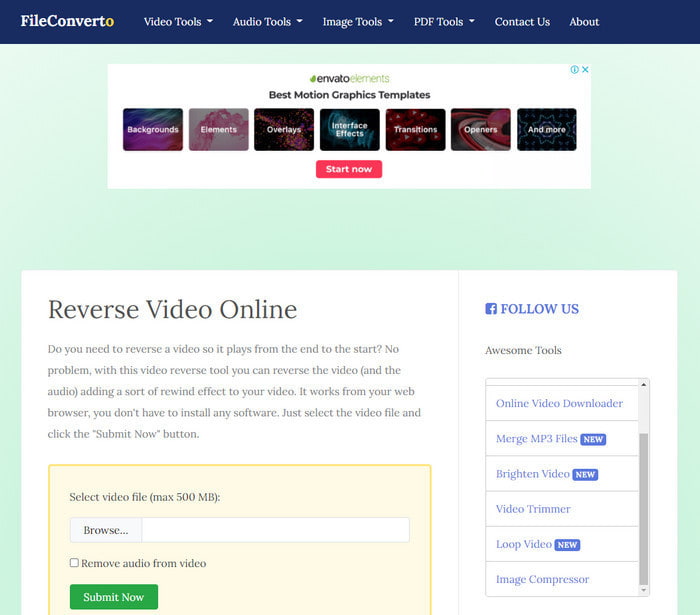
La herramienta para poner MP4 en reversa online, FileConverto, ofrece muchas utilidades web que puedes usar para hacer tu vídeo extraordinario. El rendimiento de esta herramienta online es ideal para quienes no quieren descargar ningún programa. Sin embargo, la interfaz web es algo apagada, el proceso de subida puede ocupar gran parte de tu tiempo y no es compatible con todos los formatos de vídeo. Además, encontrarás algunos errores y ventanas emergentes si intentas invertir el vídeo. Aunque tiene bastantes problemas conocidos, sigue siendo una buena opción para usarla.
Pros
- El software es de fácil acceso y tiene muchas funciones básicas de edición que necesitará.
- Muy fácil de usar que incluso un usuario que no experimenta la marcha atrás puede hacerlo aquí.
- Limita su conversión a 500 MB, lo cual es excelente.
Contras
- Importar archivos aquí y exportarlos es muy lento de lo esperado.
- Tiene muchos anuncios en la herramienta web solo que pueden molestarlo. Y después de hacer clic en una característica de la herramienta web, se mostrará un anuncio que deberá volver a hacer clic en él.
- No es compatible con todos los formatos de video.
2. Seleccionar de
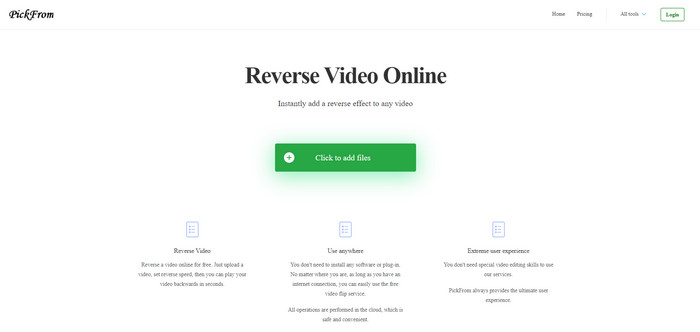
PickFrom tiene una interfaz mejor que FileConverto si los comparamos. Presenta un diseño minimalista y la combinación de blanco y cian resulta perfecta. Pero los textos son algo finos y cuesta leerlos. Básicamente, si no tienes una vista excelente, quizá te resulte difícil leer la herramienta. Además, cuando vayas a poner vídeos MP4 en reversa aquí, las opciones aparecen escritas en chino simplificado. Por tanto, es un poco difícil de entender, aunque la importación de archivos es más rápida que en FileConverto.
Pros
- Tiene una interfaz web mucho mejor en comparación con FileConverto.
- No hay anuncios en la parte superior del sitio web, pero si se desplaza hacia abajo, hay un montón de anuncios molestos.
- Admite muchas funciones básicas de edición.
Contras
- La configuración de la herramienta está escrita en chino, lo cual es difícil de entender si no sabe hablar chino.
- Después de hacer clic en el botón de inicio, la herramienta deja de responder y el proceso de exportación lleva mucho tiempo.
- Disminuye la calidad del video exportado.
3. Media.io
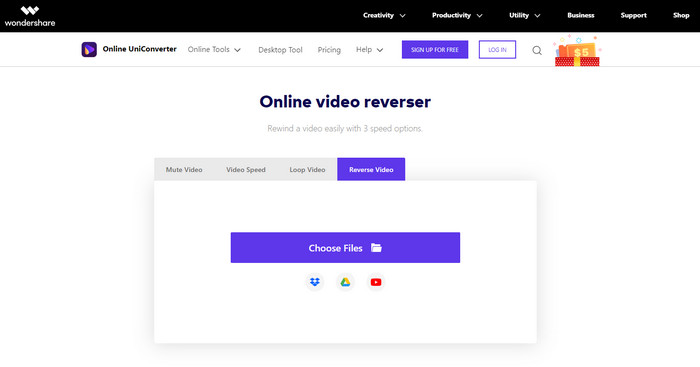
Media.io ofrece 3 velocidades diferentes para invertir: x 0.5, x 1, x 2. Básicamente, puedes invertir el vídeo y reproducir MP4 al revés gracias a su función de reversa. Aunque la herramienta tiene un buen aspecto, seguirás encontrando algunos problemas al usar Media.io. Por ejemplo, cuando quieras exportar el archivo, te pedirá que inicies sesión antes de poder hacerlo. Además, solo puedes crear 10 vídeos en reversa aquí y con un tamaño de archivo limitado.
Pros
- La interfaz de la herramienta es excelente y atractiva.
- Puede cambiar el formato de salida final del video inverso si lo desea o conservar el formato original.
- Puede silenciar o cancelar el silencio del video.
Contras
- El sitio web le pedirá que se registre antes de poder exportar, lo que significa que les permitirá enviar notificaciones por correo electrónico.
- El reverso del x 2 es menos lento que el x 2 de las otras herramientas.
- La herramienta limita la disponibilidad de la herramienta web. Por ejemplo, no puede revertir más de 10 archivos en el día y tiene un límite máximo para el tamaño del archivo.
Parte 3. Preguntas frecuentes sobre la inversión de MP4
Después de invertir el video, ¿baja la calidad?
Invertir un video en la herramienta no debería disminuir la calidad del video que desea invertir. Sin embargo, hay una gran cantidad de software que reduce la calidad del video. Pero hay algunos casos en los que establece la calidad baja y no alta.
¿Cómo agregar audio en mi archivo inverso?
La mayoría de los programas que aparecen en esta lista no admiten la inversión del audio, pero puedes ir a este enlace y aprender cómo añadir audio.
¿Cómo puedo fusionar mi video inverso en iPhone?
Hay muchas formas diferentes de unir vídeos en iPhone de manera eficaz. Solo con leer este artículo aprenderás 4 formas distintas de unir vídeos en iPhone.
Conclusión
Para concluir, ahora que ya sabemos cómo poner en reversa un MP4 gracias a estas diversas herramientas, puedes elegir la que más te convenga. Además, no todas las mencionadas en este artículo producen un resultado final de vídeo tan sorprendente como Video Converter Ultimate. Así que, si quieres quedarte realmente impresionado con esta herramienta, es imprescindible descargarla primero. Porque no necesitarás leer un manual enorme para entender cómo funciona en su conjunto.
Descarga gratuitaPara Windows 7 o posteriorDescarga segura
Descarga gratuitaPara macOS 10.7 o posteriorDescarga segura
-
 [2021 actualizado] 9 mejores editores de GIF para PC, Mac, iOS y Android
 ¿Necesitas agregar un toque personal a tu GIF para que sea más expresivo? Continúe leyendo este artículo para saber cómo editar y la mejor herramienta para el trabajo.
-
 Guía sobre cómo reparar videos que no se reproducen en teléfonos Android
 ¿Quiere saber cuáles son las razones por las que los videos en su dispositivo Android no se pueden reproducir? Y si es así, ¿hay alguna forma de solucionar el problema por su cuenta? Continúe leyendo para saber más.
-
 Guía detallada sobre cómo reproducir archivos MKV en PS4 [Actualizado en 2021]
 Al leer este artículo, aprenderá algunas formas sobre cómo reproducir MKV en PS4 y cómo convertir el archivo de video en caso de que el video no' desempeñar.
