


 Video Converter Ultimate
 Grabador de pantalla
 Reparación de vídeo
Breve análisis sobre el texto disponible en aplicaciones de video Windows/Mac/Android/iOS
Proteger tu proyecto es esencial, sobre todo si lo publicas en línea, para evitar que te roben el trabajo. Sin embargo, no todas las páginas web pueden evitar que otras personas se apropien de tu contenido. Por eso, antes de subir tu proyecto a la web, es ideal añadirle una marca de agua. Aunque una marca de agua no siempre puede proteger tu obra, podemos decir que es otra forma de asegurarla frente a posibles robos. Como resultado, en esta publicación se proporcionan las herramientas que puedes usar; la mayoría son gratuitas, pero algunas requieren compra para desbloquear todo el potencial de la herramienta. En este mismo momento, echemos un vistazo completo a la app de texto sobre vídeo de este año 2022.

Parte 1. 3 de las mejores aplicaciones de texto en video que puede descargar en Windows y Mac
FVC Video Converter Ultimate
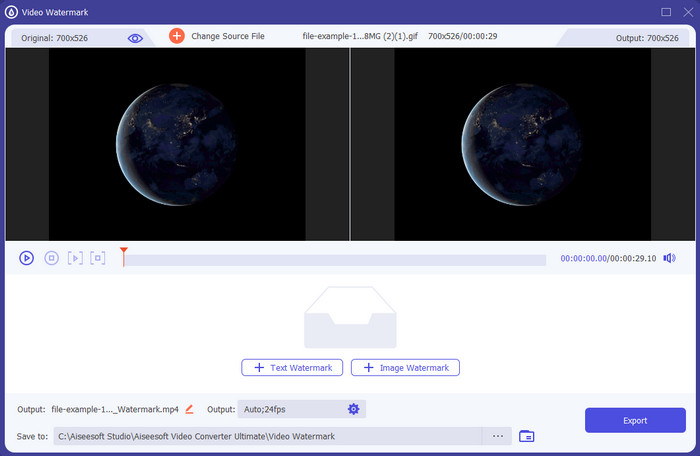
Coste: Prueba gratuita disponible, el precio empieza en 39,50 $ por un año, 55,20 $ de por vida, y para 2-5 PCs licencia de por vida 119,00 $.
Plataforma(s) compatible(s): Windows y Mac.
Si quieres una app para añadir texto a un vídeo, debes optar por la herramienta más elegida de 2022, FVC Video Converter Ultimate. Esta herramienta admite una amplia variedad de formatos a los que puedes subir, así que añadir aquí el archivo de vídeo no será un problema; también puedes cambiar el formato si lo necesitas. A primera vista de la interfaz, la herramienta parece limpia y profesional al mismo tiempo. Aunque es una herramienta profesional, los usuarios con poca o ninguna experiencia pueden aprender rápidamente a utilizarla. La curva de aprendizaje no es tan rígida como la de Adobe Photoshop.
Además, la herramienta se enorgullece de su nombre como la herramienta definitiva porque tiene el proceso más rápido de carga y descarga, ya sea uno, dos o más archivos. Codificar el formato de archivo con pérdida o sin pérdida es rápido y fácil si utiliza esta herramienta. Aunque la herramienta es un poco costosa de la lista del editor de texto de video, aún encontramos esta herramienta como la más fácil de usar y la más efectiva.
Descarga gratuitaPara Windows 7 o posteriorDescarga segura
Descarga gratuitaPara macOS 10.7 o posteriorDescarga segura
Adobe Photoshop
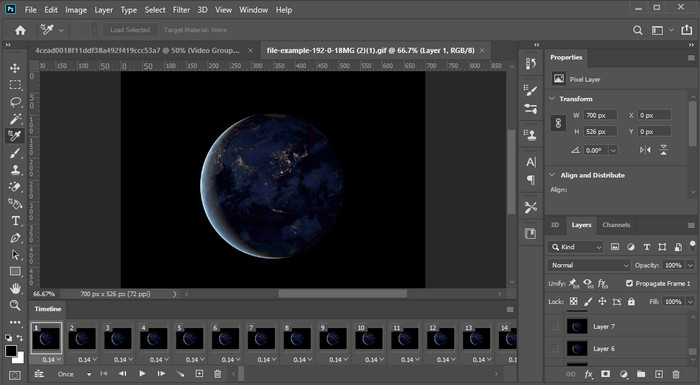
Coste: Prueba gratuita de 7 días y 20,99 $ al mes.
Plataforma(s) compatible(s): Windows, Mac y iPad.
¿Necesitas una herramienta profesional para asumir la tarea? Bien, Adobe Photoshop es la herramienta profesional aquí. Su interfaz completa y sus funciones la han convertido en el editor de primera elección para los profesionales que pueden descargarla en su plataforma. Además, esta herramienta ofrece funciones de edición avanzadas que puedes usar para hacer que el texto sobre el vídeo se vea mejor que nunca.
Sin embargo, esta herramienta no es la mejor opción si eres un principiante en la edición porque es tan técnica que incluso algunos profesionales necesitan leer algunos tutoriales sobre cómo realizar una tarea en particular. Pero si quieres usar esto, agrega texto a la aplicación de video; Puedes descargarlo en el sitio web oficial de Adobe.
iMovie
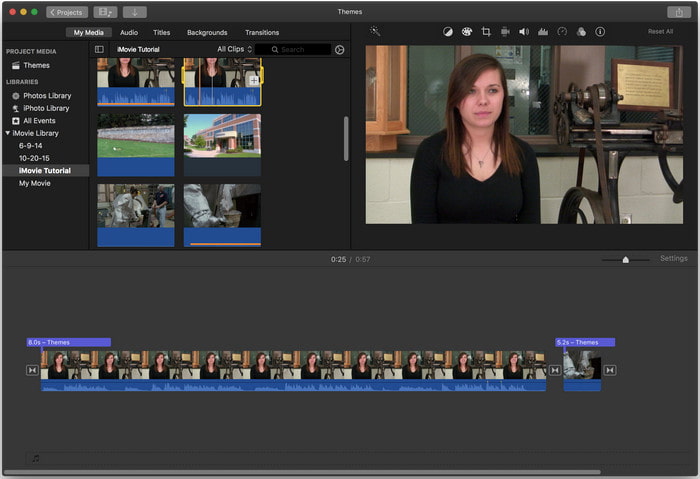
Coste: Gratis, preinstalado.
Plataforma(s) compatible(s): Mac e iOS.
Si necesitas una herramienta gratuita en tu dispositivo Mac o iOS para añadir una marca de agua al vídeo, puedes usar iMovie para cumplir con esta tarea. Esta herramienta no se puede descargar en ningún dispositivo Windows o Android porque es solo para dispositivos Apple. Aunque la herramienta tiene una plataforma compatible limitada, sigue considerándose uno de los mejores editores de marcas de agua que puedes usar en Mac e iOS. A la mayoría de los principiantes les encantará usarla por su edición completa y gratuita. Así que, si tienes un Mac o un iOS, primero debes probar esta app para añadir texto sobre vídeo y ver si se ajusta a tus necesidades.
Parte 2. Las 3 mejores aplicaciones de video y texto disponibles en todos los Android e iOS
Todas las herramientas mencionadas anteriormente están disponibles en Windows y Mac, mientras que algunas admiten dispositivos móviles limitados. ¿Qué sucede si tiene un dispositivo móvil y desea agregar texto como marca de agua en un video? ¿Todavía puedes hacerlo? Puedes hacerlo con la herramienta que te presentamos a continuación. Léalo con precaución para saber si esta herramienta será suficiente para sus necesidades.
Editor de video: texto en video
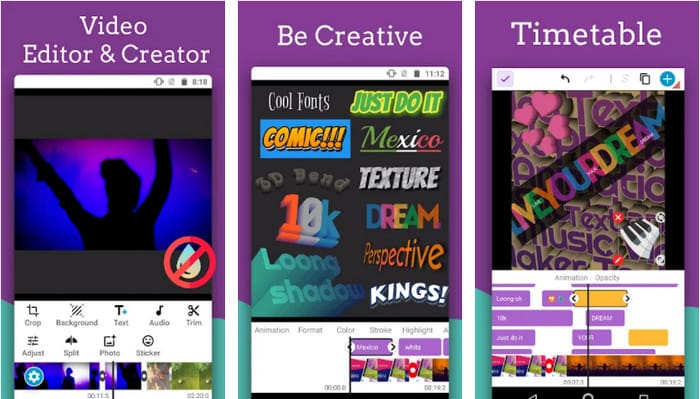
Coste: Descarga gratuita.
Plataforma(s) compatible(s): Android.
Aunque hay muchas apps gratuitas para añadir texto a vídeo en Android, seguimos considerando que Video Editor: Text on Video es excelente en muchos aspectos. Esta app para Android ofrece a los usuarios muchas funciones de edición avanzadas para hacer que su vídeo luzca sobresaliente. Si quieres usarla y añadir una marca de agua a tu vídeo, también dispone de animación de texto para incluir texto animado en el vídeo.
Aunque la descarga de la herramienta es gratuita, todavía hay muchas necesidades de mejora y reparación en esta herramienta, como errores y fallas que encuentran algunos usuarios. Además, aparecerán algunos anuncios una vez que abra la aplicación en su teléfono y la use. No obstante, el desarrollador continúa actualizando la herramienta para convertirse en el mejor editor de video en Android para alcanzar su máximo potencial.
Vont - Texto en videos 4+
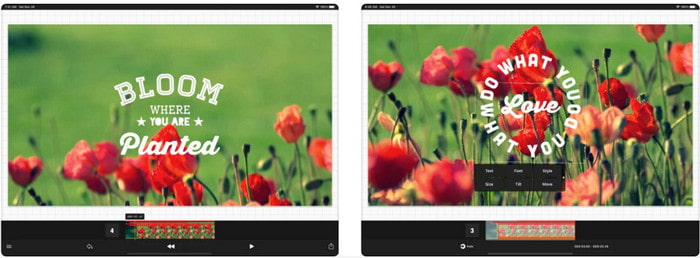
Coste: Descarga gratuita, compras dentro de la app de 2,99 $ a 9,49 $.
Plataforma(s) compatible(s): iPhone, iPad y Android.
Vont - Text on Videos 4+ es una de las mejores apps para añadir texto a vídeos en todos los dispositivos móviles. Esta app es compatible tanto con dispositivos Android como iOS, por lo que, naturalmente, esta herramienta ha ganado reputación y popularidad en ambos lados. Pero si comparamos en qué plataforma funciona mejor la app, podemos decir que es más favorable en dispositivos iOS porque admite más formatos y cuenta con funciones de edición mucho más detalladas que puedes usar.
Aunque la herramienta es mejor en iOS, aún podemos estar de acuerdo en que esta herramienta es excelente para usar incluso en dispositivos Android para agregar la marca de agua rápidamente en algunos videos.
Texto en Video: Fácil Video Editor 4+
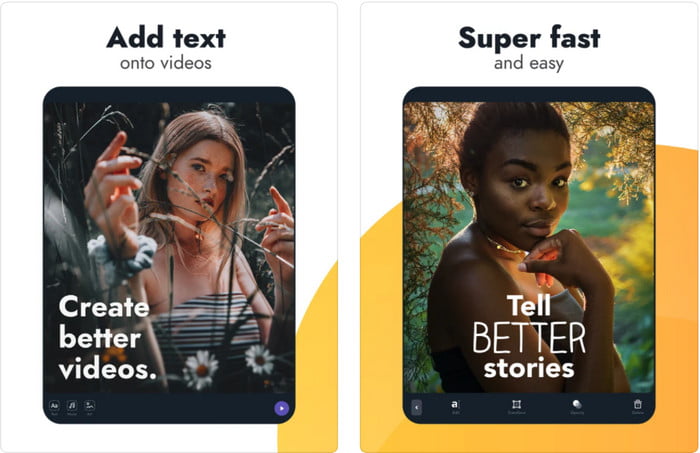
Coste: Descarga gratuita, compras dentro de la app de 1,99 $ a 49,99 $.
Plataforma(s) compatible(s): iPhone y iPad.
Si quieres saber cuál es la mejor app de texto sobre vídeo en iOS, sin duda es Text On Video: Easy Vid Editor 4+. Esta herramienta admite varias funciones de edición que puedes usar para añadir fácilmente una marca de agua de texto a tu vídeo con diferentes estilos de fuente.
Al igual que Photoshop, esta herramienta promueve la marca de agua de texto en 3D para ayudarlo a manipular el texto y colocarlo en cualquier lugar como si estuviera mientras toma el video o la foto. Aunque lo consideramos el mejor, seguimos pensando que no es la herramienta profesional que necesitará si le gusta la edición detallada que necesita un profesional.
Relacionado:
Parte 3. Preguntas frecuentes sobre las aplicaciones Agregar marca de agua de texto
¿Es seguro descargar una aplicación de marca de agua de texto?
Es seguro si ha descargado la herramienta en los sitios oficiales o en el descargador. No causará ningún problema si lo descarga en el sitio web oficial. Sin embargo, no todos los sitios web están protegidos, por lo que debes tener cuidado de descargar la herramienta más segura para usar en tu sistema operativo para evitar cualquier problema.
¿Qué aplicación de marca de agua de texto funciona mejor, en computadoras de escritorio o en teléfonos?
No hay duda de que la aplicación de marca de agua de texto de escritorio funciona mejor para tareas pesadas porque el escritorio tiene una CPU más alta que el teléfono. Pero si desea una edición semipesada, entonces la marca de agua de texto del teléfono es su opción, ya que puede llevarla a cualquier lugar y usarla en cualquier momento sin configurar una computadora de escritorio.
¿Es ideal comprar para la aplicación de marca de agua de texto?
Si tiene un presupuesto ajustado, le sugerimos que use la herramienta gratuita, pero existen algunas limitaciones, y espere que sea así porque es gratis. Pero si desea tener las mejores funciones disponibles en la versión premium, le sugerimos que la compre o se suscriba porque no puede obtenerlas con la versión gratuita.
Conclusión
Ahora que hemos terminado de analizar las herramientas, es hora de descargar la que más se adapte a ti. Esperamos que esta publicación te ayude a decidir cuál deberías usar, pero si no puedes decidirte, te sugerimos que elijas FVC Video Converter Ultimate. Porque es una herramienta todo en uno que puedes descargar en Windows y Mac, y todas sus funciones están bien diseñadas para ayudarte con tareas específicas. Así que, sin duda, es la mejor app de marca de agua de texto que puedes descargar de las anteriores.
-
 Cómo agregar audio y música a videos gratis en su computadora / teléfono
 Este artículo muestra 4 formas sencillas de agregar audio a un video de forma gratuita. No importa qué pista de audio desee agregar a su video, aquí puede obtener resultados satisfactorios.
-
 Convertir GIF a formato de vídeo: Convertir memes GIF a vídeo [2025]
 Determine cómo transformar GIF en formato de video con la ayuda de las herramientas que se enumeran a continuación. Elija cuál y aprenda cómo hacerlo, ya que reunimos suficiente evidencia sobre ellos.
-
 Maravillosas aplicaciones GIF a video para dispositivos Android e iOS
 ¿Sabías que puedes convertir GIF a cualquier formato de video que te guste usando tu teléfono? Elija las mejores aplicaciones en su Android o iOS.
