


 Näytön tallennin
 Videon korjaus
 Suojattu lataus
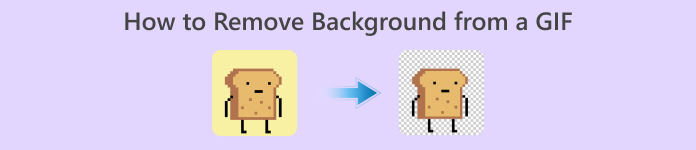
Taustan poistaminen GIF-tiedostoista tehokkaiden ohjelmien avulla
GIF on lyhenne sanoista Graphics Interchange Format, ja sitä käytetään laajasti verkkoviestinnässä, esimerkiksi viestitellessä jonkun kanssa tai jopa kommentoidessa julkaisua. Taustan poistaminen GIF-tiedostoista tai kuvista voi olla hankalaa, ellei käytössä ole ohjelmistoja, jotka on tehty juuri tällaisia tehtäviä varten. Suosion vuoksi yhä useammat käyttäjät ovat kiinnostuneita muokkaamaan ja luomaan omia GIF-animaatioitaan. Onneksi olemme koonneet luotettavia ja helppokäyttöisiä verkkotyökaluja, joiden avulla käyttäjät voivat poistaa taustan GIF-tiedostoista.
Suositus: FVC-vapaa taustanpoistoaine
FVC Free Background Remover on kätevä työkalu, kun haluat poistaa taustan kuvistasi. Se käyttää tekoälyä kuvan henkilöiden rajaamiseen ja tunnistamiseen. Lisäksi työkalu on saatavilla Windowsille ja Macille. Kaiken kaikkiaan se on kätevä ja luotettava työkalu, jota voit käyttää milloin ja missä vain.
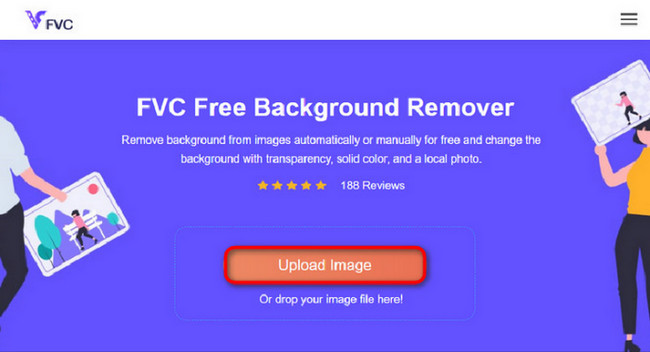
Vaihe 1. Lataa kuva/GIF
Ensimmäinen vaihe on avata selaimesi tietokoneella. Kun avaat verkkopalvelun, sinulle tarjotaan mahdollisuus ladata kuvasi. Napsauta Upload Image lisätäksesi sen GIF-tiedoston, josta haluat poistaa taustan.
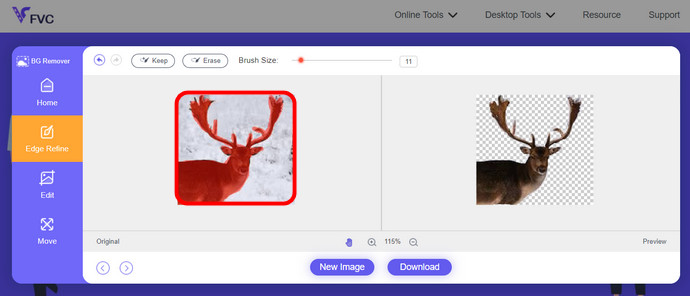
Vaihe 2. Muokkaa kuvaa
Lataamisen jälkeen voit nyt poistaa kaikki epätarkat kohokohtien poistot tekoälytunnistuksesta. Napsauta ja vedä hiirtä ja tee se mielesi mukaan.
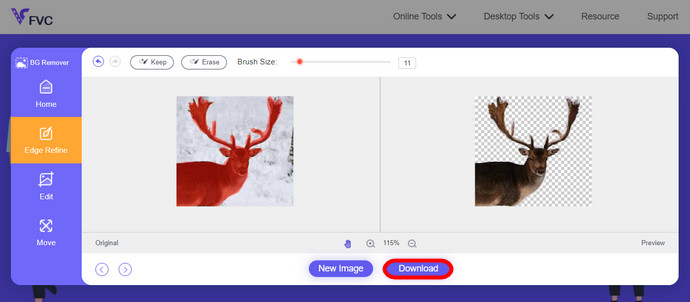
Vaihe 3. Lataa muokattu kuva
Lopuksi napsauta Download-painiketta. Olet nyt onnistuneesti poistanut taustan kuvastasi.
Osa 1. Poista GIF-tausta käyttämällä EZGIF.com-sivustoa
Tämä online-ohjelmisto on valokuvien/gif-muokkaus- ja muunnosohjelmisto. Se voi muokata ja muuntaa GIF-, PNG-, WEBP-, IMG- ja monia muita muotoja. Täällä voit muokata GIF-tiedostoja ohjelmiston mukana tulevalla muokkausohjelmistolla.
Vaihe 1. Siirry sivustolle
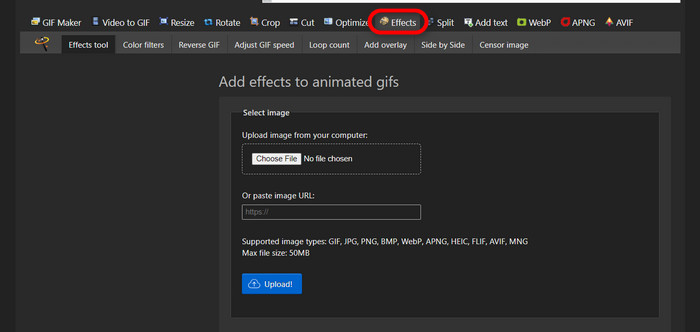
Käyttääksesi tätä verkkotyökalua avaa selaimesi ja kirjoita osoite. Saat heti käyttöösi erilaisia vaihtoehtoja tarpeidesi mukaan. Tällä sivustolla voit poistaa taustan GIF-tiedostostasi. Aloita napsauttamalla Effects.
Vaihe 2. Valitse ja lataa kuva/GIF
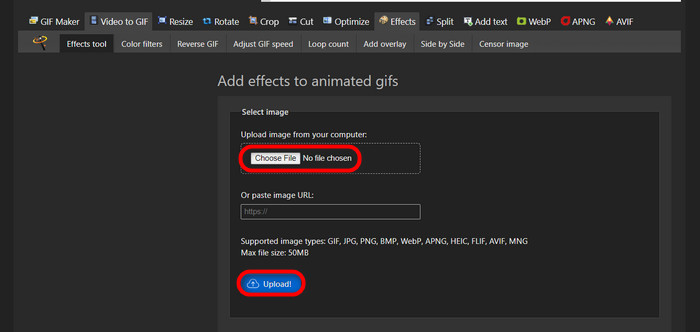
Valitse nyt haluamasi tiedosto ladattavaksi. Napsauta Choose Files, etsi tiedosto omasta kansiostasi ja paina Upload ladataksesi sen.
Vaihe 3. Muokkaa kuvaa
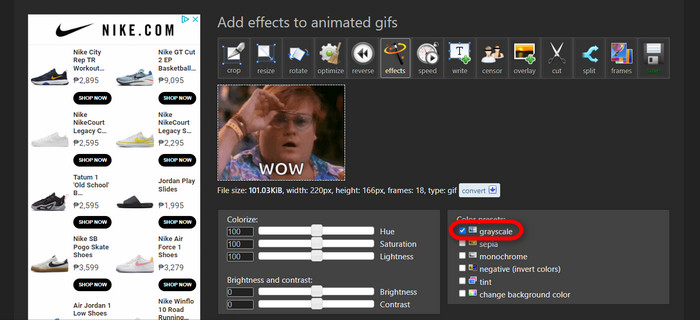
Kun lataus on valmis, olet jo lähellä sitä vaihetta, jossa voit poistaa taustan GIF-tiedostostasi tai muuttaa GIF-taustan mustaksi. Napsauta nyt grayscale tehdäksesi taustasta tumman.
Vaihe 4. Esikatsele ja muunna kuva/GIF
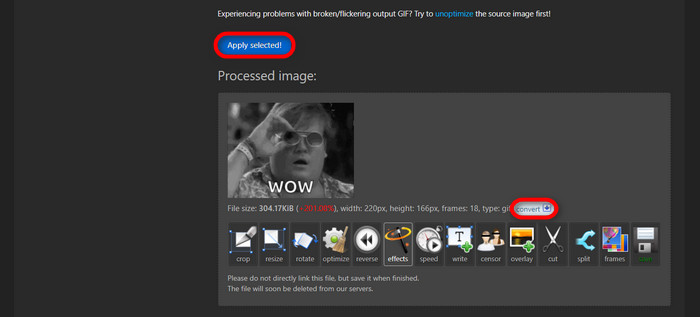
Kun olet lisännyt tehosteen, muuttanut kokoa ja rajannut uuden GIF-tiedostosi, napsauta Apply Selected, jolloin näet muokatun GIF-animaation esikatselun. Napsauta sitten convert-painiketta ladataksesi tiedoston.
Osa 2. Luo GIF ilman taustaa Remove.bg:ssä
Tämä sivusto on myös suunniteltu poistamaan tausta kaikista kuvista. Täällä se antaa sinulle mahdollisuuden muokata automaattisesti poistettua taustakuvaasi. Siinä on taitava tekoäly, joka tunnistaa pääkohteen ja poistaa sen taustan virheettömästi.
Vaihe 1. Lataa kuva/GIF
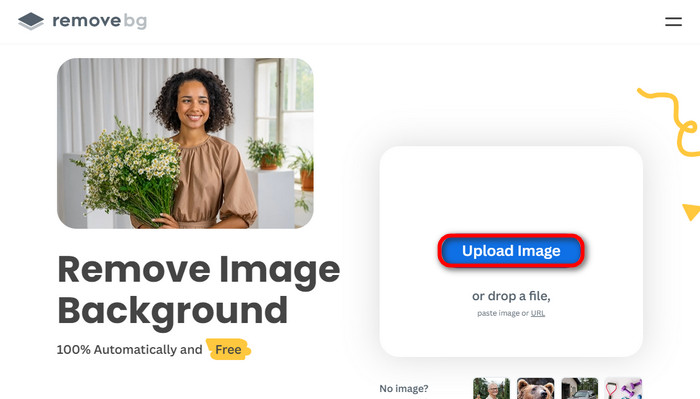
Aloitetaan kuvan lataamisesta. Avaa selain ja sen kautta verkkotyökalu. Napsauta sitten Upload Image.
Vaihe 2. Tarkista ja muokkaa kuvaa
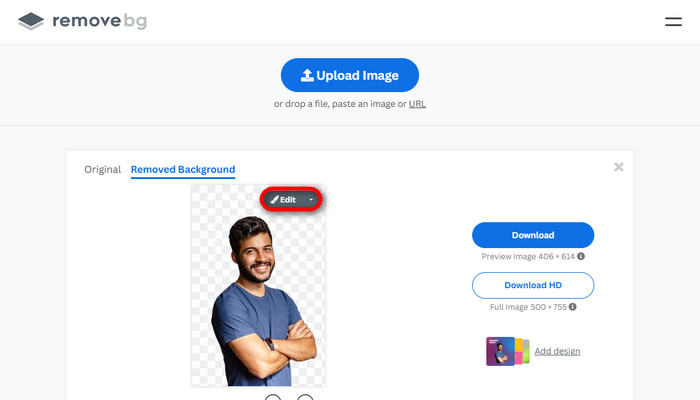
Kun kuvasi on ladattu, sen taustan pitäisi jo olla poistettu automaattisesti, mutta voit silti jatkaa kuvan muokkaamista. Voit tarkastella alkuperäistä kuvaa napsauttamalla Original-painiketta Removed Background -painikkeen vieressä. Käyttäjät voivat lisätä kuvaansa mustan taustan helposti tämän ohjelman avulla.
Vaihe 3. Lataa muokattu kuva
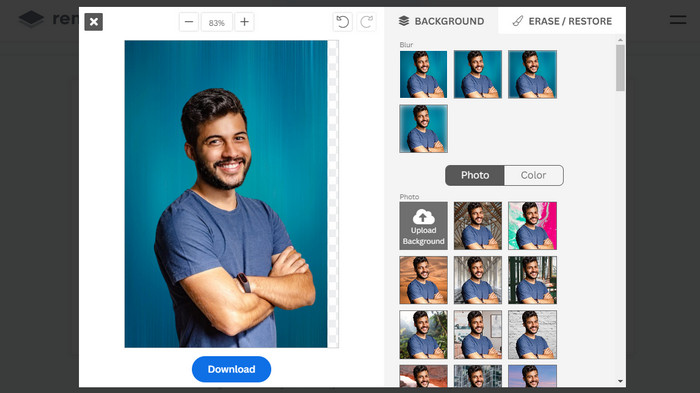
Tässä vaiheessa muokkaus on valmis ja voit ladata kuvasi. Napsauta vain kuvan alla olevaa Download-painiketta.
Osa 3. Käytä GIFMagicia GIF-taustanpoistossa
GIFMagicissa erikoistehosteet, tekstin lisääminen, animointi ja paljon muuta! Nämä kaikki ovat mahdollisia käyttämällä tätä online-ohjelmaa. GIF-kuvien kanssa on helppo työskennellä, kun on kyse editoinnista tässä ohjelmistossa!
Vaihe 1. Lataa kuva/GIF
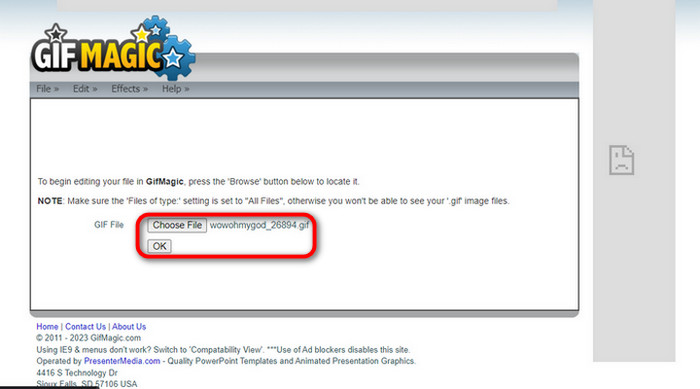
Kun olet kirjautunut sisään, sivusto antaa sinun ladata valitsemasi tiedoston ohjelmaan. Voit ladata .gif- tai .img-tiedostoja, joista on hyötyä muillekin käyttäjille. Valitse tiedosto napsauttamalla Upload ja kun olet valinnut tiedoston, napsauta OK-painiketta.
Vaihe 2. Muokkaa kuvaa
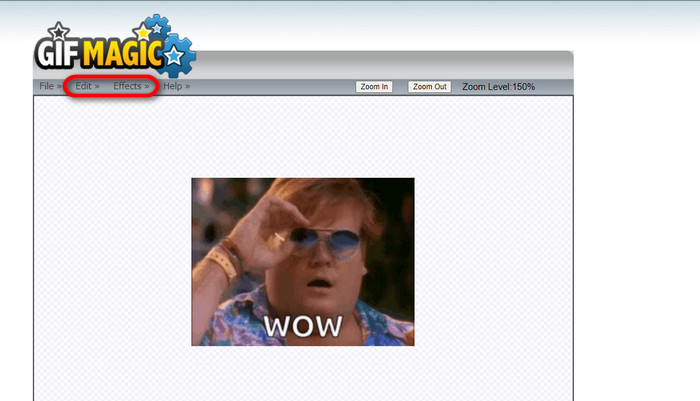
Kun saavut sivulle, näet Edit- ja Effects-painikkeet File-painikkeen vieressä. Voit muokata tiedostoasi tässä osiossa, joten anna mielikuvituksesi lentää ja nauti muokkaamisesta.
Vaihe 3. Lataa muokattu GIF
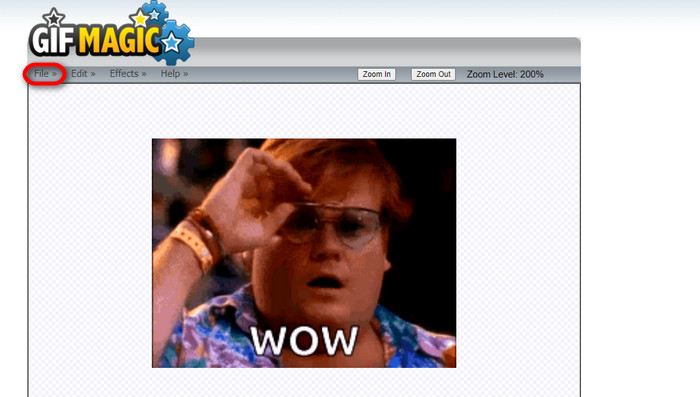
Kun olet tehnyt GIF-taustastasi läpinäkyvän, napsauta vain File-painiketta ja valitse Save. Valmista! Tiedosto on tallennettu ja ladattu.
Osa 4. Tee GIF-tausta läpinäkyväksi LunaPicillä
LunaPic on ilmainen online-työkalu, joka pystyy poistamaan tausta-GIF-kuvia verkossa. Se voi arvioida ja muokata PNG-, GIF-, JPG-, JPEG- ja monia muita kuvia. Se on hyvin perusteltu ohjelmisto, jota käytetään editointiin monilla alustoilla.
Vaihe 1. Lataa kuva/GIF
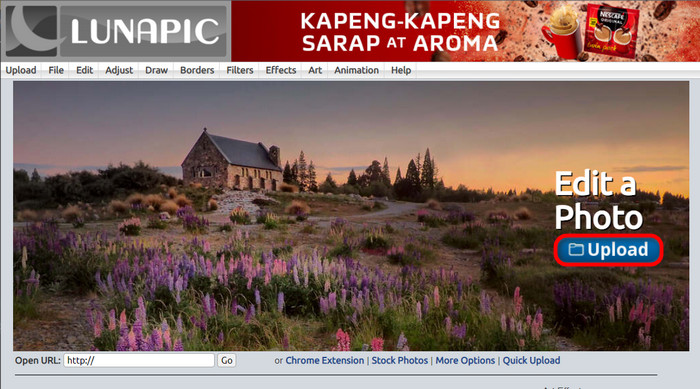
Kun olet avannut sivuston oletusselaimessasi tai muussa valitsemassasi selaimessa, lataa .img- tai .gif-tiedosto sivustolle. Napsauta vain Upload-painiketta.
Vaihe 2. Muokkaa kuvaa/GIF-tiedostoa
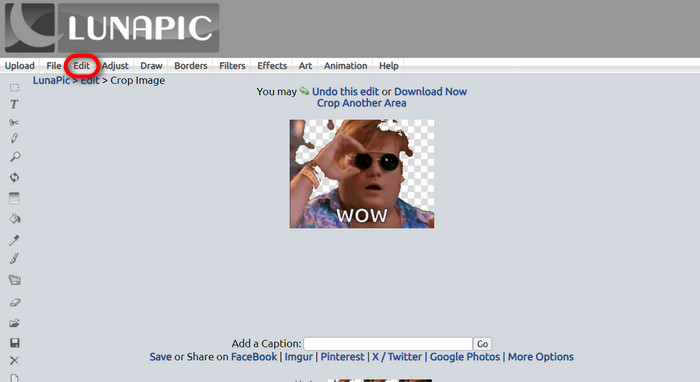
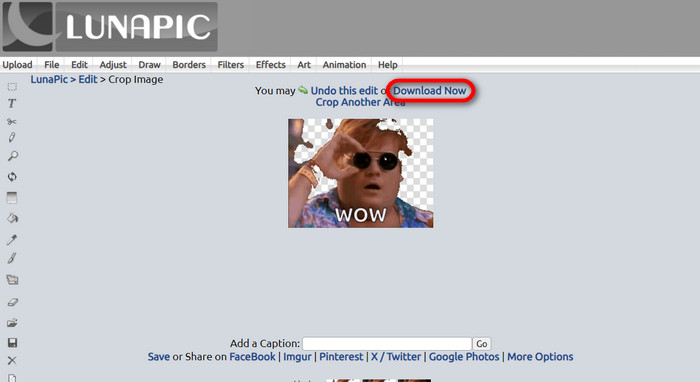
Seuraavaksi voit muokata tiedostoasi ja tehdä GIF-taustasta läpinäkyvän napsauttamalla Edit ja sitten Crop Image -työkalupainiketta. Aloita taustakuvan rajaaminen.
Vaihe 3. Lataa muokattu GIF
Kun olet rajannut taustan tai jos olet yrittänyt tehdä valkoisen taustan GIF-tiedoston, voit nyt napsauttaa Download now! -painiketta tallentaaksesi muokatun tiedoston.
Lisälukemista:
4 parasta tapaa poistaa vesileima GIF-tiedostosta [online & offline]
Parhaat työkalut GIFien tekoon tietokoneella, verkossa ja mobiilissa

Video Converter Ultimate
Yli 345 latausta- Nauti videoidesi katselusta ilman niitä ärsyttäviä vesileimoja, jotka estävät sisältösi.
- Tuota laadukkaita videoita, joissa on korkea resoluutio parempaa katselua varten.
- Voit poistaa vesileiman minkä tahansa tyyppisistä videoista.
- Tarjoaa sinulle lukemattomia muotoja tiedoston muuntamiseen.
Ilmainen latausWindows 7 tai uudempiSuojattu lataus
Ilmainen latausMacOS 10.7 tai uudempiSuojattu lataus
Osa 5. Usein kysytyt kysymykset taustan poistamisesta
Voinko muuntaa animoidun PNG:n GIF-muotoon?
Kyllä, on mahdollista muuntaa PNG GIF-muotoon. On kuitenkin olemassa useita tietotyyppejä, jotka voidaan muuntaa useisiin muotoihin, kunhan sinulla on oikea ohjelma.
Voinko muuttaa GIF-taustani väriä sen poistamisen jälkeen?
Ehdottomasti, tällaisia tehtäviä varten on tarjolla paljon ohjelmia. Kokeile FVC Background Remover -työkalua helppoon taustan poistoon.
Voinko tehdä GIF-taustasta läpinäkyvän maalilla?
Ei, maalilla ei ole sellaista kykyä. Mutta voit etsiä muita ohjelmia, jotka tarjoavat tällaista työtä.
Mikä on läpinäkyvä animoitu GIF?
Läpinäkyvä animoitu GIF on kuva, joka näyttää vain tietyn osan kuvasta, kun se on asetettu tietylle verkkosivustolle. Siinä voi olla useita kuvia, jos ne laitetaan toiselle verkkosivustolle.
Salliiko GIF läpinäkyvyyden?
Kyllä, mutta ei täysin läpinäkyvää. Se tukee vain 1-bittistä läpinäkyvyyttä.
Johtopäätös
Ohjelmille, joilla voi muokata GIF-tiedostoja, kuten yllä mainituille, on nyt suuri merkitys ja kysyntä. Rajaukset, muokkaukset, kerrostaminen ja poistaminen onnistuvat nykyään muutamalla klikkauksella. Käyttäjät keksivät ja toteuttavat nyt asioita, joita kukaan ei ole aiemmin tehnyt, kuten valkoisen taustan GIFin tekeminen. Tällaiset käyttäjät ovat syy siihen, että näin tehokkaita ohjelmia kehitetään, kuten FVC Background Remover.
-
 Valitse paras GIF-rajaaja verkossa ja offline-tilassa GIF-tiedostojen rajaamiseksi [2023]
 Parhaan rajaustyökalun valitseminen on välttämätöntä, kun tämä ominaisuus on käytettävissä GIF-valmistajissa. Joten mikä on paras vaihtoehto tiedostojen rajaamiseen ja miten sitä käytetään?
-
 Opi 4 tapaa luoda GIF-tiedostoja kuvista [online ja offline]
 Haluatko tietää, kuinka voit luoda GIF-kuvia kuvien kokoamisesta? Napsauta sitten tätä linkkiä ja lue seuraavat esimerkit
-
 Jatka GIF-toistoa Windows- ja Mac-käyttöjärjestelmän parhaalla animoidulla GIF-silmukkaalla
 Haluatko tietää parhaan silmukka-GIF:n salaisuuden ja tehdä sellaisen? Jos näin on, olet oikeassa paikassa. Opi luomaan silmukka parhaalla saatavilla olevalla looperilla.
