


 Video Converter Ultimate
 Näytön tallennin
 Videon korjaus
 Suojattu lataus
Rehelliset arvostelut 8 hyödyllisestä kuvanmuuntimesta, joita voit käyttää offline-tilassa ja verkossa
Tiedostomuunnin, jota kutsutaan kuvamuuntimeksi, muuntaa yhden tyyppisen kuvatiedoston, kuten JPG-, BMP- tai TIF‑tiedoston, toiseksi. Tässä artikkelissa esitellään kahdeksan parasta kuvamuunninta. Osa niistä toimii jopa verkkopalveluina. Niiden avulla voit muuntaa kuvia suoraan selaimessa. Sinun ei tarvitse ladata ohjelmistoa. Osa työkaluista on myös asennettavissa tietokoneelle. Jos aiot muuntaa kuvatiedostosi muihin kuvaformaatteihin, paras mitä voit tehdä on lukea tämä artikkeli. Löydät sinulle parhaiten sopivan kuvamuuntimen ja opit sen toiminnot.

Osa 1: 8 parasta kuvatiedoston muuntajaa verkossa ja offline-tilassa
1. FVC Free Image Converter
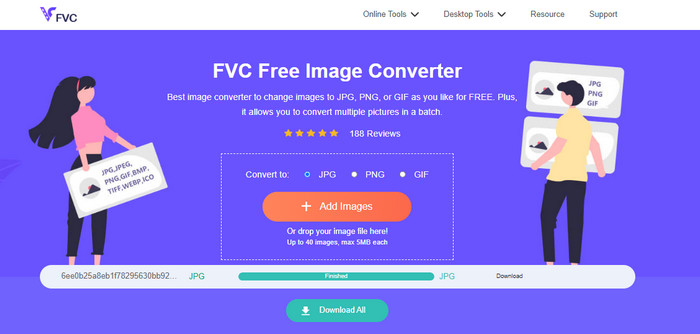
Paras vaihtoehto kuvien muuntamiseen lukuisiin eri formaatteihin on FVC Free Image Converter. Se on ilmainen kuvamuunnin. Se tukee yleisiä tiedostomuotoja, kuten JPG, JPEG, PNG, GIF, BMP, TIFF, WEBP, ICO ja SVG. Sinun ei siis enää tarvitse huolehtia siitä, etteivätkö jotkin työkalut tai laitteet pystyisi avaamaan kuvatiedostojasi. Se säilyttää myös alkuperäisten kuvien erinomaisen laadun. Muunnoksen jälkeen alkuperäisen ja luodun tiedoston välillä ei ole havaittavaa eroa. Lisäksi FVC Free Image Converter tukee erämuunnosta. Sen avulla voit muuntaa useita kuvia kerralla. Tämä on paljon tehokkaampaa kuin monet muut markkinoilla olevat kuvamuuntimet. FVC Free Image Converter voi käsitellä jopa 40 kuvaa. Kun olet muuntanut useita tiedostoja samanaikaisesti, voit tallentaa ne yhdellä napsautuksella. Ohjelma voi pakata kaikki tiedostot zip‑arkistoon ja tallentaa ne kerralla.
2. Image Candy
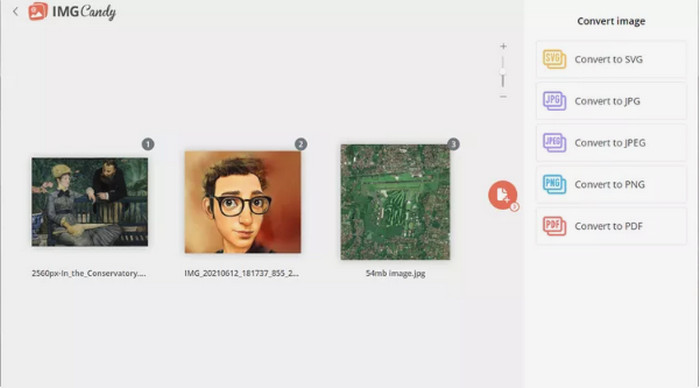
Toinen hyödyllinen verkkopohjainen kuvamuunnin on Image Candy. Se tukee monia kuvaformaatteja ja pystyy muuntamaan jopa 2 Gt:n kokoisia kuvia. Tämän muuntimen käyttäminen ei voisi olla helpompaa. Lataa kuvat sivustolle ja valitse haluamasi tulosformaatti tuetuista vaihtoehdoista. Voit myös kiertää kuvia tarvittaessa. Koska tämä on verkkopohjainen muunnin, se toimii kaikissa käyttöjärjestelmissä. Voit tallentaa jokaisen muunnetun tiedoston erikseen tai kaikki kerralla arkistona. Tämä kuvamuunnin suojaa myös yksityisyyttäsi: se poistaa kuvasi kahden tunnin kuluttua muunnoksesta. Se hyväksyy kuitenkin latauksia vain laitteelta, eikä tulosformaattien määrä ole kovin suuri.
3. Coolutils
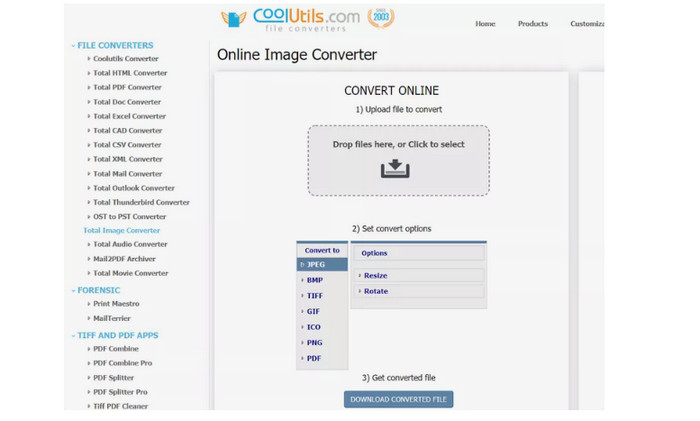
Coolutils on kuvamuunnin, jota voit käyttää verkossa ilman mitään asennusta. Tämä verkkotyökalu tekee muunnosprosessista helpon. Se muuntaa kuvat automaattisesti heti, kun olet ladannut kuvan. Tällä kuvamuuntimella voi kiertää ja muuttaa kuvan kokoa ennen muunnosta. Se ei kuitenkaan tue käännetyn kuvan esikatselua muunnoksen jälkeen. Voit käyttää työkalua lähes millä tahansa käyttöjärjestelmällä, mukaan lukien Windows, Linux ja Mac. Kuvamuunnin tukee monia formaatteja, kuten JPEG, PNG, GIF, BMP, TIF, BMP, PDF, PNG, JPEG ja muita. Lataamasi alkuperäistiedoston koolla on kuitenkin rajoitus: tiedoston enimmäiskoko on 35–40 Mt.
4. Zamzar
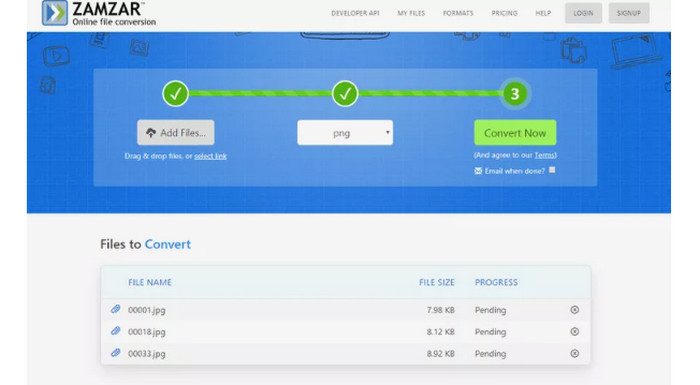
Toinen tehokas verkkopohjainen kuvamuunnin on Zamzar. On kätevää, että voit ladata jopa 50 Mt:n kokoisia kuvia. Voit myös ladata kuvan tietokoneelta, Dropboxista, Drivesta tai toiselta verkkosivulta antamalla sen URL‑osoitteen. Työkalulla on selkeä ja yksinkertainen käyttöliittymä, mikä tekee siitä helppokäyttöisen kaikille. Tällä palvelulla voit ladata kuvia muun muassa formaateissa CR2, ARW, PNG, 3FR, JPG, GIF, ERF ja TIFF. Voit myös muuntaa kuvatiedoston moniin eri formaatteihin, jotta se olisi kaikkien käyttäjien helpompi avata, esimerkiksi BMP, EPS, PDF, PNG, JPG ja WBMP. Muunnosprosessi kestää kuitenkin melko kauan. Lisäksi et voi tallentaa muunnettuja kuvia palveluun, ja yhdessä istunnossa voi muuntaa korkeintaan kaksi kuvaa.
5. Sovitin
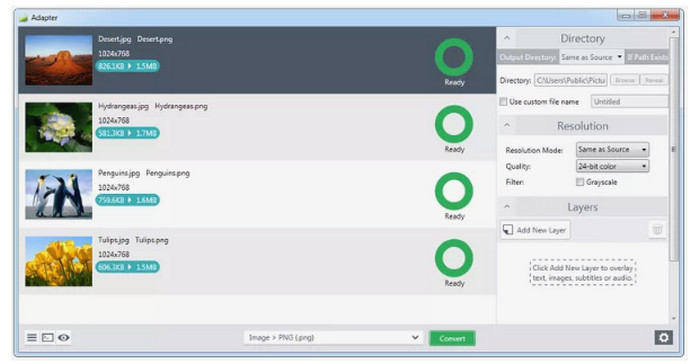
Adapter on suoraviivainen kuvamuunnin, jossa on monia hyödyllisiä ominaisuuksia. Peruskäytössä se antaa sinun valita tulosformaatin ja vetää ja pudottaa kuvat muuntojonoon. Se näyttää kuvatiedoston koon ennen ja jälkeen muunnoksen. Jos haluat, käytettävissä on myös kehittyneempiä asetuksia, kuten kuvan päälle tulevat elementit, tulostuskansion valinta, tarkkuus‑ ja laatuasetukset ja paljon muuta. Useita tulo‑ ja tulosmuotoja, kuten JPG, BMP, TIFF, GIF ja PNG, tuetaan. Näin voit ladata kuvia miltei muodosta riippumatta. Intuitiivisen käyttöliittymän ansiosta kuvien muuntaminen onnistuu nopeasti, joten sekä ammattilaiset että aloittelevat käyttäjät voivat hyödyntää tätä offline‑muunninta. Jos kuitenkin haluat tehdä erämuunnoksen, kaikkien kuvien tulee olla samassa lähtöformaatissa. Lisäksi ohjelman asennus kestää tavallista pidempään, ja koska kyseessä on offline‑ohjelma, sinun on huomioitava tietokoneesi tallennustila.
6. DVDVideoSoft
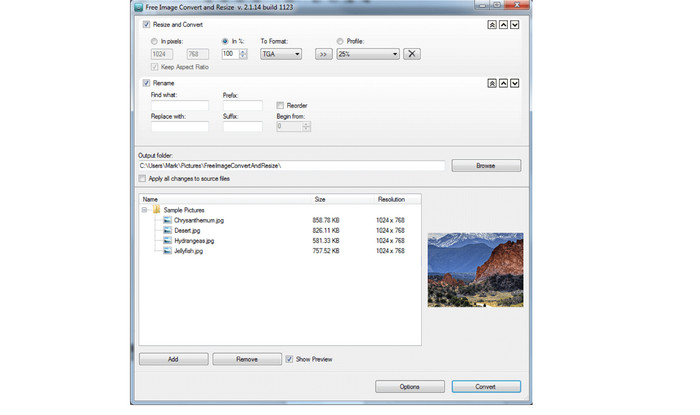
Työpöytäsovellus DVDVideoSoft on valokuvien muunto‑ohjelma, joka pystyy myös tekemään kuvamuunnoksia. Se voi samalla muuttaa yksittäisten kuvien ja kokonaisia kansioita olevien tiedostojen kokoa ja järjestystä. Tämä kuvamuunnin toimii Windowsissa ja tukee tunnettuja kuvaformaatteja. Ohjelman suorituskyky säilyy hyvänä, vaikka tuot useita kuvia kerralla. Voit myös muuttaa kuvaa asetuksista ja erottaa sen muista saman kansion tiedostoista muuntimen avulla. Sen paras puoli on mahdollisuus muuntaa useita tiedostoja kerralla. Näin voit muuntaa useita kuvatiedostoja yhdellä kertaa. Tämän offline‑ohjelman käyttö on kuitenkin hankalaa ja vaatii kokeneemman käyttäjän. Jos siis olet aloittelija, kannattaa pyytää apua tai käyttää yksinkertaisempaa kuvamuunninta. Erämuunnoksessa kaikkien tiedostojen on lisäksi oltava samaa formaattia. Jos haluat muuntaa useita eri formaateissa olevia tiedostoja, jokainen on muunnettava erikseen, mikä on työlästä ja vie aikaa.
7. SendTo-Convert
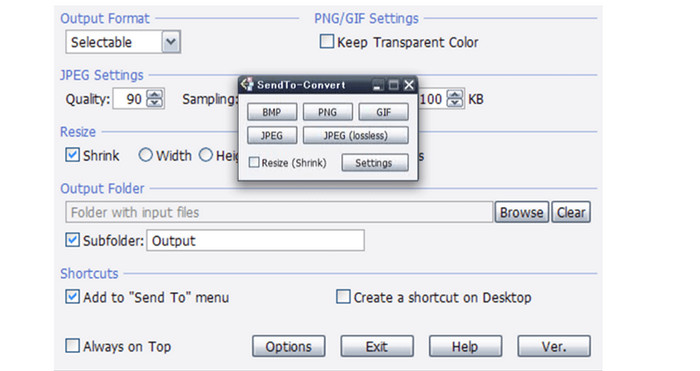
Toinen offline‑kuvamuunnin on SendTo-Convert. Kuvien muuntamista varten sinun on ensin avattava asetukset. Määritä vientiformaatti, laaturajat, koko ja vientikansio. Voit myös muuntaa tiedostoja käynnistämättä sovellusta etukäteen: vedä tiedosto ohjelman kuvakkeen päälle. SendTo-Convert tukee lisäksi eräajoa, jonka avulla voit käsitellä useita kuvia samanaikaisesti. Tämä ladattava ohjelma on hyödyllinen kaikille käyttäjille. Selkeä käyttöliittymä ja yksinkertaiset ohjeet tekevät siitä sopivan sekä ammattilaisille että aloittelijoille. Nopea muunnosprosessi säästää aikaa. Hyödyistään huolimatta ohjelma tukee vain viittä yleisintä kuvaformaattia. Sen toiminnallisuutta voi laajentaa asentamalla lisäosia. Asennus vie melko kauan, joten joudut odottamaan hetken ennen kuin voit käyttää ohjelmaa. Ohjelmaa on viimeksi päivitetty vuonna 2015, joten se on melko vanhentunut, eikä sen suorituskyky ole yhtä hyvä kuin uudemmilla muuntimilla.
8. PixConverter
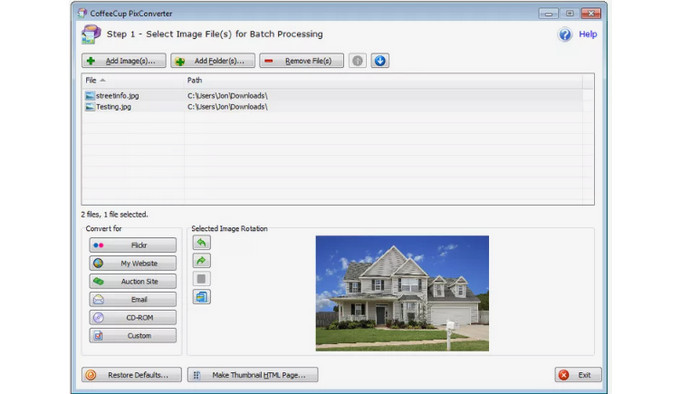
Toinen kuvamuunnin on PixConverter. Vaikka siinä on monia hyödyllisiä ominaisuuksia, se on silti helppokäyttöinen. Se tukee useita tiedostomuotoja, muun muassa PCX, JPG, JPEG, PNG, TIFF ja BMP, joten voit muuntaa kuvasi toiseen formaattiin. Ohjelma toimii kuitenkin vain käyttöjärjestelmissä Windows 8, Windows 7, Windows Vista ja Windows 10. Se tukee myös erämuunnosta ja mahdollistaa useiden kansiossa olevien valokuvien tuonnin kerralla. Lisäksi se tarjoaa kuvan kierron, koon muuttamisen ja värien säätämisen.
Liittyen:
Joyoshare HEIC Converter | Sovellusarvostelu ja toiminnot, jotka sinun on hyvä tietää
Uusin arvostelu iMyFone Free HEIC Converter ‑ohjelmasta [2023]
Osa 2: Usein kysytyt kysymykset Image File Converterista
1. Mikä on kuvamuodon muunnostyökalu?
Kuvamuodon muunnostyökalu on tehokas työkalu kuvamuodon vaihtamiseen toisen tyyppiseen muotoon. Se sisältää JPG, JFIF, PNG, BMP, GIF, TIFF, EMF, WMF, PSD, WebP, SVG, DICOM, DNG ja paljon muuta. Joten jos haluat muuntaa kuvatiedoston eri muotoon, sinun on etsittävä kuvamuodon muuntaja.
2. Kuinka muuntaa kuvan pienemmäksi?
Koska JPG‑tiedostomuoto tuottaa yleensä pienempiä tiedostoja kuin esimerkiksi PNG, voit halutessasi muuntaa kuvat JPG‑muotoon. Käytä muuntamiseen työkalua FVC Free Image Converter. Valitse vain haluamasi tulosmuodoksi JPG, lataa kuva, jonka haluat muuntaa, ja napsauta Download‑painiketta. Näin saat muunnettua kuvat JPG‑muotoon pienemmällä tiedostokoolla.
3. Onko JPEG sama kuin JPG?
Kyllä, kuvamuodot JPG ja JPEG ovat samat. Ne ovat identtisiä. Näin ollen ei ole tarvetta vaihtaa toista toiseen. Jos haluat muuttaa JPEG:n JPG:ksi tai päinvastoin, paras tapa on nimetä kuva uudelleen.
Johtopäätös
Yllä esitellyt työkalut ovat laadukkaita kuvamuuntimia kuvatiedostojen muuntamiseen. Jos etsit työkalua, jossa on yksinkertainen käyttöliittymä ja vaivaton käyttötapa, valitse FVC Free Image Converter.
-
 Muunna HEIC JPG-muotoon kuudella tehokkaalla offline- ja online-tavalla
 Haluatko tietää kuinka muuntaa HEIC JPG: ksi? Tässä tapauksessa lisäämme 6 online- ja offline-tapaa, joiden avulla voit suorittaa tämän tehtävän kokonaan.
-
 Paras ilmainen ja maksettu HEIC-muunnin, joka sinun on tiedettävä [Päivitetty 2023]
 Haluatko tietää mikä HEIC-muunnin on? Jos näin on, sisällytämme 5 parasta ilmaista ja maksullista HEIC-muunninta, joiden avulla voit muuttaa HEIC-muotoa.
-
 Kuinka muuntaa HEIC erässä PNG-muotoon Macissa, iPhonessa ja verkossa
 Etsitkö tapoja muuntaa HEIC PNG: ksi? Tämä artikkeli antaa sinulle parhaat tavat muuttaa HEIC helposti PNG:ksi verkossa ja offline-tilassa
