


 Video Converter Ultimate
 Näytön tallennin
 Videon korjaus
 Suojattu lataus
Viisi parasta GIF-soitinta tietokoneille, Androidille ja iPhonelle
Animoidut GIF-kuvat voivat välittää enemmän tietoa kuin staattiset kuvat. Etsitkö hyvää GIF-soitinta tarkastellaksesi kaikenlaisia GIF-tiedostoja iPhonellasi, iPadillasi, Android‑puhelimellasi tai tietokoneellasi?
Sosiaalisissa sovelluksissa voit helposti vastaanottaa ja lähettää erilaisia hauskoja GIF-animaatioita. Kun kuitenkin tallennat GIF-tiedostoja laitteellesi, jotkin niistä eivät välttämättä avaudu suoraan käyttämässäsi oletusmediasoittimessa. Saatat siis pohtia, pitäisikö sinun hankkia erillinen GIF-soitin GIF-toistoa varten.

Voit katsella GIF-tiedostoja suoraan sosiaalisessa sovelluksessa. Joissain tapauksissa et kuitenkaan voi avata niitä uudelleen tietokoneesi tai kannettavan Android/iOS‑laitteesi soittimella. Tarpeesi huomioiden olemme koonneet luettelon 5 animoidusta GIF-soittimesta, joista voit valita. Etsitpä sitten GIF-soitinta Androidille, iPhonelle tai tietokoneelle, löydät sopivan vaihtoehdon.
Osa 1. Paras GIF-soitin Macille ja Windowsille - FVC Free Video Player
FVC Free Video Player on suosittu maksuton mediasoitintyökalu, jonka avulla voit toistaa mitä tahansa GIF-tiedostoja sekä Windows 10/8/7/XP ‑tietokoneella että Macilla. Tämä ilmainen GIF-soitin on eräänlainen verkossa toimiva toisto-ohjelmisto, jonka avulla voit avata kaikenlaisia video- ja äänitiedostoja. GIF-toistoa varten sinun on ensimmäisellä käyttökerralla asennettava pieni käynnistystiedosto. Se on yhteensopiva monien yleisesti käytettyjen selainten kanssa, kuten Chrome, Safari, IE, Firefox ja monet muut.
Ilmainen latausWindows 7 tai uudempiTurvallinen lataus
Ilmainen latausmacOS 10.7 tai uudempiTurvallinen lataus
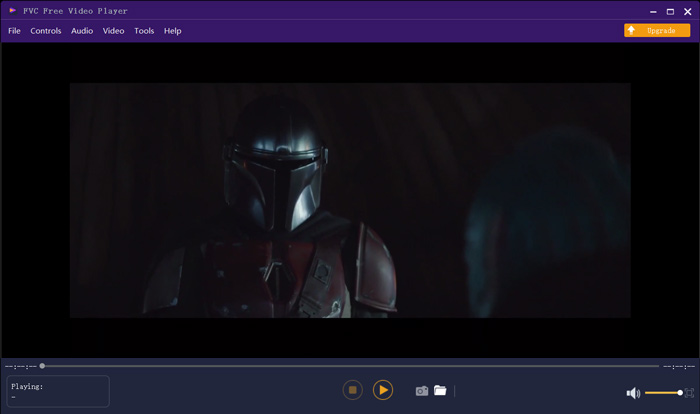
Enemmän kuin vain ilmainen GIF-soitin, se tukee erittäin suosittuja video- ja äänimuotoja, kuten MP4, MOV, FLV, AVI, WMV, VOB, MP3, AAC, ALAC, M4A, WAV, FLAC ja paljon muuta. GIF-tiedostojen toistokokoa ei ole rajoitettu. Se voi antaa sinulle upean visuaalisen kokemuksen. Lisäksi se tukee edistyksellistä DTS-HD- ja Dolby TrueHD -äänikoodaustekniikkaa, joka voi tarjota upean äänitehosteen.
Osa 2. GIF Player -sovellus Androidille - OmniGIF
OmniGIF on GIF-toistotyökalu, joka on suunniteltu ensisijaisesti Android‑käyttäjille. Jos haluat avata GIF-tiedostoja Android‑puhelimella, voit turvautua siihen. OmniGIF ei ole pelkkä GIF-soitin, vaan toimii myös GIF‑tekijänä ja GIF‑editorina. Sen avulla hallitset helposti GIF-tiedostojasi, videoleikkeitäsi ja valokuviasi. GIF-toistossa Android-laitteellasi voit nopeuttaa tai hidastaa toistoa, toistaa eteen- ja taaksepäin, toistaa kuva kuvalta ja tehdä monia muita toimintoja tarpeesi mukaan.
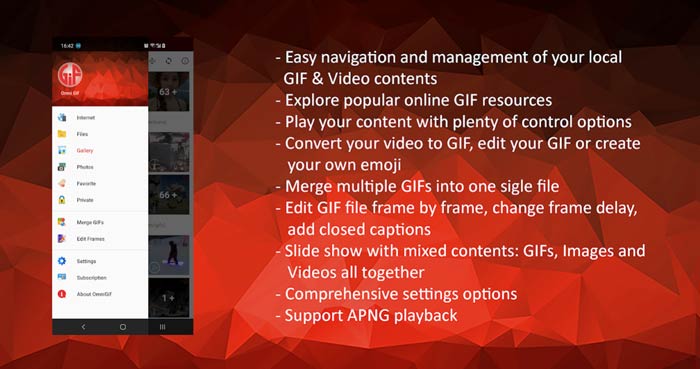
Tämän Android GIF -soitinsovelluksen avulla voit piilottaa joitain yksityisiä tiedostoja salaa. Se tarjoaa myös tehokkaat GIF-muokkaus- ja luomistoiminnot. Lisäksi OmniGIF tarjoaa erinomaisen jakamisominaisuuden GIF-tiedostojen, videoleikkeiden tai valokuvien nopeaan jakamiseen Facebookiin, Instagramiin, Twitteriin, Messengeriin, Lineen, WhatsAppiin, Gmailiin ja muuhun.
Osa 3. GIF Player -sovellus iPhonelle ja iPadille - GIF Viewer
GIF Viewer on GIF-toistosovellus iOS‑käyttäjille. Voit asentaa tämän GIF-soitinsovelluksen maksutta App Storesta iPhoneen tai iPadiin. Sen avulla voit helposti toistaa, järjestää ja jakaa Kuvat-sovellukseen tallennettuja GIF-tiedostoja. Tämä iOS:n GIF-soitinsovellus antaa sinun myös lisätä ja katsella GIF-animaatioita muista lähteistä.
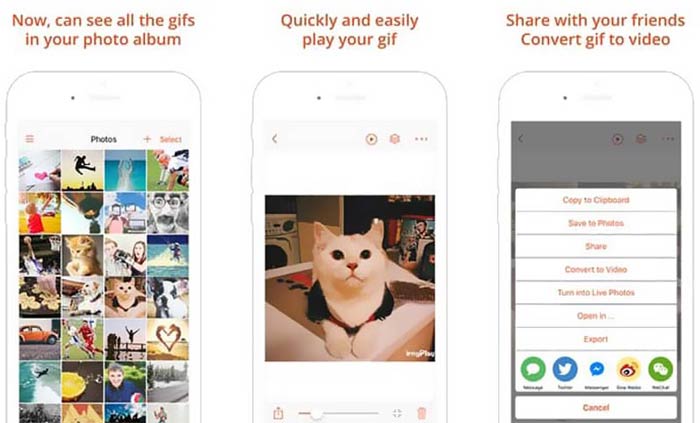
GIF Viewer pystyy toistamaan kaikenlaisia GIF-tiedostoja paikallisesta tallennustilasta, leikepöydältä, iCloud Drivesta, Dropboxista ja kopioidusta Twitter-linkistä. Lisäksi tämä GIF-soitin voi auttaa sinua muuntamaan GIF-tiedostot videoksi, jotta toisto eri laitteilla olisi parempaa.
Osa 4. GIF Player Macille ja Windows PC: lle - QuickTime Player
QuickTime Player on Macin oletusmediasoitin. Se voi toimia GIF-soittimena, jolla avaat ja katsot GIF-tiedostoja Macilla. Jos käytät Macia, voit avata GIF-tiedoston suoraan tällä esiasennetulla mediasoittimella. Siitä on myös Windows-versio, jonka avulla voit toistaa GIF-tiedostoja Windows‑tietokoneella.
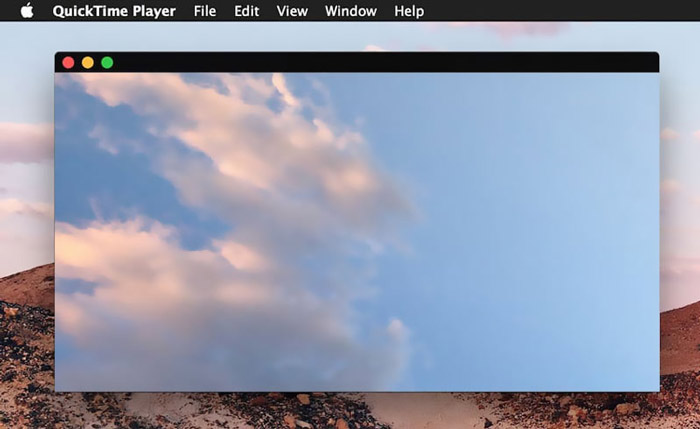
Soittimena QuickTime tukee vain joitain usein käytettyjä video- ja äänimuotoja, kuten MP4, MOV, M4V, AAC, M4A, MP3 ja paljon muuta. Se on suunniteltu joillakin muokkaus- ja tallennusominaisuuksilla. Voit luottaa tähän GIF-soittimeen kaappaamaan näytön ja muokkaamalla tiedostoa.
Osa 5. Ilmainen online GIF-soitin - OnlineImageTools
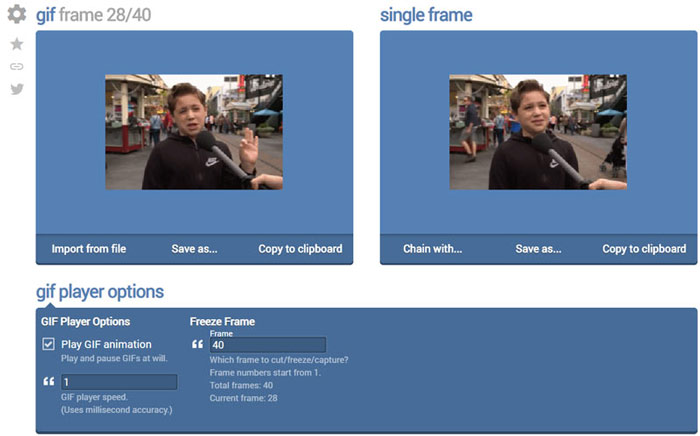
OnlineImageTools on verkkopohjainen GIF-toistotyökalu, jonka avulla voit katsella GIF-tiedostoja sekä Macilla että Windows‑tietokoneella. Sinun ei tarvitse asentaa lisäosia tai muita tiedostoja GIF-toistoa varten. Tämä maksuton selaimessa toimiva GIF-animaatioiden soitin antaa sinun avata GIF-tiedoston suoraan verkossa. GIF-toistossa se mahdollistaa GIF-tiedoston toistamisen kuva kuvalta.
Osa 6. GIF Playerin usein kysytyt kysymykset
Kysymys 1. Kuinka tallentaa GIF-tiedostot iPhoneen?
Kun haluat tallentaa GIF-tiedoston iPhoneen, voit pitää GIF-tiedostoa painettuna, kunnes kehote tulee näkyviin. Sitten voit valita Tallenna kuva -vaihtoehdon tallentaaksesi sen Kuvat-sovellukseen.
Kysymys 2. Kuinka muuntaa video ilmaiseksi GIF-muotoon?
Jos haluat tehdä GIF-tiedoston videosta, voit turvautua suosittuun Free Online Video Converter ‑työkaluun. Sen avulla voit muuntaa minkä tahansa videoleikkeen GIF-muotoon vaivattomasti.
Kysymys 3. Voiko VLC toistaa GIF-tiedostoa?
Ei. VLC-mediasoitin voi avata GIF-tiedoston vain staattisena kuvana.
Johtopäätös
Etsitpä sitten GIF-soitinta tietokoneelle tai matkapuhelimeen, löydät sopivan vaihtoehdon yllä esitellyistä viidestä GIF-toistotyökalusta. Jätä meille viesti, jos sinulla on vielä kysyttävää GIF-soittimista tai GIF-toistosta.
-
 Opetusohjelma GIF-tiedostojen pakkaamiseen ja tiedostokoon pienentämiseen korkealaatuisina
 Tässä on 2 helppoa tapaa pakata GIF tietokoneellasi tai matkapuhelimellasi. Voit käyttää FVC Free Online Video Compressoria ja Photoshopia pienentämään GIF-tiedostokokoa eri näkökulmista.
-
 10 parasta FLV-soitinta Windowsille, Macille, iOS: lle ja Androidille vuonna 2021
 FLV-soittimen avulla voit helposti käyttää FLV-tiedostojasi Windows-, Mac-, Android- ja iOS-laitteilla. Katso parhaat FLV-tiedostosoittimet, jotka voit ladata juuri nyt.
-
 Suosituimmat 8 SWF-tiedostosoitinta Flash-videotiedostojen toistamiseksi Windowsissa ja Macissa
 Kun haluat nauttia SWF-elokuvista ja peleistä PC: llä ja Macilla, voit oppia lisää 8 parhaan SWF-tiedostosoittimen erinomaisista ominaisuuksista artikkelista.
