


 ממיר וידאו אולטימטיבי
 מקליט מסך
 תיקון וידאו
מהם 8 ממירי רזולוציית הווידאו הטובים ביותר לשינוי רזולוציית הווידאו
In terms of pixel value by width and height, the video resolution plays a significant role in changing the size of every video you play. Different multi-media sites play a video with various video resolutions. Thus, there are some instances that you will need to convert video resolution into a specific height and width. To help you find the best video resolution converter, take a few minutes to look at the top 9 resolution converters we found on the market.

חלק 1. תוכנות להמרת רזולוציית וידאו מובילות 3 הזמינות בכל Windows ו-Mac
מוביל 1. FVC Video Converter Ultimate (Windows ו-Mac)
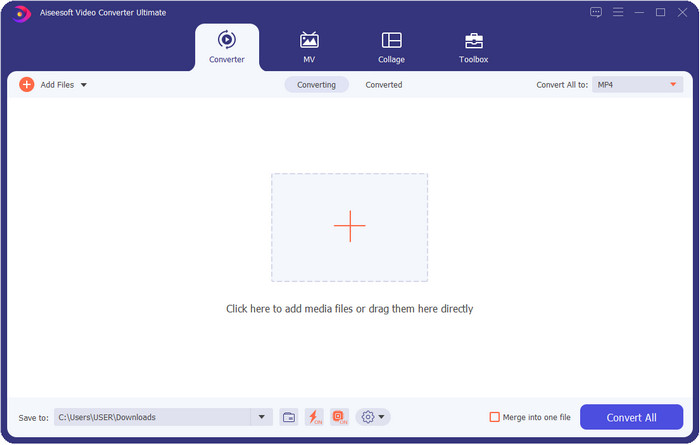
FVC Video Converter Ultimate is the best video resolution enhancer you can easily use to manipulate the resolution by your own choice. This software can take your video resolution to the top as higher as 4k or as lower as 144px. With this tool, you can change the video parameter and check it out later at the preview before you export it if that is the video resolution you want.
יתר על כן, אם אתה רוצה להמיר את הקבצים שלך כאן, אתה יכול לבחור את הקבוצות השונות של רזולוציית וידאו שהכלי הזה כבר מספק. כדי לחוות דרך קלה לשנות את רזולוציית הווידאו. בנוסף לכך, אתה יכול גם ליצור רזולוציית וידאו הניתנת להתאמה אישית שתתאים לצורך שלך בסרטון שלך. אם אתה רוצה רעיונות נוספים על הכלי, תוכל לקרוא את התכונות העיקריות שהכלי הזה יכול להציע לך.

ממיר וידיאו אולטימטיבי
5,689,200+ הורדות- הפוך את הסרטונים שלך ל-MP4, MOV ועוד 200 עם רזולוציה גבוהה במיוחד.
- המר את קבצי הווידאו השונים שלך בו זמנית תוך פחות מדקה.
- בדוק את רזולוציית הסרטון לפני ייצוא הקובץ בתצוגה המקדימה.
- ארגז כלים רב תכליתי זמין כדי לעזור לך לדחוס, לבצע תיקון צבע ועוד.
- זה זמין בכל מערכות ההפעלה במחשבים שולחניים, כולל Windows ו-Mac.
הורדה חינמיתל-Windows 7 ומעלההורדה מאובטחת
הורדה חינמיתל-MacOS 10.7 ומעלההורדה מאובטחת
למעלה 2. VLC (Windows, Mac ומכשירים ניידים)
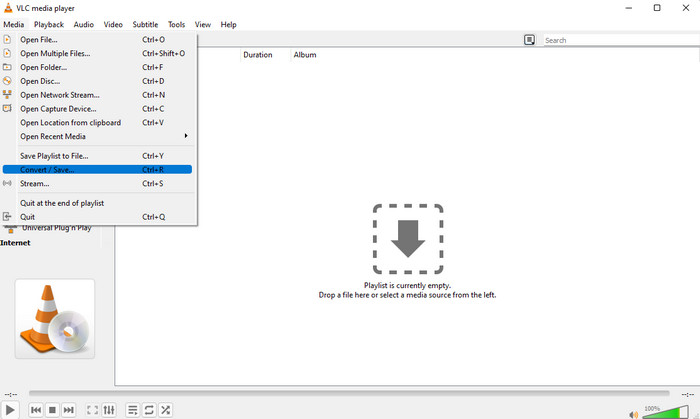
אתה יכול להשתמש בנגן הווידאו הטוב ביותר באינטרנט כממיר רזולוציית וידאו MP4 אם אתה צריך אחד כזה. VLC מציעה למשתמשים שלה לא רק להפעיל סרטון ברזולוציה גבוהה, אלא גם להמיר וידאו לרזולוציה גבוהה. לכלי זה אמנם יש יכולת ממיר וידאו, אך הוא אינו יעיל כמו ממיר הווידאו האחר שתוכלו להוריד על שולחן העבודה שלכם. אבל הכלי הזה ראוי להזכיר בסקירה זו מכיוון שהוא בחינם להורדה כדי להפעיל ולהמיר את הסרטון.
Advantages of Using VLC:
◆ זהו נגן וידאו וממיר רב תכליתי ב-Windows, Mac ומכשירים ניידים אחרים.
◆ חינם ובטוח להורדה.
◆ לא יעיל כמו הממיר השני, אבל הוא יכול לעשות את המשימה אם תרצה.
3. ממיר וידאו חינם של אוגר (Windows)
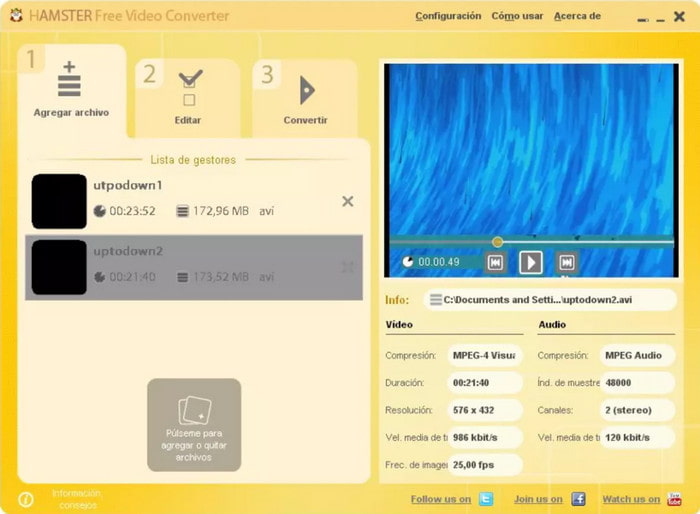
Hamster Free Video Converter can help you convert almost every video into any video format with high resolution. This video resolution converter is free to download in any Windows operating system to help its users with their problems regarding the videos. Even though the tool is easy to use and free, the GUI of the software needs to have updated because it looks less like a professional video converter, like adding different skins to make the user interface better. Although this is a bit of a problem, we can assure you that the software will help you convert the video resolution.
Advantages of Using Hamster Free Video Converter:
◆ ממיר וידאו בחינם להורדה בכל מערכת הפעלה Windows.
◆ זה מאוד אינטואיטיבי לשימוש, ולא תצטרך לקרוא או לצפות במדריך לשימוש בו.
◆ ממיר וידאו פשוט ועם זאת חזק.
חלק 2. 3 ממירי רזולוציית וידאו המובילים באינטרנט וחופשי לשימוש
למעלה 4. FVC Free Video Converter Online
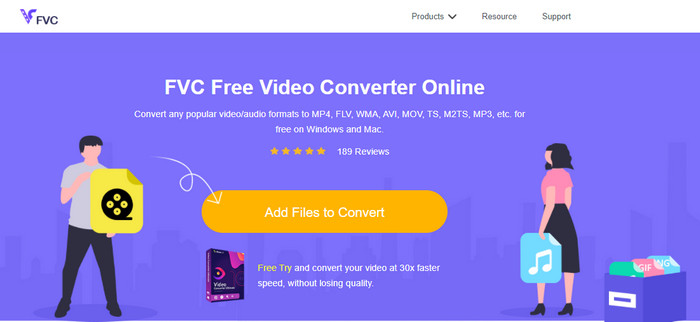
FVC Free Video Converter Online is the top high resolution to low-resolution video converter online you can depend on if you don't want to download. This tool is not just easy to use, but also it is free and safe. Moreover, this tool supports different types of video resolution; you can choose one up to 1080 px or lower than 240px. You won't need to download the software on your desktop drive to change the video resolution with this web tool. Although the tool is ready to use, it is still not as good as the ultimate tool that provides large-scale, but you can use it if you want a limitless converter.
Advantages of Using FVC Free Video Converter Online:
◆ אין צורך בהורדת כלי האינטרנט והוא בטוח לשימוש.
◆ אתה יכול לגשת בקלות לכלי באינטרנט בכל עת ובכל מקום עם חיבור לאינטרנט.
◆ הוא תומך ברזולוציית וידאו של עד 1080px בחינם.
למעלה 5. להמיר HD
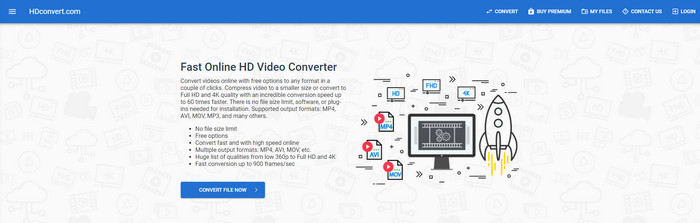
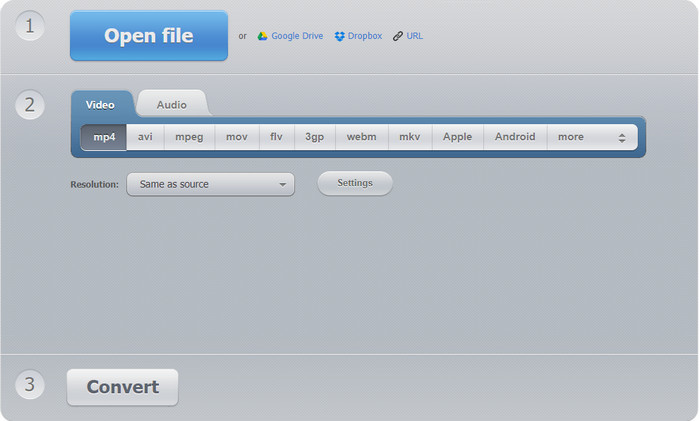
Another video resolution enhancer online you can use is the HD convert. This tool also supports different resolution sets, like the first online converter we mention. With its popular video-supported format, you can easily upload your video files here to enhance the quality later. However, you can only convert videos up to 720px because this tool supports the free version. Another thing we didn't like about the web tool is that after converting the resolution, it will leave a watermark on your video after you export it. But if you don't mind the watermark and 720px, you can change your video's video resolution for free.
Advantages of Using HD convert:
◆ זה תומך בתהליך המרת וידאו מפורט יותר.
◆ רזולוציית הווידאו שבה תומך כלי אינטרנט זה בחינם היא 720 פיקסלים.
◆ הוא תומך בפורמט הווידאו העדכני ביותר להעלאה.
למעלה 6. 123 אפליקציות - ממיר וידאו
Last on the list of super video resolution enhancers you can use on the web is the 123 APPS – Video Converter. Like the HD convert, this web tool supports the popular format for importing and exporting. Even though it supports the popular format, it is still much better than the second web converter because it supports 1080px in the maximum and as low as 240. Although the tool is free, pop-up ads on the main website could make your experience a little less exciting. Also, the uploading and downloading process will depend on your internet; you'll need to be patient at this time to enhance the resolution of your video for free.
Advantages of Using 123 APPS – Video-converter:
◆ זה יכול להמיר את רזולוציית הווידאו שלך עד 1080 פיקסלים מקסימום.
◆ למרות שיש מודעות בכלי האינטרנט, הוא עדיין בטוח לגישה.
◆ זה תומך בפורמט ייצוא רב יותר מאשר המרת HD.
חלק 3. אפליקציות ממיר רזולוציית וידאו המובילות להורדה ב-iOS ואנדרואיד
למעלה 7. ממיר הווידאו (iOS)
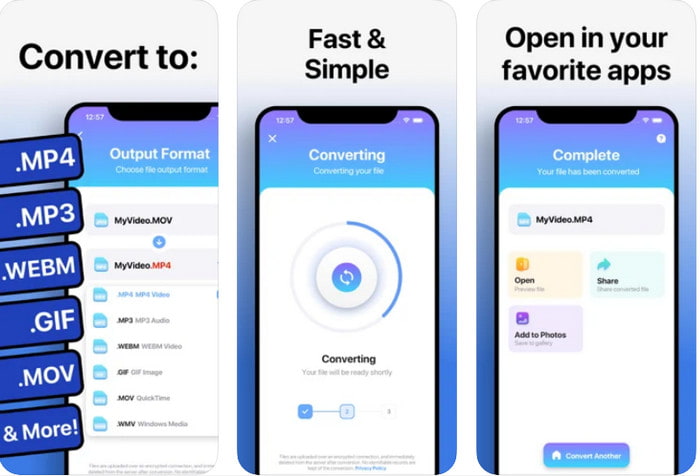
You can use this video resolution enhancer app on iOS to help you change the resolution easily. The Video Converter provides the most effective way of changing the format and resolution on every iOS user. This app supports a more range format than the other website to upload and download the video on iOS drive easily. Although the tool is free to download, you can't use this app if you didn't purchase or activate the premium version. So, before you pick this converter, you must have extra money to pay for it before using it.
Advantages of Using The Video Converter:
◆ זה בחינם להורדה בכל מכשיר iOS, אך תצטרך לשלם עבורו בעת ייצוא הקובץ.
◆ הוא תומך בסוגים שונים של תכונות עריכה ובקנה מידה ממוצע של פורמט וידאו.
◆ רזולוציית הווידאו יכולה להגיע עד 1080px.
למעלה 8. ממיר וידאו, מדחס MP4, 3GP, MKV, MOV, AVI (אנדרואיד)
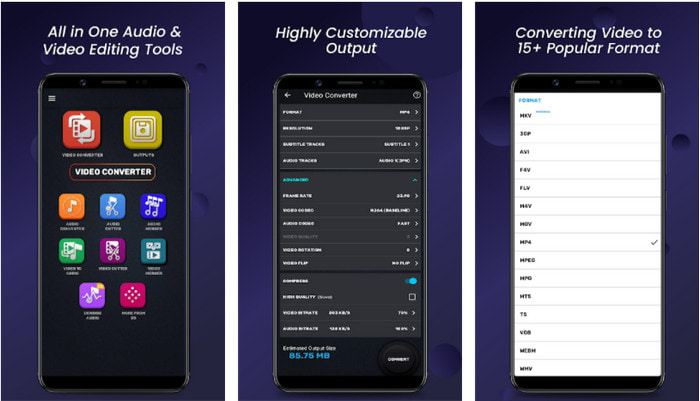
For Android users, you can use this free to download a video resolution converter on any Playstore. Video Converter, Compressor MP4, 3GP, MKV, MOV, AVI is the best app tool we find on the Playstore that offers different sets of resolution and format for your video. Like the ultimate converter, this tool supports other features such as compressing, adding subtitles, and audio tracks on the video before exporting it. Even though it has these features that the ultimate tool can offer to you, it is still not as effective as the ultimate converter. In some cases, the tool doesn't effectively convert the video resolution.
Advantages of Using Video Converter, Compressor MP4, 3GP, MKV, MOV, AVI:
◆ זמין בכל מכשירי האנדרואיד להורדת הכלי בחינם.
◆ זהו ממיר הווידאו, המדחס, רצועות האודיו ומוסיף הכתוביות הטובים ביותר במכשירים ניידים.
◆ למרות שיש מודעות קופצות, זה עדיין בטוח לשימוש.
קשור:
חלק 4. שאלות נפוצות על ממירי רזולוציית וידאו
מה ההבדל בין רזולוציית וידאו ואיכות?
הרזולוציה והאיכות חיוניות עבור וידאו ותמונה בכל קובץ מדיה ויזואלי. למרות שחלק מהמשתמשים מוצאים אותם זהים, הם לא. מכיוון שהרזולוציה מתייחסת לגודל של קובץ המדיה האופטי, אנו יכולים למדוד אותו בתור פיקסלים עבור רוחב ואורך. בעוד שהאיכות לוקחת את הייצוג החזותי, מה שאומר שאיכות הווידאו מתמקדת בפרטי הפיקסלים המאוחסנים.
מה עדיף לנגן וידאו באינטרנט? 720 או 1080?
אם אתה מנגן וידאו באינטרנט, אנו מציעים להשתמש ב-720 במקום 1080 מכיוון שהוא נטען הרבה יותר מהר תוך איכות HD. עם זאת, אנו ממליצים להשתמש ב-1080 במקום זאת אם אתה מפורט יותר, אבל הרזולוציה הזו טוענת הרבה יותר זמן מה-720.
מהי רזולוציית הווידאו הגבוהה ביותר?
האיכות הגבוהה ביותר היא 8k UHD (7680 x 4320), אבל בקרוב נראה רזולוציה גבוהה יותר.
סיכום
The video resolution converters we present in this review are sifted-out to present only the best video converter you can use on your device. Additionally, the converters have different skills that help their users convert the resolution into higher or lower ones. But if you will ask us which we should use, then there is no doubt that we will pick the top video converter on this list. FVC Video Converter Ultimate presents the highest video resolution you can achieve on a video without losing its quality. Although the tool is for purchase, we believe that it is worth every penny if you access the premium version. So now, what are you waiting for? Click the download button above to have the ultimate converter that is available on Windows & Mac.
-
 כיצד להוסיף שמע ומוזיקה לווידיאו בחינם במחשב / טלפון
 מאמר זה מציג 4 דרכים קלות להוסיף אודיו לווידיאו בחינם. לא משנה איזה רצועת שמע תרצו להוסיף לסרטון שלכם, תוכלו לקבל תוצאות מספקות כאן.
-
 הפוך GIF לפורמט וידאו: המרת GIF Memes לווידאו [2025]
 קבע כיצד להפוך GIF לפורמט וידאו בעזרת הכלים המפורטים להלן. בחר איזה מהם ולמד כיצד לעשות זאת, מכיוון שאנו אוספים מספיק ראיות עליהם.
-
 GIF נפלא לאפליקציות וידאו למכשירי Android ו- iOS
 האם ידעת שאתה יכול להמיר קובצי GIF לכל פורמט וידאו שתרצה באמצעות הטלפון שלך? בחר את האפליקציות הטובות ביותר באנדרואיד או iOS שלך.
