


 ממיר וידאו אולטימטיבי
 מקליט מסך
 תיקון וידאו
 הורדה מאובטחת
מפחיתי איכות תמונה אולטימטיביים שאתה חייב לקבל זה 2022
העלאת תמונות מרובות ושיתוף מה שקורה לנו בכל רחבי האינטרנט נעשו קלים בעזרת אתרי מדיה חברתית שונים שניתן לגשת אליהם בחינם. לצערנו, התמונות הופכות לבעלות איכות ירודה כשמעלים אותן לאתרים הללו, במיוחד אם איכות התמונה שלך גבוהה מהסטנדרט. אולי תחשוב להעלות את התמונה שלך לאתר, אבל עצור רגע! נלמד אותך טריק שיעזור לפחות להפחית את הדחיסה המוחלת על התמונה – והוא להוריד את האיכות. בפוסט זה נציג את מיטב המקטיני איכות התמונות שבהם תוכל להשתמש כדי להתמודד עם הבעיה. קרא בעיון את הפרטים הבאים כדי לעזור לך להחליט באיזה כלי להשתמש.

חלק 1. מפחיתי איכות תמונה שאתה חייב להכיר כדי להוריד את איכות התמונה בקלות [סקירה]
ReduceImages.com
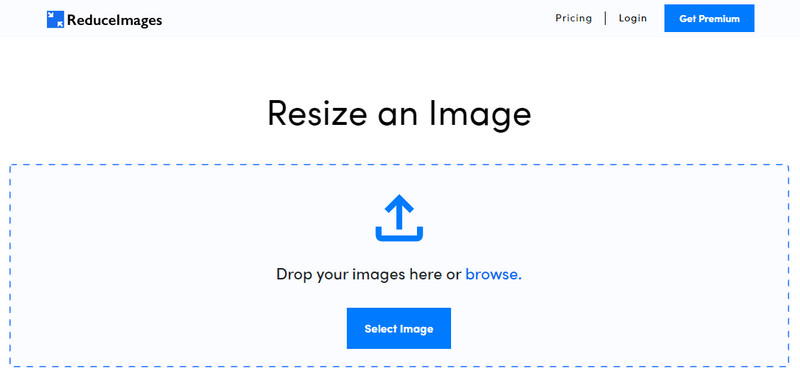
ReduceImages.com הוא פתרון מקוון פופולרי שבו ניתן להשתמש כדי להוריד את איכות התמונה כך שתתאים לסטנדרט של האתרים. לשמחתך, זהו כלי מקוון, כך שאין צורך להוריד קבצים; אפשר להתחיל להשתמש בו בכל דפדפן שיש לך במכשיר על‑ידי חיפוש שמו. בנוסף, ניתן לשנות כאן את גודל קובצי JPG, PNG ו‑GIF שאתה מעלה. למרות שניתן להשתמש בכלי המקוון הזה בחינם, יש בו חסרונות שעלולים לתסכל אותך, במיוחד אם אתה רוצה לעבוד במקבצים או אינך אוהב פרסומות. אם יש לך מעט כסף פנוי, תוכל לרכוש תוכנית; המחיר מתחיל מ‑$ 3.99.
יתרונות
- חינם לשימוש וללא צורך בהתקנה.
- אתה יכול לשנות את גודל התמונה כאן אם אתה רוצה.
- שנה את הרקע של תמונה שקופה לשחור לבן.
- כל אחד יכול להבין איך להשתמש בזה תוך זמן קצר.
חסרונות
- יש כמה מודעות בגרסה החינמית.
- זה לא יכול לעשות עיבוד אצווה בגרסה החינמית.
לונאפיק
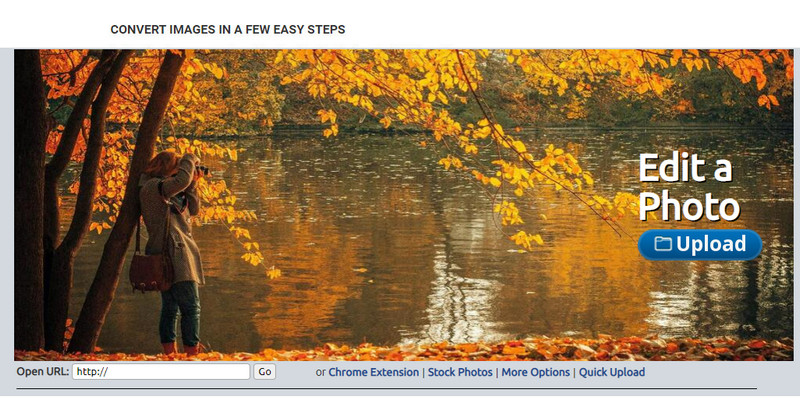
Lunapic הוא כלי קל במיוחד לשימוש להורדת איכות תמונה לרזולוציה הרצויה, בממשק דומה ל‑Paint. אפשר להתרגל בקלות לכלי המקוון בזכות הדמיון שהוא מציג לתוכנת Paint הידועה במכשירי Windows. אף על פי שאפשר להסתמך על הכלי הזה כדי להתאים את איכות התמונה הרצויה, הפורמט היחיד שהוא תומך בו הוא JPEG ולא מעבר לכך. על‑ידי העתקת כתובת ה‑URL של התמונה הרצויה, ניתן להעלות לכאן את התמונה שברצונך להתאים גם אם עדיין לא הורדת אותה. כמו הכלי הראשון, אין צורך להוריד תוכנה כדי להשתמש בו, משום שהוא זמין ברשת.
יתרונות
- ממשק משתמש אינטואיטיבי המאפשר לך לתפעל את האיכות בקלות.
- חלונית התצוגה המקדימה נתמכת כדי להציג את איכות התמונה המותאמת.
- אתה יכול להעתיק ולהדביק את כתובת האתר של התמונה שאתה רוצה להעלות.
- זה בחינם, והוא לא תומך בגרסת הפרימיום.
חסרונות
- הפורמט הנתמך הוא JPEG בלבד.
- ה-GUI מיושן ודורש התאמה מסוימת.
EzGIF
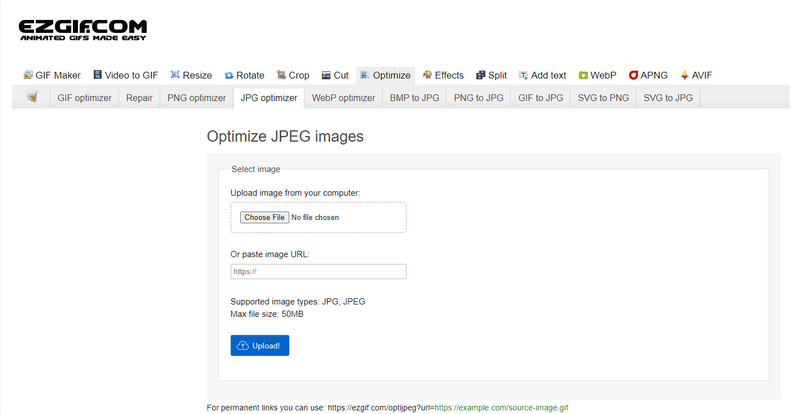
EzGIF יכול להיות יוצר התמונות שלך באיכות נמוכה, או בפשטות – כלי לאופטימיזציית האיכות של התמונות שאתה מעלה אליו. הוא מוכר כמתקן קובצי GIF, אך כיום אפשר גם להשתמש בו לשינוי איכות JPEG, WebP ו‑PNG במקרה הצורך. הכלי הזה פופולרי יותר משני הכלים האחרים שהזכרנו למעלה בזכות היעילות שלו והוותק שלו ככלי רשת באינטרנט. הוא מציע פתרון מעשי אך יעיל, שקל מאוד לשלוט בו וללמוד אותו. אי‑אפשר להעלות ולעבד כאן קבצים מרובים בבת אחת, למרות שמדובר בכלי מועדף. בנוסף, לא ניתן להעלות תמונות שאינן JPEG או JPG, PNG, WebP ו‑GIF, בין אם סטטיות ובין אם מונפשות.
יתרונות
- הוא תומך בתכונות רבות כמו התאמת האיכות, שיפור, המרה ורבים נוספים.
- אתה יכול לגשת באופן חופשי ולהשתמש בו בדפדפני אינטרנט שונים.
- בצע אופטימיזציה של התמונה שלך כאן וראה את התוצאה בחלונית התצוגה המקדימה לפני הייצוא.
- זה לא מוסיף סימן מים לאחר שינוי איכות התמונה.
חסרונות
- ממשק המשתמש הגרפי של זה זקוק לשינויים מסוימים.
- זה לא תומך בפורמטים אחרים של תמונה כמו BMP, SVG, HEIF ואחרים.
- העלאת תמונות אצווה אינן נתמכות.
אדוב פוטושופ
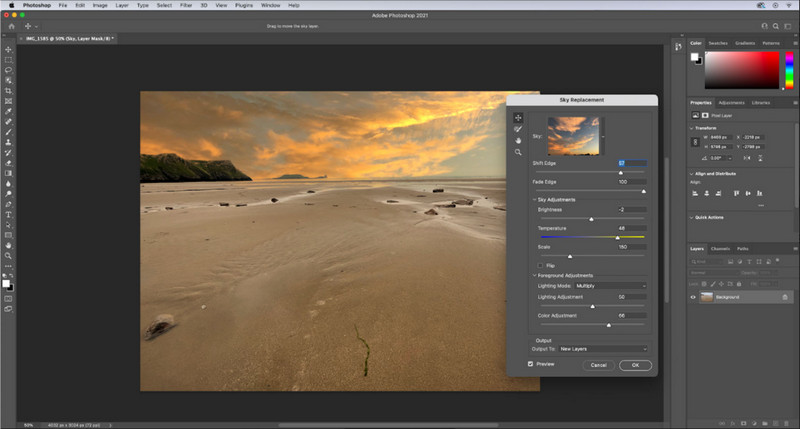
Adobe Photoshop הוא כמו קוד צ׳יט להורדת איכות תמונה, שכן זהו הכלי הטוב ביותר למשימה של שינוי ועיבוד תמונות. בעזרתו אפשר להעלות כל צילום ולהתאים את האלגוריתם של התמונה. כולם אוהבים להשתמש בכלי מקצועי מכיוון שהוא שופע בפונקציות מתקדמות שלא תמצא בעורכים אחרים בשוק או ברשת. יש הבדל בין כלי “הטוב ביותר” לכלי “סביר”, והכלי הזה ממחיש זאת היטב. עם זאת, משתמשים מסוימים מתקשים להשתלט עליו בגלל הממשק העשיר והכבד שלו. לכן, אם זו הפעם הראשונה שאתה משתמש בתוכנה זו, ייתכן שתתקשה בהתחלה. בסך הכול, זהו עורך התמונות המקצועי ביותר שאפשר להשתמש בו, ברמה שהשלושה הראשונים שהזכרנו אינם מגיעים אליה.
יתרונות
- הוא מספק תכונות בלעדיות שאין לעורך התמונות האחר באינטרנט.
- הוא מספק תכונות בלעדיות שאין לעורך התמונות האחר באינטרנט.
- זוהי ללא ספק הבחירה הטובה ביותר לביצוע עריכת תמונות מקצועית.
- כלי קומפקטי ומלא תכונות שניתן להוריד במכשירים שונים.
חסרונות
- משתמשים בפעם הראשונה מתקשים לגלות כיצד להשתמש בו.
- עליך לרכוש תוכנית כדי להמשיך להשתמש בה לאחר תקופת הניסיון בחינם.
חלק 2. בונוס: כיצד להפוך תמונה באיכות נמוכה יותר לרמה גבוהה יותר עם העלאת התמונה העליונה באינטרנט
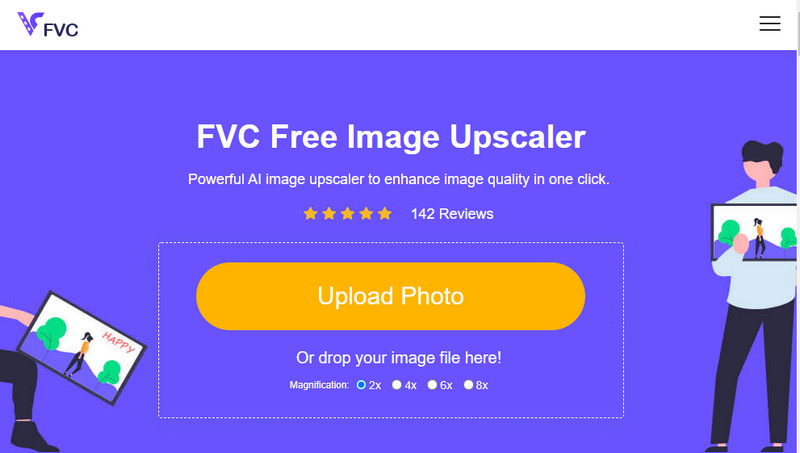
האם יצא לך ליצור תמונה באיכות נמוכה שהתבררה כמפוקסלת או מטושטשת, ועכשיו אתה רוצה להחזיר אותה לאיכות המקורית? אם כן, תוכל להשתמש ב‑FVC Free Image Upscaler. הפתרון המקוון הזה יכול לבצע עבורך את העבודה על‑ידי עקיבה אחר האלגוריתם שבתמונה, התאמת האיכות והגדלת הרזולוציה בהתאם למה שה‑AI מזהה. יש יתרונות רבים לשימוש בכלי הזה: הוא מצטיין בהגדלת רזולוציה, אינו דורש התקנה, בטוח וקל לשימוש, ומציע שירות לקוחות 24 שעות ביממה שיכול לסייע לך. כמו כן, אפשר להעלות לכאן קובצי JPEG/JPG, PNG, BMP, SVG ועוד רבים אחרים כדי להגדיל את רזולוציית התמונה. נוסף על כך, ניתן להשתמש בתוכנה גם אם לא הורדת קודם את איכות התמונה ורק ברצונך לשפר את האיכות הכוללת שלה. התחל להשתמש בכלי על‑ידי לחיצה על שמו והעלאת התמונה שברצונך להגדיל מיד!
חלק 3. שאלות נפוצות על איך להפוך תמונה באיכות נמוכה יותר
האם שינוי האיכות מקטין את גודל הקובץ?
לא, זה לא ישפיע. אם התאמת את הפיקסלים של התמונה והקטנת אותם, המראה של התמונה אכן יושפע, אבל לא גודל הקובץ. הנה כמה מן משפרי הפיקסלים הטובים ביותר שכדאי לך לנסות.
מדוע השתנה קצב הסיביות של התמונה שלי לאחר הורדת האיכות?
לאחר שינוי איכות התמונה, תראה שינוי משמעותי בקצב הסיביות ברגע שאתה מייצא אותה, באופן משמעותי בעת שינוי רזולוציית התמונה.
מדוע GIF מונפש הופך לסטטי לאחר הורדת האיכות?
התוכנה שבה אתה משתמש כדי להוריד את האיכות מאפשרת לך להעלות את ה-GIF המונפש אך לא ניתן לייצא GIF מונפש, כך שהתוצאה תהפוך ל-GIF סטטי. תוסף התמונה יישאר כפי שהוא, אבל האנימציה לא.
סיכום
אתה יכול לבחור את מפחית איכות התמונה שלך עם ארבע התוכנות שאנו מוסיפים שתוכל להוריד ולגשת אליהם באינטרנט. אם אתה נהנה לקרוא את המאמר הזה, נודה לך מאוד אם תדרג את זה בחמישה כוכבים.
-
 7 המובילים הטובים ביותר להגדלת תמונות מקוונות ולא מקוונות
 רוצה ללמוד את הביצועים הטובים ביותר של מגדילי תמונות עבור מכשיר Windows או Mac שלך? קרא את הפוסט הזה כדי לדעת את מגדילי התמונות הטובים ביותר ששווה לנסות.
-
 4 מגדילי GIF לא מקוונים ומקוונים שאסור לפספס
 פוסט זה נועד עבורך אם אתה מחפש את מגדילי ה-GIF הטובים ביותר. פירטנו את הביצועים הטובים ביותר של מגדילי GIF מקוונים ולא מקוונים עבור המחשב שלך.
-
 האפליקציות הטובות ביותר לשינוי התמונות המקוונות והלא מקוונות למחשב
 מחפש את יישומי שינוי גודל התמונות הטובים ביותר עבור שולחן העבודה שלך? פירטנו את אפליקציות שינוי גודל התמונות המקוונות והלא מקוונות עם הביצועים הטובים ביותר שכדאי לנסות.
