


 ממיר וידאו אולטימטיבי
 מקליט מסך
 תיקון וידאו
הבע את הרגשות שלך טוב יותר עם 8 ה-GIF Maker Online ב-PC וב-Mac
הדבר הראשון שעולה לנו בראש כשמדברים על GIF הוא קומדיה. תמונות הווידאו הפשוטות הללו יכולות להפוך את הודעת הטקסט הישנה והפשוטה שלנו ללחן חי יותר. לפיכך, קובצי GIF הפכו פופולריים בימינו מכיוון שהם מראים חלק מהרגשות המוגזמים שאנו רוצים שהעולם יראה. אבל זה אכן קל יותר להוסיף קובצי GIF להודעה שלך כדי לבטא את הרגשות שלך טוב יותר. אבל לא כל קובצי ה-GIF דרך האינטרנט מספקים את הרגשות הספציפיים שאתה רוצה להעביר. כך שיש קובצי GIF מטעים יכולים לספק להודעה שלך כוונה שגויה. אבל במקום לחפש באינטרנט או בהתאם לאפליקציות ההודעות שלך, למה שלא תעשה GIF משלך?

למעשה, קל מאוד ליצור אחד. אם אתה מחפש את יוצר ה‑GIF הטוב ביותר אונליין אז הגעת למקום הנכון. לכן כדאי שתשים לב לרשימות שלמטה, ותדע מי מהם הוא זה שיוצר את ה‑GIF הטוב ביותר שאפשר להשתמש בו כדי להביע את הרגשות שלך, או גם לעזור למשתמשים אחרים שמתקשים למצוא את ה‑GIF המתאים שישקף את הרגשות שלהם. ללמוד כיצד ליצור GIF משלך ולעזור לאחרים זה כמו לפגוע בשתי ציפורים במכה אחת. אז בלי עוד הסברים, בוא נחקור מהם הכלים הטובים ביותר האלה וכיצד להשתמש בהם נכון כדי ליצור GIF יוצא מן הכלל. הרשימה למטה מציגה את 8 יוצרי ה‑GIF המובילים שאולי תיתקל בהם באינטרנט בחינם.
Top 1. ממיר וידאו מקוון בחינם
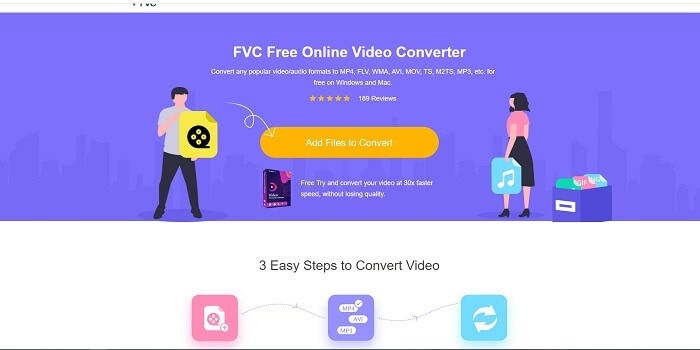
אם אתה מחפש יוצר GIF יוצא מן הכלל אונליין, זה מתאים לך, וקרא בעיון כדי לדעת עליו יותר. ממיר הווידאו החינמי אונליין של FVC הכלי הזה הוא כלי מבוסס‑דפדפן שסביר שתמצא באינטרנט. הדרך הטובה ביותר ליצור GIF מווידאו היא להמיר אותו לפורמט GIF. אולי אתה חושב, האם באמת אפשר ליצור GIF בעזרת ממיר במקום יוצר? התשובה היא כן. זהו האופן הקל יותר ליצור GIF. אבל הכלי הזה אינו דומה לשום ממיר או יוצר אחר ברשימה למטה. בניגוד לכלים אחרים באינטרנט, הכלי הזה מספק ממיר מהיר במיוחד ועמיד בפני תקלות, שתאהב להשתמש בו. אין הגבלה על ההמרות, כלומר תוכל להמיר כל כמות של וידאו או אודיו שתרצה כל עוד יש חיבור אינטרנט. גם גודל הקובץ אינו מוגבל למספר מסוים של מגה‑בייט בלבד, וכל איכות הפלט שהכלי הזה מספק היא מדהימה.
אבל האם ידעת שהכלי הזה מספק גם גרסת פרימיום שאין לה מתחרים? היא ידועה גם כ“אבי כל הממירים”. שמה הוא Video Converter Ultimate. הכלי הזה מעניק למשתמש חוויית המרה טובה הרבה יותר בזכות מהירות ההמרה הגבוהה שהוא מספק ותכונות פרימיום יוקרתיות, וכן המרה לכל פורמט שעלה בדעתך. בניגוד לכל כלי אחר ברשימה הזו ובאינטרנט, ה‑Ultimate Converter הוא יוצר ה‑GIF הטוב ביותר להמרת כל קובץ וידאו ל‑GIF. אפשר גם להוסיף נגיעה אישית ל‑GIF כדי להפוך אותו למביע יותר. מהירות ההמרה לפורמט GIF גבוהה פי 30 מהכלי המקוון, ופי 100 מכל ממיר או יוצר GIF אחר ברשימה למטה. אפשר להשתמש בו על ידי התקנתו בכונן שלך. למרות שמדובר בכלי בתשלום, הוא לא יעלה לך הרבה. והוא אכן ממיר רב‑תכליתי, במיוחד בכל הקשור ל‑GIF. לכן אין סיבה לצפות לפחות, כי הכלי הזה הוא הרבה יותר מממיר.
הורדה חינמיתעבור Windows 7 או גרסה מאוחרת יותרהורדה מאובטחת
הורדה חינמיתעבור MacOS 10.7 או גרסה מאוחרת יותרהורדה מאובטחת
אבל לעת עתה, בואו נתמקד בכלי המקוון החינמי של תוכנה זו. לכן, כדי לספק לך את ההוכחות לכך שהכלי המקוון הזה יעיל מאוד בהמרה, עליך לבצע את השלבים הפשוטים הבאים למטה. אם יש לך ספק בעניין. אבל לומר לך, לא כל התכונות ב- Converter Ultimate נמצאות כאן בכלי המקוון אבל הן מייצרות פורמט מפתיע בהחלט.
שלב 1. כדי להפעיל את הכלי, עליך ללחוץ על הקישור כדי לעבור לאתר הראשי של FVC.
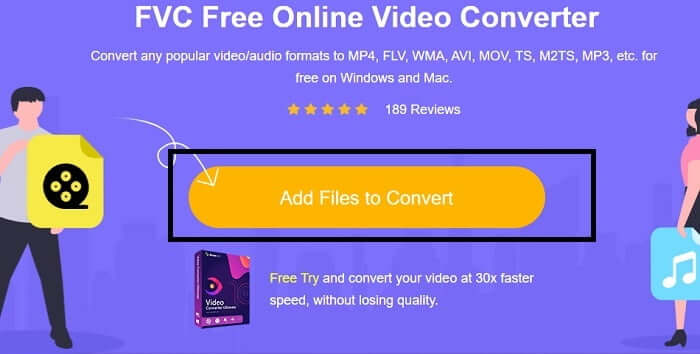
שלב 2. לחץ על Add Files to Convert ואז על Allow כדי להפעיל את הממיר.
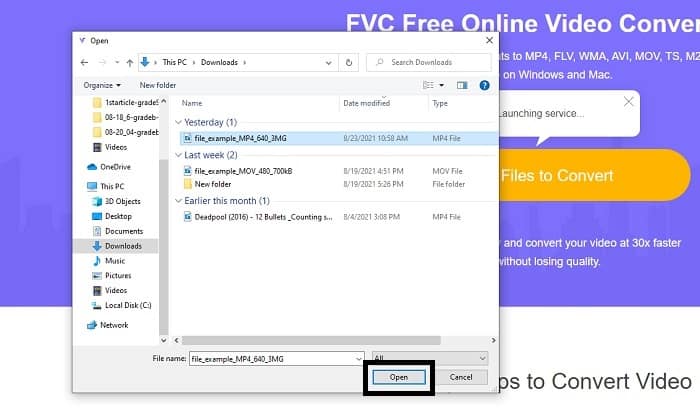
שלב 3. אם סייר קבצים כמו זה מופיע על המסך שלך, אתה בדרך הנכונה. מצא ולחץ על קובץ הווידאו שברצונך להמיר ולחץ על Open.
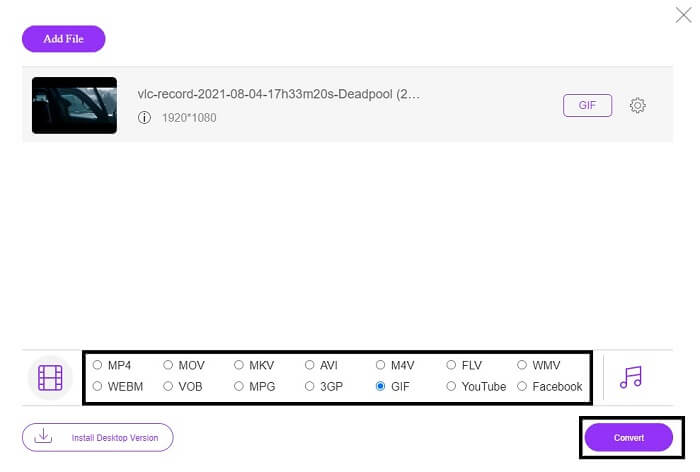
שלב 4. שנה את פורמט הקובץ ל‑GIF. למידע נוסף, באפשרותך גם להמיר את הווידאו או האודיו שלך לפורמט אחר שמתאים לך יותר. אם הכול מוכן, לחץ על Convert כדי להתחיל את ההמרה. לחץ על המיקום שבו תרצה לשמור את קובץ הפלט הסופי.
שלב 5. כאשר ההמרה הסתיימה, סייר הקבצים יופיע על המסך שלך, מצא את קובץ הפלט הסופי. לאחר מכן תיהנה ממנו.
למעלה 2. Ezgif
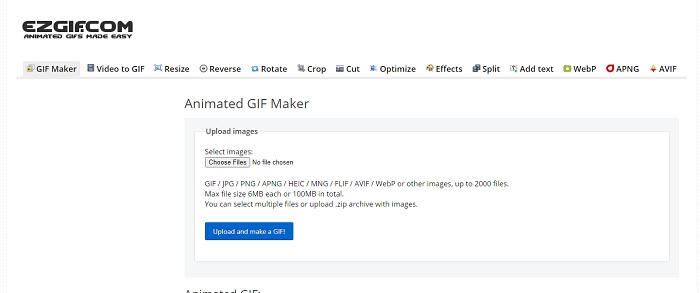
אחד מיוצרי ה‑GIF הטובים ביותר אונליין הוא Ezgif. בעזרת הכלי הזה אפשר בעצם ליצור GIF כדי לשפר, לשנות גודל, לחתוך, לאופטם, להוסיף טקסט ועוד אפשרויות. הוא גם ממיר וידאו לפורמט GIF בלבד. למרות שיש לכלי הזה המון פונקציות, כל אחת מהן נפרדת מהאחרת. לכן, במקום לעבוד בממשק אחד, צריך לקפוץ מאזור אחד לאחר רק כדי ליצור ולערוך. לא נוח להשתמש בכלי הזה, במיוחד משום שלא ניתן לגרור‑ולשחרר קבצים להעלאה קלה יותר. אך למרות כל זאת הוא עדיין אחד מהיוצרים המקוונים.
למעלה 3. Imgflip
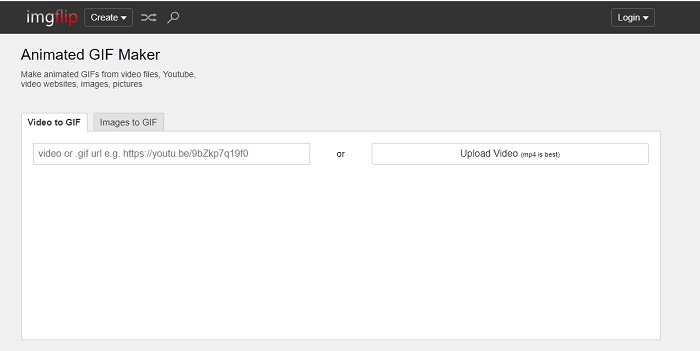
יוצר GIF אונליין מווידאו וקישור שמעניקים סיכוי נהדר ליצור GIF – זה הכלי בשבילך. Imgflip יכול לעזור לך ליצור מם, GIF או תרשים, והוא עושה את עבודתו היטב. הוא גם מציע עריכה פשוטה ל‑GIF שלך. אך הרזולוציה המקסימלית שהוא מספק בגרסה החינמית היא 360 פיקסלים, ובפרימיום 480. כלומר, אם הווידאו שלך הוא 1080 או 4K, איכות קובץ הפלט הסופי תהיה ירודה יותר מהמצופה.
למעלה 4. Visme
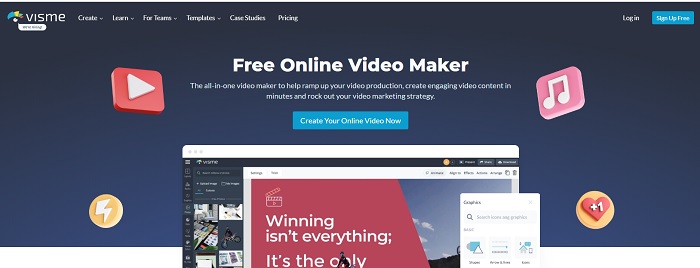
כלי זה מאפשר לך להיות מפורט יותר ב-GIF שלך. Visme ידוע מכיוון שהוא מספק יוצר וידאו מפורט יותר. כמו כן, הכלי הזה צריך שהחשבון שלך יהיה מחובר לפני שתתאפשר לך להשתמש בו. אתה יכול להשתמש בפייסבוק, ב-Gmail או להירשם באתר שלהם. אז אם אתה חובב פרטיות נתונים אז הכלי הזה הוא לא בחירה מצוינת. למרות שהכניסה לכלי זה לא תדלוף מידע עליך, חלקנו לא רוצים לספק מידע חשוב עלינו כי אנחנו רוצים שהנתונים שלנו יהיו פרטיים יותר ולמען בטיחותנו. אבל אין צורך לדאוג כי אין מקרה שהכלי הזה מדליף את הפרטיות שלך.
למעלה 5. FreeGIFMaker.me
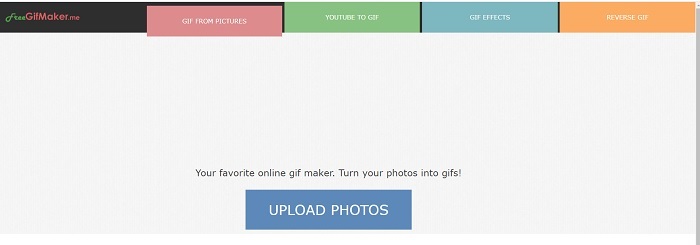
אם אתה מחפש קישור וידאו לממיר GIF אז זה בשבילך. זה תומך ספציפית בקישורי וידאו של פלטפורמת YouTube בלבד. FreeGIFMaker. יכול לעשות המרת וידאו פשוט ל-GIF. אבל זה גם מספק תמונות ל-GIF, לערוך את ה-GIF שלך ולהפוך את ה-GIF. למרות שהכלי הזה מספק את התכונה הנפוצה ביותר שיצרנית GIF צריכה לספק, הוא עדיין לא מהטובים ביותר, אך ניתן להכניס אותו לרשימת 30 יצרני הגיפים המובילים. התכונות המפורטות הן בחלקים שונים, כך שבמקום לייצר פלט סופי של GIF עם עריכה, תצטרך ללכת אחרי האחד לשני כדי לבצע את העריכה שתרצה.
למעלה 6. צור גיף
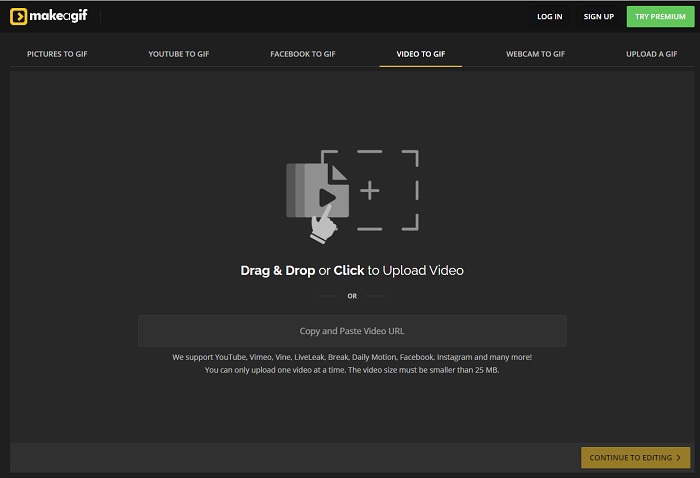
עוד יוצר GIF אונליין שבו כנראה כבר נתקלת ברשת. Make A Gif מעניק למשתמש ממשק רגוע יותר; אם אתה אוהב אווירה כהה יותר, זה אחד הכלים בשבילך. הכלי הזה בהחלט גמיש, משום שהוא מתמקד ביצירת GIF‑ים – מתמונות, מסרטוני פייסבוק, מסרטוני YouTube, מהווידאו שלך וגם מווידאו של מצלמת רשת. אבל גודל קובץ הווידאו שתעלה תמיד צריך להיות קטן מ‑25MB, כך שאם אתה רוצה GIF ארוך זה לא הכלי המתאים עבורך; אם אתה רוצה GIF קצר של כ‑10 שניות – זה כן הכלי בשבילך.
למעלה 7. עורך תמונות מקוון
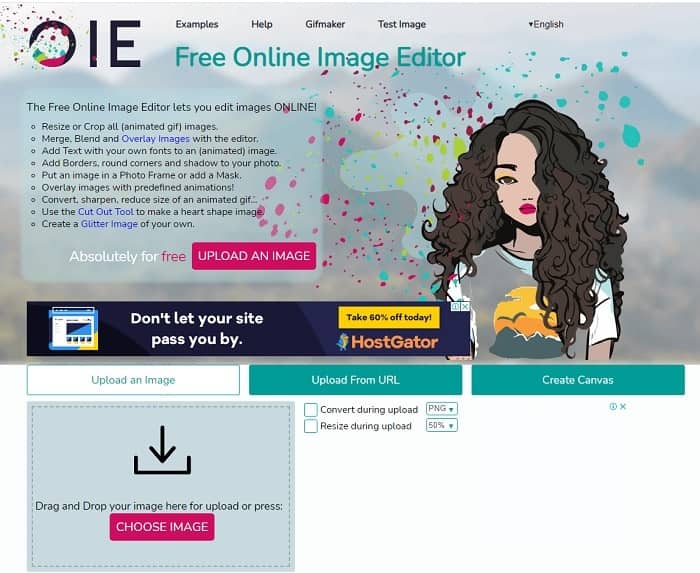
כלי זה מאפשר לך לערוך את התמונה שלך ולהפוך אותה לפורמט GIF. עורך התמונות המקוון מאפשר לך ליצור GIF על ידי שימוש בתמונות שלך. כמו כן, הוא מספק גם אנימציות ותכונות של כלי עריכה פשוטים. אבל קשה יותר ליצור GIF עם הכלי הזה כי אתה צריך לקחת את הזמן שלך ליצור אחד. אז אם אתה חדש ביצירת GIF אז הכלי הזה יכול להיות טוב אבל לא הכי טוב בשבילך. זה כאילו אתה עושה GIF בפוטושופ אבל הרבה יותר גרוע בגלל הכלי עצמו. למרות שדף האינטרנט הראשי יוצא מן הכלל, ממשק הכלי כל כך פשוט שהוא הופך להיות משעמם יותר להסתכל עליו פעם אחר פעם. נראה שאף אחד עדיין לא מעדכן את הממשק. אבל למרות זאת, זו בחירה מצוינת אם אתה רוצה ליצור GIF עם תמונות.
למעלה 8. קאפווינג
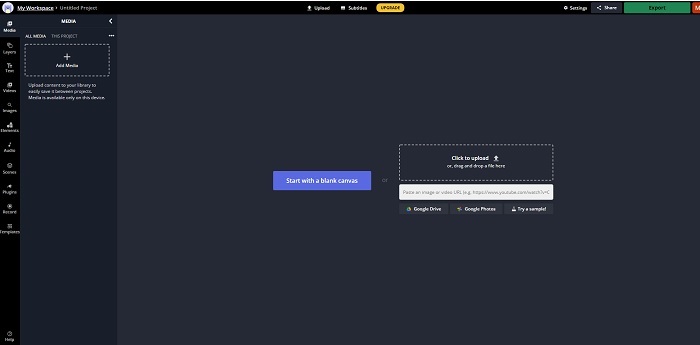
הכלי הזה הוא עוד יוצר GIF חינמי אונליין. הוא ייתן לך תחושה של פוטושופ, אבל אונליין. Kapwing עוזר לך ליצור GIF משלך באמצעות וידאו או תמונות שאתה מספק. למרות שהשם אינו נשמע מיוחד או אולי אפילו לא אמיתי, זהו בחירה מצוינת בתור יוצר GIF מונפש אונליין. הכלי הזה אינו ממיר אלא יוצר GIF. אפשר גם לשתף את קובץ הפלט הסופי באפליקציות הגדולות כמו פייסבוק, טוויטר ואינסטגרם. למרות שקל ליצור בעזרתו GIF, ייצוא הווידאו איטי בהרבה מכלים אחרים ברשימה. לכן, אם חיבור האינטרנט שלך איטי, עדיין אפשר להשתמש בו – אבל כדאי לצפות לזמן המתנה ארוך הרבה יותר עד לקבלת הפלט הסופי. מגבלת האורך המרבית של הווידאו שאפשר להעלות היא פחות מ‑60 שניות כדי לשמור על איכות טובה. אם אין לך רקע בפוטושופ, הכלי הזה עלול להיות עבורך קשה לשימוש.
שאלות נפוצות על יוצר GIF מקוון
מדוע מתפתחים קובצי GIF?
בסוף 1987, למדען מחשבים אמריקאי בשם Steve Wilhite שעבד עבור CompuServe הייתה בעיה מכיוון שהם רצו להציג תמונה נעה תוך חיסכון במקום ולכן פיתחו GIF. בהתבסס גם על האמירה שלו שזה מבוטא כ-JIF לא GIF אבל האיות הוא GIF עם הגיית G רכה. למרות ששניהם כתיב נכון.
האם אני יכול להשתמש בפוטושופ כדי להמיר את הקובץ שלי ל-GIF?
כן, אתה יכול להמיר MPG ל-GIF באמצעות Photoshop או כל פורמט מוכר ל-GIF.
האם ניתן להמיר MP4 ל-GIF?
כן, באפשרותך להמיר MP4 ל‑GIF או להמיר גם כל פורמט וידאו אחר ל‑GIF.
סיכום
אחרי כל הדיון, עכשיו ברור יותר שכל הכלים מסוגלים ליצור פורמט GIF. למרות שיש להם יכולות שונות איך הם פועלים כמו המרתו ל-GIF, יצירת GIF, קישור ל-GIF או תמונות ל-GIF. אבל לכל הכלים יש תכונות ייחודיות משלהם אבל אחת מהן - FVC Video Converter Ultimate היא הבחירה הטובה ביותר. זה לא רק הכי טוב ביצירת GIFs אלא זה נותן לך את ההזדמנות להמיר, למזג, ליצור קולאז', MV ועוד רבים אחרים. למרות שאינך יכול לגשת לתכונות בגרסת הפרימיום באופן מקוון, היא תמיד פתוחה עבורך לבחון, לנסות או לבצע המרה מקוונת עם הגרסה החינמית. Video Converter Ultimate הוא הטוב מכולם לא רק בהמרה כפי שנאמר. אתה יכול גם להשתמש בקסם שלך כדי ליצור פלט יפהפה ללא הגבלה. אז לעולם אל תשים שום הגבלה על המיומנות שלך כי הכלי הזה הוא קל, פשוט ועם זאת הוא יוצר פלט מלכותי.
-
 (מדריך) כיצד להמיר סרטוני M4V לקובצי GIF מונפשים ב-Windows/Mac
 אם אתה רוצה ליצור קובצי GIF מונפשים מסרטוני M4V המועדפים עליך, תוכל ללמוד על 2 דרכים פשוטות ויעילות להמיר קטעי וידאו M4V ל- GIF עם הגדרות מותאמות אישית.
-
 WebM ל- GIF - 3 ממירים WebM ל- GIF בחינם ליצירת קובצי GIF משלך
 האם WebM הוא קובץ GIF? כיצד להפוך סרטון ל- GIF? האם יש ממיר WebM ל- GIF בחינם? פוסט זה חולק 3 דרכים חינמיות לעזור לך להמיר WebM ל- GIF.
-
 כיצד להמיר סרטי MKV ל- GIF מונפש ללא Photoshop/FFmpeg
 לאחר הורדה וצפייה של סרטי MKV במחשב שלך, ייתכן שתרצה לשתף כמה רגעים נפלאים עם חברים או באינטרנט כקבצי GIF. במאמר זה תוכלו ללמוד על 2 הדרכים הקלות ביותר להמיר MKV ל- GIF.
