


 ממיר וידאו אולטימטיבי
 מקליט מסך
 תיקון וידאו
5 נגן הווידאו הטוב ביותר בחינם MOV עבור מכשירי אנדרואיד וטאבלט
תבנית הקובץ הקניינית של Apple אינה נתמכת במכשיר האנדרואיד שלך. מאחר שהפעלתה מוגבלת במכשיר שלך, היא מיועדת למעשה לנגני QuickTime בלבד. אבל עדיין חשוב לך לצפות בו מפני שהוא מכיל את החתונה שלך, ג’אם סשן, מונטאז'ים, הקלטות של פגישות עסקיות, דיונים עם מורים ועוד הרבה. במקום לקנות Mac Pro רק כדי להפעיל את הווידאו, כדאי לך להמשיך לקרוא את המאמר הזה כדי לדעת מהי האפליקציה הטובה ביותר לאנדרואיד להפעלת קבצי MOV. יתרון נוסף הוא שהדבר יפחית את ההוצאות שלך, מפני שכל הכלים שיוצגו כאן הם בחינם. אז אין צורך לדאוג – פשוט תירגע, הכתבה הזו דואגת לך. כדי לדעת עוד על האפליקציות הזמינות דרך הטלפון האנדרואיד שלך, עליך להמשיך לקרוא בהמשך. מידע מפורט יותר מגיע מיד, אז בוא נצא לדרך ותמשיך בקצב הקריאה שלך.

חלק 1. 5 האפליקציות המהימנות הטובות ביותר הזמינות בחנות Play להפעלת קובצי MOV באנדרואיד
ברשימה למטה יש 5 המרהיבים שבהם תוכל להשתמש כדי להפעיל את קובץ ה-MOV הבלתי ניתן להפעלה במכשיר שלך. מידע נוסף יש צורך להוריד את כל כלי זה של צד שלישי לפני שתוכל להשתמש בהם.
1. VLC לאנדרואיד
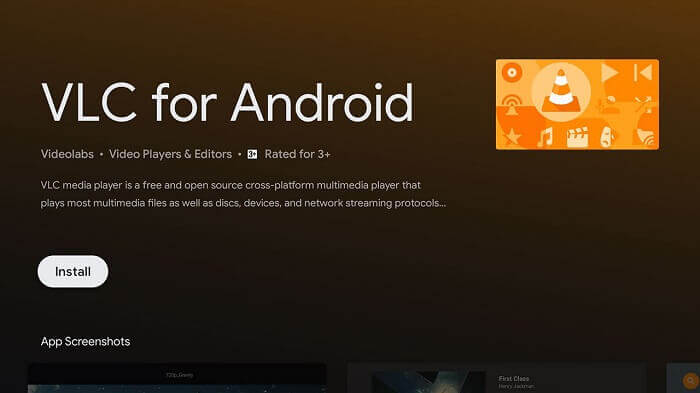
זהו נגן המדיה הפופולרי ביותר מבין כל האחרים ברשימה. הוא הפך לאחד מנגני המדיה האמינים ביותר הזמינים לכל המכשירים – בין אם זה PC, Mac, iOS, אנדרואיד, לינוקס ועוד. הכלי הזה תומך כמעט בכל סוגי הקבצים המוכרים ברשת כולה. לכן, אם אתה מחפש את הטוב ביותר, זו צריכה להיות הבחירה הראשונה שלך, משום ש-VLC לאנדרואיד הוא הנגן החזק ביותר הזמין בחנות Play.
2. נגן וידאו MPlayer לכל הפורמטים Full HD 4K
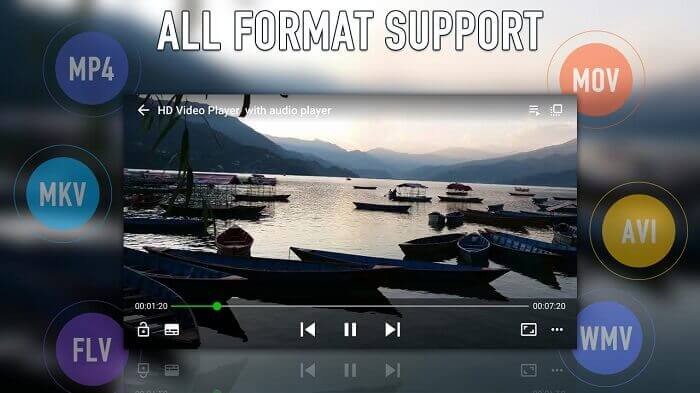
נגן מדיה נוסף שתוכל למצוא בחנות Play הוא MPlayer, שתומך כמעט בכל הפורמטים הזמינים, ממש כמו VLC, והוא גם מספק איכות וידאו של 4K. בעזרת האפליקציה הזו ניתן גם לנגן וידאו ברקע. בנוסף, יש לו מצב מראה (Mirror Mode) במסך הניגון.
3. UPlayer את נגן הווידאו בכל הפורמטים
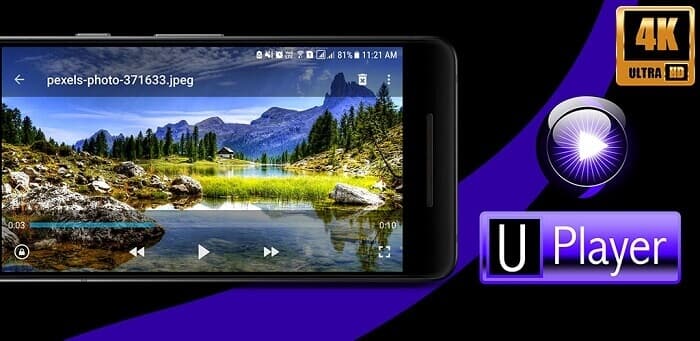
בדומה לשני נגני המדיה הראשונים, גם הוא תומך בסוגים שונים של פורמטים, ובעיקר ב-MOV. כפי שהוזכר קודם, כל האפליקציות הללו הן נגני MOV חינמיים לאנדרואיד, וגם זו אחת מהן. התכונה הטובה ביותר שמבדילה אותו היא ממשק המשתמש היפהפה שלו. אך למרות היופי, הוא גם מסוגל לאתר ולמחוק קבצים באמצעות Duplicate Video Finder. כך שאתה מרוויח פעמיים – גם חוסך מקום וגם חוסך זמן בחיפוש כל קבצי הווידאו הכפולים.
4. נגן וידאו KMPlayer ונגן מוזיקה
בתיאור שלו נטען שזהו כלי הניגון המושלם. KMPlayer מסייע למשתמשים שמתקשים להפעיל סרטונים עם כתוביות. אחת התכונות הטובות ביותר של הכלי הזה היא האפשרות ליצור רשימות השמעה אישיות לווידאו ולמוזיקה. כך תוכל להגיע מהר יותר למה שאתה רוצה לראות או לשמוע, בלי לבזבז זמן בחיפוש.
5. נגן FX: נגן וידאו הכל-באחד
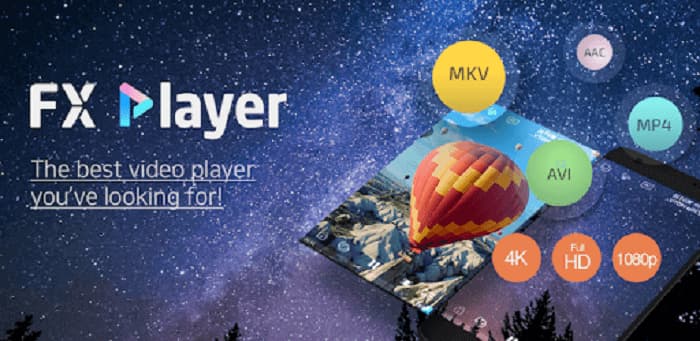
נגן וידאו רב-תכליתי נוסף זמין באנדרואיד. אבל ההבדל הוא שהוא יכול להפעיל סרטונים כבר בטלפון שלך ואפילו ברשת. רוצה להאזין לקליפ הפופולרי האחרון אפילו בלי לשלם? להוריד סרטונים דרך האינטרנט? להמיר ולחלץ אודיו בפורמט MP3? זה באמת כלי ששומר את הטוב ביותר לסוף. כמו כן, השם באמת אמיתי, זה נגן וידאו הכל-ב-אחד שאי פעם תרצה אבל היזהר מהפרסומות.
חלק 2. הדרך האלטרנטיבית הטובה ביותר לשחק MOV באנדרואיד
אם הורדת נגן מדיה נוסף, כמו אלו המופיעים ברשימה למעלה, אינה מה שאתה מעדיף, אז הדרך האלטרנטיבית הזו יכולה להיות בחירה מצוינת עבורך. במקום להוריד, מדוע שלא תנסה להמיר את הקובץ בעזרת FVC Online Video Converter. הכלי הזה יפתור את הבעיה שלך, במיוחד אם קובצי הווידאו או האודיו שלך אינם נתמכים בנגן המדיה המקומי במכשיר. המר בקלות כל סוג של פורמט לקובץ הרצוי לך. אם אתה רוצה לדעת עוד על הכלי עצמו, עליך להמשיך לקרוא בהמשך. שם תמצא שלבים כיצד להמיר קובץ בצורה נכונה. קרא ופעל לפי ההוראות בקפדנות כדי להגיע להצלחה שאליה כיוונת.
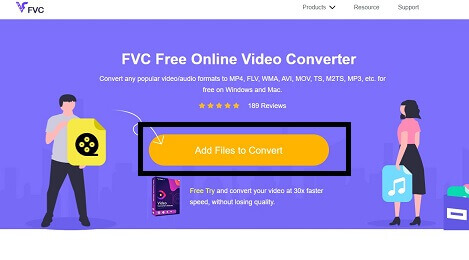
שלב 1. לחץ על קישור זה, ייפתח אתר, ואם מופיע FVC Video Online Converter – סימן שאתה במסלול הנכון.
שלב 2. כדי להמיר וידאו, לחץ על Add Files to Convert וסייר הקבצים ייפתח. בחר את קובץ הווידאו שברצונך להמיר. מידע נוסף: כדי שההמרה תתבצע בהצלחה, ודא שיש לך חיבור אינטרנט יציב.
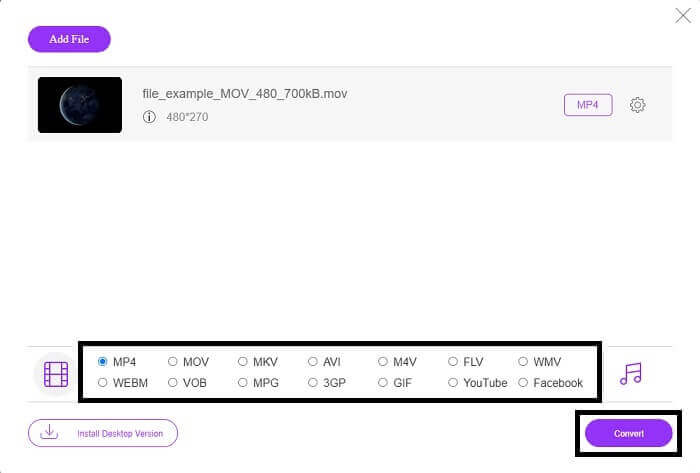
שלב 3. לאחר שהוספת את קובץ הווידאו בפורמט MOV, בחר בין פורמט וידאו או אודיו שאליו תרצה שהקובץ החדש יומר. כשתהיה מוכן להמרה, לחץ על כפתור Convert כדי ליצור את הפלט הסופי ולהתחיל בתהליך. משך התהליך תלוי בגודל הקובץ שלך. אם מדובר בקובץ גדול, יהיה עליך להמתין מספר דקות כדי שיעובד כראוי. אל תדאג – תהליך ההמרה בטוח, כך שאין צורך לחשוש מאיבוד נתונים או קוד.
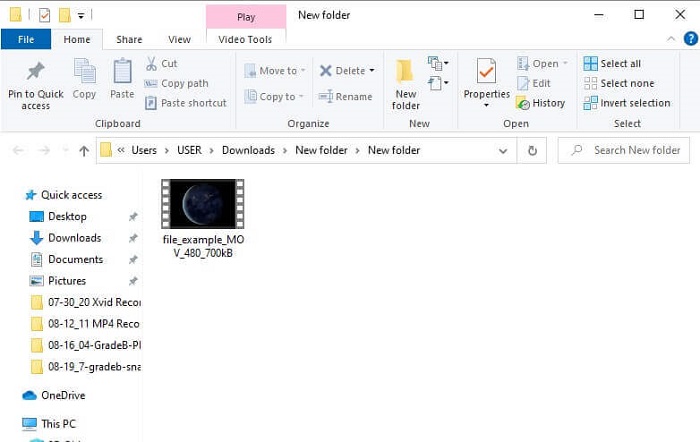
שלב 4. כשתהליך ההמרה יסתיים, כדי לבדוק את התוצאה, עבור לתיקייה שיצרת או אתר אותה בסייר הקבצים כדי לבדוק את הקובץ הסופי. כעת תוכל ליהנות מקובץ בפורמט שניתן לנגן.
חלק 3. שאלות נפוצות אודות יישומי אנדרואיד התומכים בקבצי MOV
למה אני לא יכול להפעיל את קובצי ה-MOV שלי בטלפון אנדרואיד שלי?
הסיבה שאינך יכול לצפות בווידאו במכשיר שלך היא אחת מהסיבות המפורטות בקישור הבא. לחץ על הקישור כדי לדעת מהן הסיבות הללו.
האם פורמט MOV טוב?
MOV הוא פורמט קובץ טוב עם איכות ניגון גבוהה. אף שלעתים עלולות להיווצר בעיות בניגון קובץ זה, ניתן לבחור להמיר MOV ל-MP4 או לפורמטים פופולריים אחרים בעזרת כלי מקוון כמו FVC Free Online Video Converter.
באיזה קובץ MOV דחיסה משתמש בהפסד או חסר?
הוא משתמש בפורמט קובץ אובדן כדי לאחסן את הסרטון שלך כראוי.
סיכום
לסיכום, המאמר הזה מציג בפניך את נגני הווידאו הטובים ביותר ל-MOV עבור אנדרואיד שניתן למצוא בחנות Play. לכן אין צורך לדאוג לגבי רכישת מכשיר חדש רק כדי להפעיל את הווידאו. במקום לשלם על קנייה או לשלם למישהו שינגן עבורך את הקובץ, למה שלא תשתמש ב“קסם” שלך? קובץ ה-MOV שלא ניתן היה לנגן יהפוך לנגן בזכות חמש האפליקציות האלה. מעבר לכך שהוסברו התכונות הטובות ביותר של כל אחת מהן, הודגשו גם היכולות הייחודיות של כל כלי. אם בעתיד תשכח שוב איך לנגן קבצי MOV, תוכל בהחלט להסתמך על הכתבה הזו, מפני שהיא מספקת הוכחות חזקות ומתבססת על עובדות בלבד.
-
 8 נגני ה- MOV הטובים ביותר להשמעת קבצי MOV של QuickTime באיכות מקורית
 פשוט למד עוד על 8 נגני ה- MOV הטובים ביותר הזמינים עבור Windows ו- Mac. אתה יכול לבחור את אחד הרצוי והמתאים להפעלת קבצי MOV באיכות המקורית.
-
 2 דרכים קלות להמיר קבצי MOV ל- FLV ב- Windows / Mac
 כיצד להמיר MOV ל- FLV בחינם? להלן ממירי הווידאו הטובים ביותר בשולחן העבודה ובאינטרנט כדי להמיר את קובץ ה- MOV שלך ל- FLV תוך שניות מבלי לשלם שקל.
-
 5 שיטות מעשיות לתיקון QuickTime לא יכול לפתוח קבצי MOV
 פורמט MOV נוצר בעיקר עבור השמעה ב-QuickTime Player. עם זאת, לפעמים אתה עלול לגלות שהם לא משחקים בו. למד כיצד לתקן את QuickTime לא ישחק קבצי MOV מהפוסט הזה.
