


 वीडियो कनवर्टर अंतिम
 स्क्रीन अभिलेखी
 वीडियो मरम्मत
 सुरक्षित डाउनलोड
एंड्रॉइड और टैबलेट पर एमओवी प्रारूपों को बदलने या चलाने के लिए सबसे अच्छा तरीका
यह एक सर्वविदित तथ्य है कि MOV फ़ॉर्मेट Apple Inc. द्वारा विकसित किया गया है। इसलिए यह हमारे लिए नई बात नहीं है कि एंड्रॉइड डिवाइस इस प्रकार के फ़ॉर्मेट को नहीं चला पाते, क्योंकि उनके लोकल मीडिया प्लेयर में इसका समर्थन नहीं है। क्या MOV फ़ाइलें एंड्रॉइड पर चलाई जा सकती हैं? हाँ, यदि आप नीचे दी गई सूची जैसे थर्ड-पार्टी टूल्स का उपयोग करें या उन्हें अपने डिवाइस के अनुरूप किसी प्ले करने योग्य फ़ॉर्मेट में बदल दें, तो इन्हें एंड्रॉइड डिवाइस पर चलाया जा सकता है। इसके अलावा, यह लेख आपको इतना पर्याप्त जानकारी देता है कि आप तय कर सकें कि अपने एंड्रॉइड डिवाइस पर न चलने वाली MOV फ़ाइलों को चलाने के लिए आपको कौन‑सा तरीका अपनाना चाहिए। यह केवल एंड्रॉइड और टैबलेट उपयोगकर्ताओं के लिए है। इन तरीकों के बारे में और जानने के लिए आपको लेख पढ़ते रहना होगा, क्योंकि इसमें अलग‑अलग मीडिया प्लेयर और कन्वर्टर बताए गए हैं जिनका आप उपयोग कर सकते हैं।.

विधि 1. MOV वीडियो देखने के लिए Android के लिए सर्वश्रेष्ठ निःशुल्क MOV प्लेयर ऐप्स
यहां कुछ बेहतरीन मुफ्त MOV प्लेयर दिए गए हैं जिनका उपयोग आप अपने Android डिवाइस पर MOV फ़ाइलों का समर्थन करने के लिए कर सकते हैं।
1. एंड्रॉइड के लिए वीएलसी
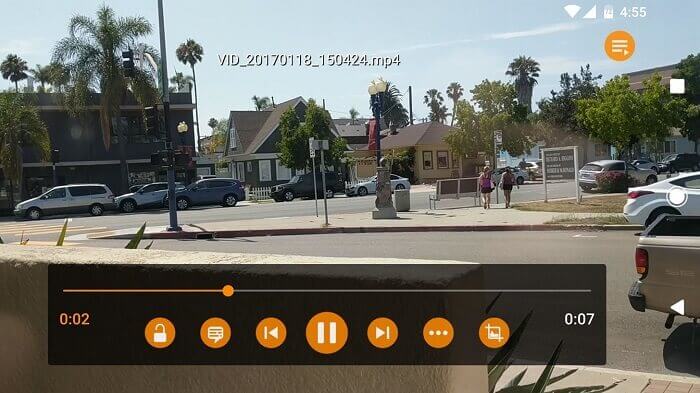
एक ऐसा मीडिया प्लेयर जो लगभग सभी तरह के मीडिया फ़ॉर्मेट का समर्थन करता है और जिसे सभी प्लेटफ़ॉर्म पर चलाया जा सकता है। यह केवल प्ले स्टोर से एप्लिकेशन डाउनलोड करके आपके एंड्रॉइड डिवाइस पर आपकी MOV फ़ाइलें चला सकता है। Android के लिए VLC बहुत मशहूर है क्योंकि इसका मीडिया प्लेयर पहले से ही पीसी और मैक पर उपलब्ध है। इसने अब तक के सबसे बेहतरीन मीडिया प्लेयर के रूप में अपनी पहचान बना ली है। इसका श्रेय उन सभी उपयोगकर्ताओं को जाता है जो अपनी फ़िल्में, वीडियो, ऑडियो फ़ाइलें और कई अन्य मीडिया चलाने के लिए इस एप्लिकेशन का उपयोग करते हैं। यह ज़्यादातर प्लेटफ़ॉर्म पर फ़ाइलों को डिकोड भी कर सकता है। हालाँकि यह कोडेक पर निर्भर है, फिर भी इसे कुछ अन्य फ़ाइल फ़ॉर्मेट्स के साथ बग से जुड़ी समस्याओं का सामना करना पड़ता है। लेकिन आपके मीडिया फ़ाइलों को देखने और सुनने के लिए यह एक बेहतरीन विकल्प है।.
पेशेवरों
- मीडिया प्लेयर के लिए सरल इंटरफ़ेस।
- सभी प्लेटफॉर्म पर उपलब्ध है।
- अंतर्निहित तुल्यकारक।
विपक्ष
- कुछ बग फिक्स नहीं हैं।
- इसे म्यूजिक प्लेयर बनने के लिए नहीं बनाया गया है। तो, इसे आपके द्वारा व्यवस्थित करने की आवश्यकता है।
2. एमपीवी एंड्रॉइड
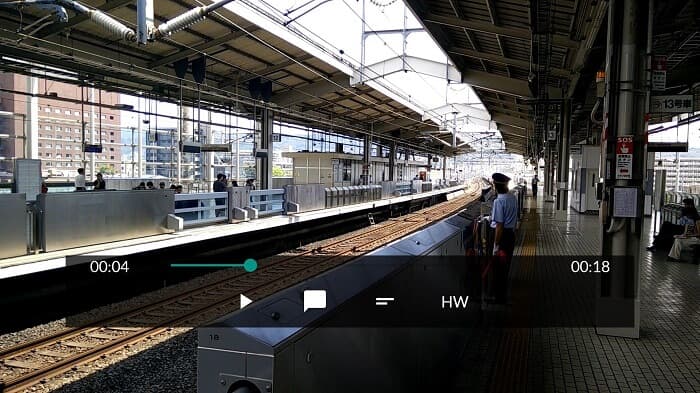
MPV android एंड्रॉइड पर एक प्रसिद्ध मीडिया प्लेयर है, जिसका उपयोग प्ले स्टोर पर लाखों उपयोगकर्ता करते हैं। इसमें सुव्यवस्थित CLI विकल्प भी मौजूद हैं।.
पेशेवरों
- अप-टू-डेट Android मीडिया प्लेयर।
- महान एचडीआर प्लेयर।
- मीडिया प्लेयर libmpv पर आधारित है।
विपक्ष
- सुविधाओं का अभाव। जैसे, जूम इन और जूम आउट और रिवाइंड और फास्ट फॉरवर्ड भी नहीं कर सकते।
- यूजर इंटरफेस उबाऊ है।
3. एमएक्स प्लेयर
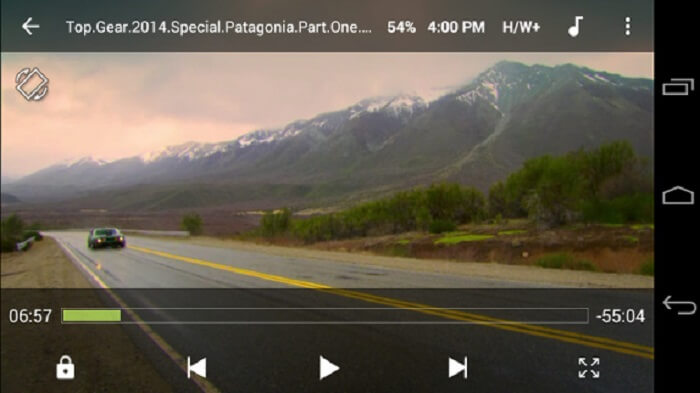
MX Player अपने सरल इंटरफ़ेस और शक्तिशाली वीडियो ऑप्टिमाइज़ेशन के कारण सबसे अच्छा विकल्प है।.
पेशेवरों
- ज़ूम इन, ज़ूम आउट और पैन जैसी उन्नत सुविधाएँ।
- बच्चों का ताला।
- उपशीर्षक का समर्थन करता है।
विपक्ष
- विज्ञापन प्रबंधनीय नहीं हैं और अधिक कष्टप्रद हो जाते हैं।
- कुछ वीडियो चलाने में समस्या आ रही है।
4. केएम प्लेयर
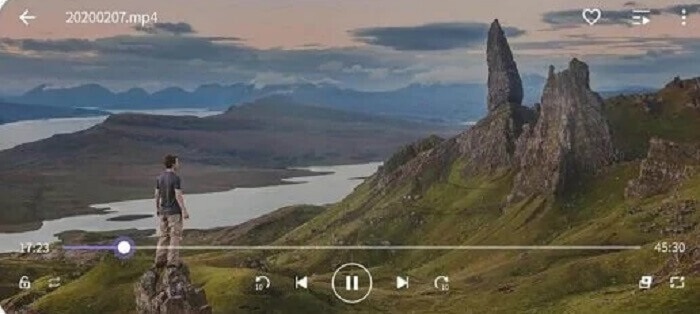
KM Player 10 अलग‑अलग सबटाइटल फ़ॉर्मेट प्रदान करता है। इसलिए आप सबटाइटल पढ़ते हुए वीडियो देखने का आनंद ले सकते हैं।.
पेशेवरों
- एक आदर्श प्लेबैक टूल।
- यह बुकमार्किंग प्रदान करता है।
- रंगों का समायोजन: चमक, रंग, संतृप्ति, गामा जानकारी और कंट्रास्ट।
विपक्ष
- ऐप में खरीदारी।
- किसी कारण से उनमें से कुछ को बाहरी कोडेक का उपयोग करने की आवश्यकता होती है।
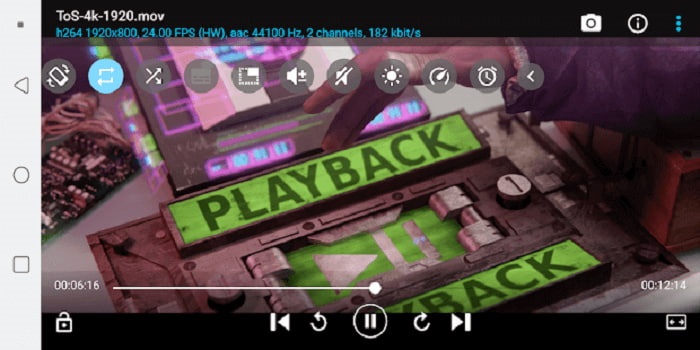
5. बीएस प्लेयर फ्री
BS Player Free प्ले स्टोर पर सबसे अच्छा मुफ़्त एंड्रॉइड मीडिया प्लेयर माना जाता है। यह बेहतर परफ़ॉर्मेंस के लिए हार्डवेयर एक्सीलरेशन प्रदान करता है।.
पेशेवरों
- लोडिंग पर अपनी गति बढ़ाएं और बैटरी की खपत कम करें।
- लॉक स्क्रीन सुविधा। अनावश्यक समायोजन से बचने के लिए खासकर यदि बच्चे देख रहे हों।
- मल्टी-कोर समर्थन।
विपक्ष
- बैकग्राउंड में रुकावट आने पर ऐप्स चलना बंद कर देते हैं।
- कुछ बिंदु पर वीडियो और ऑडियो सिंक से बाहर हैं।
विधि 2. आसान प्लेबैक के लिए MOV को Android समर्थित स्वरूपों में बदलें
अपने एंड्रॉइड डिवाइस पर मीडिया प्लेयर डाउनलोड करने और कुछ जगह खाने के बजाय। आप इसे एक नए प्रारूप में क्यों नहीं बदलते जो आपके डिवाइस पर चलने योग्य हो? यहां सबसे अच्छा एमओवी कनवर्टर है जिस पर आप भरोसा कर सकते हैं जो एंड्रॉइड पर चलने योग्य सर्वोत्तम आउटपुट उत्पन्न करता है।
1. FVC फ्री ऑनलाइन वीडियो कन्वर्टर का उपयोग करें

इंटरनेट के ज़रिए अपने MOV फ़ाइल को प्ले करने योग्य फ़ॉर्मेट में कन्वर्ट करें, और डाउनलोडिंग व अपलोडिंग की बिजली जैसी तेज़ रफ़्तार का लाभ उठाएँ। FVC Free Online Video Converter एक ऑनलाइन टूल है जो उपयोगकर्ताओं को उनकी न चलने वाली फ़ाइलों को नए फ़ॉर्मेट में बदलने में मदद करता है। इस तरह फ़ाइल आपके लोकल मीडिया प्लेयर पर चलाई जा सकती है। जैसा कि पहले कहा गया है, एंड्रॉइड MOV फ़ाइल फ़ॉर्मेट को सपोर्ट नहीं करता क्योंकि यह फ़ॉर्मेट Apple द्वारा विकसित किया गया है। इसलिए ऊपर बताए गए एप्लिकेशन डाउनलोड करने के बजाय आप इसे एंड्रॉइड‑अनुकूल फ़ॉर्मेट में कन्वर्ट भी कर सकते हैं।.
पेशेवरों
- FVC द्वारा प्रदान किया गया निःशुल्क ऑनलाइन टूल।
- इसे इंटरनेट कनेक्शन से एक्सेस किया जा सकता है।
- अपने फाइल फॉर्मेट को नए फॉर्मेट में बदल सकते हैं। लेकिन कई प्रीमियम संस्करणों के रूप में नहीं।
विपक्ष
- यदि आप कनेक्शन खो देते हैं तो रूपांतरण बाधित हो जाएगा।
- धीमे इंटरनेट का अर्थ है धीमा रूपांतरण।
2. वीडियो कन्वर्टर अल्टीमेट का उपयोग करें
फ़्री वर्ज़न का उपयोग करने से आप अपनी मनचाही फ़ॉर्मेट में फ़ाइल निकाल सकते हैं। लेकिन क्या होगा यदि आपका इंटरनेट कनेक्शन खराब हो? और आपको अभी तुरंत ही मीडिया फ़ाइल चलानी हो? तब आपको क्या करना चाहिए? ऐसी समस्या का सामना उपयोगकर्ता अक्सर इंटरनेट पर करते हैं। इसलिए फ़्री वर्ज़न का उपयोग करने के बजाय आप Video Converter Ultimate क्यों नहीं आज़माते? हो सकता है आप सोच रहे हों कि आपको इस टूल की ज़रूरत क्यों है। इसके लिए आपके पास कई कारण हो सकते हैं, लेकिन मैं आपको केवल 3 मुख्य कारण बताऊँगा।.
सबसे पहले, यह परिवर्तित हो सकता है, भले ही आपके पास इंटरनेट कनेक्शन न हो, मूल रूप से यह इंटरनेट पर निर्भर नहीं है। दूसरा, आप लगभग सभी वीडियो-ऑडियो फ़ाइलों को बिना किसी डेटा हानि के एक नए प्रारूप में परिवर्तित कर सकते हैं। ऑनलाइन टूल के विपरीत, यदि कनेक्शन बाधित हो रहा है तो रूपांतरण बंद हो जाएगा या आपको डेटा की हानि भी हो सकती है क्योंकि यह अभी तक समाप्त नहीं हुआ है। अंत में, यह सभी के लिए किफायती है और उपयोगकर्ता के अनुकूल भी है। इस टूल के लिए आपके सौ या हजारों पैसे की जरूरत नहीं है, लेकिन यह केवल $55.20 है। इसकी एक और खासियत यह है कि आप चाहें तो अपनी मीडिया फाइल में एडिटिंग और भी बहुत कुछ कर सकते हैं।
फ्री डाउनलोडWindows 7 या बाद के संस्करण के लिएसुरक्षित डाउनलोड
फ्री डाउनलोडMacOS 10.7 या बाद के संस्करण के लिएसुरक्षित डाउनलोड
पेशेवरों
- मुफ्त ऑनलाइन टूल के विपरीत। यह बिना इंटरनेट कनेक्शन के भी किसी भी फाइल को कन्वर्ट कर सकता है।
- 200+ ऑडियो और वीडियो प्रारूपों में से चुनें।
- सभी विभिन्न प्लेटफार्मों में उपलब्ध है और मैलवेयर मुक्त है।
विपक्ष
- पे-टू-यूज़ टूल।
- इसे आपके विंडोज पीसी या मैक पर डाउनलोड करने की आवश्यकता है।
भाग 3. MOV Android के बारे में अक्सर पूछे जाने वाले प्रश्न
क्या MOV सबसे अच्छा मीडिया प्रारूप है?
यदि आप एक पेशेवर संपादक हैं जो उच्च गुणवत्ता वाले वीडियो या ऑडियो प्रारूप का निर्माण करना चाहते हैं तो यह आपके लिए है।
क्या दो MOV फ़ाइलों को मर्ज करने की संभावना है?
दो अलग‑अलग MOV फ़ाइलों को जोड़ने के लिए आप merger tool का उपयोग करके MOV वीडियो फ़ाइलों को जोड़ सकते हैं।.
क्या मैं YouTube पर अपने वीडियो अपलोड करने के लिए MOV फ़ाइल स्वरूप का उपयोग कर सकता हूँ?
YouTube वेब पर मौजूद सबसे बड़ा ऑनलाइन वीडियो शेयरिंग साइट है। कई मामलों में लोग इसका उपयोग कमाई के लिए करते हैं, जैसे खुद के वीडियो बनाकर – व्लॉगिंग, कुकिंग, टीचिंग आदि। लेकिन YouTube केवल प्रसिद्ध फ़ॉर्मेट्स जैसे MP4, AVI, WMV, MPEG, FLV, 3GP और WebM का ही समर्थन करता है। इसलिए यदि आपकी रिकॉर्डिंग MOV फ़ॉर्मेट में है तो आपको उसे MOV से MP4 या अन्य YouTube‑समर्थित फ़ॉर्मेट में कन्वर्ट करना होगा, ताकि आप उसे अपलोड कर सकें और दुनिया के साथ साझा कर सकें।.
निष्कर्ष
अंत में, MOV फ़ाइल मूल रूप से केवल Apple उपयोगकर्ताओं के लिए ही समर्पित है। लेकिन इस स्थिति में आपके पास अपने MOV मीडिया फ़ाइलों को चलने योग्य फ़ॉर्मेट में बदलने या चलाने के और भी तरीके हैं। पर याद रखें, इसका यह मतलब नहीं है कि फ़ाइल चलाने के लिए आपको अपने एंड्रॉइड पर ज़रूर कोई मीडिया प्लेयर डाउनलोड करना ही होगा। आप Video Converter Ultimate की मदद से इसे कन्वर्ट भी कर सकते हैं। इन मीडिया प्लेयर्स को डाउनलोड करने के बजाय आप फ़ाइल को क्यों न कन्वर्ट कर लें, ताकि आपको इन प्लेयर्स की ज़रूरत ही न पड़े और आप इसे अपने लोकल मीडिया प्लेयर पर ही चला सकें।.
-
 OBS Studio और वैकल्पिक उपकरण टिप्पणियाँ फ़ीड पर ब्लू-रे रिकॉर्ड करें
 इन उपयोगी सरल चरणों और युक्तियों के साथ ओबीएस स्टूडियो और अन्य विकल्पों पर ब्लू-रे रिकॉर्ड करने का तरीका जानें। पढ़ना जारी रखें और विवरण में'
-
 खेलने योग्य प्रारूप को डिजिटाइज़ करने के लिए वीएलसी के साथ डीवीडी को रिप और रिकॉर्ड करने की प्रक्रिया टिप्पणियाँ फ़ीड
 वीएलसी डीवीडी में रिकॉर्डिंग सहित कई ऑडियो-वीडियो संपीड़ित फ़ाइल स्वरूपों का समर्थन करता है। अधिक चर्चा और विवरण के लिए अंत तक गेंद को घुमाते रहें।
-
 सर्वश्रेष्ठ एमपीईजी रिकॉर्डर के साथ एमपीईजी वीडियो कैसे रिकॉर्ड करें, इस पर शुरुआत करें टिप्पणियाँ फ़ीड
 एमपीईजी 4 एक प्रकार का प्रारूप है जो डिजिटल इंटरमीडिया डेटा संग्रहीत करता है। और कई उपलब्ध टूल हैं जो एमपीईजी वीडियो रिकॉर्डिंग का समर्थन करते हैं। तो, आइए' के बारे में अधिक विस्तार से जानें।
