


 Video Converter Ultimate
 Snimač zaslona
 Video popravak
Pojednostavljeni vodič Kako pretvoriti DV u WMV na Windows i PC-u
DV datoteke su standardni sirovi formati za emitiranje koji se uobičajeno koriste na kamerama. Nakon što se pojavio kao standardni format kamkordera, Sony i Panasonic su uveli profesionalniji format različit od DV formata. Iako je ova DV datoteka izvrsna za uređivanje, za reprodukciju u sustavu Windows morat ćete koristiti program kako biste pogledali videozapis. Zato vam u nastavku predstavljamo dva pretvarača koja možete koristiti za pretvaranje DV u WMV i gledanje bez ikakvih poteškoća.

Dio 1. Koristite najnevjerojatniji pretvarač za pretvaranje DV u WMV
FVC Video Converter Ultimate može vam pomoći pri pretvaranju formata u novu verziju. Ovaj alat podržava razne funkcije osim samog pretvaranja. Dakle, ako nabavite ovaj pretvarač, možete očekivati da ćete moći učiniti mnogo više, a ne se zadržati samo na konverziji. Štoviše, ako vam je potreban trenutačan proces pretvaranja, ovo je najbolji izbor za pretvaranje DV u WMV, AVI, MOV, MP4, MKV i više od 200 medijskih formata. Želite iskusiti novi tip pretvarača koji pruža profesionalan rezultat bez ikakve muke? Ako je tako, ovaj prikaz će vam pomoći razlikovati kako pretvoriti datoteku u novi WMV format.
Koraci kako pretvoriti DV u WMV pomoću FVC Video Converter Ultimate:
Korak 1. Preuzmite FVC Video Converter Ultimate na tvrdi disk računala, kliknite gumb za preuzimanje, slijedite korake instalacije i zatim pokrenite alat.
Besplatno preuzimanjeZa Windows 7 ili novijiSigurno preuzimanje
Besplatno preuzimanjeZa MacOS 10.7 ili novijiSigurno preuzimanje
Korak 2. Nakon što sve postavite, umetnite datoteku u pretvarač klikom na Add Files, potražite DV datoteku spremljenu na vašem računalu u mapi koja će se prikazati i pritisnite Open.
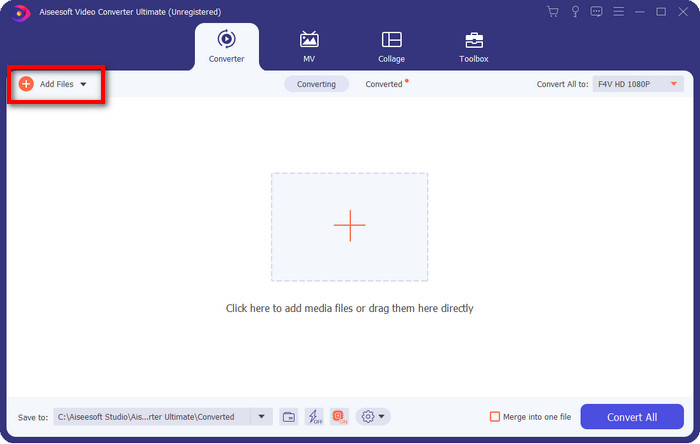
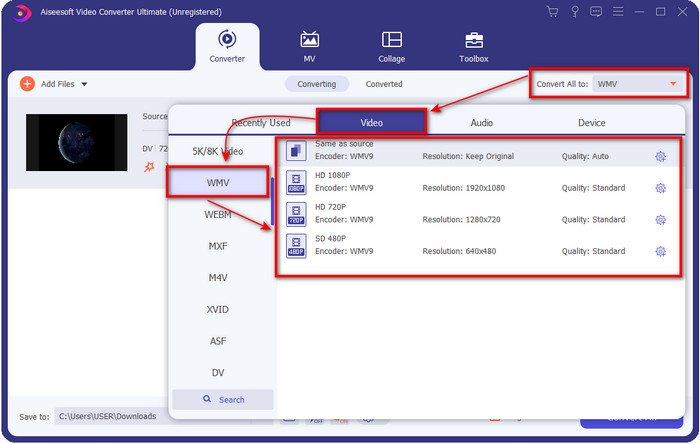
Korak 3. Promijenite format klikom na padajući izbornik u gornjem desnom dijelu korisničkog sučelja. Zatim na popisu koji će se pojaviti odaberite format WMV i sada možete odabrati kvalitetu video izlaza.
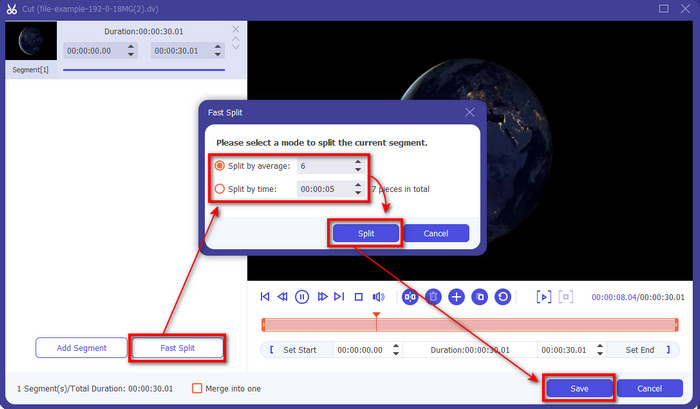
Želite li podijeliti svoje videozapise na više segmenata? Ako je tako, pritisnite gumb sa škarama, kliknite Fast Split da postavite broj segmenata koji želite i trajanje svakog segmenta, a zatim pritisnite Split za nastavak. Da biste spremili rezultat rezanja koji ste napravili, kliknite Save.
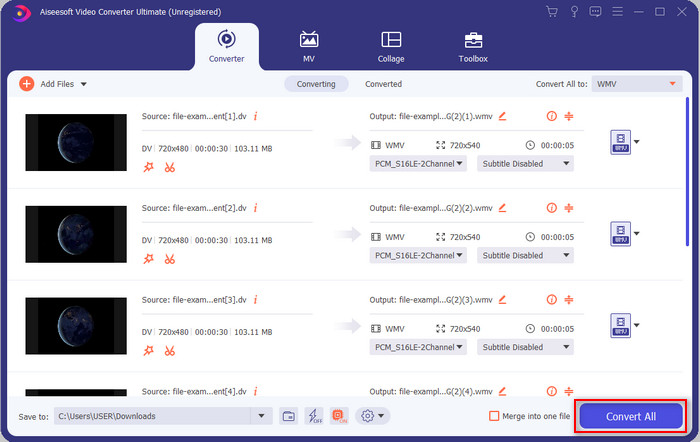
Korak 4. Kliknite Convert All kako bi započeo proces pretvaranja DV datoteke. Nakon postupka, na zaslonu će se pojaviti nova mapa s novom WMV datotekom.
Dio 2. Koristite mrežni pretvarač za pretvaranje DV u WMV na mreži
Tražite li mrežno rješenje za pretvaranje DV u WMV koje je bez ikakve gnjavaže? Tada vam FVC nudi FVC Free Video Converter Online. Ovaj web‑pretvarač pomoći će u konverziji, ali mu trebate pristupiti putem preglednika umjesto preuzimanja. Osim toga, jednostavan je, besplatan i siguran, kako bi vašu konverziju učinio boljom. Želite znati kako koristiti ovaj web‑alat? Zatim slijedite korake u nastavku da biste saznali kako obaviti mrežno pretvaranje.
Korak 1. Možete kliknuti ovu poveznicu da otvorite web‑pretvarač i otvorit će se nova kartica.
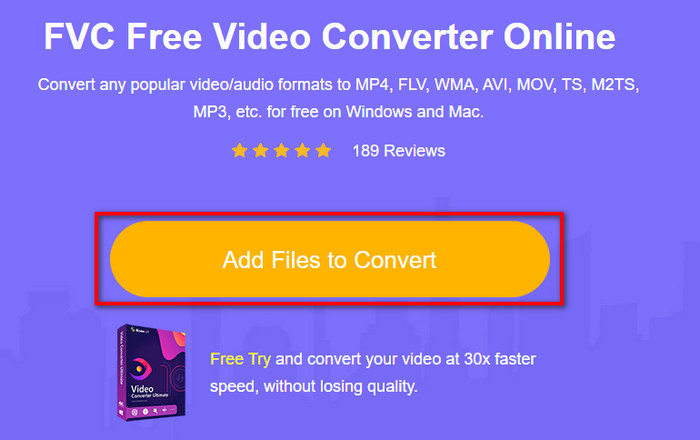
Korak 2. Kliknite Add Files to Convert na web‑stranici; mapa će se odmah prikazati na vašem zaslonu, odaberite DV datoteku i pritisnite Open.
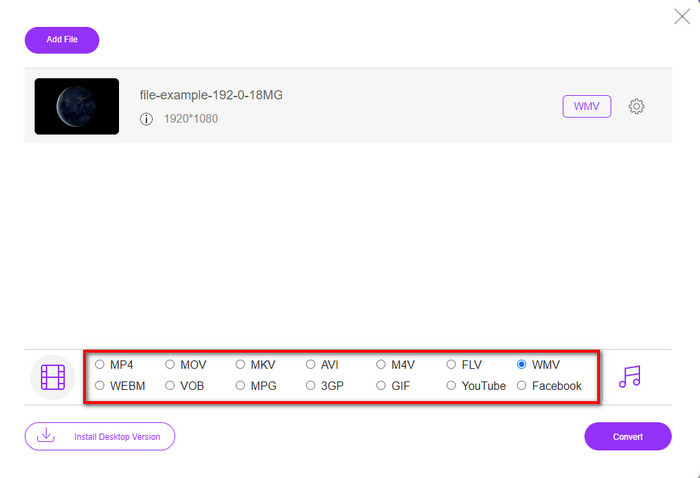
Korak 3. Kada se datoteka učita, odaberite format u katalogu prikazanom ispod ili kliknite WMV da biste je spremili u WMV formatu.
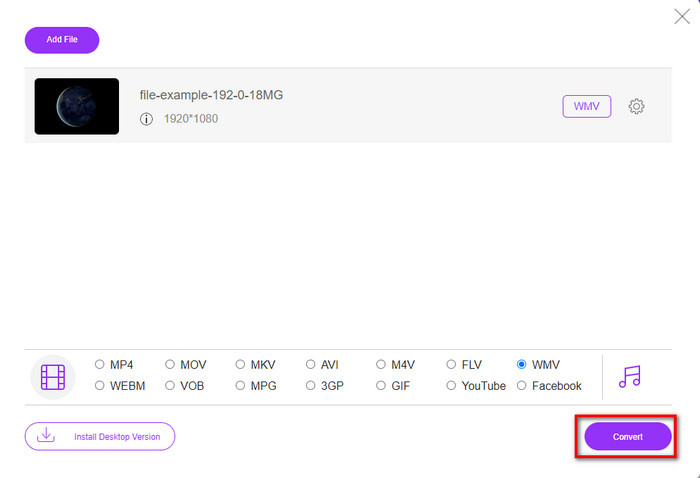
Korak 4. Klikom na Convert započet će proces pretvaranja. Nakon završetka, datoteka će se automatski preuzeti na vaš tvrdi disk.
Dio 3. Koja je razlika između DV i WMV
Razliku između DV i WMV lako je razumjeti na mnogo načina. Dakle, ako želite znati što je to, morate pročitati informacije na popisu u nastavku.
Za snimanje videa na kamkorder, DV je najbolji izbor jer može pohraniti ovu vrstu sadržaja. Također, ovaj format može sadržavati bitne detalje kao što su metapodaci, podkod, kodiranje vremena i datuma. Nadalje, ovaj format koristi kompresiju unutar okvira unutar svakog okvira, te je zbog toga idealan za detaljno uređivanje. Iako je format izvrstan i pohranjen na DV vrpce, kompatibilnost koju ovaj format dobiva je loša, a njegova veličina datoteke je enormna u usporedbi s WMV. S druge strane, WMV je najbolji format za reprodukciju videa u sustavu Windows. A sada prilagođava format verzije 9 za HD DVD i Blu-ray Disc, sada je poznat kao VC-1.
Dio 4. Često postavljana pitanja o pretvorbi DV u WMV
Zašto ne mogu koristiti DV na Mac softveru?
DV format nije podržan na Macu, posebno u iMovieju i QuickTime Playeru. No, možete pretvoriti svoju DV datoteku u MOV format kako bi radila na vašem macOS‑u. Ako ne znate kako pretvoriti DV u MOV, izdvojite 5 minuta ili manje da pročitate ovaj članak i saznate kako.
Jesu li DV datoteke još uvijek najbolji format za uređivanje?
DV formati su poznati kao jedan od vrhunskih spremnika za uređivanje. Budući da DV pohranjuje visokokvalitetni video i pohranjuje svaki okvir za pristupačnije svrhe uređivanja. Ali danas je mogućnost ovog formata već usvojila većina formata. Dakle, ako pitate je li još uvijek idealan, onda je odgovor ne zbog loše kompatibilnosti ovog formata.
Kako smanjiti svoje DV datoteke?
Kao što već znate, DV datoteke su ogromne jer je ovaj format jedinstven kompresor. Stoga je sasvim uobičajeno tražiti kompresor kako bi se datoteka smanjila i uštedio prostor na disku. Imate problema s odabirom i time kako komprimirati DV datoteke? Ako je tako, kliknite ovu poveznicu.
Zaključak
Svi gore predstavljeni pretvarači pomoći će vam na vašem putu pretvaranja DV u WMV format. Stoga, završimo svoje putovanje jer je ovo posljednja postaja – već smo stekli dovoljno znanja o tome kako pretvoriti svoje DV datoteke. Sada trebate odabrati koji vam pretvarač najviše odgovara. Izbor je u vašim rukama; bez obzira koji pretvarač koristite, ovi FVC alati zasigurno će vam jamčiti uspjeh. FVC Free Video Converter Online ili FVC Video Converter Ultimate – ova dva pretvarača učinit će vaš proces pretvaranja bez muke.
-
 Najbolja strategija o tome kako pretvoriti DV datoteku u AVI format s detaljnim koracima
 Želite li svoju DV datoteku pretvoriti u AVI? Zatim pročitajte ovaj članak da biste saznali koji je jedinstveni alat koji možete koristiti za pretvaranje i media player za reprodukciju DV-a na vašem PC-u ili Macu.
-
 Korisni pretvarači DV u FLV za pretvaranje DV u FLV [2022.]
 Ako tražite najbolje i jednostavne alate za pretvaranje DV-a u FLV, ovdje je najbolji članak za čitanje. Imajte izvrstan uvid, kopajući po svim informacijama iz ovog članka.
-
 Top 3 načina za pretvaranje FLV u WMV na Windowsima i Macima
 Tražite li najbolji način za pretvorbu FLV-a u WMV bez gubitka kvalitete na računalu ili Macu? Imate sreće jer ovdje dijelimo tri metode za lagano obavljanje posla.
