


 Video Converter Ultimate
 Snimač zaslona
 Video popravak
Saznajte 4 najbolja offline i online SWF u FLV konverter za Windows i Mac
Trenutno tražim rješenje za učitavanje svojih SWF datoteka na web-mjesta za dijeljenje videozapisa kao što su Youtube, Facebook, MySpace i još mnogo toga. Možete li mi pomoći pronaći najbrži način za rješavanje ovog problema?
Ovaj je problem čest, osobito ako je vaš video u formatu s nastavkom .swf. Ipak, taj je format uobičajen na webu, ali dijeljenje datoteke na platformama za razmjenu videa ne funkcionira. Nadalje, ako želite dijeliti svoje SWF datoteke, morate ih pretvoriti u format koji je mnogo bolje podržan, poput FLV‑a. S tim na umu, u nastavku ćemo otkriti četiri skrivena dragulja – izvanmrežne i online pretvarače SWF u FLV koje možete koristiti, što ćete saznati čitajući ovaj članak.

Dio 1. Pretvorite SWF u FLV Online besplatno uz FVC Free Video Converter Online
FVC Free Video Converter Online nenadmašan je video pretvarač koji možete koristiti za besplatno mrežno pretvaranje SWF u FLV. Ovaj internetski alat specijaliziran je za pretvaranje datoteka u novi format bez preuzimanja alata na radnu površinu. Osim mogućnosti konverzije, možete mijenjati i postavke videa i zvuka prema vlastitim potrebama. Želite znati kako koristiti ovaj lagani web‑pretvarač? Zatim kopirajte korake napisane u nastavku.
Korak 1. Kliknite ovu poveznicu da otvorite novu karticu koja će vas odvesti na službenu web stranicu alata FVC Free Video Converter Online.
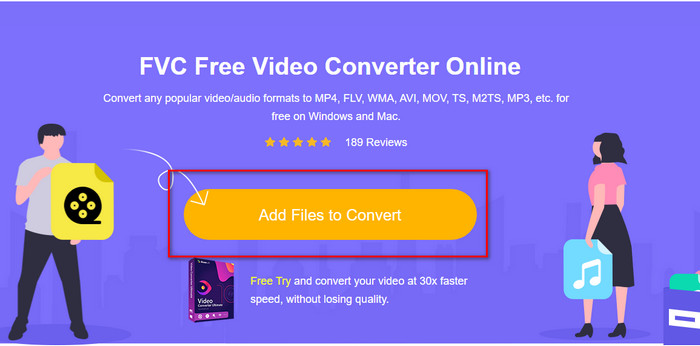
Korak 2. Na web stranici kliknite Add Files to Convert, zatim će se otvoriti mappa na računalu; odaberite .swf datoteku i pritisnite Open.
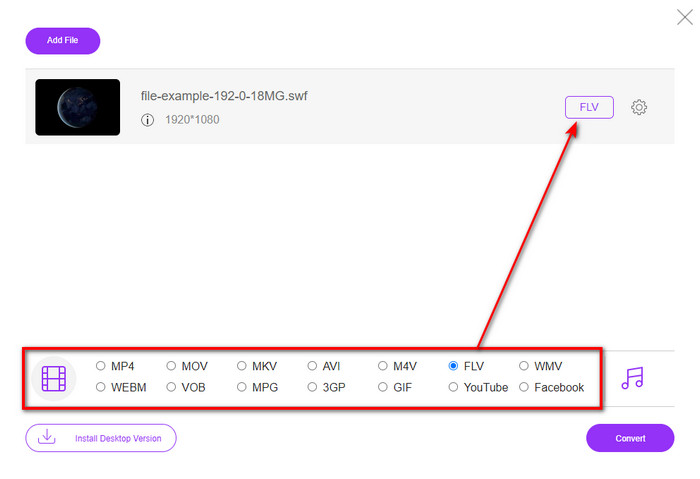
Korak 3. Nakon umetanja datoteke, na padajućem popisu odaberite format FLV.
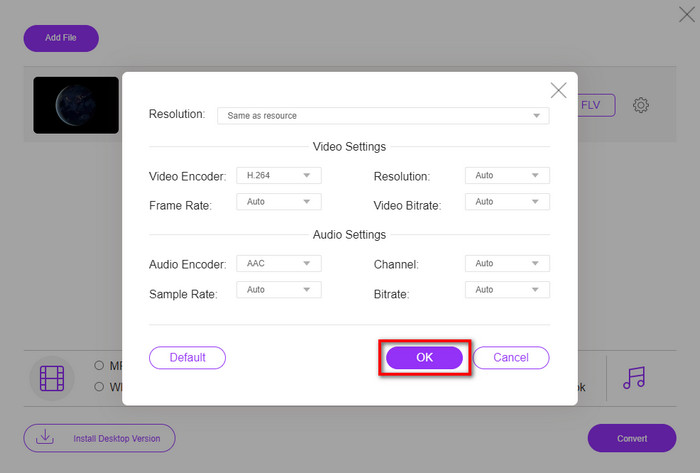
Ako želite promijeniti specifikacije videa i zvuka, kliknite gumb u obliku zupčanika.
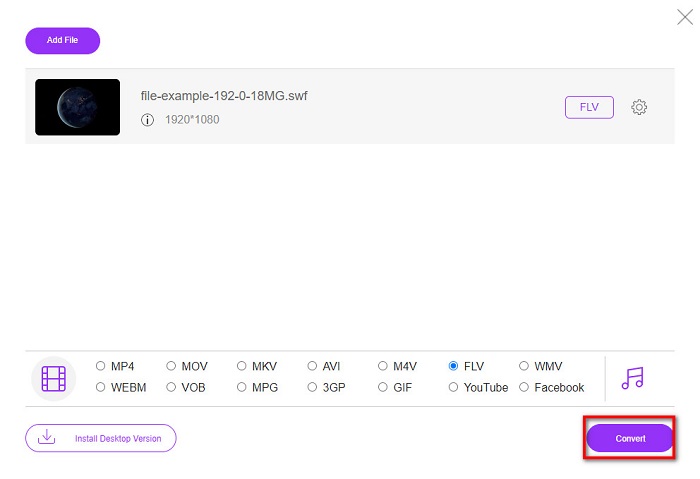
Korak 4. Za početak procesa pretvaranja kliknite gumb Convert.
Dio 2. Pretvorite SWF u FLV pomoću FFmpeg
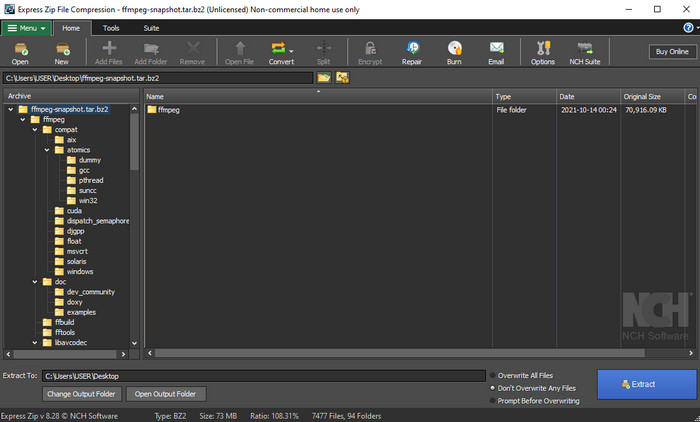
FFmpeg ima jedinstveno sučelje i naredbeni način rada za besplatno pretvaranje SWF u FLV. Ako poznajete ovaj pretvarač, već znate kako ga koristiti; međutim, mnogi to ne znaju. Ukratko, ovaj pretvarač nije tipičan video konverter koji se koristi putem weba ili nakon preuzimanja s grafičkim sučeljem. Umjesto korištenja gumba za naredbe, za upravljanje ovim pretvaračem morate koristiti naredbeni redak.
Korak 1. Preuzmite FFmpeg pretvarač na svoj disk, a zatim ga otvorite.
Korak 2. Na računalu otvorite naredbeni redak (Command Prompt).
Korak 3. U CMD‑u prijeđite u mapu u kojoj se nalazi vaša SWF datoteka, a zatim je umetnite. Kopirajte ovu naredbu i zalijepite je u naredbeni redak: ffmpeg -i input.swf -vn -ar 44100 -ac 2 -b:a 192k output.flv te pritisnite Enter kako bi proces započeo.
Dio 3. Pretvorite SWF u FLV u Flashu
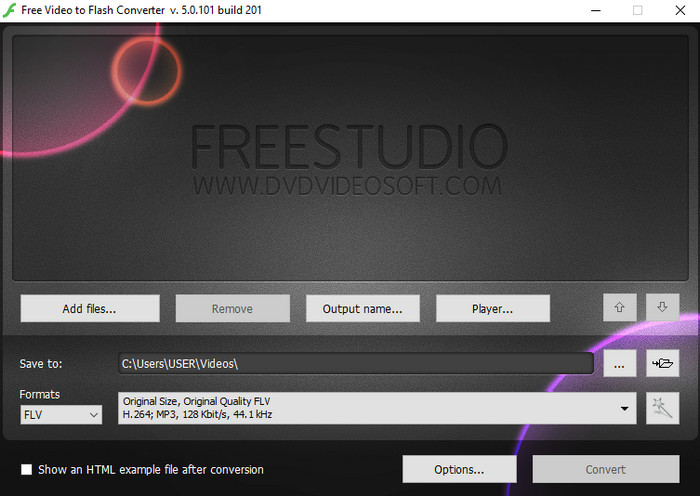
Free Video to Flash Converter je besplatni pretvarač koji možete preuzeti na Windows. Ovaj pretvarač nudi dva formata između kojih možete birati. Namijenjen je isključivo za pretvaranje datoteka u FLV ili SWF format. Dakle, ako želite pretvarati SWF datoteke u AVI, MP4, MOV, MKV i druge formate, ovdje to ne možete. Bez daljnjeg odugovlačenja, naučimo kako pretvoriti SWF u FLV u Flashu.
Korak 1. Preuzmite službeni softver Flash Converter na svoj Windows i pokrenite aplikaciju.
Korak 2. Pritisnite Add Files da biste učitali datoteku u pretvarač. Zatim pritisnite Formats, potražite FLV i možete odabrati i kvalitetu.
Korak 3. Započnite konverziju klikom na gumb Convert u donjem desnom kutu sučelja.
Dio 4. Kako pretvoriti SWF u FLV uz pomoć najboljeg SWF pretvarača na Windows i Mac
Još uvijek niste zadovoljni prva tri mrežna i izvanmrežna SWF u FLV pretvarača predstavljena gore? Ako je tako, pokušajte koristiti FVC Video Converter Ultimate. Ovaj pretvarač nadmašuje očekivanja korisnika, osobito brzinom procesa konverzije koji pruža. Osim iznimne konverzije, posjeduje i napredne funkcije uređivanja za poboljšanje vašeg videa te Toolbox za druge svrhe. Štoviše, koraci vodiča navedeni u nastavku jamče stopostotni uspjeh u pretvaranju vaše datoteke.
Korak 1. Prije korištenja alata, morate ga preuzeti na svoj Windows ili Mac disk, slijediti postupak instalacije i pokrenuti ga.
Besplatno preuzimanjeZa Windows 7 ili novijiSigurno preuzimanje
Besplatno preuzimanjeZa MacOS 10.7 ili novijiSigurno preuzimanje
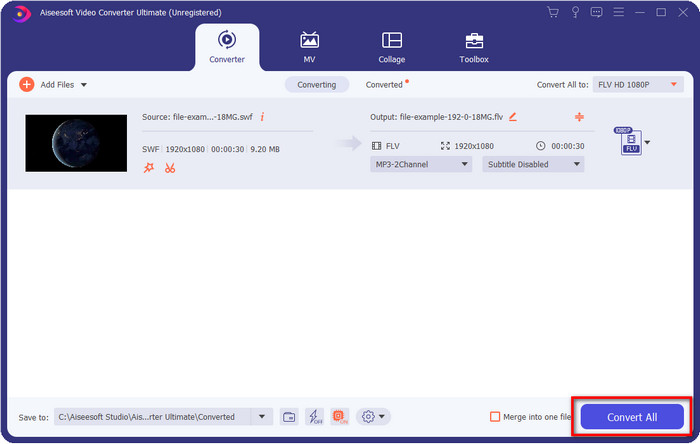
Korak 2. Kada se alat pokrene u vašem sustavu, kliknite Add Files da biste učitali SWF datoteke koje želite pretvoriti.
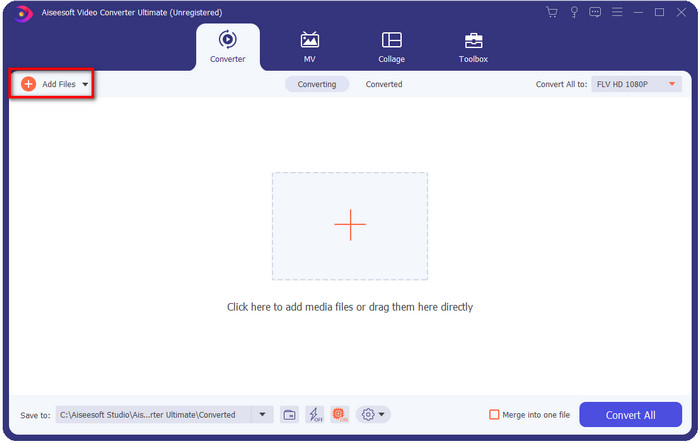
Korak 3. Kliknite opciju Convert All to i odaberite format FLV. Možete odabrati i kvalitetu za visoku rezoluciju ili zadržati izvornu verziju.

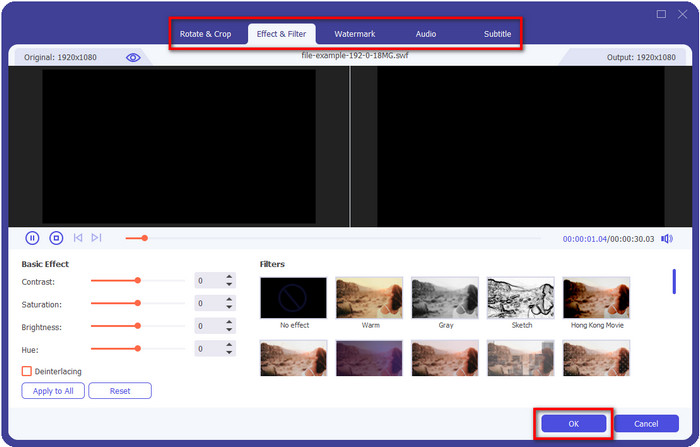
Ako želite dodatno poboljšati izlazni video, kliknite gumb u obliku čarobnog štapića. Odvest će vas do raznih opcija uređivanja koje možete primijeniti, kao što su Crop, Rotate, Add Effects, Subtitle, Audio i Watermark. Da biste spremili napravljene promjene, kliknite OK.
Korak 4. Kliknite Convert All i proces će započeti. Za pretvaranje SWF u FLV trebat će samo malo vremena; nakon završetka konverzije na zaslonu će se pojaviti mapa s FLV datotekom.
Dio 5. Prošireno poznavanje SWF-a i FLV-a
ShockWave datoteka ili SWF je Adobe format, ali ga je kreirala Macromedia. Poznato je po čuvanju vektorskih animacija i zvukova koji se koriste na webu. Štoviše, budući da se radi o vektorskoj bazi, možete jednostavno prilagoditi grafičko skaliranje tako da odgovara ili zumirati. Osim vektorske animacije, veličina datoteke je tako mala da brže učitava video iako imate sporu internetsku vezu. No format nije podržan ako ih želite podijeliti na platformama za dijeljenje videozapisa.
Iako je FLV također pod Adobe-om, ovaj format je bolji od SWF-a. FLV ili FlashVideo format standardni je video format na većini web stranica. Ovaj format može sadržavati dva različita kodeka namijenjena za video i audio. I baš kao i SWF datoteka, ovaj je format mali za brže učitavanje datoteke na webu; nakon što preuzmete FLV datoteku na svoj pogon, možete je reproducirati na svom media playeru čak i ako još nije dovršena.
Bilo bi od pomoći kada biste pretvorili SWF u FLV jer SWF ima puno nedostataka koje možete pronaći na FLV formatu. Pogotovo ako je video datoteka duga, budući da samo .swf može sadržavati ograničen okvir u sekundi, postoji mogućnost da je nećete moći koristiti. Ali FLV s lakoćom može držati duge videozapise. Štoviše, ako se želite usredotočiti na kvalitetu, FLV ima bolju kvalitetu od SWF-a.
Dio 6. Često postavljana pitanja o pretvorbi SWF u FLV
Podržava li SWF datoteka transparentnost?
Poput PNG i GIF-a, ovaj format također podržava sive tonove s pravim bojama ili dodijelite jednu boju kako bi bio transparentan.
Gdje mogu gledati SWF videozapise?
Trenutačno ne možete reproducirati SWF datoteke u zadanom medijskom reproduktoru jer format nije podržan. Ipak, možete kliknuti ovu poveznicu i saznati više o Top 4 SWF Media Player na Windows ili Mac.
Mogu li spremiti .swf svog telefona?
Spremanje SWF datoteka na vaš telefon je moguće, ali nije moguće reproducirati ih na vašem lokalnom media playeru. Budući da ovaj format nije za kompatibilnost s telefonom, već za web. Dakle, ako preuzmete datoteku pod ovom ekstenzijom, očekujte da je ne možete koristiti; međutim, možete ga pretvoriti u format za reprodukciju kao što je MP4 na svom telefonu.
Zaključak
Ovaj članak otkriva pretvarače‑dragulje koje možete koristiti za pretvaranje SWF u FLV bez narušavanja kvalitete SWF‑a. Dok smo prikupljali sve ove pretvarače, otkrili smo da je FVC Video Converter Ultimate skriveni dragulj koji tražite za ovaj problem. Pruža najimpresivniji izlaz i najbrži proces pretvaranja u usporedbi sa svim navedenim alatima. Sada morate odabrati „blago” koje želite koristiti za rješavanje svog problema s konverzijom, preuzimanjem alata ili pristupanjem istom putem weba.
-
 Korisni pretvarači DV u FLV za pretvaranje DV u FLV [2022.]
 Ako tražite najbolje i jednostavne alate za pretvaranje DV-a u FLV, ovdje je najbolji članak za čitanje. Imajte izvrstan uvid, kopajući po svim informacijama iz ovog članka.
-
 Kako pretvoriti MPG u FLV bez gubitka kvalitete [Dokazano]
 Morate gledati svoj omiljeni film na ovom media playeru, ali on ne podržava MPG. Pokušajte pretvoriti svoju MPG datoteku u FLV pomoću ovih pretvarača koje vam ovaj članak predstavlja.
-
 Pretvorite TRP u FLV uz najlakše offline i online metode
 Želite li brzo i bez muke pretvoriti svoju TRP video datoteku u FLV? Pročitajte ovaj članak kako biste dobili najbolji softver i online uslugu koja najbolje odgovara situaciji.
