


 Snimač zaslona
 Video popravak
Kako ukloniti pozadinu s GIF-ova pomoću učinkovitih programa
GIF je kratica za Graphics Interchange Format i široko se koristi u internetskoj komunikaciji, primjerice pri dopisivanju ili čak komentiranju objava. Uklanjanje pozadine s GIF‑ova ili slika može biti teško ako nemate programe koji su namijenjeni upravo takvim zadacima. Zbog njegove popularnosti sve je više korisnika znatiželjno kako uređivati i izrađivati vlastite GIF‑ove. Srećom, prikupili smo pouzdane i jednostavne internetske alate koji korisnicima mogu pomoći da uklone pozadinu s GIF‑ova.
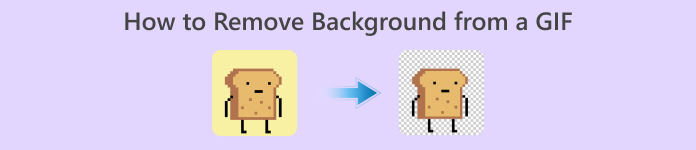
Preporučeno: FVC Free Background Remover
FVC Free Background Remover koristan je alat za uklanjanje pozadine s vaših slika. Koristi umjetnu inteligenciju kako bi precizno označio i prepoznao osobu na fotografiji. Osim toga, alat je dostupan na Windowsu i Macu. Sve u svemu, praktičan je i pouzdan alat koji možete koristiti bilo kada i bilo gdje.
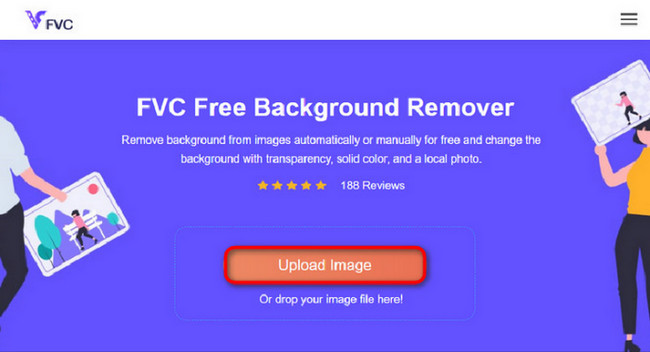
Korak 1. Učitaj sliku/GIF
Prvi je korak otvoriti preglednik na računalu. Nakon otvaranja internetskog programa dočekat će vas mogućnost učitavanja slike. Kliknite Upload Image kako biste dodali GIF s kojega želite ukloniti pozadinu.
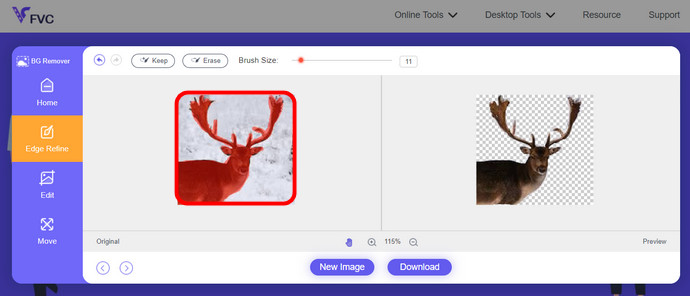
Korak 2. Uredi sliku
Nakon učitavanja, sada vam je dopušteno ukloniti svako neprecizno uklanjanje isticanja iz AI prepoznavanja. Samo kliknite i povucite mišem i učinite to po svom ukusu.
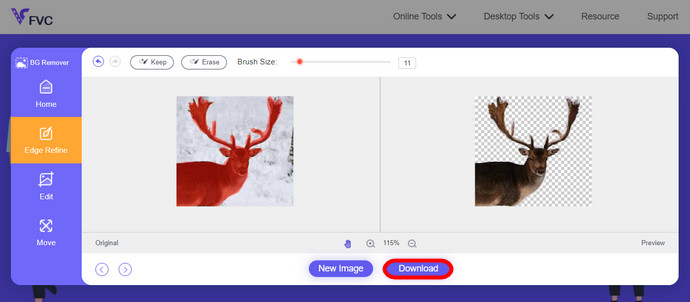
Korak 3. Preuzmi uređenu sliku
Na kraju kliknite gumb Download. Sada ste uspješno uklonili pozadinu sa svoje slike.
Dio 1. Uklonite GIF pozadinu koristeći EZGIF.com
Ovaj mrežni softver je softver za uređivanje i pretvorbu fotografija/gifova. Može uređivati i pretvarati GIF, PNG, WEBP, IMG i mnoge druge formate. Ovdje možete urediti svoj GIF pomoću softvera za uređivanje koji dolazi sa softverom.
Korak 1. Otvori stranicu
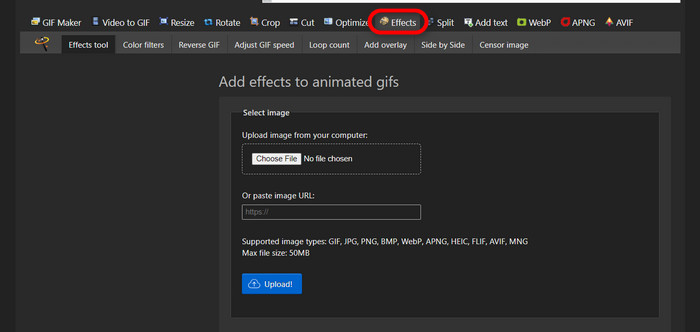
Da biste koristili ovaj mrežni alat, pokrenite preglednik i upišite poveznicu. Odmah dobivate mogućnosti prilagođene vašim potrebama. Ova stranica omogućuje vam uklanjanje pozadine s vašeg GIF‑a. Kliknite Effects da biste započeli.
Korak 2. Odaberi i učitaj sliku/GIF
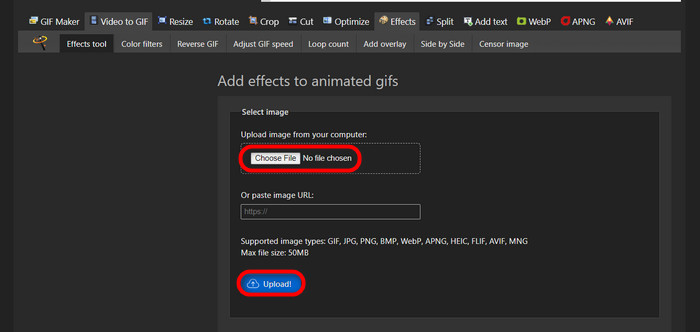
Sada odaberite datoteku koju želite učitati. Kliknite Choose Files, pronađite je u odgovarajućoj mapi i pritisnite Upload da biste učitali odabranu datoteku.
Korak 3. Uredi sliku
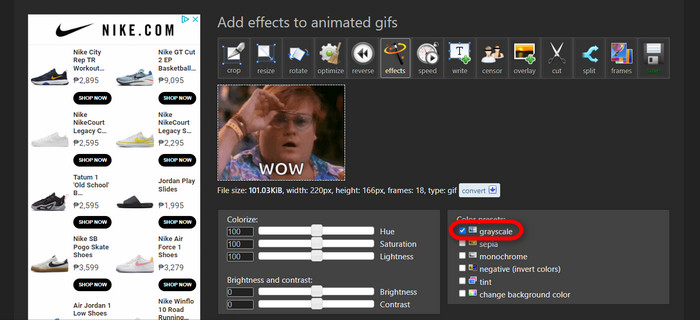
Nakon učitavanja, blizu ste postupka uklanjanja pozadine s GIF‑a ili postavljanja crne pozadine na GIF. Sada kliknite grayscale kako biste potamnili pozadinu.
Korak 4. Pregledaj i pretvori sliku/GIF
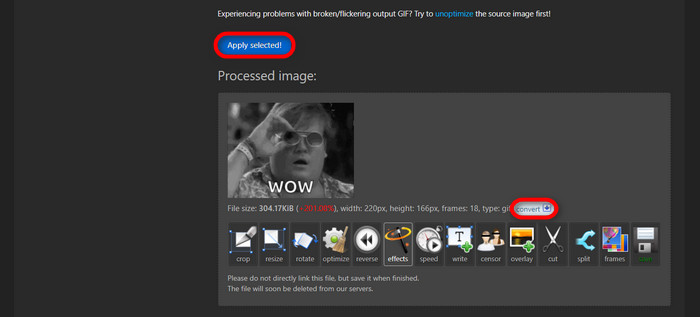
Nakon dodavanja efekta, promjene veličine i obrezivanja vašeg novog GIF‑a, kliknite Apply Selected i prikazat će vam se pretpregled uređenog GIF‑a. Zatim kliknite gumb convert da biste preuzeli svoju datoteku.
Dio 2. Napravite GIF bez ikakve pozadine u Remove.bg
Ova je stranica također dizajnirana za uklanjanje bilo koje pozadine sa bilo koje fotografije. Ovdje vam daje mogućnost da ipak uredite automatski uklonjenu pozadinsku fotografiju. Pokreće ga vješta umjetna inteligencija koja može prepoznati glavni subjekt i besprijekorno ukloniti njegovu pozadinu.
Korak 1. Učitaj sliku/GIF
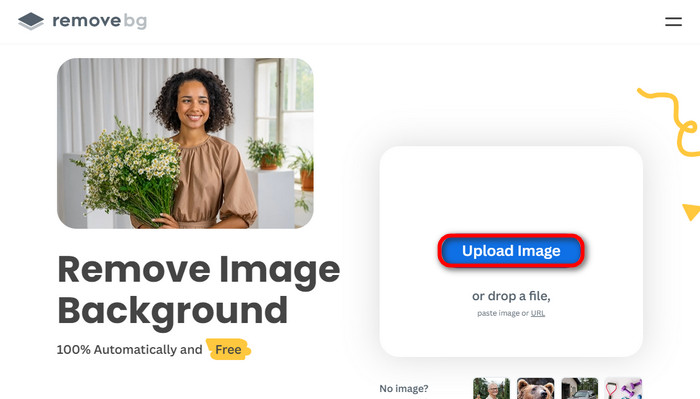
Krenimo s učitavanjem slike. Otvorite mrežni program u pregledniku kad ste na odgovarajućoj stranici. Potom kliknite Upload Image.
Korak 2. Pregledaj i uredi sliku
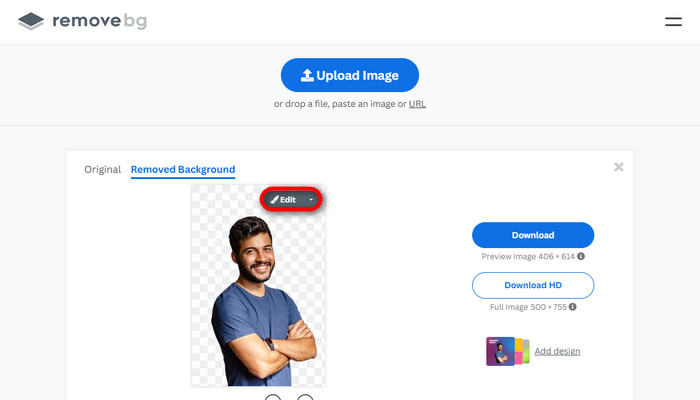
Kada se slika učita, pozadina bi već trebala biti automatski uklonjena, ali fotografiju i dalje možete uređivati. Izvornu fotografiju možete vidjeti klikom na gumb Original pokraj gumba Removed Background. Korisnici ovim programom mogu bez poteškoća postaviti crnu pozadinu na svoju sliku.
Korak 3. Preuzmi uređenu sliku
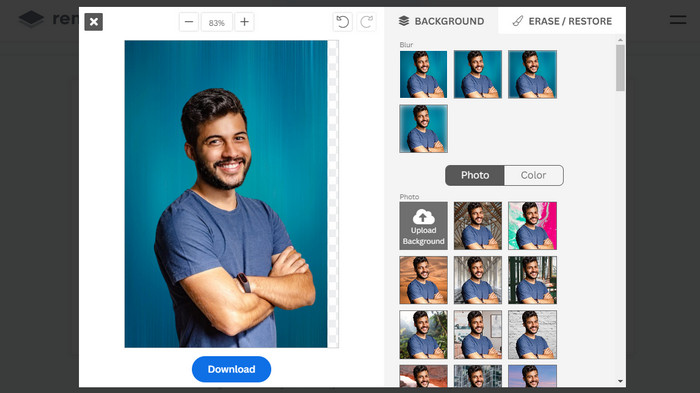
U ovom dijelu završili ste s uređivanjem i sada možete preuzeti svoju sliku. Samo kliknite gumb Download ispod fotografije.
Dio 3. Iskoristite GIFMagic u uklanjanju pozadine GIF-a
U GIFMagicu, specijalni efekti, dodavanje teksta, animacija i još mnogo toga! Sve je to moguće pomoću ovog online programa. S GIF-ovima je jednostavno raditi kada je u pitanju uređivanje u ovom softveru!
Korak 1. Učitaj sliku/GIF
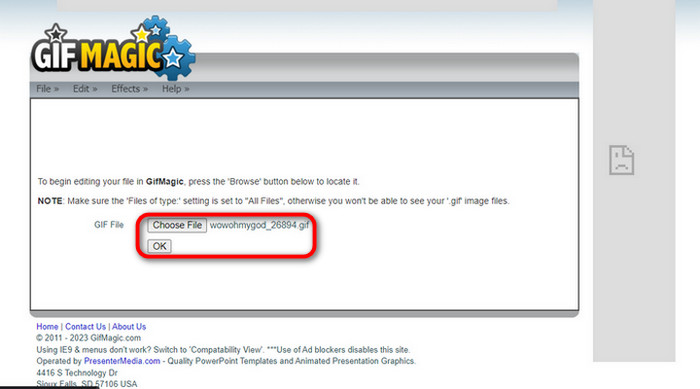
Nakon prijave, stranica vam omogućuje da u program učitate odabranu datoteku. Možete učitati .gif ili .img datoteke, što je korisno za različite korisnike. Da biste odabrali datoteku, kliknite Upload, a nakon što je odaberete, kliknite gumb OK.
Korak 2. Uredi sliku
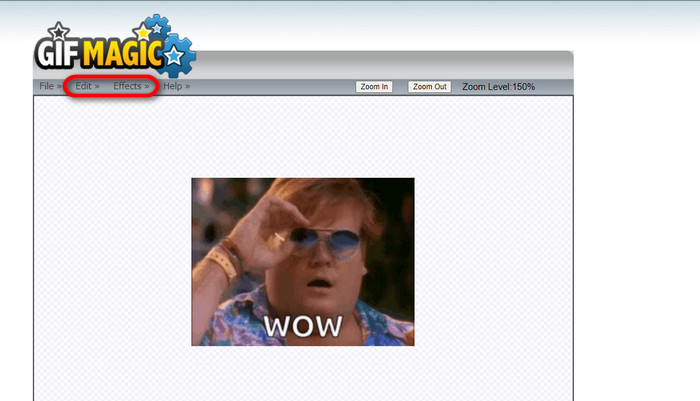
Kada otvorite stranicu, vidjet ćete gumbe Edit i Effects pokraj gumba File. Vaša se datoteka ovdje može uređivati, stoga pustite mašti na volju i uživajte u uređivanju.
Korak 3. Preuzmi uređeni GIF
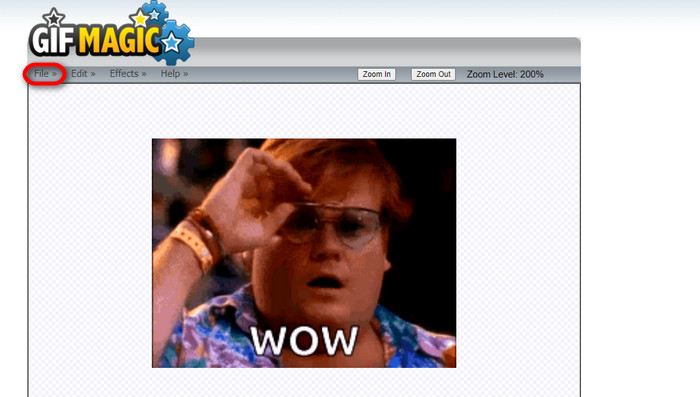
Nakon što ste GIF‑u postavili prozirnu pozadinu, samo kliknite gumb File i zatim Save. Eto! Gotovo i preuzeto.
Dio 4. Učinite GIF pozadinu prozirnom pomoću LunaPica
LunaPic je besplatni online alat koji može ukloniti pozadinske GIF-ove na mreži. Može procijeniti i uređivati PNG, GIF, JPG, JPEG i mnoge druge vrste slika. To je dobro utemeljen softver koji se koristi za uređivanje na mnogim platformama.
Korak 1. Učitaj sliku/GIF
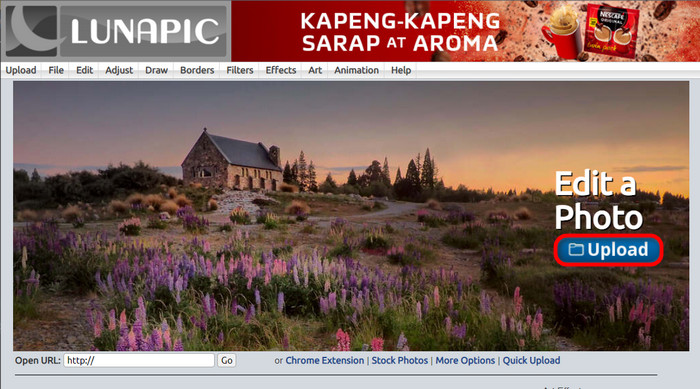
Nakon što otvorite stranicu u zadanom pregledniku ili bilo kojem pregledniku po izboru, učitajte svoju .img ili .gif datoteku na stranicu. Samo kliknite gumb Upload.
Korak 2. Uredi sliku/GIF
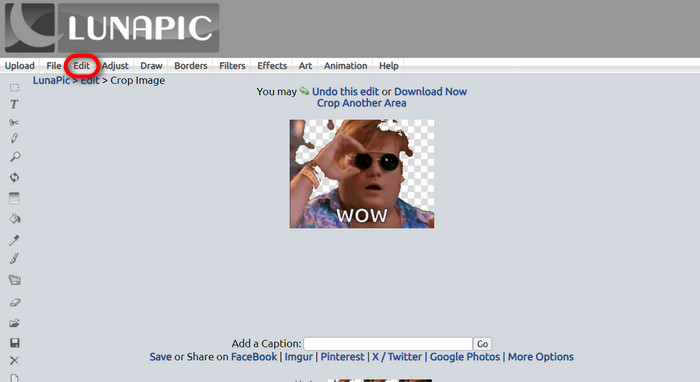
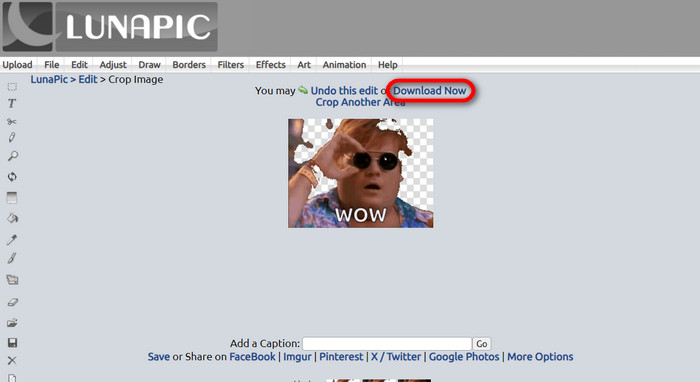
Zatim možete urediti svoju datoteku i učiniti pozadinu GIF‑a prozirnom klikom na Edit, a zatim na alat Crop Image. Počnite obrezivati pozadinsku sliku.
Korak 3. Preuzmi uređeni GIF
Nakon obrezivanja pozadine ili ako ste pokušali dodati bijelu pozadinu GIF‑u, sada možete kliknuti gumb Download now! da biste spremili uređenu datoteku!
Daljnje čitanje:
4 najbolja načina za uklanjanje vodenog žiga s GIF-a [online i offline]
Otkrivanje najboljih alata za uživanje na računalu, mreži i mobitelu

Video Converter Ultimate
345+ preuzimanja- Uživajte gledajući svoje videozapise bez onih dosadnih vodenih žigova koji blokiraju vaš sadržaj.
- Izradite kvalitetne videozapise visoke razlučivosti za bolje gledanje.
- Omogućuju vam uklanjanje vodenog žiga s bilo koje vrste videozapisa.
- Nudi vam bezbrojne formate u koje možete pretvoriti svoju datoteku.
Besplatno preuzimanjeZa Windows 7 ili novijiSigurno preuzimanje
Free DownloadZa macOS 10.7 ili novijiSigurno preuzimanje
Dio 5. Često postavljana pitanja o uklanjanju pozadine
Mogu li pretvoriti animirani PNG u GIF?
Da, moguće je pretvoriti PNG u GIF. Međutim, postoji nekoliko vrsta podataka koji se mogu pretvoriti u nekoliko formata sve dok imate pravi program.
Mogu li promijeniti boju svoje GIF pozadine nakon što je uklonim?
Naravno, postoji mnogo programa koji nude takvu vrstu obrade. Isprobajte FVC Background Remover za jednostavno uklanjanje pozadine.
Mogu li GIF pozadinu učiniti prozirnom u paintu?
Ne, boja nema tu sposobnost. Ali možete potražiti druge programe koji nude takav posao.
Što je animirani GIF s prozirnošću?
Animirani GIF s prozirnošću je slika koja prikazuje samo određeni dio slike nakon postavljanja na određeno web mjesto. Može imati više prikazanih slika ako se stavi na drugo web mjesto.
Omogućuje li GIF transparentnost?
Da, ali ne potpuno transparentno. Podržava samo 1-bitnu transparentnost.
Zaključak
Danas postoji velika važnost i potražnja za programima koji mogu uređivati GIF‑ove, poput gore navedenih. Izrezivanje, uređivanje, slaganje slojeva i brisanje sada su mogući u samo nekoliko klikova. Korisnici neprestano inoviraju i osmišljavaju stvari koje nitko prije nije radio, poput izrade GIF‑a s bijelom pozadinom. Upravo su takvi korisnici razlog zašto nastaju moćni programi poput ovih, kao što je FVC Background Remover.
-
 Odaberite najbolji GIF Cropper online i offline za izrezivanje GIF-ova [2023.]
 Odabir najboljeg alata za obrezivanje neophodan je dok je ova značajka dostupna na GIF makerima. Dakle, koji je vaš najbolji izbor za obrezivanje datoteka i kako ga koristiti?
-
 Naučite 4 načina kako stvoriti GIF-ove iz slika [online i offline]
 Želite li znati kako stvoriti GIF-ove iz kompilacije vaših slika? Zatim kliknite ovu vezu i pročitajte sljedeće primjere
-
 Petljajte GIF s najboljim animiranim GIF Looperom za Windows i Mac
 Želite li znati tajnu najboljeg petlje GIF-a i napraviti ga? Ako jeste, na pravom ste mjestu. Naučite kako stvoriti petlju s najboljim dostupnim petljom.
