


 Video Converter Ultimate
 Snimač zaslona
 Video popravak
Popravite uklanjanje šuma sa slike za manje od sekunde s najboljim rješenjima [na mreži i izvan mreže]
Šum na slici postao je velik problem za svakoga tko snima fotografije, pa će vam za njegovo uklanjanje trebati alat za uklanjanje šuma sa slike. Tu nesavršenost uzrokuje senzor ili unutarnji sklop fotoaparata; kao posljedica, fotografija ispadne zrnasta i kvaliteta nije najbolja. Kao dio postprodukcije trebat će vam denoiser koji može pomoći ukloniti ili barem ublažiti šum na slici. Krenite s čitanjem ovog članka i odmah prijeđite na pet alata za uklanjanje šuma sa fotografija koje smo pronašli na internetu, a koji vam mogu odmah pomoći riješiti problem bez dodatnog pogoršanja slike.

Dio 1. Što uzrokuje šum slike na vašoj fotografiji
Prije nego što saznamo što je šum slike, prvo morate znati da se na vašoj slici pojavljuju dvije vrste šuma. To su interni šum i smetnje. Ali što su ovo dvoje i koji su uzroci zašto se to događa na svakoj slici koju smo snimili? Kopajmo dublje dok objašnjavamo važne informacije u nastavku.
Unutarnja buka
Uobičajeno je da se uklanjanje šuma događa na svakoj slici koju snimimo, posebno u uvjetima slabog osvjetljenja gdje se ISO povećava. Kada su fotografije prenaponske, možete vidjeti reflektirani rezultat svake fluktuacije vala. Električna energija, toplina i senzor Razine osvjetljenja tri su stvari koje uzrokuju unutarnji šum na slikama.
Buka smetnji
Šumovi poput ovog mogu se vidjeti kao uzorci koji se prekrivaju na vašoj slici. Za razliku od unutarnjeg šuma, interferencijski šum se povremeno događa, a obično se događa kada postoji robustan prijenos u području gdje dolazite do slike. Obrazac koji smo ranije spomenuli najvjerojatnije je valna duljina u prijenosu poznata kao elektronički šum.
Mogu li se izbjeći ovi zvukovi? Da, ali ne cijelo vrijeme. Što ako vaša slika ima šum i želite ga ukloniti? Što bi trebao učiniti? Sljedeće informacije koje ćemo dodati popis su najboljih denoisera slike koje možete koristiti za jednostavno uklanjanje šuma na vašoj slici. Softver možete preuzeti na njihovoj web stranici ili ga koristiti na webu.
Dio 2. Top 4 Denoiser slika koje možete preuzeti ili koristiti na webu [Plaćeno i besplatno]
FVC Free Image Upscaler
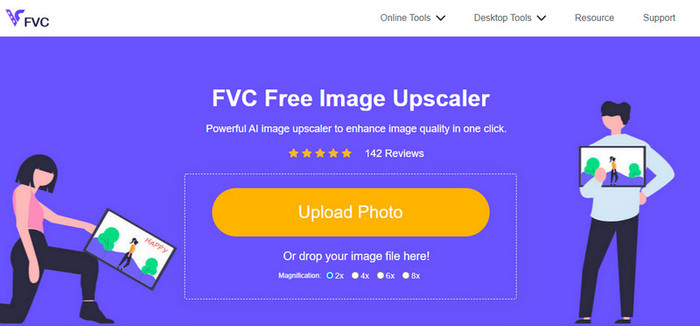
FVC Free Image Upscaler omiljeno je rješenje korisnika koje možete upotrijebiti za mrežno uklanjanje šuma sa slike. Iako je riječ o internetskom alatu, ne morate brinuti o njegovim mogućnostima jer je to jedan od najboljih AI-uređivača koje možete koristiti besplatno. Može riješiti gotovo svaku manu na fotografiji – bilo da je riječ o šumu, zamućenju, kontrastu, svjetlini, nedostajućim pikselima itd. Zbog intuitivnog sučelja, svaki korisnik koji ga prvi put isproba ima dojam kao da već dugo radi s tim alatom. Što se performansi tiče, malo koji drugi alat može nadmašiti njegovu AI tehnologiju i kvalitetu uređivanja koju pruža.
Pomoću ovog web alata možete postići najbolji rezultat upravo sada.
Pros
- To je potpuni uređivač slika koji pokreće AI koji će vam ikada trebati.
- Podržava uređivanje mnogih formata fotografija kao što su JPEG, PNG, BMP, SVG itd.
- Ne biste morali raditi ugađanje jer algoritam može otkriti nedostatke i odmah ih ispraviti.
- Dobit ćete zadovoljavajući rezultat nakon što ovim alatom uklonite šum na svakoj fotografiji.
- Ima okno prije i poslije za usporedbu kvalitete slike koju učitate.
Protiv
- Ne podržava ručno podešavanje postavki slike.
- Za korištenje će vam trebati internet.
AI Denoiser slike
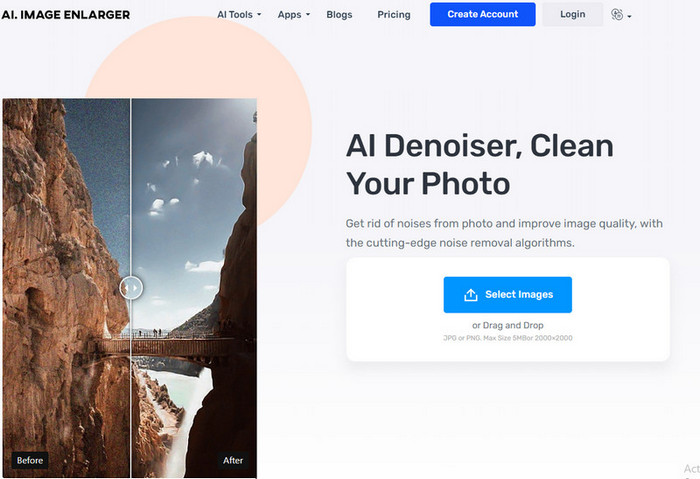
AI Image Denoiser još je jedno rješenje za uklanjanje šuma sa slika temeljeno na umjetnoj inteligenciji, koje možete koristiti na webu. Ovaj alat nudi jednostavan i gladak proces uklanjanja nesavršenosti s vaših fotografija nakon što ih ovdje učitate. Kao i prethodno spomenuti program, ne trebate ručno podešavati dodatne postavke jer koristi funkciju automatske obrade. Premda je alat jednostavan za uporabu i pokretan AI tehnologijom, i dalje nema druge naprednije funkcije koje bi vam dodatno pomogle pri ispravljanju šuma na fotografijama. Ako se odlučite koristiti ovaj alat, slobodno posjetite službenu web-stranicu i počnite rješavati svoj problem učitavanjem slike ovdje.
Pros
- Podržava sučelje koje je lako razumljivo.
- Novi korisnici ne bi imali problema s uklanjanjem šuma s fotografije koju imaju.
- Rezultat koji pruža je neočekivano dobar.
Protiv
- Nema dodatnih značajki i funkcija.
- Postoji ograničenje dimenzija i veličine slike.
- Oglasi na web stranici.
TopazLabs Denoise AI
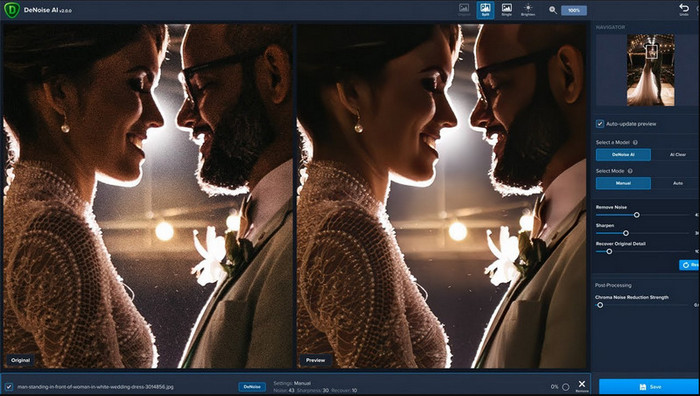
TopazLabs Denoise AI je snažan program za uklanjanje šuma sa slika koji možete preuzeti na svoje računalo. Kao i drugi mrežni alati, i ovaj je pokretan umjetnom inteligencijom. Može precizno odrediti što nije u redu s vašom fotografijom i poboljšati je tako da dobije najbolju moguću kvalitetu i fine detalje. Mnogi su korisnici preuzeli ovaj program na svoje računalo zbog njegove učinkovitosti u stvaranju dojmljivih detalja; rezultati su izvrsni. Zbog naprednih funkcija uređivanja slike, potrebno je kupiti licencu od TopazLabs kako biste mogli u potpunosti iskoristiti mogućnosti ovog denoisera.
Pros
- Ovaj softver možete besplatno preuzeti na svoju radnu površinu.
- Podržava stručne značajke i funkcije za uređivanje za savršenu sliku.
- Ima AI koji podržava uklanjanje šumova na fotografijama koje ste prenijeli.
Protiv
- Ovaj alat može biti pomalo neugodan za novog.
- Cijena je veća.
SoftOrbits Easy Photo Denoise
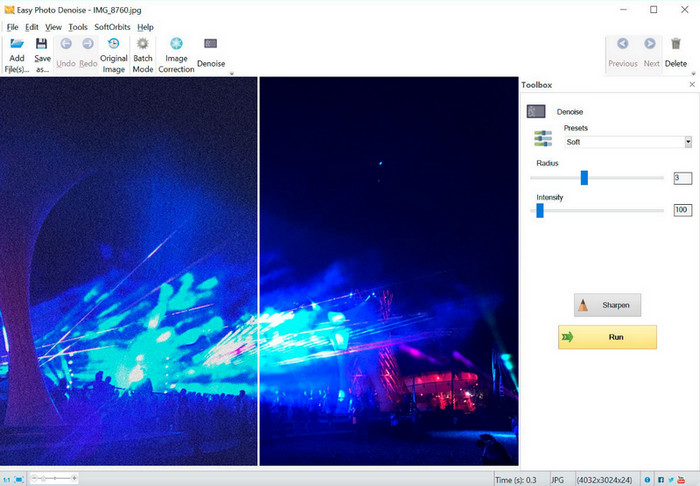
Kao što naziv govori, SoftOrbits Easy Photo Denoise jedan je od najjednostavnijih alata koje svaki početnik može koristiti za uklanjanje šuma s fotografija. Iako, za razliku od prethodna tri alata, ne koristi umjetnu inteligenciju, i dalje je vrlo lako upotrebljiv. Za razliku od nekih složenijih programa, dovoljno je samo malo podesiti nekoliko parametara da biste odmah vidjeli rezultat na svojoj slici. Ne trebate dubinsko znanje o uređivanju slika ako ovaj program preuzmete na svoje računalo. Činjenica da je jednostavan za uporabu ne znači da je besplatan. Cijena mu je ipak prilično niska u usporedbi s TopazLabsom. Ipak, njegove funkcije nisu toliko detaljne i napredne kao kod drugih profesionalnih uređivača koje možete preuzeti.
Pros
- Ima sažeto sučelje, tako da možete brzo svladati njegovu upotrebu u tren oka.
- Ovdje možete učitati više slika i urediti ih.
- Slobodno prilagodite parametar za brže uklanjanje buke.
Protiv
- Unaprijed postavljene postavke imaju greške.
- Nema značajke dubine.
Dio 3. Kako koristiti najbolji softver za smanjenje šuma slike na webu
Da bismo vam pokazali kako smanjiti šum na slici pomoću alata FVC Free Image Upscaler, možete jednostavno kopirati sljedeće korake koje smo naveli. Slijedite ih redom kako biste uklonili problem sa šumom na svojoj fotografiji.
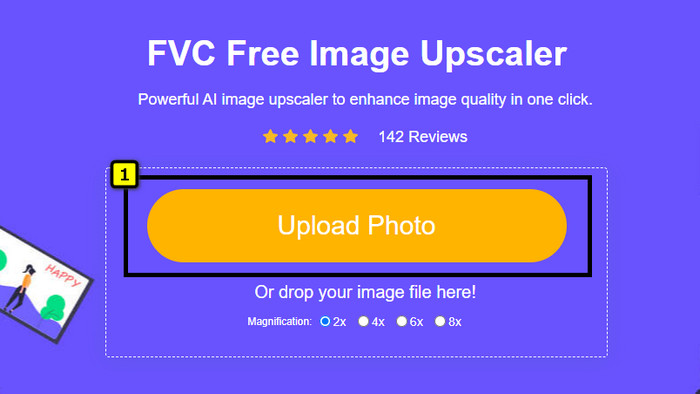
Korak 1. Otvorite ovaj mrežni alat klikom na ovu poveznicu i nova kartica će se automatski otvoriti u vašem pregledniku.
Korak 2. Pritisnite Upload Image kako biste dodali fotografiju koju želite povećati i ukloniti joj šum.
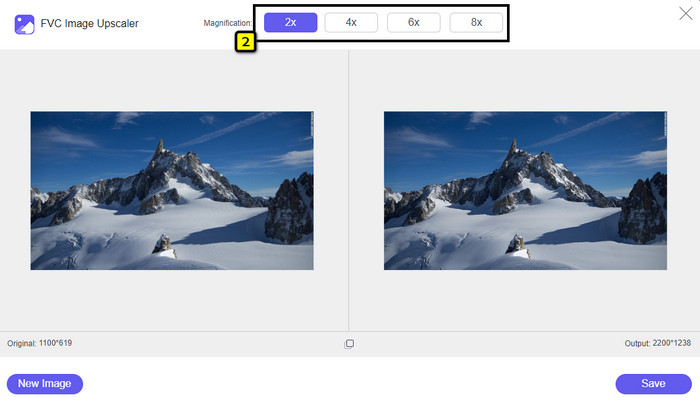
Korak 3. AI će automatski povećati fotografiju; možete odabrati druge opcije u gornjem dijelu, kao što su 2x, 4x, 6x ili 8x.
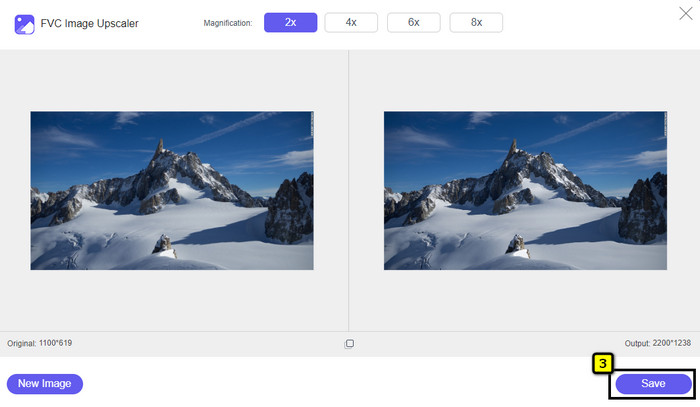
Korak 4. Kada je sve gotovo, kliknite gumb Save kako biste preuzeli fotografiju bez šuma.
Dio 4. Često postavljana pitanja o denoiserima slike
Što uzrokuje šum na mojoj fotografiji?
Ako je vaš fotoaparat postavljen ili ima visok ISO, mali senzor fotoaparata, brzinu zatvarača i više, to može uzrokovati šum na vašoj slici. Može li se izbjeći? Da, jest ako koristite standardnu opciju ili opremu.
Trebam li denoiser slike za uklanjanje šuma na slici?
Da, trebat će vam pouzdan denoiser slike kako biste poništili šum slike. Možete se osloniti na online web alat koji prvi predstavljamo i slijedite korak koji smo dodali u 3. dijelu.
Kako mogu jednostavno izoštriti slike?
Ako želite saznati kako izoštriti fotografije na mreži i izvan mreže, kliknite ovu poveznicu i pročitajte opis programa koje smo ondje naveli, a koji vam mogu pomoći da jednostavno izoštrite bilo koju fotografiju.
Zaključak
Na kraju se nadamo da je vaša potreba za uklanjanjem šuma sa slika riješena nakon što ste pažljivo pročitali ovaj članak, u kojem smo iznijeli činjenice i ponudili vam ono najbolje među dostupnim rješenjima. Za korisnike koji ne vole instalirati programe na svoje računalo, počnite koristiti FVC Free Image Upscaler kako biste odradili zadatak i odmah ga priveli kraju.
-
 Kako promijeniti veličinu slike – Adobe Resize Image [online i offline]
 Ako tražite Adobe promjenu veličine slike, onda imamo rješenje za vas. Detaljno pogledajte ovaj post kako biste naučili kako promijeniti veličinu slika pomoću programa Adobe na računalu.
-
 Kako promijeniti veličinu fotografije za Facebook [Brzi i jednostavni koraci]
 Ako imate problema s učitavanjem velike slike na Facebook, imamo rješenje za vas. Dovršite ovaj članak da biste saznali kako promijeniti veličinu fotografija za Facebook.
-
 Najbolje online i offline aplikacije za promjenu veličine fotografija za računalo
 Tražite najbolje aplikacije za promjenu veličine fotografija za svoje stolno računalo? Naveli smo najuspješnije online i offline aplikacije za promjenu veličine fotografija koje biste trebali isprobati.
