


 Video Converter Ultimate
 Snimač zaslona
 Video popravak
Kako pretvoriti MP4 u OGG Free & Online
MP4 je digitalni multimedijski spremnik koji pohranjuje video, audio i titlove. OGG je besplatan i otvoren format spremnika za učinkovito strujanje i kompresiju datoteka. Ponekad trebate pretvoriti MP4 u OGG format za reprodukciju na nekim audio uređajima. Ovaj će post podijeliti 3 besplatna pretvarača MP4 u OGG za pretvorbu MP4 u OGG bez muke.

Dio 1. Profesionalni način da besplatno pretvorite MP4 u OGG
Ako želite pronaći najbolji pretvarač MP4 u OGG, možete isprobati FVC Free FLV to MP4 Converter. To je besplatan i jednostavan program za pretvaranje videozapisa za Windows i Mac. Možete bez teškoća pretvarati razne videozapise poput MP4, FLV, MOV, MKV, MTS, M2TS itd. u OGG. Osim toga, nudi mogućnosti uređivanja za dodavanje tema te podešavanje autora, vremena i pružatelja na početku/na kraju videozapisa.

- Pretvorite video zapise u MP4, MKV, AVI, MOV, MP3, AAC, AIFF, itd. U OGG.
- Izvezite OGG videozapise i audio datoteku bez gubitaka iz MP4 datoteke jednim klikom.
- Omogućite korisnicima uređivanje davatelja, naslova, autora, vremena i dodavanje teme.
- Skupno pretvorite MP4 u OGG za reprodukciju na nekim prijenosnim audio uređajima.
Besplatno preuzimanjeZa Windows 7 ili novijiSigurno preuzimanje
Besplatno preuzimanjeZa MacOS 10.7 ili novijiSigurno preuzimanje
Korak 1. Nakon preuzimanja instalirajte i pokrenite FVC Free FLV to MP4 Converter na svom Windowsu ili Macu. Kliknite gumb Add Files za učitavanje MP4 datoteka s računala. Ako želite istovremeno pretvoriti više MP4 datoteka, jednostavno ih sve učitajte.
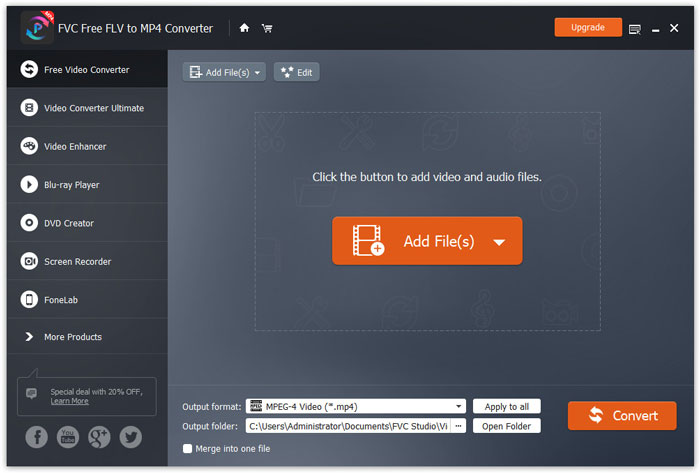
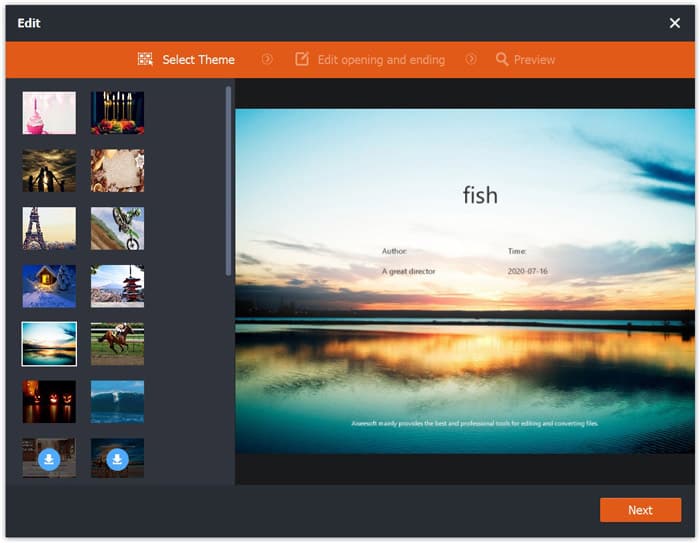
Korak 2. Kliknite na svoju MP4 datoteku i zatim na gumb Edit. Možete dodati temu svom MP4 videozapisu te urediti početni i završni sadržaj. Zatim kliknite Next da biste pregledali i spremili promjene.
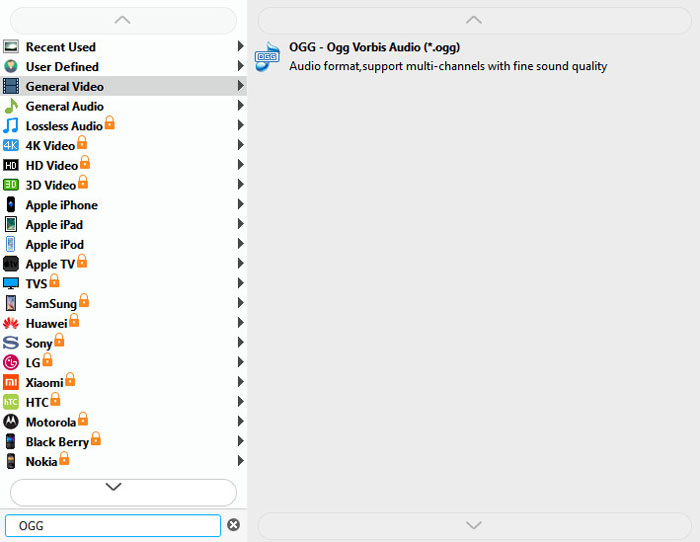
Korak 3. Kliknite padajući gumb Output format na dnu i na popisu potražite format OGG. Možete odabrati OGG - Ogg Vorbis Audio (*.ogg) kao izlazni format.
Korak 4. Odaberite izlaznu mapu na računalu i kliknite gumb Convert kako biste započeli pretvaranje MP4 u OGG.
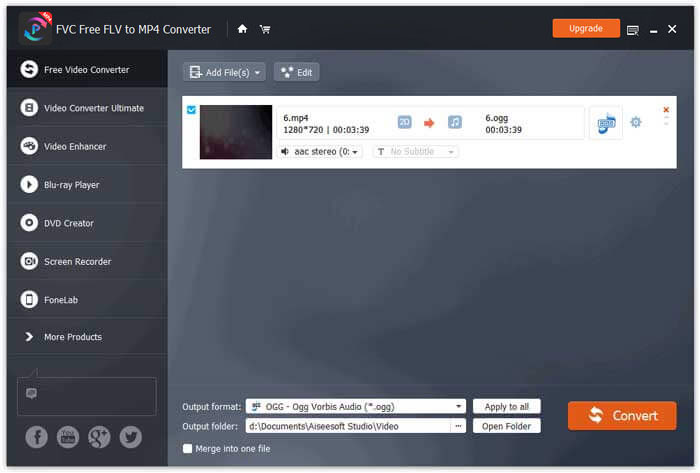
Uz FVC Free FLV to MP4 Converter možete također spojiti više MP4 datoteka u jednu.
Dio 2. Kako promijeniti MP4 u OGG Online
U usporedbi s pretvaračem za radnu površinu, korištenje mrežnog pretvarača metoda je uštede vremena za pretvaranje MP4 u OGG. Postoji mnogo internetskih pretvarača MP4 u OGG koje možete odabrati. U ovom ćemo dijelu podijeliti 2 MP4 u OGG pretvarače kako bismo vaše mrežne datoteke MP4 besplatno transformirali u OGG.
1. Zamzar
Zamzar je višenamjenska internetska platforma za video pretvarač, audio pretvarač, pretvarač slika i pretvarač e-knjiga. Pomoću Zamzara možete jednostavno pretvoriti MP4 u razne druge formate poput OGG. Evo jednostavnih koraka za pretvaranje MP4 u OGG pomoću Zamzara na mreži.
Korak 1. Idite na www.zamzar.com/convert/mp4-to-ogg/ i kliknite gumb Add Files za prijenos svojih MP4 datoteka.
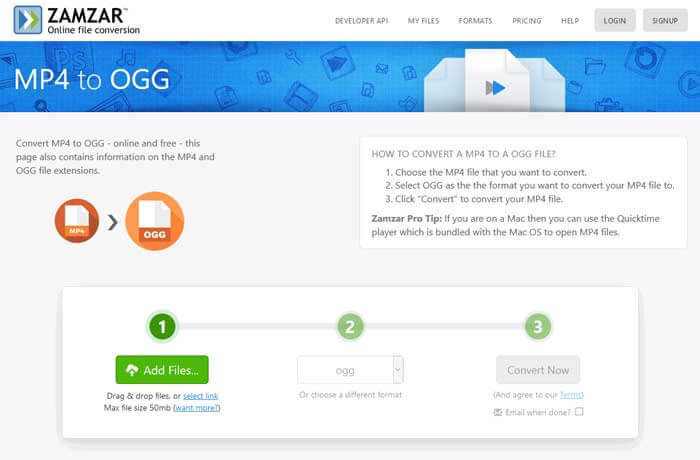
Korak 2. Zadani izlazni format već je postavljen na ogg. Kliknite gumb Convert Now kako biste započeli pretvaranje MP4 u OGG.
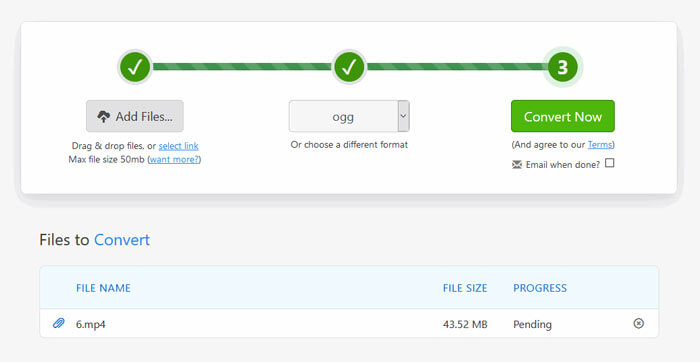
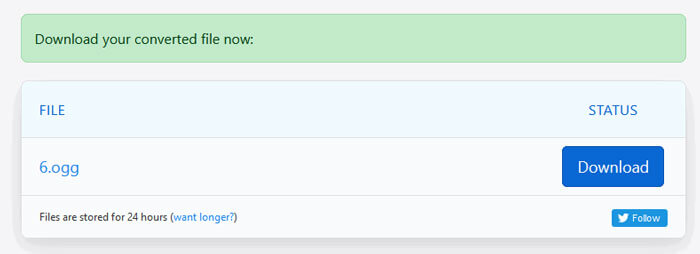
Korak 3. Zatim ćete biti preusmjereni na drugu stranicu. Možete kliknuti gumb Download kako biste spremili pretvorenu OGG datoteku na svoje računalo.
Kada pretvarate MP4 datoteku velike veličine, pretvorba se pri korištenju Zamzara može zaglaviti. Morate osvježiti stranicu i ponoviti pretvorbu. Ako želite glatko pretvaranje, FVC Free FLV to MP4 Converter može vam puno pomoći. (Ovdje pogledajte još MP4 reproduktora)
2. Pretvorba
Convertio je jednostavan alat za pretvaranje dokumenata, slika, proračunskih tablica, e-knjiga, audio i video datoteka. Koristeći Convertio, MP4 datoteke mogu se pretvoriti u MP3 s izvrsnom točnošću. Slijedite korake u nastavku za izvoz OGG-a iz MP4-a s programom Convertio.
Korak 1. Idite na Convertio MP4 to OGG Converter (convertio.co/mp4-ogg/). Kliknite gumb Choose Files za prijenos svojih MP4 datoteka. MP4 datoteke možete dodati i s Dropboxa, Google Drivea ili kopiranjem URL‑a.
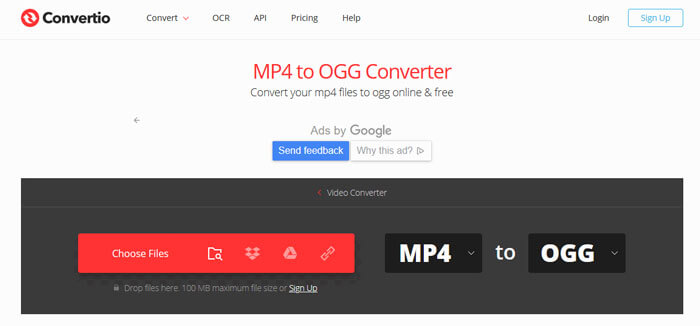
Korak 2. Odaberite OGG iz padajućeg izbornika, a zatim kliknite ikonu zupčanika kako biste postavili kodek, kvalitetu, audio kanale, frekvenciju i glasnoću. Možete izrezati MP4 datoteku na željeni dio.
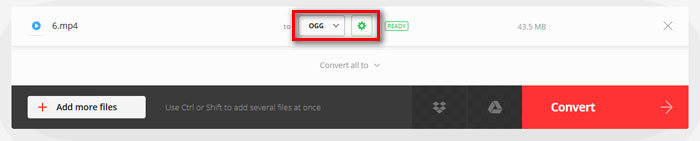
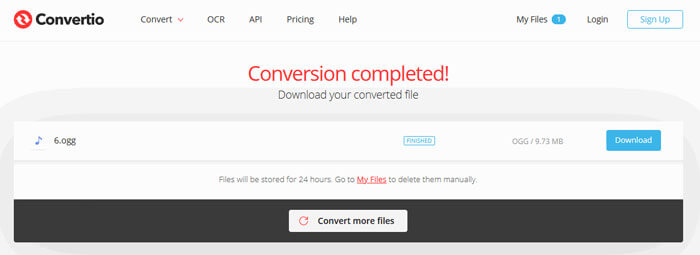
Korak 3. Kada je sve postavljeno, kliknite gumb Convert za pretvaranje MP4 u OGG. Nakon pretvorbe kliknite gumb Download kako biste spremili pretvorenu OGG datoteku na svoje računalo.
Dio 3. Česta pitanja o pretvaranju MP4 u OGG
1. Što je OGG video format?
OGG je besplatan i otvoren format spremnika koji može sadržavati glazbu, videozapise, tekst poput titlova i metapodatke.
2. Koji igrač može reproducirati OGG datoteku?
Postoji mnogo prijenosnih uređaja koji mogu reproducirati OGG datoteke poput VLC-a, Windows Media Player-a, Adobe Audition-a, Audials-a, MPlayer-a i još mnogo toga.
3. Kako pretvoriti MP4 u MP3?
Uz pomoć FVC Free Online Video Convertera možete lako pretvoriti MP4 u MP3 na internetu. Posjetite ovu mrežnu stranicu i kliknite gumb Add Files to Convert kako biste instalirali pokretač. Zatim odaberite MP4 datoteke s računala i označite MP3 kao izlazni format. Kliknite gumb Convert za pretvaranje MP4 u MP3.
Zaključak
Uglavnom smo uveli 3 MP4 u OGG pretvorbe za pretvorbu MP4 u OGG datoteke na mreži i izvan nje. Pomoću desktop FVC Free FLV to MP4 Convertera možete lako izvesti OGG datoteku otvorenog koda iz MP4. Ako imate bolja rješenja, nemojte se ustručavati ostaviti komentar.
-
 WebM u MP4 | Besplatno Pretvori WebM u MP4
 Kako gledati WebM datoteke bez web preglednika? Morate pretvoriti WebM u MP4. Evo top 10 besplatnih WebM u MP4 pretvarača za promjenu WebM u MP4 na mreži i na Mac i Windows računalu.
-
 MP4 u FLV | Top 3 besplatni pretvarač
 Ovaj je post detaljan vodič za pretvorbu MP4 u FLV. Možete uzeti top 3 besplatna pretvarača kako biste s lakoćom promijenili MP4 u FLV na mreži, na Windows ili Mac računalu.
-
 6 najboljih načina kombiniranja MP4 datoteka na sustavu Windows / Mac / Online
 Želite li spojiti sirove MP4 datoteke za svoj projekt? Ovaj post okuplja 6 najboljih načina koji će vam pomoći s lakoćom kombinirati MP4 videozapise na sustavima Windows, Mac i na mreži.
