


 Video Converter Ultimate
 Snimač zaslona
 Video popravak
3 metode reprodukcije MKV video zapisa u programu Windows Media Player s pravim kodekom
MKV, kratica za Matroska Multimedia Container, besplatan je i otvoren format datoteke spremnika koji u jednoj datoteci sadrži više zapisa video zapisa, zvuka, slika i titlova. MKV datoteke obično se koriste za pohranu video isječaka, filmova i TV emisija. Neki se korisnici sustava Windows 8/7 žale da ne mogu reproducirati MKV videozapis u zadanom video uređaju - Windows Media Player.
Istina je da Windows Media Player ne podržava razdvajanje (otvaranje) MKV spremnika. Pa, ako i dalje želite reproducirati MKV videozapise u sustavu Windows Media Player, trebali biste instalirati ispravan MKV kodek za Windows Media Player. U ovom ćemo vam članku reći gdje možete pronaći MKV kodek za Windows Media Player i druge načine reprodukcije MKV videozapisa u programu Windows Media Player.

Dio 1. Gdje preuzeti MKV kodek za Windows Media Player
Ako želite reproducirati MKV videozapise u Windows Media Playeru, morate instalirati odgovarajući kodek. Ovdje su 3 popularna paketa kodeka za Windows Media Player. Možete preuzeti i instalirati MKV kodek za Windows Media Player.
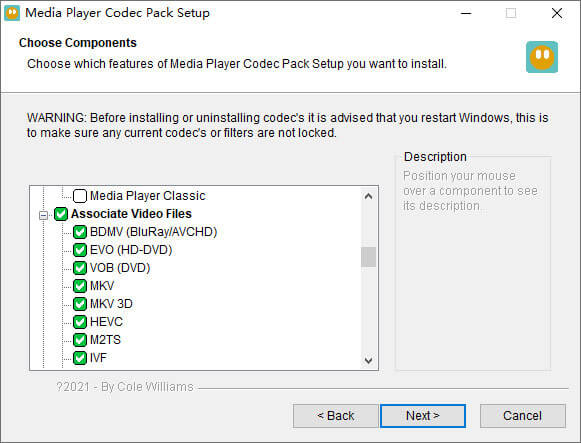
1. Media Player Codec Pack
Media Player Codec Pack je svestrani paket kodeka za Windows Media Player. Koristi se za sadržavanje modernih video i audio datoteka. Kompatibilan je s Microsoft Windows 10, 8.1, 8, 7, Vista, XP, 2000, 2008, 2003. Možete preuzeti Media Player Codec Pack i dobiti kodeke poput MKV, XviD, VOB, EVO, HEVC, M2TS, IVF, BDMV, MP4, MOV, WEBM, FLV itd. Za Windows Media Player 12, 11 ili 10.
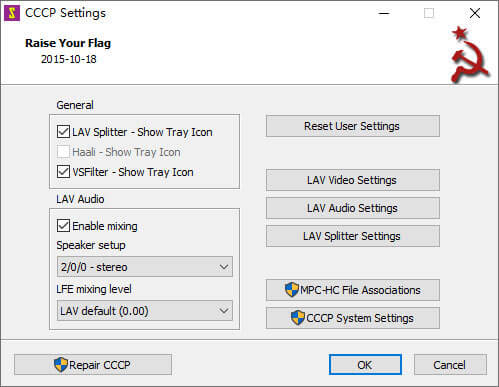
2. CCCP (Combined Community Codec Pack)
Kombinirani paket kodeka zajednice paket je reprodukcije za Windows. Pruža sveobuhvatan set kodeka koji mogu reproducirati bilo koju vrstu video datoteka poput MKV, MP4, MOV, VOB itd. U programu Windows Media Player. Kompatibilan je sa sustavima Windows 10/8/7, WindowsVista, Windows XP, Windows 2000. Ovu aplikaciju možete besplatno preuzeti sa službenog web mjesta.
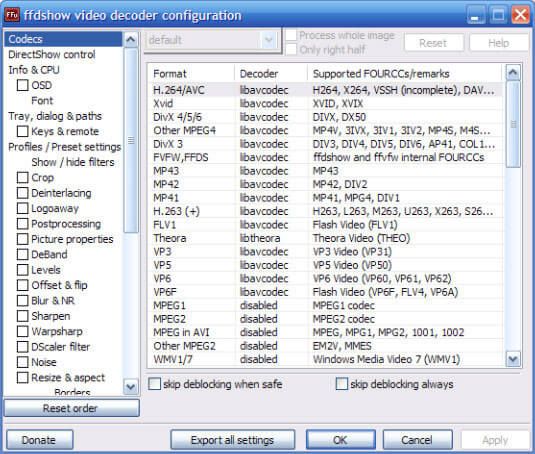
3. ffdshow
Ffdshow je napredni paket za reprodukciju za Windows kodek koji podržava većinu audio i video formata. Možete instalirati odgovarajući kodek za h.264, MPEG-4, H.263, VP3, Theora, SVQ3, MP3, AC3, DTS, AAC i druge. Također pruža filtre za promjenu veličine, deinterlace i prikaz titlova itd. Možete preuzeti ffdshow i instalirati odgovarajući MKV kodek za Windows Media Player.
Dio 2. Pretvorba MKV za reprodukciju u Windows Media Playeru
Iako Windows Media Player ne podržava MKV video, možete pretvoriti MKV video u formate koje Windows Media Player podržava. Kao što znamo, Windows Media Player 12 ima ugrađenu podršku za većinu video i audio formata poput MPEG, WMV, AVCHD, WMA, AAC, 3GP itd. Uz Video Converter Ultimate možete pretvoriti MKV video u bilo koji video/audio format, uključujući MP4, AVI, MOV, WMV, MKV, MPEG, MP3, FLAC itd.
Besplatno preuzimanjeZa Windows 7 ili novijiSigurno preuzimanje
Besplatno preuzimanjeZa MacOS 10.7 ili novijiSigurno preuzimanje
Korak 1. Kliknite gumb Download za preuzimanje programa Video Converter Ultimate na svoje računalo. Pokrenite ovaj MKV pretvarač i kliknite gumb Add Files za dodavanje MKV videozapisa u program.
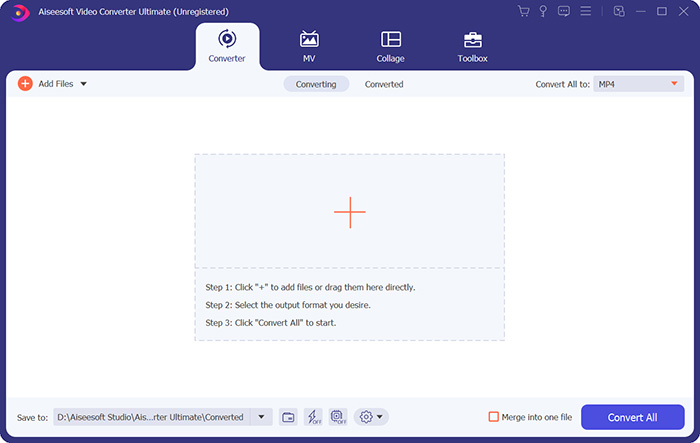
Korak 2. Kliknite padajuću strelicu pokraj Convert All to i odaberite MP4 ili druge formate na kartici Video.

Korak 3. Zatim na dnu u području Save to možete odabrati put za pretvoreni MKV video. Na kraju kliknite gumb Convert All kako biste započeli pretvaranje MKV u MP4 na svom računalu.

Kad se pretvorba dovrši, pretvoreni MKV video možete reproducirati u programu Windows Media Player. Ako želite dodatno polirati svoj MKV videozapis prije pretvorbe, možete kliknuti ikonu Uredi na glavnom sučelju da biste okretali, obrezivali, vodeni žig MKV videozapisa, dodavali titlove i primjenjivali druge filtre.
Dio 3. Reprodukujte MKV s Windows Media Player Alternative
Što ako Windows Media Player ne radi iako već imate konvertiranu MKV datoteku? Razni čimbenici mogu ometati MKV reprodukciju u Windows Media Playeru. Ako ne želite instalirati određeni kodek za Windows Media Player, možete isprobati neki drugi MKV video player. FVC Free Video Player je internetski MKV video player koji vam pomaže reproducirati bilo koje multimedijske datoteke u svim formatima poput MKV, MP4, FLV, MOV, AVI, 3GP, MP3, AAC itd. Na temelju HTML 5 tehnologije, ovaj MKV video player podržava glatku MKV reprodukciju u vašem pregledniku. Nema dodatnog preuzimanja paketa, kupnje ili registracije.
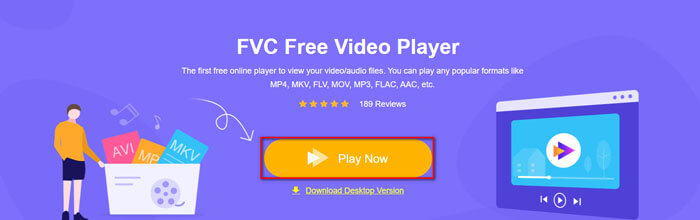
Korak 1. Idite na službenu web stranicu FVC Free Video Playera. Kliknite gumb Play Now za preuzimanje i instalaciju pokretača na svoje računalo.
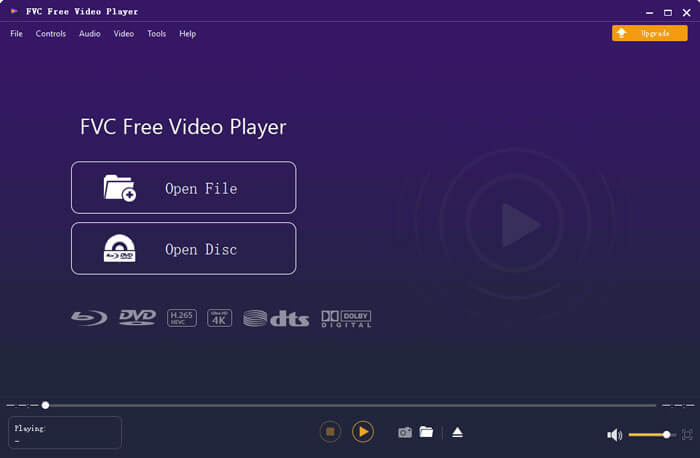
Korak 2. Možete kliknuti gumb Open File u glavnom sučelju kako biste dodali MKV video u alternativu za Windows Media Player.
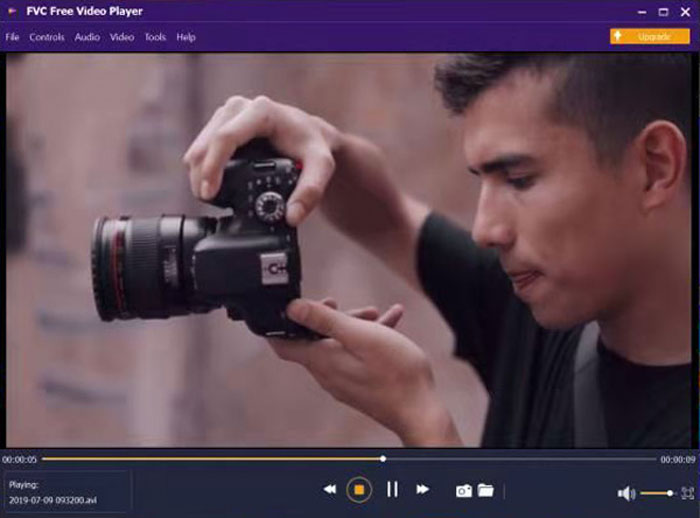
Korak 3. Nakon što uvezete MKV video, on će se automatski reproducirati na vašem računalu. Tijekom reprodukcije možete otići na karticu Control kako biste pokretali, zaustavljali, premotavali naprijed ili natrag MKV reprodukciju.
Ne propustite: Kako reproducirati DVD u Windows Media Playeru?
Dio 4. Česta pitanja o MKV kodeku za Windows Media Player
Koji media player može reproducirati MKV kodek?
Postoje mnogi uređaji koji podržavaju MKV kodek, uključujući VLC Media Player, Media Player Classic, KMPlayer, MX Player, MKPlayer, Zoom Player, 5K Player, GOM Player itd.
Jesu li MKV datoteke manje od MP4?
MKV datoteka obično ima veću veličinu od MP4, jer ima više zvučnih zapisa, zapisa titlova i drugih značajki. Iako se MP4 datoteka čuva u maloj veličini, zadržava visoku kvalitetu kao MKV. To je zato što dva formata spremnika MKV i MP4 mogu sadržavati isti video i audio.
Reproducira li VLC Media Player MKV datoteke?
Da. VLC Media Player može prepoznati i reproducirati gotovo sve video i audio formate, uključujući MKV. Ako se MKV datoteke ne reproduciraju u VLC Media Playeru, umjesto toga možete instalirati MKV kodek ili isprobati druge MKV uređaje poput FVC Free Video Player.
Zaključak
MKV datoteke mogu podržavati kvalitetu bez gubitaka i sadrže neograničene slike, videozapise i audio. Dosadno je što MKV ne može reproducirati u sustavu Windows Media Player 12, zadanom programu za reprodukciju medija za Windows. Možete pokušati instalirati MKV kodek za glatku reprodukciju ili pretvoriti MKV u druge video formate. Ako ste se umorili od programa Windows Media Player, možete isprobati drugi MKV video uređaj poput FVC Free Video Player. Nadam se da je vaš problem savršeno riješen.
-
 VLC Player neće igrati MKV, kako to popraviti
 Podržava li VLC player MKV datoteke? Zašto VLC neće igrati MKV? Ovaj post dijeli 4 korisna savjeta kako popraviti da VLC player neće reproducirati MKV datoteke.
-
 Kako reproducirati MKV datoteke na iPadu 2021
 Kako reproducirati MKV datoteke na iPadu 2? Mogu li pretvoriti MKV u MP4 za igranje na iPad Pro / Air / 2? Ovaj post dijeli 2 jednostavna načina za reprodukciju MKV-a na iPadu.
-
 Windows Media Player ne reproducira MP4? 5 učinkovitih načina da se to popravi
 Reprodukcija MP4-a u Windows Media Playeru nije uspjela? Saznajte više o razlozima i konačnim rješenjima za reprodukciju MP4-a u sustavu Windows Media Player na računalu sa sustavom Windows 10.
