


 Video Converter Ultimate
 Screen Recorder
 Videó javítás
Az 5 elérhető lassított videószerkesztő alapos ismerete
Szereted nézni a nagy sebességű, ütéscentrikus sportokat, mint az autóversenyzés, a boksz, a baseball, a röplabda és még sok más? Az említett sportok mindegyikéhez nagy sebességű kamerára van szükség a mozgáselemzéshez. Ha minden egyes sportoló mozdulatát elemezni szeretnéd, akkor olvasd el, melyik a számodra legjobb lassított felvétel készítő videóprogram. Az alábbi eszközök használatával nem lesz szükséged semmilyen extra felszerelésre a számítógépeden, az interneten vagy a telefonodon kívül. Ahogy haladsz tovább, olvasd el figyelmesen az ismertetőket, és válaszd ki azt, amelyik számodra a legmegfelelőbb.

1. rész. 3 legjobb lassított videó készítő Windows PC-hez, Mac-hez és online
1. Video Converter Ultimate
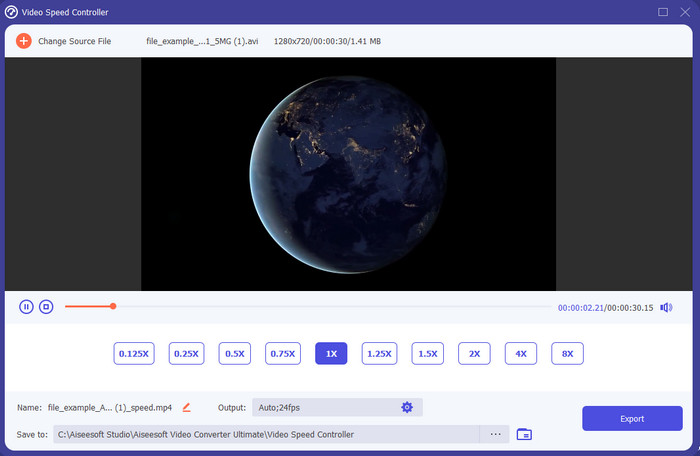
Szeretnéd tudni, hogy a rendelkezésre álló lassított felvétel szerkesztők közül melyik a legjobb, amellyel a videódat lassított lejátszássá alakíthatod? Akkor próbáld ki a Video Converter Ultimate programot, mert ez az eszköz nemcsak jó, hanem kimagasló. Rengeteg olyan fejlett funkcióval rendelkezik, amelyeket akkor is szívesen fogsz használni, ha nem vagy profi szerkesztő. Még ha profi is vagy, ez a szoftver a legjobb választás, függetlenül attól, milyen szinten állnak a vágási és szerkesztési készségeid. Ráadásul nagyon gyorsan adhatsz lassított hatást a videódhoz anélkül, hogy kézikönyvet kellene olvasnod, vagy oktatóvideókat nézned róla. A program sokkal egyszerűbb útmutatót ad, mint a lenti eszközök. Bár a teljes hozzáférés fizetős, az ára mégsem túl magas. Ha szeretnél többet megtudni erről az eszközről, olvasd el az alábbi fő funkciókat.
A Video Converter Ultimate főbb jellemzői:
◆ Fejlett lassított felvétel készítő alkalmazás egyszerű, alapvető útmutatóval.
◆ Felhasználóbarát eszközfelület.
◆ Egyszerűen állítsa be a videó sebességét a Video Speed Controller segítségével.
◆ Több mint 200 videó- és hangformátumot támogat.
◆ Letölthető és elérhető PC és Mac operációs rendszeren.
Ingyenes letöltés Windows 7 vagy újabb rendszerre Biztonságos letöltés
Ingyenes letöltés macOS 10.7 vagy újabb rendszerre Biztonságos letöltés
2. Boris kontinuum időegység
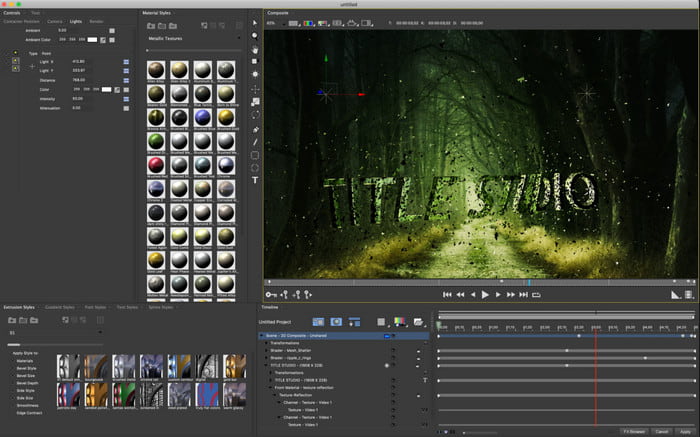
A Boris Continuum Time Unit a legjobb választás, ha nagy terhelésre tervezett, professzionális lassított felvétel készítő alkalmazást keresel. Nincs még egy ilyen eszköz, amely ehhez hasonlóan képes lenne igazán profi végeredményt biztosítani. Emellett ez a program kínálja az egyik legaprólékosabb, legfinomabb szerkesztési eszközkészletet, amit érdemes kipróbálnod. Bár sok szempontból felülmúlja a többi eszközt, az ára szó szerint rendkívül magas. Továbbá, ha használni szeretnéd, erős hardverrel rendelkező, modern asztali számítógépre lesz szükséged, mert régebbi gépeken nem fogod tudni futtatni.
Előnyök
- A legjobb eszköz nehéz szerkesztéshez.
- Minden platformmal kompatibilis.
- Az eszköz felülete inkább egy profi eszközhöz hasonlít.
Hátrányok
- Ez a szoftver a legdrágább ebben az írásban.
- Kiváló minőségű rendszeregységre volt szükség.
- Nem a legjobb választás kezdőknek, akiknek nincs szerkesztői előképzettsége.
3. VEED.IO
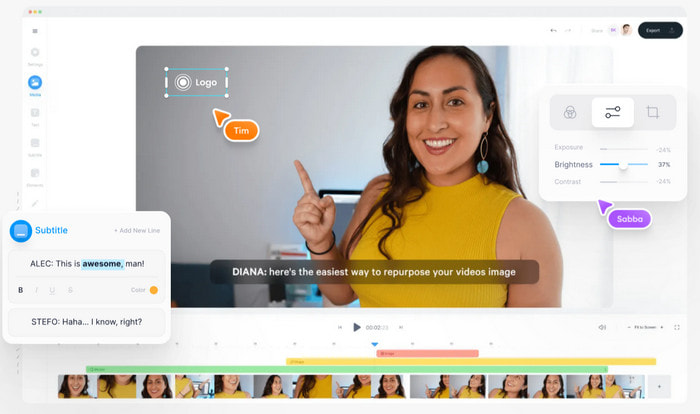
Ha nem akarsz pénzt költeni, de rendelkezel internetkapcsolattal, akkor próbáld meg elérni a VEED.IO oldalt. Ez az egyik legjobb online lassított videókészítő szoftver, mert egyszerű és könnyen hozzáférhető. A felület nagyon letisztult, az utasítások egyértelműek, így bárki kényelmesen használhatja. Hátránya viszont, hogy legfeljebb 50 MB méretű fájlokat tölthetsz fel; ha ennél nagyobb videót szeretnél szerkeszteni, akkor frissítést kér majd a rendszer. Emellett, ha nem vásárolod meg az előfizetést, számíts rá, hogy a végső videón vízjel lesz.
Előnyök
- Bárki könnyen elérheti internetkapcsolattal.
- Nincsenek bosszantó hirdetések a webhelyen.
- Könnyen kezelhető az újoncok a szerkesztés során.
Hátrányok
- Az eszköz funkciói nagyon korlátozottak az eszköz ingyenes verziójában.
- Internet függő. Tehát, ha az internet lassú, akkor lassú ütemű feltöltés, letöltés és szerkesztés várható. Ezenkívül nem érheti el ezt az eszközt, ha nincs internetkapcsolata.
A legjobb lassított videóalkalmazás 2. része Androidon és iOS-en
1 SloPro
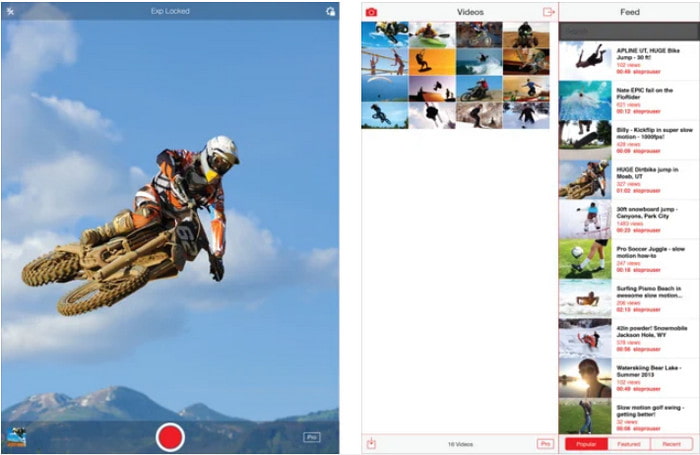
A SloPro az egyik legjobb lassított videós alkalmazás, amelyet ingyen letölthetsz iOS-re. Az app akár 500–1000 fps sebességig képes lassított lejátszásra. Emellett a videót tetszés szerint gyorsíthatod vagy lassíthatod, illetve válthatsz a gyorsított és a lassított lejátszás között. Bár az alkalmazás jó választás lehet, mégis számos hátránya van. Például a kész videókat az alkalmazás saját galériájába menti, nem pedig a telefonod filmtekercsébe. Továbbá, ha a 1000 fps opciót használod, a felvétel a felhasználói tapasztalatok szerint gyakran hibásan, akadozva jelenik meg. Mindezek ellenére az eszköz továbbra is remek, hiszen ingyenes, és a lassítás funkciót nagyon egyszerűen tudod benne használni.
Előnyök
- A legjobb lassított lejátszás, amelyet ingyenesen használhat iOS rendszeren.
- Már korrekt értékelést és 3,3 csillagot kapott.
- Egyszerű és könnyen használható.
Hátrányok
- A végső kimenet nem kerül közvetlenül a galériába.
- A SloPro galériába mentett összes videó véletlenszerű, és nincs megfelelően kategorizálva.
- Ha 1000 fps-t használsz, akkor hibás videokimenetre számíthatsz.
2. Slow Motion Video Maker
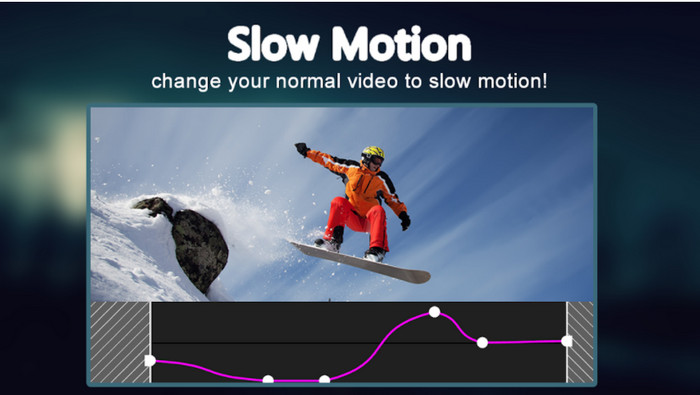
Az egyik legjobb lassított felvétel készítő, amelyet ingyen letölthetsz Androidra, a Slow Motion Video Maker. A segítségével könnyedén készíthetsz gyorsított és lassított lejátszást a videóidból. Hátránya viszont, hogy rengeteg idegesítő reklám ugrik fel használat közben. Emellett a lassítás mértéke csak 0,5-szörös sebességig állítható. Összességében azonban Androidon kifejezetten jól használható videók lassítására, de a hirdetések erősen rontják a felhasználói élményt.
Előnyök
- Az alkalmazás ingyenesen letölthető a Play Áruházból.
- Kiválóan használható a videó zökkenőmentes lelassítására.
- Az alkalmazás könnyen kezelhető.
Hátrányok
- Sok bosszantó hirdetés jelenik meg a semmiből.
- A videó letöltése sok időt vehet igénybe, mert nincs gyorsító feldolgozása.
3. rész. GYIK a Slow Motion Video Makerről
Mi az FPS szerepe?
A kijelzőpanelen megjelenő, egymást követő képkockák sorozatának kiszámítására szolgál. Ez leggyakrabban minden mozgásrögzítésnél látható, például videojátékoknál, kameráknál, filmeknél, és még a szemünk is képes 30-60 képkocka/mp sebességgel látni.
Mi a legjobb FPS sebesség lassított felvételnél?
A lassított lejátszáshoz használható ideális FPS 120 és 240 fps között van. Tehát, ha részletesebb lassított lejátszást szeretne, akkor növelje az FPS-t.
Hogyan lehet videót lejátszani gyorsított lejátszásban?
Ha szeretnél ötletet kapni ahhoz, hogyan lehet egy videót felgyorsítva lejátszani, kattints erre a linkre. Itt megtudhatod, melyek az 5 legjobb eszköz a videók felgyorsításához.
Következtetés
Összegzésként: az itt bemutatott összes eszköz a legjobb lassított felvétel készítő, amelyekre az interneten rákereshetsz. Ez a cikk segít abban is, hogy a korábbinál sokkal egyszerűbben és gyorsabban megtaláld, amit keresel. Ugyanakkor van egy kiemelt program, amelyet különösen érdemes lehet használnod, hogy még jobbá tedd a videóidat: a Video Converter Ultimate. Az összes fejlett funkció, amelyet ez az eszköz kínál, kivételes, mégis könnyen használható. Ha még mindig kételkedsz, töltsd le a programot, és próbáld ki saját magad.
-
 A legjobb Android alkalmazás MOV fájlok lejátszására mobiltelefonján
 Nehéz dolga van, mert a MOV-felvételét nem lehetett lejátszani az Androidon? Tehát ebben az esetben azt keresi, hogy melyik a legjobb MOV-lejátszó androidra.
-
 5 nagy teljesítményű AVI lejátszó AVI fájlok nézéséhez és lejátszásához [Web és asztal]
 Ismerje meg, milyen AVI-lejátszókkal játszhat és nézhet meg .avi fájlokat. Olvassa tovább lent, és válassza ki, melyik a jobb médialejátszó, mint a másik.
-
 Hatékony módszerek az MKV -fájlok MKV -fájlok Xbox One S 2021 -re történő átvitelére
 Fedezze fel, hogyan játszhat le MKV-fájlokat Xbox One S-en a legjobb konverterek segítségével.
