


 Video Converter Ultimate
 Screen Recorder
 Videó javítás
Ismerje meg a 4 legjobb offline és online SWF FLV konvertálót Windows és Mac rendszeren
Jelenleg megoldást keresek arra, hogy SWF-fájljaimat olyan videómegosztó oldalakra töltsem fel, mint a Youtube, Facebook, MySpace stb. Segítenél megtalálni a probléma leggyorsabb megoldását?
Ez a probléma gyakori, különösen akkor, ha a videód .swf fájlkiterjesztésű. Bár ez a formátum elterjedten használatos a weben, a videómegosztó platformokra való feltöltéskor nem működik. Ha azonban meg szeretnéd osztani az SWF-fájljaidat, a formátumot át kell alakítanod egy sokkal szélesebb körben támogatottra, például FLV-re. Ennek fényében nézzük meg azt a négy rejtett gyöngyszemet az offline és online SWF–FLV átalakítók közül, amelyeket ebben a cikkben ismerhetsz meg és használhatsz.

1. rész: SWF konvertálása online FLV-vé ingyen az FVC Free Video Converter Online segítségével
A FVC Free Video Converter Online páratlan videókonverter, amellyel az SWF-et FLV-vé alakíthatod online, teljesen ingyen. Ez a webes eszköz kifejezetten arra szolgál, hogy a fájlt új formátumba konvertálja anélkül, hogy letöltenéd az asztali gépedre. Konvertálási képessége mellett a videó- és hangbeállításokat is módosíthatod az igényeid szerint. Szeretnéd tudni, hogyan kell használni ezt a pehelysúlyú webes konvertert? Akkor másold le és kövesd az alábbi lépéseket.
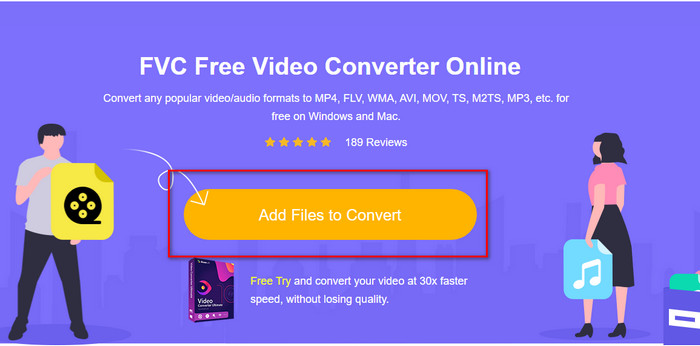
1. lépés. Kattints erre a linkre, hogy új lapot nyiss, amely az FVC Free Video Converter Online hivatalos weboldalára irányít.
2. lépés. A weboldalon kattints az Add Files to Convert gombra, ekkor megjelenik egy számítógépes mappa; válaszd ki az .swf fájlt, majd nyomd meg az Open gombot.
3. lépés. A fájl hozzáadása után a listában válaszd ki az FLV formátumot.
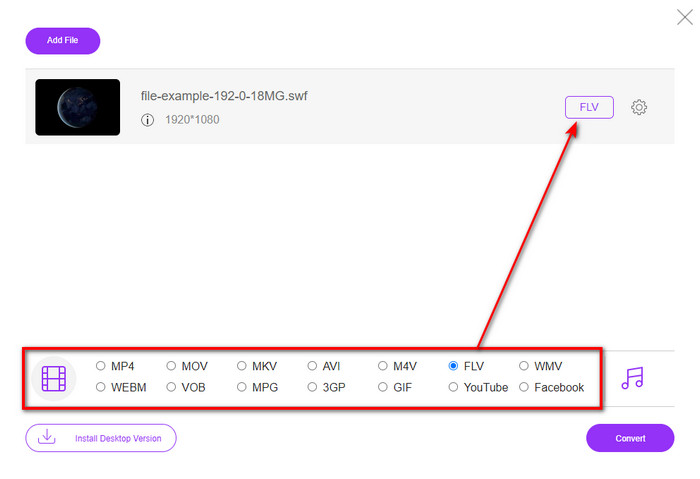
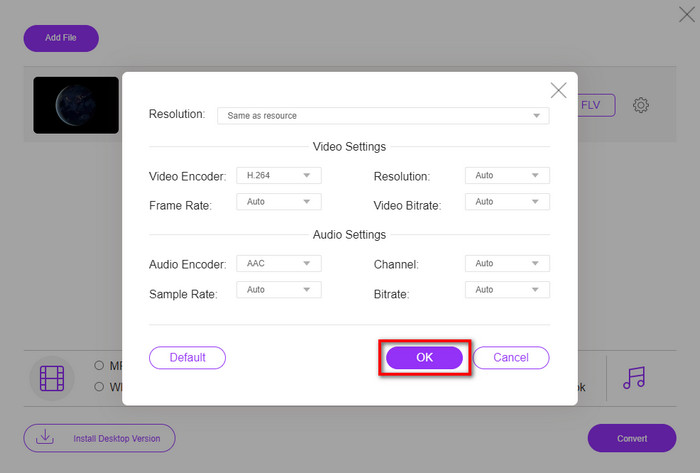
A videó- és hangparaméterek módosításához kattints a fogaskerék ikonra.
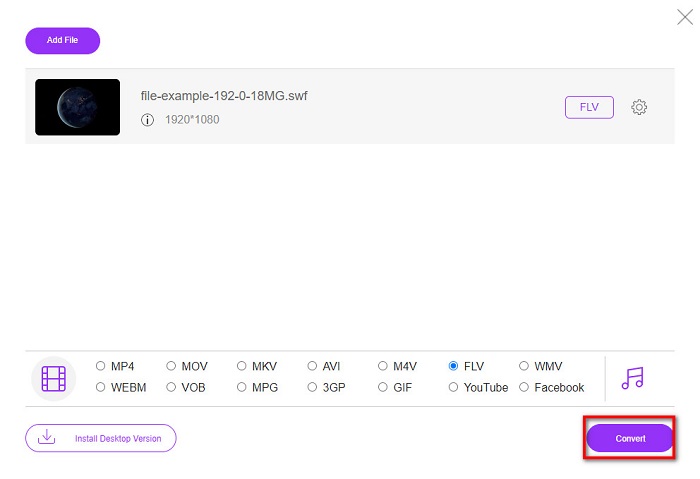
4. lépés. A konvertálási folyamat elindításához kattints a Convert gombra.
2. rész. SWF konvertálása FLV-vé az FFmpeg segítségével
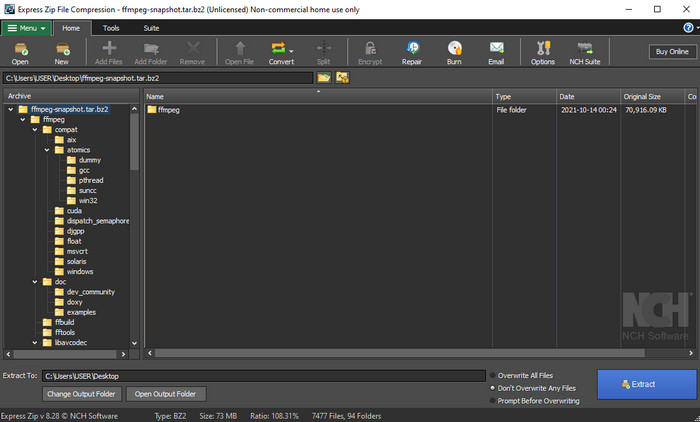
Az FFmpeg egy egyedi felülettel és parancsalapú működéssel rendelkező eszköz, amellyel ingyenesen alakíthatod át az SWF-et FLV-vé. Ha már ismered ezt a konvertert, tudod is, hogyan kell használni, de nem mindenki van ezzel tisztában. Röviden: ez a konverter nem az a megszokott videóátalakító, amelyet a weben vagy letölthető programként használsz. Ahelyett, hogy gombokra kattintanál a vezérléshez, parancssort kell használnod az irányításához.
1. lépés. Töltsd le az FFmpeg konvertert a meghajtódra, majd nyisd meg.
2. lépés. A számítógépeden nyisd meg a parancssort (Command Prompt).
3. lépés. A CMD-ben navigálj az SWF-fájlt tartalmazó mappába, majd add meg a fájlt. Másold be ezt a parancsot a parancssorba: ffmpeg -i input.swf -vn -ar 44100 -ac 2 -b:a 192k output.flv, majd nyomd meg az Enter gombot a folyamat elindításához.
3. rész. SWF konvertálása FLV-vé Flashben
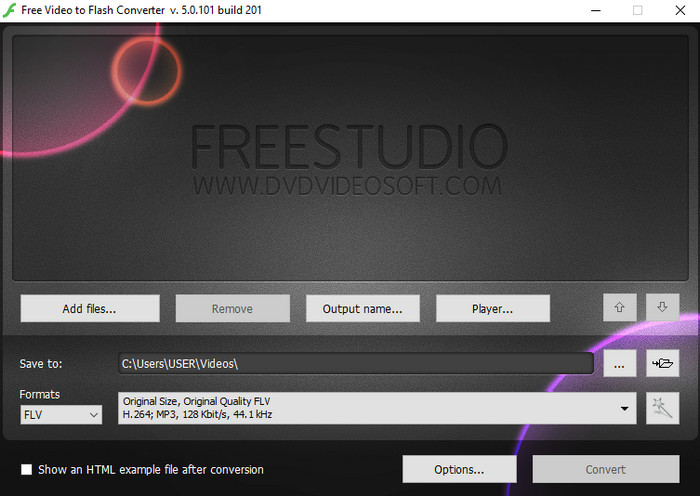
A Free Video to Flash Converter egy ingyenesen letölthető konverter Windowsra. Ez az átalakító két formátumot kínál választásra, és kifejezetten arra szolgál, hogy a fájlokat csak FLV vagy SWF formátummá alakítsa. Tehát ha az SWF-fájlokat AVI, MP4, MOV, MKV vagy más formátumra szeretnéd konvertálni, azt itt nem tudod megtenni. Nézzük meg, hogyan alakíthatod át az SWF-et FLV-vé Flashben további késlekedés nélkül.
1. lépés. Töltsd le a Flash Converter hivatalos szoftverét a Windowsodra, majd futtasd az alkalmazást.
2. lépés. Kattints az Add Files gombra a fájl feltöltéséhez a konverterbe. Ezután nyomd meg a Formats gombot, keresd meg az FLV formátumot, és válaszd ki; a minőséget is megadhatod.
3. lépés. Indítsd el az átalakítást az interfész jobb alsó sarkában található Convert gombra kattintva.
4. rész: SWF konvertálása FLV-vé a legjobb SWF konverter segítségével Windows és Mac rendszeren
Még mindig nem elég kielégítő számodra a fenti három online és offline SWF–FLV konverter? Akkor próbáld ki az FVC Video Converter Ultimate programot. Ez a konverter felülmúlja az ügyfelek elvárásait, különösen azzal, milyen gyors konvertálási folyamatot biztosít. A rendkívüli átalakítás mellett fejlett szerkesztési funkciókkal is rendelkezik a videó javítására, valamint egy Toolbox modullal egyéb feladatokra. Ráadásul az alább felsorolt útmutató 101% sikerességet ígér a fájlod átalakításában.
1. lépés. Mielőtt használnád az eszközt, töltsd le Windows vagy Mac rendszeredre, kövesd a telepítési folyamatot, majd indítsd el.
Ingyenes letöltés Windows 7 vagy újabb rendszerre Biztonságos letöltés
Ingyenes letöltés macOS 10.7 vagy újabb rendszerre Biztonságos letöltés
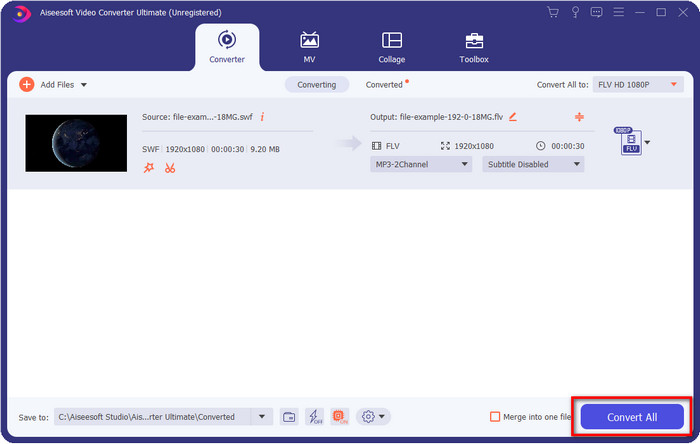
2. lépés. Miután a program fut a rendszereden, kattints az Add Files gombra, és töltsd be az átalakítani kívánt SWF-fájlokat.
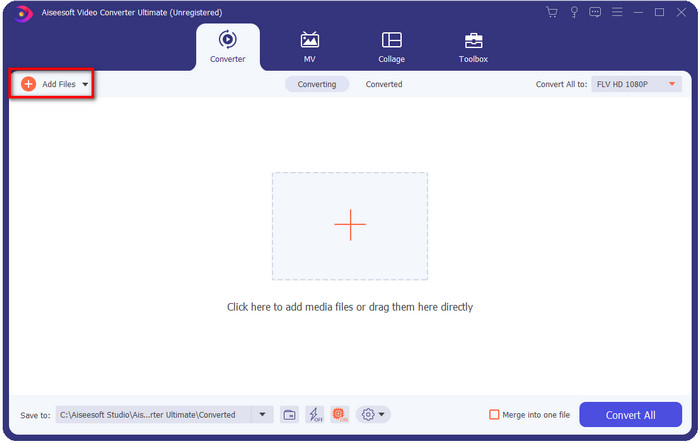
3. lépés. Kattints a Convert All to opcióra, majd válaszd ki az FLV formátumot. A minőséget is beállíthatod, akár nagy felbontásra, akár az eredeti verzió megtartására.

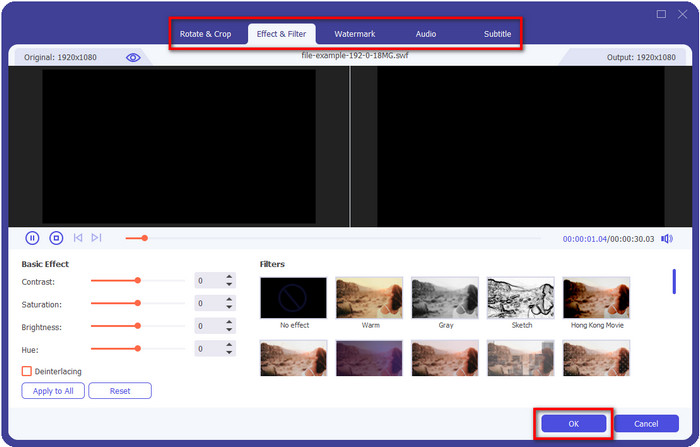
Ha még jobb minőséget szeretnél kihozni a videódból, kattints a varázspálca ikonra. Ez különböző szerkesztőfunkciókhoz vezet, például vágás (Crop), forgatás (Rotate), effektek hozzáadása (Add Effects), felirat (Subtitle), hang (Audio) és vízjel (Watermark). A módosítások mentéséhez kattints az OK gombra.
4. lépés. Kattints a Convert All gombra, és a folyamat elkezdődik. Csak rövid időt vesz igénybe az SWF–FLV átalakítás; a konvertálás után egy mappa jelenik meg a képernyőn az elkészült FLV-fájllal.
5. rész. Az SWF és FLV bővített ismerete
A ShockWave File vagy SWF egy Adobe formátum, de a Macromedia hozta létre. Ismeretes, hogy vektor alapú animációkat és hangokat tárol az interneten. Sőt, mivel ez egy vektorbázis, könnyen beállíthatja a grafikus méretezést, hogy illeszkedjen vagy nagyítson. A vektoros animáción kívül a fájl mérete olyan kicsi, hogy a videó gyorsabban tölthető be, még akkor is, ha lassú internetkapcsolata van. A formátum azonban nem támogatott, ha meg szeretné osztani őket a videómegosztó platformokon.
Bár az FLV is Adobe alatt van, ez a formátum jobb, mint az SWF. Az FLV vagy a FlashVideo formátum a szabványos videoformátum a legtöbb webhelyen. Ez a formátum két különböző kodeket tartalmazhat, amelyek videó és hang számára készültek. És csakúgy, mint az SWF-fájl, ez a formátum kicsi a fájl gyorsabb betöltéséhez az interneten; Miután letöltötte az FLV fájlt a meghajtóra, lejátszhatja azt a médialejátszón, még akkor is, ha még nem fejeződött be.
Segítene, ha az SWF-et FLV-vé konvertálná, mert az SWF-nek sok hiányossága van, amelyeket az FLV formátumban találhat. Főleg, ha a videofájl hosszú, mivel az .swf csak korlátozott képkockát tartalmazhat másodpercenként, előfordulhat, hogy nem tudja használni. De az FLV könnyedén képes hosszú videók tárolására. Sőt, ha a minőségre szeretne összpontosítani, az FLV minősége jobb, mint az SWF.
6. rész. GYIK az SWF-ből FLV-vé konvertálással kapcsolatban
Támogatja az SWF fájl az átláthatóságot?
A PNG-hez és a GIF-hez hasonlóan ez a formátum is támogatja a szürkeárnyalatos megjelenítést valódi színekkel, vagy rendeljen hozzá egy színt az átlátszóság érdekében.
Hol tudok SWF videókat nézni?
Jelenleg nem tudod lejátszani az SWF-fájlokat az alapértelmezett médialejátszóddal, mert az nem támogatja ezt a formátumot. Azonban erre a linkre kattintva többet megtudhatsz a 4 legjobb SWF médialejátszóról Windowsra és Macre.
Elmenthetem a telefonom .swf fájlját?
Az SWF-fájlok telefonjára menthetők, de a helyi médialejátszón nem. Mert ez a formátum nem telefonkompatibilitásra szolgál, hanem a webre. Tehát, ha letölt egy fájlt ezzel a kiterjesztéssel, akkor számítson arra, hogy nem tudja használni; azonban lejátszható formátumra, például MP4-re konvertálhatja telefonján.
Következtetés
Ez a cikk olyan konvertergyöngyszemeket mutat be, amelyekkel az SWF-et FLV-vé alakíthatod anélkül, hogy rontanád az SWF minőségét. Miközben összegyűjtöttük ezeket az átalakítókat, kiderült, hogy az FVC Video Converter Ultimate az a rejtett kincs, amelyet ebben a problémában keresel. A felsorolt eszközök közül ez nyújtja a legkiemelkedőbb minőséget és a leggyorsabb átalakítási folyamatot. Most pedig neked kell kiválasztanod azt a „kincset”, amelyet a konvertálási gondjaid megoldására használsz, akár letöltöd, akár a weben keresztül éred el az eszközt.
-
 Hasznos DV FLV konverterek a DV FLV formátumba konvertálásához [2022]
 Ha a legjobb és könnyen használható eszközöket keresi a DV FLV-vé konvertálásához, itt található a legjobb cikk, amelyet elolvashat. Kiváló betekintést nyújt a cikk összes információjába.
-
 MPG konvertálása FLV-vé a minőség elvesztése nélkül [Bizonyított]
 Meg kell néznie kedvenc filmjét ezen a médialejátszón, de az nem támogatja az MPG-t. Próbálja meg MPG-fájlját FLV-vé konvertálni a cikkben bemutatott konverterekkel.
-
 Konvertálja a TRP-t FLV-vé a legegyszerűbb offline és online módszerekkel
 Gyorsan és gond nélkül szeretné konvertálni a TRP videofájlját FLV formátumba? Olvassa el ezt a cikket, hogy a helyzetnek leginkább megfelelő szoftvert és online szolgáltatást kínálhassa.
