


 Video Converter Ultimate
 Screen Recorder
 Videó javítás
 Biztonságos letöltés
Kiváló képminőség-csökkentők, amelyeket 2022-ben meg kell szereznie
A több kép feltöltése és annak megosztása, hogy mi történik velünk az interneten, a különböző közösségi oldalaknak köszönhetően egyszerűvé vált, hiszen ezeket ingyen érhetjük el. Sajnos a képek vacak minőségűvé válnak, amikor ezeken a webhelyeken közzétesszük őket, különösen akkor, ha az eredeti képminőség magasabb a szokásosnál. Lehet, hogy már azon gondolkodsz, hogy egyszerűen feltöltöd a képet a webre, de állj meg egy pillanatra! Most elárulunk egy trükköt, amellyel legalább csökkentheted a képre alkalmazott tömörítést: ez pedig az, hogy előre lejjebb veszed a minőséget. Ebben a bejegyzésben bemutatjuk a legjobb képminőség‑csökkentő eszközöket, amelyek segíthetnek a problémán. Olvasd el figyelmesen a következő részleteket, hogy ki tudd választani a számodra megfelelő eszközt.

1. rész: Képminőség-csökkentők, amelyeket ismernie kell a képminőség egyszerű csökkentéséhez [Áttekintés]
ReduceImages.com
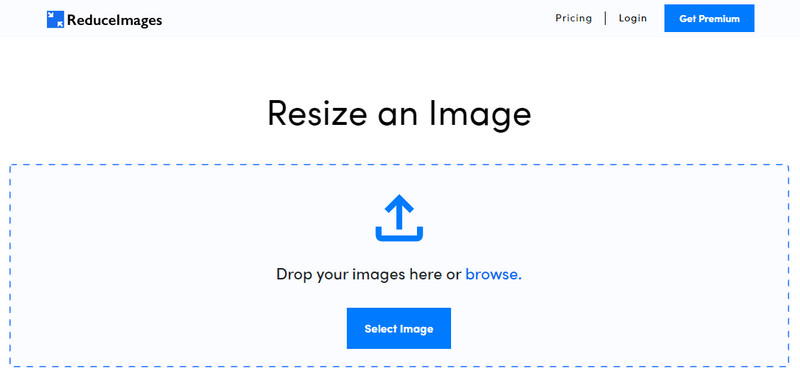
A ReduceImages.com egy népszerű online megoldás, amellyel csökkentheted a képminőséget, hogy az megfeleljen a webes szabványoknak. Szerencsére ez egy online eszköz, így nem kell semmit letöltened; bármelyik böngészőből azonnal használni kezdheted az oldal nevére keresve. Emellett át is méretezheted az itt feltöltött JPG, PNG és GIF fájlokat. Bár az online eszköz ingyen is használható, vannak hátrányai, amelyek bosszantóak lehetnek, főleg ha kötegelt feldolgozást szeretnél, vagy zavaróak a hirdetések. Ha van egy kis plusz pénzed, előfizethetsz; a csomagok ára 3,99‑től indul.
Előnyök
- Ingyenesen használható, és nincs szükség telepítésre.
- Itt átméretezheti a képet, ha akarja.
- Módosítsa az átlátszó kép hátterét fekete-fehérre.
- Mindenki pillanatok alatt kitalálhatja, hogyan használja ezt.
Hátrányok
- Van néhány hirdetés az ingyenes verzióban.
- Az ingyenes verzióban nem tud kötegelt feldolgozást végezni.
Lunapic
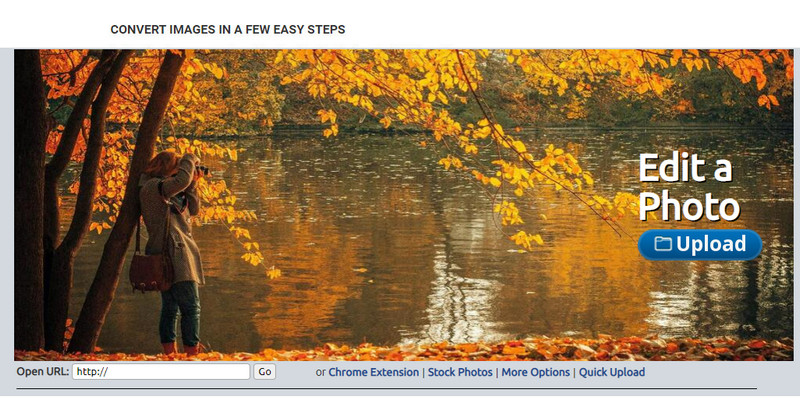
A Lunapic egy rendkívül könnyen használható eszköz, amellyel a kívánt felbontásra csökkentheted a képminőséget, és kinézetében a Paint felületére hasonlít. Könnyű megszokni ezt az online eszközt, mivel sokban emlékeztet a Windows‑os Paint programra. Bár megbízhatóan optimalizálja a kívánt képminőséget, csak JPEG formátumot támogat, mást nem. Ha a módosítani kívánt kép még nincs letöltve, akkor a kép URL‑jének bemásolásával is feltöltheted azt az oldalra. Akárcsak az első eszköznél, itt sincs szükség semmilyen program letöltésére, mert a Lunapic a böngészőből, a weben keresztül működik.
Előnyök
- Intuitív felhasználói felület, amely lehetővé teszi a minőség egyszerű manipulálását.
- Az előnézeti ablaktábla támogatott a beállított képminőség megtekintéséhez.
- Kimásolhatja és beillesztheti a feltölteni kívánt kép URL-jét.
- Ingyenes, és nem támogatja a prémium verziót.
Hátrányok
- A támogatott formátum csak a JPEG.
- A grafikus felület elavult, és némi módosításra szorul.
EzGIF
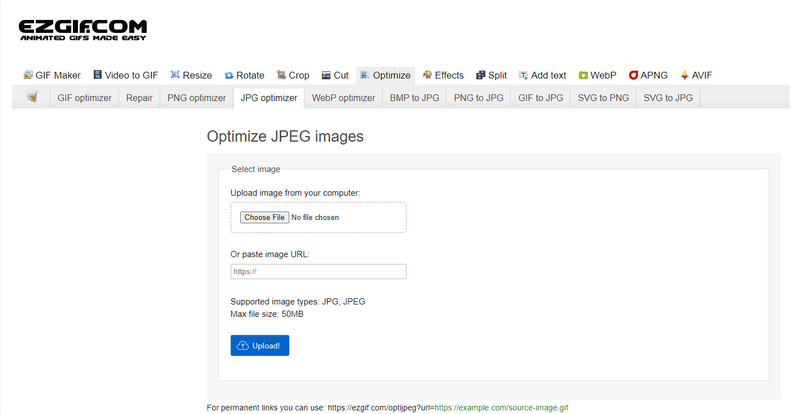
Az EzGIF lehet a „gyenge minőségű kép készítőd”, vagy egyszerűbben szólva: optimalizálhatod vele a feltöltött képek minőségét. Eredetileg GIF‑javítóként vált ismertté, de ma már a JPEG, WebP és PNG képek minőségének módosítására is használható. Ez az eszköz népszerűbb, mint az előző kettő, mivel hatékonyan működik, és régóta elérhető online webes szolgáltatásként. Gyakorlati, ugyanakkor hatékony megoldást kínál, amelyet könnyen meg lehet tanulni használni. Ennek ellenére nem tudsz egyszerre több fájlt feltölteni és feldolgozni, hiába kedvező a használata. Továbbá nem tölthetsz fel olyan képeket, amelyek nem JPEG vagy JPG, PNG, WebP vagy GIF formátumúak, akár statikusak, akár animáltak.
Előnyök
- Számos funkciót támogat, mint például a minőség beállítása, javítása, konvertálása és még sok más.
- Szabadon elérheti és használhatja különböző webböngészőkön.
- Itt optimalizálhatja a képet, és exportálás előtt tekintse meg az eredményt az előnézeti ablaktáblán.
- A kép minőségének megváltoztatása után nem ad hozzá vízjelet.
Hátrányok
- A grafikus felhasználói felület némi finomítást igényel.
- Nem támogat más képformátumokat, mint például a BMP, SVG, HEIF és mások.
- A kötegelt képek feltöltése nem támogatott.
Adobe Photoshop
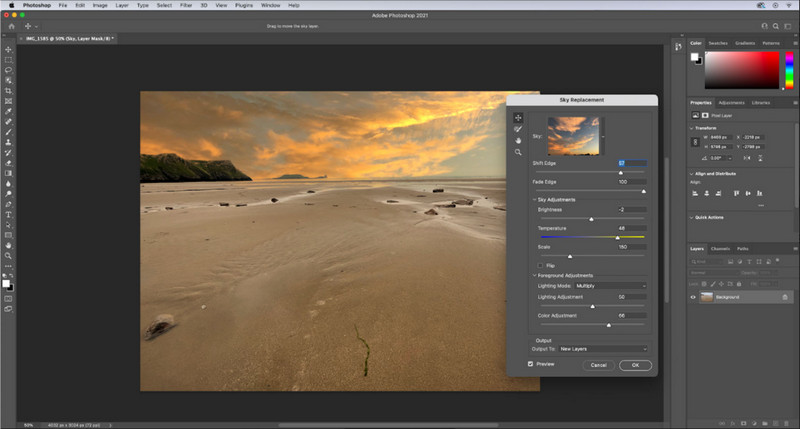
Az Adobe Photoshop afféle „csalókód” arra, hogyan csökkentsd egy kép minőségét, mivel a legprofesszionálisabb eszköz a képek átalakítására. Bármilyen fotót feltölthetsz, és részletesen módosíthatod a kép algoritmusát, feldolgozását. Mindenki szeret professzionális eszközt használni, mert tele van olyan fejlett funkciókkal, amelyeket más szerkesztőkben – akár asztali, akár online – nem találni. Van különbség a „legjobb” és az „elég jó” eszköz között, és ezt ez a program világosan megmutatja. Ugyanakkor sok felhasználó nehezen sajátítja el a használatát a robusztus és zsúfolt felhasználói felület miatt. Ha most használod először ezt a szoftvert, valószínűleg akadnak majd nehézségeid. Összességében azonban ez a legprofibb képszerkesztő, amely olyan lehetőségeket nyújt, amilyenekkel az első három említett eszköz nem rendelkezik.
Előnyök
- Exkluzív funkciókat kínál, amelyekkel a másik online képszerkesztő nem rendelkezik.
- Exkluzív funkciókat kínál, amelyekkel a másik online képszerkesztő nem rendelkezik.
- Messze a legjobb választás professzionális képszerkesztéshez.
- Kompakt és teljes funkcionalitású eszköz, amelyet különböző eszközökre tölthet le.
Hátrányok
- Az első felhasználók nehezen tudják használni, hogyan kell használni.
- Az ingyenes próbaidőszak utáni használatához meg kell vásárolnia egy csomagot.
2. rész. Bónusz: Hogyan tegyük jobbá az alacsony minőségű képet a webes Top Image Upsclaer segítségével
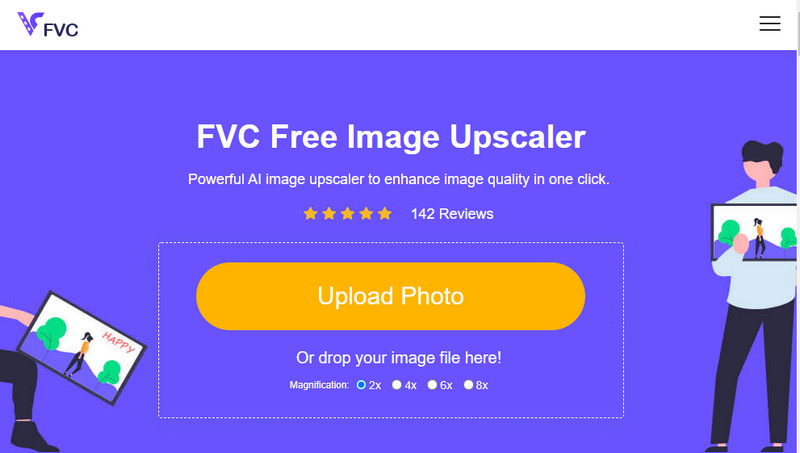
Előfordult már, hogy olyan alacsony minőségű képet készítettél, amely pixeles vagy elmosódott lett, és vissza szeretted volna állítani az eredeti minőségét? Ha igen, használhatod az FVC Free Image Upscaler eszközt. Ez az online megoldás úgy végzi el a feladatot, hogy elemzi a kép algoritmusát, módosítja a minőséget, és az MI által észlelt adatok alapján felnagyítja a képet. Számos előnyt élvezhetsz, ha ezt az eszközt használod: kiválóan teljesít nagyításkor, nem igényel telepítést, biztonságos és könnyen használható, valamint 24 órás ügyfélszolgálat áll rendelkezésedre. Emellett JPEG/JPG, PNG, BMP, SVG és sok más formátumot is feltölthetsz ide, hogy növeld a képfelbontást. Ráadásul akkor is használhatod ezt a szoftvert, ha nem csökkentetted előzetesen a kép minőségét, csak egyszerűen javítani szeretnél rajta. Kezdd el használni az eszközt: kattints a nevére, és azonnal töltsd fel a felnagyítani kívánt képet!
3. rész. GYIK a kép minőségének csökkentéséről
A minőség megváltoztatása csökkenti a fájl méretét?
Nem, nem fogja. Ha a kép pixeleit módosítod, és kevesebbre veszed, a kép megjelenése meg fog változni, de a fájlméret nem feltétlenül. Íme néhány a legjobb pixeljavító eszközök közül, amelyeket érdemes kipróbálnod.
Miért változott meg a képem bitsebessége a minőség csökkenése után?
A kép minőségének megváltoztatása után jelentős változást fog látni a bitrátában az exportálás után, jelentős mértékben a kép felbontásának megváltoztatásakor.
Miért válik az animált GIF statikussá a minőség csökkenése után?
A minőség csökkentésére használt program lehetővé teszi az animált GIF feltöltését, de nem tud animált GIF-et exportálni, így az eredmény statikus GIF lesz. A képkiterjesztés változatlan marad, de az animált nem.
Következtetés
Kiválaszthatja képminőség-csökkentőjét az általunk hozzáadott négy szoftverrel, amelyeket letölthet és elérhet az interneten. Ha jól érzi magát ennek a cikknek a olvasása, nagyra értékelnénk, ha öt csillagra értékelné.
-
 A 7 legjobb online és offline fotónagyító
 Szeretné megtanulni a legjobban teljesítő fotónagyítókat Windows vagy Mac rendszerű eszközéhez? Olvassa el ezt a bejegyzést, hogy megismerje a legjobb fotónagyítókat, amelyeket érdemes kipróbálni.
-
 A 4 legjobb offline és online GIF-nagyító, amelyet nem szabad kihagyni
 Ez a bejegyzés neked szól, ha a legjobb GIF-nagyítókat keresed. Felsoroltuk a legjobban teljesítő online és offline GIF-nagyítókat számítógépéhez.
-
 A legjobb online és offline fényképátméretező alkalmazások számítógépekhez
 A legjobb fényképátméretező alkalmazásokat keresi asztali számítógépéhez? Felsoroltuk a legjobban teljesítő online és offline fényképátméretező alkalmazásokat, amelyeket érdemes kipróbálni.
