


 Video Converter Ultimate
 Screen Recorder
 Videó javítás
 Biztonságos letöltés
5 legjobb VR videolejátszó Windows, Mac, Android és iPhone készülékekhez
Amiután megjelentek néhány klasszikus VR‑headset, mint az Oculus Rift (2016), a HTC Vive, a PlayStation VR, a Google Daydream, a Windows MR (2017), a Vive Pro (2018), a HTC Focus Plus (2019), az Oculus Quest, a Valve Index, a HP Reverb G2 (2020) és mások, a VR‑ és 360 fokos videók az elmúlt években igen népszerűvé váltak. A VR‑headseten és a PC‑n kívül egy 360 fokos videó megtekintéséhez szüksége lesz egy VR videólejátszóra is.

Amikor a Google‑ben a VR video player online kifejezésre keres, vagy közvetlenül egy 360 VR‑lejátszó alkalmazást keres a Google Play áruházban vagy az App Store‑ban, rengeteg találatot fog látni. Bizonyára nem szeretné ezeket a VR‑videólejátszókat egyesével kipróbálni Windows PC‑n, Macen, Android‑telefonon vagy iPhone‑on. Hogy időt spóroljunk önnek, elvégeztük a háttérmunkát, és felsoroltunk 5 legjobb VR videólejátszót önnek.
1. rész VR videolejátszó Windows rendszerhez - SKYBOX VR videólejátszó
A SKYBOX VR Video Player egy professzionális, helyi VR videólejátszó Windows PC‑re. Kompatibilis olyan VR‑headsetekkel, mint az Oculus Rift, a HTC Vive és a Microsoft MR. Ez a VR‑lejátszó bármilyen formátumú videót támogat, beleértve az MP4, AVI, MOV, VR, 2D, 180 és 360 fokos videókat. Emellett támogatja a 3D Side‑By‑Side és Over‑Under filmeket is. Képes VR‑videókat streamelni az UPnP/DLNA médiaszervereiről.
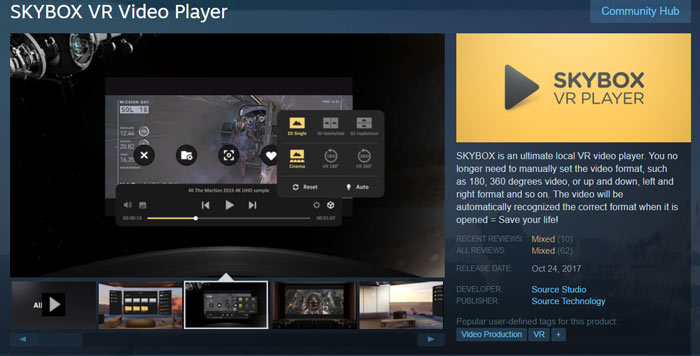
A SKYBOX VR Video Player rendelkezik a 4K helyi és streaming lejátszási támogatással. Színházi módot is kínál, hogy 2D és 3D videókat nézhessen. Ez a Virtual Reality videolejátszó képes automatikusan optimalizálni a videót, és nagyszerű VR videomegtekintési élményt nyújt. Ez nem egy ingyenes VR-lejátszó. $9.99-et kell fizetnie érte.
2. rész: Ingyenes VR videólejátszó Windows és Mac rendszerekhez - PLAY'A VR videólejátszó
A PLAY'A VR Video Player egy ingyenes VR‑lejátszó Windows 10/8/7 PC‑re és Mac felhasználók számára. Támogatja az olyan VR‑headseteket, mint a Valve Index, a HTC Vive és a Windows Mixed Reality. Lehetővé teszi VR‑videók lejátszását helyi fájltárolóról, valamint streamelését támogatott webhelyekről. Ez az ingyenes VR‑headset videólejátszó a megfelelő fájlnév‑megadás mellett automatikusan felismeri a 2D, 3D, sík, 180 fokos és 360 fokos videókat.
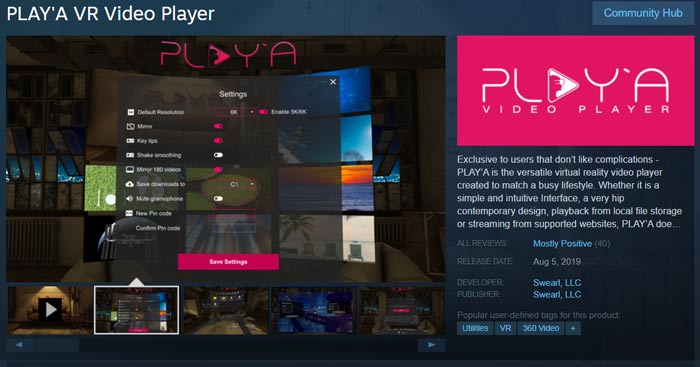
A támogatott hardverrel a PLAY'A VR Video Player támogatja a 8K videókat. Sőt, a leggyakrabban használt videoformátumok, például MP4, MOV, M4V, MTS, 3G2, 3GP, AVI, MKV, WMV és még sok más támogatottak. Számos hasznos funkcióval van ellátva, például rázkódáscsökkentés, adatvédelmi mód, képbeállítás és VR videóbeállítás.
3. rész: Ingyenes VR Video Player Online Windows PC-hez és Mac-hez
A FVC Free VR Video Player egy népszerű videólejátszó eszköz, amellyel a helyi számítógépen tárolt VR‑ és 3D‑videóit játszhatja le. Magas szinten támogatja az összes elterjedt videoformátumot, köztük az MP4, MKV, AVI, FLV, MOV formátumokat és még sok mást. Kompatibilis a főbb webböngészőkkel, például a Chrome‑mal, az IE‑vel, a Firefoxszal és a Safarival, így segít kiváló minőségben VR‑videókat lejátszani.
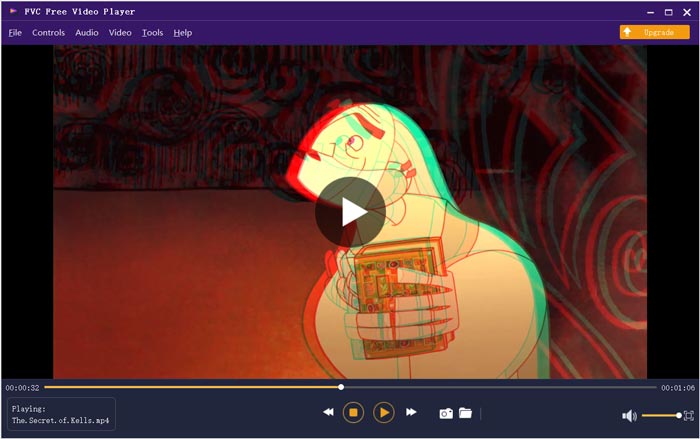
Ez az ingyenes online VR videolejátszó automatikusan optimalizálja a helyi videókat. Ezenkívül támogatja a DTS-HD és a Dolby TrueHD fájlokat, hogy remek hangélményt nyújtson Önnek. Tudnia kell, hogy ez a VR videolejátszó nem hordozza a streaming funkciót. Csak letöltött VR és 360 fokos videókat tekinthet meg.
4. rész: VR videolejátszó Androidra és PC-re - YouTube VR
A YouTube VR egy nagyszerű VR‑videólejátszó alkalmazás, amellyel kedvenc YouTube‑csatornáit, videóit és alkotóit streamelheti virtuális valóságban. Új virtuálisvalóság‑élményt nyújt a YouTube‑videók felfedezéséhez, a 3D 360 fokos videóktól a hagyományos téglalap alakú videókig. Ez az ingyenes VR‑lejátszó támogatja a Gear VR‑t és a Go‑t. Lehetővé teszi azt is, hogy közvetlenül hangalapú keresést végezzen a YouTube‑tartalmak között.
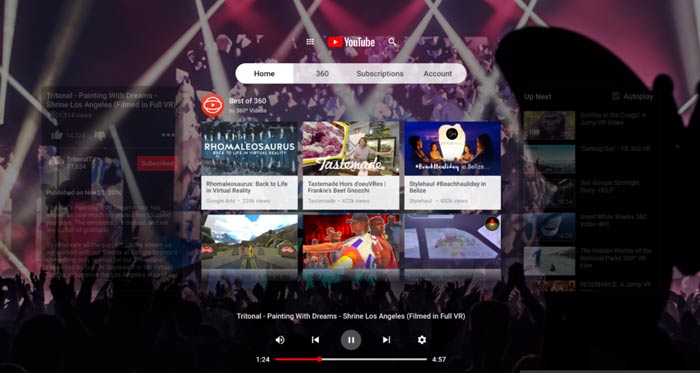
A YouTube VR Android -alkalmazást kínál a VR -videók mobileszközökön történő lejátszásához. De nem hoz iOS verziót. A YouTube VR -t számítógépére is letöltheti.
5. rész: VR Video Codec Player iPhone, Android és PC-hez - DeoVR Video Player
A DeoVR egy nagy teljesítményű VR‑videólejátszó az összes elérhető headsethez, mint például a HTC Vive, az Oculus Rift, a Go, a Dear VR, az Oculus Quest, a SideQuest, a Google Cardboard, a Daydream és még sok más. Beépített VR‑média böngészővel rendelkezik, amely kiváló VR‑tartalmakat képes elérhetővé tenni a YouTube‑ról és más videostreaming oldalakból. Zoomfunkciót is kínál, amellyel még közelebb kerülhet az eseményekhez, akár szabad szemmel nézve is.
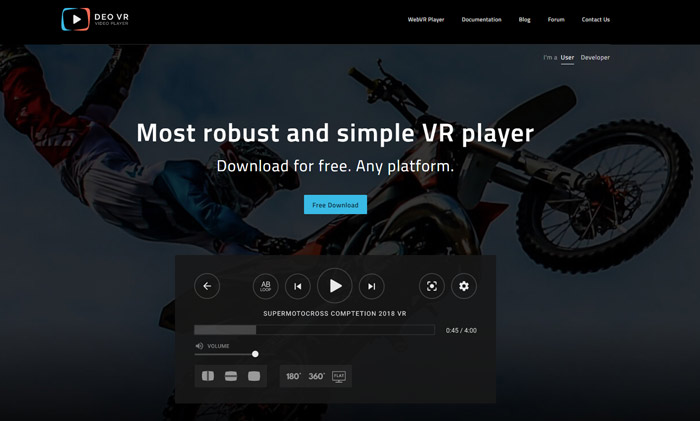
A DeoVR videolejátszó képes arra, hogy a videót testhelyzetének megfelelően állítsa be. Magasságot ad a néző magasságához, hogy megfeleljen a kamera POV-jának. Ez a VR videolejátszó kompatibilis a legtöbb vezérlővel, beleértve az Oculus Remote, az Oculus Touch, a billentyűzet és az egér és így tovább. A DeoVR egy ingyenes WebVR lejátszót is kínál, amely lehetővé teszi VR és 360 fokos videók online megtekintését.
6. rész: A VR Video Player gyakori kérdései
1. kérdés: Mi a VR videó?
A VR és a 360 VR videók olyan videókra vonatkoznak, amelyeket egyszerre teljes 360 fokkal rögzítettek. A VR videofelvételeket speciális körsugárzó kamerák rögzítik. A VR videó magával ragadó és interaktív élményt kínál. A VR videók a virtuális valóság fejhallgatóinak használatával érhetők el.
2. kérdés: Mi a népszerű VR tartalmi platform?
Néhány nyilvánvaló VR tartalmi platform a HTC Vive Video, Vive Cinema, Cmoar VR Cinema, Samsung VR, Steam VR, Oculus, VeeR VR, WITHIN, Littlstar, Jaunt és YouTube, Vimeo, Facebook és így tovább. Mindegyik 360 VR videót biztosít az Ön számára.
3. kérdés: Lejátszhat-e a VLC VR videót?
Igen. A VLC 360 fokos technikai előzetese már elérhető. Lejátszhat vele VR‑videókat és fotókat egyaránt.
Következtetés
Ennek a bejegyzésnek az elolvasása után 5 VR videólejátszót ismerhet meg, amelyekkel 360 fokos videókat játszhat le VR‑headsetén, számítógépen, iPhone‑on és Android‑telefonon. Ha továbbra is van valami, ami a VR‑videólejátszással kapcsolatban foglalkoztatja, üzenetet hagyhat nekünk.
-
 Szerezd meg a legjobb MP4-lejátszót az MP4-fájlok kiváló vizuális minőségben történő lejátszásához
 Olvassa el és szerezze be a legjobb MP4 lejátszót a 10 legújabb MP4 videolejátszó szoftver ajánlásai alapján. Zökkenőmentesen, késés nélkül játszhat le MP4 videofájlokat Windows és Mac rendszeren.
-
 A 10 legnépszerűbb zenelejátszó alkalmazás a zenefájlok különböző platformokon történő használatához
 Ha kedvenc zeneszámait és albumait simán meg kell hallgatnia számítógépen és mobileszközökön, íme a legjobb 10 zenelejátszó alkalmazás, amelyet figyelembe vehet.
-
 VOB Player – 5 legjobb VOB lejátszó Windows 10/8/7 PC és Mac 2025 rendszerhez
 Hogyan lehet VOB fájlokat lejátszani Windows 10 rendszeren? Mi a legjobb VOB lejátszó? Ez a bejegyzés áttekinti az 5 legjobb VOB-lejátszót a Windows 10 számítógéphez és a Mac-hez.
