


 Video Converter Ultimate
 Screen Recorder
 Videó javítás
 Biztonságos letöltés
Az MPG konvertálásának legegyszerűbb módjai DivX-re az asztalon
Szeretné gyorsan MPG fájlját DivX formátumba konvertálni? Ebben az esetben különféle alkalmazásokat használhat a különböző fájlformátumok átalakítására. Manapság, ahogy megfigyelhető, a videók számos eltérő fájlformátumban léteznek. Előfordul azonban, hogy egyes formátumok nem kompatibilisek bizonyos eszközökkel. Ilyenkor olyan átalakítót kell keresnie, amely képes az adott fájlt egy másik formátumba konvertálni. Így biztos lehet benne, hogy a videó lejátszható lesz az eszközén, mert már kompatibilis és tökéletesen megfelelő. Ha MPG fájlját DivX fájllá szeretné alakítani, folyamatosan olvassa ezt a cikket, hogy képet kapjon arról, milyen alkalmazást vagy konvertert érdemes használnia.

1. rész: MPG konvertálása DivX-re a minőség elvesztése nélkül
Tegyük fel, hogy egy kiváló és megbízható alkalmazást keres az MPG DivX‑szé alakításához, akkor a Video Converter Ultimate az az alkalmazás, amelyet használhat. Ez az alkalmazás lehetővé teszi, hogy MPG fájlját DivX fájlformátumba konvertálja. De ez még nem minden. Nem korlátozódik erre a két formátumra. Számos más fájlformátumot is képes átalakítani, például FLV, MP4, MKV, MOV, VOB, DIVX, OGV, XVID és egyebek. A Video Converter Ultimate Macen és Windowson egyaránt elérhető. Emellett nem kell aggódnia a videó minősége miatt, mivel ezzel az alkalmazással minőségromlás nélkül konvertálhatja fájljait. Ráadásul egy egyszerű, könnyen használható alkalmazásról van szó, amely tökéletesen megfelel a kezdőknek, akik fájlokat szeretnének konvertálni. A konvertálási folyamatot illetően ez az alkalmazás nagyon gyorsan átalakítja a fájlokat, így nem kell sokat várnia. A szoftverrel több fájlt is kötegelt módban konvertálhat. Továbbá nemcsak a különböző fájlok átalakításában megbízható. Az alkalmazás számos szerkesztőeszközt is kínál, például hangerő‑növelőt, videó‑visszaforgatót, videóvágót, színkorrekciót, videó‑összefűzőt, vízjel‑eltávolítót, GIF‑készítőt és még sok mást. Ha Windows vagy Mac rendszeren szeretné az MPG fájlt DivX formátumba konvertálni, kövesse az alábbi egyszerű lépéseket.
1. lépés: Látogasson el a Video Converter Ultimate weboldalára, és töltse le az alkalmazást. Ezután végezze el a telepítést, és indítsa el az alkalmazást.
Ingyenes letöltés Windows 7 vagy újabb rendszerre Biztonságos letöltés
Ingyenes letöltés macOS 10.7 vagy újabb rendszerre Biztonságos letöltés
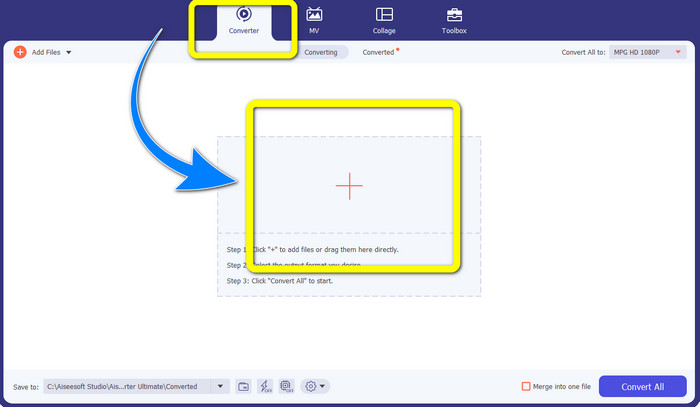
2. lépés: Miután megnyitotta a Video Converter Ultimate programot, lépjen a Converter menüpontra. Ezután kattintson a Plusz jel ikonra, és csatolja azt az MPG fájlt, amelyet DivX fájllá szeretne alakítani.
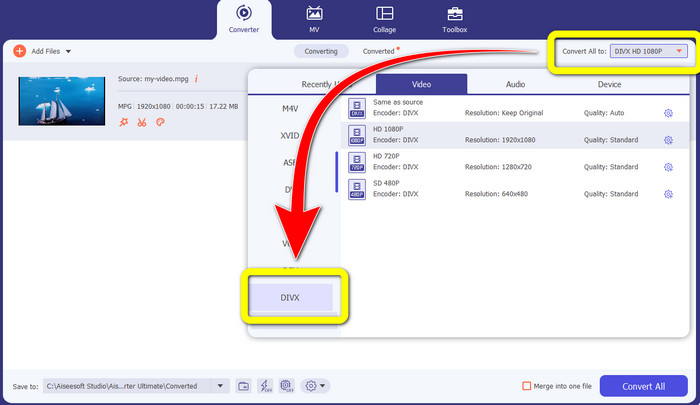
3. lépés: Miután betöltötte az MPG fájlt, menjen a Convert All to gombra, és a formátumbeállítások között válassza ki a DIVX fájlt. Kiválaszthatja a kívánt minőséget is.
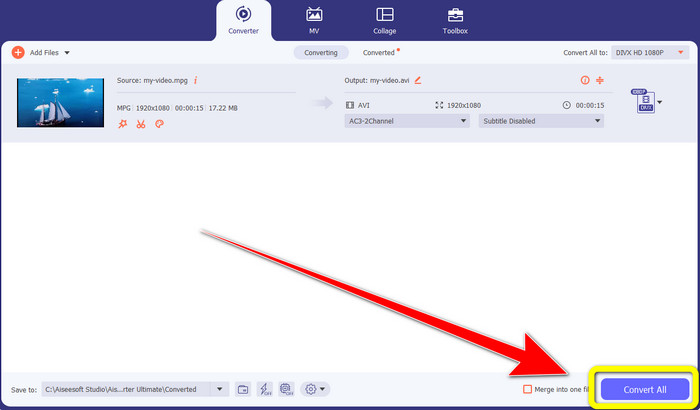
4. lépés: Miután kiválasztotta a DIVX fájlformátumot, kattintson a Convert All gombra, és mentse el a videót DIVX fájlként. Ez a legegyszerűbb módja annak, hogy MPG fájlját DIVX fájllá alakítsa Macen és Windowson.
2. rész: MPG konvertálása DivX Online formátumba ingyen
A Media.io használatával
Ha ingyenes online MPG–DIVX konverterek után érdeklődik, az egyik online eszköz, amelyet használhat, a Media.io. Ez a szoftver különféle fájlokat képes konvertálni, például videókat, hangfájlokat, képeket és egyebeket. Számos videófájl‑formátumot támogat, például MP4, AVI, MKV, WMV, MPEG2, FLV, XVID, M4V stb. Így MPEG–DivX konverterként is használhatja. Sőt, a Media.io nemcsak különböző fájlformátumok átalakítására képes. Sok eszközt kínál a videók szerkesztéséhez is, például vízjel‑eltávolítót, vágást, képkivágást, videó‑összefűzést, sebességmódosítást, diavetítés‑készítést és még sok mást. Sajnos az ingyenes verziónak vannak korlátai. A különböző fájlok konvertálásakor legfeljebb 100 Mb méretű fájlt tölthet fel, ami nem ideális, ha sok fájlt szeretne átalakítani. Ha többet szeretne konvertálni, illetve az alkalmazás több, kellemesebb funkcióját szeretné kihasználni, előfizetést kell vásárolnia. Emellett a konvertálás lassú, és néhány percet vesz igénybe, ami nem túl kényelmes azok számára, akik sok fájlt szeretnének átalakítani. Ha mégis ingyen, online szeretné MPG fájlját DIVX formátumba konvertálni, kövesse az alábbi egyszerű lépéseket.
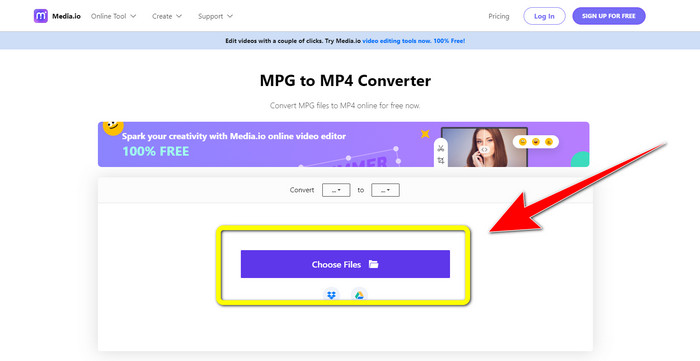
1. lépés: Látogasson el a Media.io weboldalára. Ezután kattintson a Choose Files gombra, és töltse fel az MPG formátumú videót.
2. lépés: Miután csatolta az MPG fájlt, lépjen a Convert részhez, keresse meg a formátumbeállítások között a DIVX fájlt, és válassza ki.
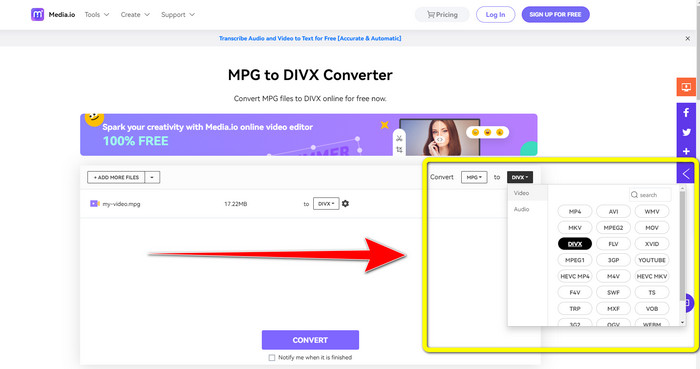
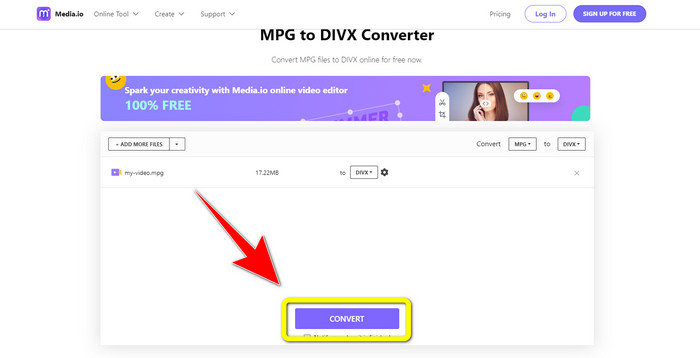
3. lépés: Ha már kiválasztotta a videóhoz a DIVX fájlformátumot, kattintson a Convert gombra, és mentse el a végső kimenetet.
A FileProInfo használata
Egy másik alkalmazás, amelyet MPG–DIVX konvertálásra online használhat, a FileProInfo. Ez az online alkalmazás segít abban, hogy MPG formátumú videóját DIVX fájllá alakítsa. Emellett számos más fájlformátumot is támogat, például 3GP, AAC, M4A, M4R, M4V, AVI, AMR, MP4, VOC, VOB és további videóformátumokat. Így használhatja arra is, hogy 3GP‑t DivX formátumba konvertáljon. Továbbá ingyenesen konvertálhat fájlokat. Egyszerű és könnyen használható az átalakításhoz. A FileProInfo egy online eszköz, de az alkalmazást le is töltheti a számítógépére. Ezenfelül számos egyéb feladatot is elvégezhet ezzel az alkalmazással, például plágiumellenőrzést, fájlnézegetést, összefűzést, felosztást, szerkesztést és még sok egyebet. A FileProInfo különösen alkalmas kezdők számára a különböző fájlformátumok konvertálására. Ugyanakkor ez az online eszköz a videószerkesztés terén meglehetősen bonyolult. Vannak olyan funkciói, amelyek fejlettek és nehezen követhetők, ezért nem igazán kezdőbarátok. Emellett az MPG DivX‑szé alakításának folyamata nagyon időigényes. Ha online szeretné MPG formátumú videóját DIVX fájllá konvertálni, kövesse az alábbi egyszerű lépéseket.
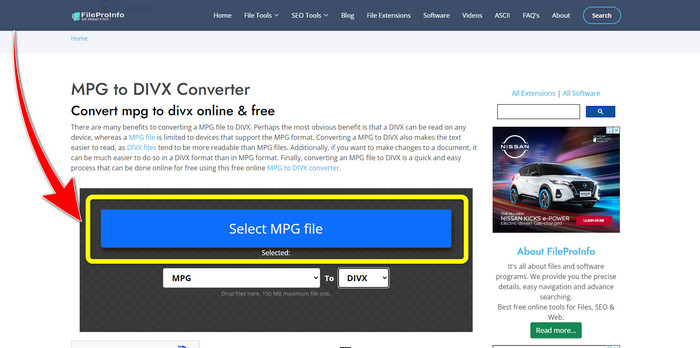
1. lépés: Látogasson el a FileProInfo weboldalára. Ezután kattintson a Select MPG File gombra, hogy csatolja az MPG formátumú videót.
2. lépés: Miután hozzáadta az MPG videót, keresse meg a format options lehetőségeit, és kattintson a DIVX fájlra.
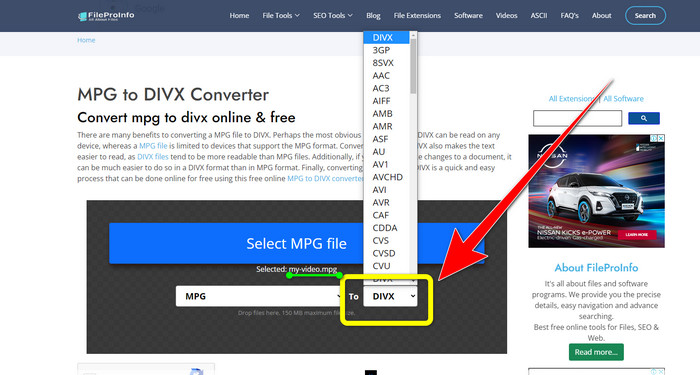
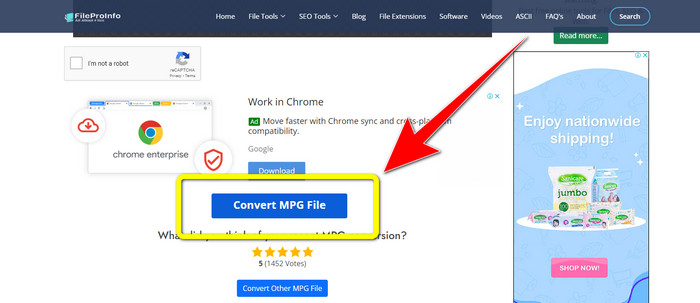
3. lépés: Amint rákattintott a DIVX fájlra, görgessen lejjebb egy kicsit, és kattintson a Convert MPG File gombra.
3. rész: Az MPG és a DivX kiterjesztett ismerete
Mi az az MPG?
Az MPG fájl egy digitális fájlformátumot használó formátum. Ezenkívül a Moving Pictures Expert Group szabványosította. Végül ezt a fájlformátumot gyakran használták a filmekben és terjesztették az interneten.
Mi az a DIVX?
A DIVX egy kiváló minőségű és nagy tömörítésű videokodek, amelyet digitális kodekekhez is használhat. Ezenkívül videofájlnak minősítették. Windows programokhoz sem alkalmas. Ezenkívül a videót az eredeti méret töredékére tömöríti, minimális minőségromlás nélkül.
4. rész: GYIK az MPG DivX formátumba konvertálásával kapcsolatban
Milyen előnyökkel jár egy MPG-fájl DIVX-fájllá konvertálása?
Az MPG fájlok DIVX fájllá konvertálásának egyik előnye, hogy a DIVX formátumot szélesebb körben elfogadják a programokban, mint az MPG fájlokat.
Milyen böngészővel konvertálhatom az MPG-t DIVX-re?
Nem kell bajlódnia, mert mostantól szinte az összes böngészőt használhatja MPG-fájlok DIVX-fájlokká konvertálására a Google Chrome, Firefox, Safari, Opera és egyebeken.
Létezik olyan konverter, aminek van sebességváltó folyamata?
Igen van! Ha gyors konvertáló eljárással rendelkező alkalmazást vagy konvertert keres, használhatja a Video Converter Ultimate programot. A fájlok néhány másodperc alatt konvertálhatók, ellentétben a többi alkalmazással, amelyek konvertálása túl sok időt vesz igénybe.
Következtetések
Ahogy fentebb látható, könnyedén konvertálhat MPG‑t DivX formátumba letölthető alkalmazásokkal vagy online eszközökkel. A fájlok más formátumba alakítása különösen akkor fontos, ha a fájl nem megfelelő az adott programhoz vagy eszközhöz. Ha különféle fájlokat szeretne konvertálni, igénybe veheti a Video Converter Ultimate programot.
-
 Hogyan konvertálhat GIF-et DivX-be egy egyszerű és legegyszerűbb módon
 Szeretné konvertálni a GIF-et Divx fájlformátumba? Mutatunk egy kiváló konvertert, amellyel GIF-et DivX-be konvertálhat.
-
 Könnyen elsajátítható módszerek az Xvid DivX-re konvertálásához
 A legjobb megoldást keresi az Xvid ingyenes DivX-re konvertálására? Ez a cikk segít a probléma megoldásában. Szóval olvasd folyamatosan a bejegyzést.
-
 Hogyan konvertálhat M4V-t DivX-re ingyen Mac rendszeren [Legjobb eszközök&93;
 Módokat keres az M4V ingyenes DivX formátumra konvertálására? Felsoroltuk a legjobb konvertereket az M4V fájl DivX formátumba konvertálásához Mac rendszeren.
