


 Video Converter Ultimate
 Screen Recorder
 Videó javítás
 Biztonságos letöltés
Az 5 legjobb Arnold Maya vízjeleltávolító, amelyet érdemes kipróbálni
Arnold az Autodesk renderelője. A renderer grafikához, videóhoz és még hanghoz is használható. Ezenkívül az Arnold egy fejlett renderelő alkalmazás, amelyet VFX-el és animációs rendereléssel is használhat. Ezenkívül kiváló minőségű kimeneteket készít, így népszerűvé teszi a professzionális szerkesztők számára. Ezenkívül számos fejlett szerkesztési funkcióval rendelkezik, amelyek segítségével animációkat készíthet.
Az Arnold megköveteli a felhasználóitól, hogy fizessenek az alkalmazásért; ezért helyez el vízjelet a képeiken. Emiatt sokan keresnek olyan vízjel‑eltávolítókat, amelyek képesek eltávolítani az Arnold vízjelét a fotóikról. Olvasd el ezt a bejegyzést, hogy megismerd az öt legkiemelkedőbb Arnold Maya vízjel‑eltávolítót.

1. rész. Az 5 legjobb Arnold vízjeleltávolító
Bár számos eszközt letölthet az Arnold vízjel eltávolítására a képről, nem mindegyik ad tiszta eredményt, ezért megkerestük a leggyakrabban használt vízjeleltávolítókat, és kiválasztottuk közülük a legjobbat. Ez a rész bemutatja az öt legkiválóbb Arnold vízjeleltávolítót.
Movavi
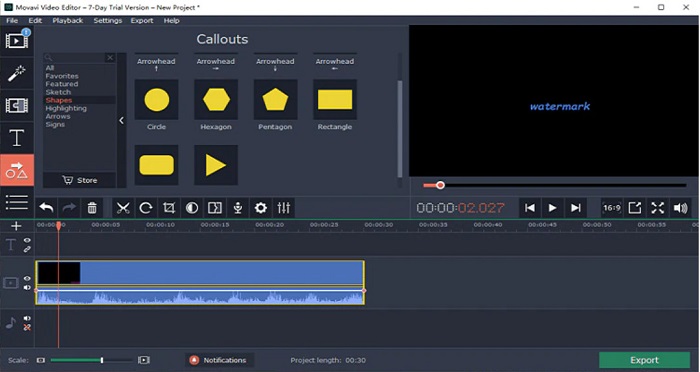
A Movavi egy sokak által használt videószerkesztő, amely segíthet eltávolítani az Arnold vízjelét a képedről. Emellett lehetőséget kínál arra is, hogy vízjelet adj a képedhez vagy videódhoz. Továbbá számos szerkesztési funkciót tartalmaz, amelyekkel javíthatod a képed minőségét. Ugyanakkor a színkorrekciós eszközt kell használnod ahhoz, hogy elhalványítsd a vízjelet a videón. Felhasználóbarát eszköz is, egyszerű felhasználói felületének köszönhetően.
Előnyök
- Gyors exportálási folyamattal rendelkezik.
- Minden médiaplatformon letölthető, beleértve a Windowst és a Mac-et is.
Hátrányok
- A vízjel eltávolítása funkció használatához először vásárolja meg a teljes verziót.
- A visszatérítési szabályzattal kapcsolatos problémák vannak.
Watermark Remover.io
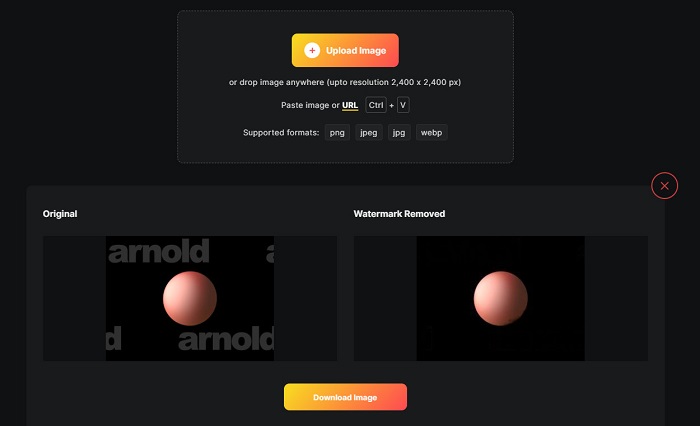
Ha Maya Arnold renderelést szeretnél vízjel nélkül, akkor a Watermark Remover.io segíthet ebben. Sok kezdő is szívesen használja ezt az eszközt, mert egyszerűen kezelhető a szoftverfelülete. Ezenfelül a Watermark Remover.io egy online eszköz, amelyet minden böngészőben elérhetsz, például a Google Chrome‑ban, a Firefoxban és a Safariban. Működik Macen, Windowson, iPhone‑on és Android‑os eszközökön is.
Ezenkívül ez a vízjeleltávolító lehetővé teszi a nem kívánt objektumok, például logók, szövegek vagy képek eltávolítását a fényképekről. Ennek az online alkalmazásnak az a hátránya, hogy lassú feltöltési folyamatot tapasztalhat, mivel ez egy webalapú alkalmazás.
Előnyök
- Ingyenes és könnyen használható.
- Támogatja a leggyakoribb képformátumokat, mint például a PNG, JPEG, JPG és WEBP.
- Gyors feldolgozó felülettel rendelkezik.
- Terület-előrejelzési funkcióval rendelkezik.
Hátrányok
- Ez egy internetfüggő eszköz.
HitPaw vízjel eltávolító
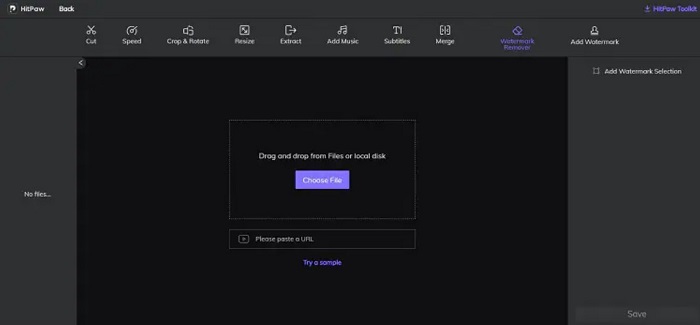
A HitPaw egy másik vízjel‑eltávolító, amely lehetővé teszi, hogy könnyedén eltávolítsd az Arnold vízjelét a képedről. Lehetővé teszi bármilyen vízjel professzionális eltávolítását a képről. Emellett egyszerű és könnyen használható felhasználói felülettel rendelkezik, így nem lesz nehéz dolgod ezzel az online eszközzel. Ha Arnold videód van, ez az eszköz hatékonyan eltávolítja róla a vízjelet. Ami lenyűgöző, hogy online és offline verziója is létezik. Az offline verzió szoftverfelülete azonban nehezen kezelhető, ami megnehezíti a használatát a kezdők számára. Ennek ellenére sok felhasználó továbbra is ezzel az eszközzel távolítja el a vízjeleket.
Előnyök
- Van online és offline verziója.
- Online verziója minden webböngészőn elérhető, mint például a Google és a Safari.
- Nem hagy elmosódott nyomot a vízjel területén.
Hátrányok
- A videók vagy fényképek szerkesztéséhez regisztrálnia kell.
Inpaint
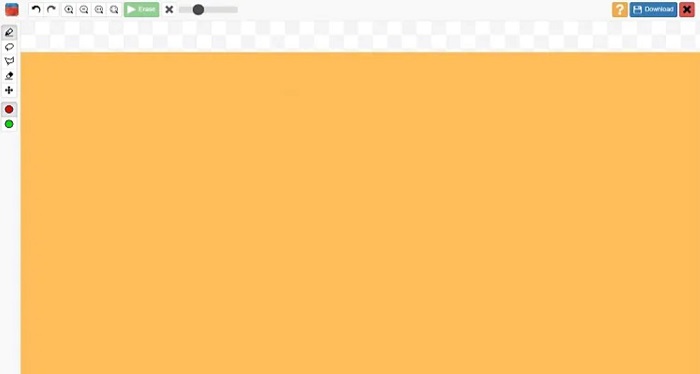
Az Inpaint az egyik legnépszerűbb vízjel‑eltávolító, amelyet Windowsra és Macre is letölthetsz. Ez az offline eszköz számos videó‑ és képformátumot támogat, például MP4, MKV, AVI, PNG, JPG stb. Sok felhasználó kedveli ezt az eszközt, mert eltávolítja a képről vagy videóról a nem kívánt elemeket. Emellett egyéb szerkesztési funkciókat is kínál, amelyekkel tovább javíthatod a képedet vagy videódat.
Előnyök
- Szinte minden médiaplatformon letölthető, beleértve a Windowst és a Mac-et is.
- Professzionálisan gyártott termékeket exportál.
Hátrányok
- Nehezen használható szoftveres felülettel rendelkezik.
- Néha nem tudja eltávolítani a bonyolult elemeket a videóidból vagy képeidből.
2. rész: Arnold vízjel eltávolítása egy kattintással
Ha egyszerűbben szeretné eltávolítani az Arnold vízjelet a képről, akkor megvan az ajánlott eszköz. Olvassa el az alábbi részt, hogy többet megtudjon erről az eszközről és arról, hogyan távolíthatja el a vízjeleket ezzel az eszközzel.
Az FVC Video Converter Ultimate egy átfogó eszköz, amellyel bármilyen nem kívánt objektumot eltávolíthatsz a képedről. Számos videóformátumot támogat, például MP4, MKV, AVI, MOV, M4V és még több mint 1000 egyéb formátumot. Könnyen kezelhető felhasználói felületének köszönhetően sok kezdő ezt az eszközt használja a videós vízjelek eltávolítására. Ezenfelül számos fejlett szerkesztési funkciót kínál, például videós vízjel‑eltávolítót, színkorrekciót, videóvágót és egyebeket. Tehát ha ezt a szoftveralkalmazást szeretnéd használni az Arnold vízjel eltávolítására, kövesd az alábbi egyszerű útmutatót.
Az Arnold vízjel eltávolítása az FVC Video Converter Ultimate használatával:
1. lépés. Töltsd le az FVC Video Converter Ultimate programot az eszközödre az alábbi Download gombra kattintva.
Ingyenes letöltés Windows 7 vagy újabb rendszerre Biztonságos letöltés
Ingyenes letöltés macOS 10.7 vagy újabb rendszerre Biztonságos letöltés
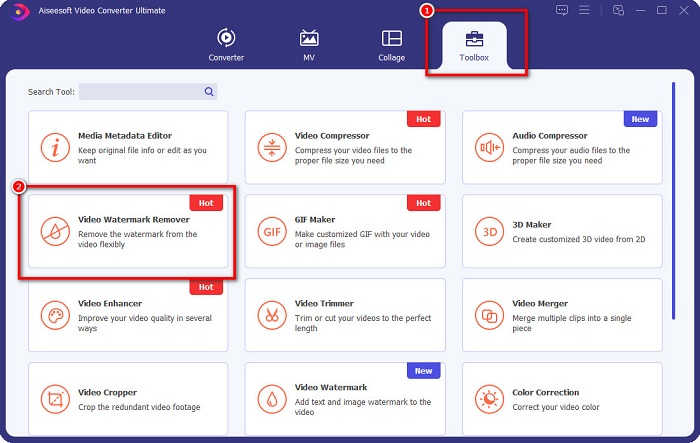
2. lépés. Menj a Toolbox panelre a fő szoftverfelületen, és válaszd a Video Watermark Remover lehetőséget.
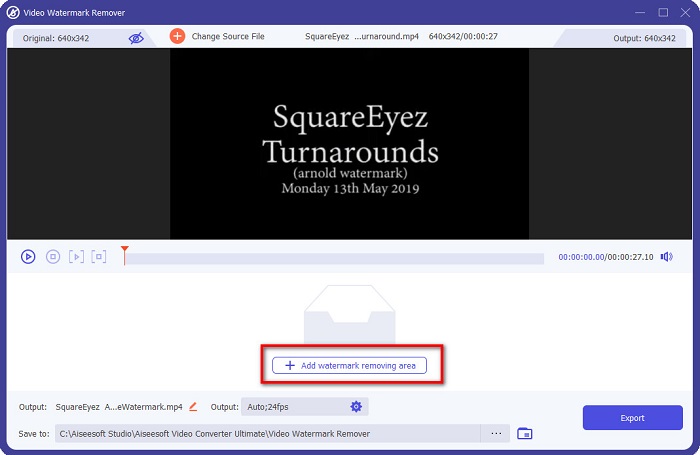
3. lépés. Ezután kattints a + jel gombra, hogy feltöltsd azt az Arnold videót, amelyről el szeretnéd távolítani a vízjelet.
4. lépés. Ezután látni fogod a videó előnézetét. Kattints az Add watermark removing area gombra, hogy hozzáadj egy eltávolítási területet.
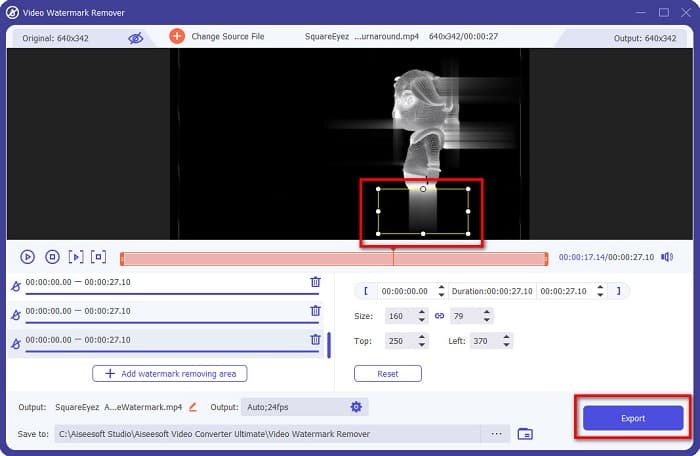
5. lépés. Helyezd a vízjel‑eltávolítási területet a videón lévő vízjel helyére. Ha két vagy több vízjel található a videón, kattints ismét az Add watermark removing area gombra. Ezután kattints az Export gombra, miután az összes vízjelet lefedted a videón. Ráadásul ezt az eszközt arra is használhatod, hogy eltávolítsd a Dxtory vízjeleket.
3. rész: Arnold vízjel eltávolítása Render Sequence Tool segítségével
Arnold vízjelek csak akkor jelennek meg a renderelt eredményen, ha Maya alatt licenc nélkül használod. Ezért a vízjel eltávolításához végre kell hajtanod a képsorozat renderelésének folyamatát. Miután elkészítetted az animációt, módosítanod kell a renderbeállításokat. A beállítások közé tartozik a képformátum, a képkocka‑ vagy animációkiterjesztés, a kezdő‑ és végkocka, a profilok és egyebek. A renderelési beállítások módosítása után kattints a Render > Batch Render menüpontra. Miután ezt megtetted, az összes képen lesz vízjel.
Az Arnold vízjel eltávolításához le kell renderelned az animációdat. Lépj a Render Settings menüpontra, és győződj meg róla, hogy azt a kamerát választottad ki, amelyet renderelni szeretnél. Ezután kattints a Render Sequence lehetőségre. Ezt követően nyisd meg a képeket, és látni fogod, hogy már nincs rajtuk beágyazott vízjel. Ezeket a képeket most már felhasználhatod animáció készítéséhez.
4. rész. GYIK az Arnold vízjel-eltávolítókkal kapcsolatban
Tud kötegelt renderelni Arnolddal?
Igen. A Maya kötegelt renderer segítségével sorozatkeretet renderelhet. Ezt úgy teheti meg, hogy a parancssorban a Render > Batch Render menüpontra kattintva nyissa meg a Mayát.
Arnold benne van a Mayában?
Az alapértelmezett telepítésben az Arnold for Maya az mtoa-n keresztül szerepel. mll plug-in. Ebben a beépülő modulban Arnold az előnyben részesített renderelő a Mayában.
Mennyibe kerül Arnold?
Az éves előfizetés 380$, míg a havi előfizetés 50$ havonta.
Következtetés
A fenti összes Arnold Maya vízjel‑eltávolító ígéretes eredményeket nyújt a vízjelek eltávolításában. Ha azonban olyan szoftveralkalmazást szeretnél használni, amely számos funkcióval rendelkezik, és úgy távolítja el a vízjeleket, hogy közben nem rontja a minőséget, töltsd le most az FVC Video Converter Ultimate programot.
-
 123rf vízjeleltávolítók – Az Ultimate Tools alapos áttekintése
 Ha tudni szeretné, melyek a legkiemelkedőbb 123rf vízjeleltávolítók, olvassa el alaposan ezt a cikket. Ez a cikk részletes áttekintést nyújt az eszközökről.
-
 A DeviantArt vízjel eltávolítása Windows és Mac rendszeren
 Szeretné megtanulni, hogyan távolíthatja el a DeviantArt vízjelet a képekről? A legkiválóbb DeviantArt vízjeleltávolítókkal könnyedén eltávolíthatja ezeket a bosszantó vízjeleket.
-
 A Pond5 vízjel eltávolítása az Ultimate Tools segítségével
 Tanulja meg, hogyan távolíthatja el a Pond5 vízjelet az alábbi egyszerű lépések végrehajtásával. Ezekkel a lenyűgöző eszközökkel könnyedén eltávolíthatja a Pond5 vízjelet a képéről.
