


 Video Converter Ultimate
 Screen Recorder
 Videó javítás
Melyik a legjobb iMovie-alternatíva Windowshoz, amelyet az interneten találhat
Az iMovie egy jól ismert, ingyenes videószerkesztő Macen, mivel ez az alapértelmezett szerkesztőjük, és akkor is könnyen használható, ha a kezdő és a profi szint között vagy. Bár ez az eszköz nagyszerű szerkesztésre, Windowsra még nem érhető el. Ezért alább felsoroljuk a legjobb, Windowsra készült iMovie‑szerű videószerkesztőket, rövid leírásukkal együtt. Így könnyebb eldönteni, melyik eszköz kínálja a legjobb szerkesztési funkciókat és a legjobb kimenetet.

1. rész. A legjobb iMovie-alternatívák PC-re összehasonlító táblázattal
| Szerkesztő funkció(i). | Video Converter Ultimate | VSDC ingyenes videószerkesztő | Davinci Resolve | Hit Film Express | Windows film készítő |
| Szolgáltatás(ok) szerkesztése |  | | | | |
| Felhasználóbarát | |  | | | |
| Mindent átfogó tapasztalat | Teljes előrelépést és professzionális teljesítményt biztosít, ugyanakkor könnyen használható. | A legjobb szerkesztési eszköz a részletesebb, szakmai tapasztalattal rendelkező videókhoz. | Az eszközt nehéz szerkesztésre tervezték | Számos szerkesztési funkciót biztosít, mint a VSDC Free Video Editor. | Alapvető szerkesztéssel rendelkezik, és semmi több. |
| Fájl méret | 2,4 mb | 99,2 mb | 1,5 GB | 1,2 GB vagy több | 15,1 mb |
| Árkategória | 1 hónapra: $25.00 Egy évre: $31.20 Élettartamú licenc esetén: $55.20 | $19.99 a Pro kiadáshoz | $357.01 funkciókonként | $299 (előfizetési díj nélkül) | Ingyenesen letölthető |
| Rendszerkövetelmény(ek): Támogatott platformok, processzorok és RAM | Támogatott operációs rendszer: Windows 10, Windows 8, Windows 7, Windows Vista, Windows XP (SP2 vagy újabb) macOS 10.7 vagy újabb Processzor: 1 GHz-es Intel / AMD CPU vagy újabb RAM: 1G RAM vagy több | Microsoft Windows 2000/XP/2003/Vista/ Win7/Win8 Processzor: Intel vagy AMD vagy kompatibilis processzorok minimum 800 MHz-en Kijelző grafika minimális felbontása 800x600x16 bites szín RAM: 128 megabájt (MB) Microsoft DirectX 8.1b | Windows 10 Creators Update vagy Blackmagic Design Desktop Video 10.4.1 vagy újabb Processzor: NVIDIA/AMD/Intel GPU Driver verzió RAM: legalább 2 GB VRAM | Windows: Microsoft Windows 10 (64 bites) Processzor: 4. generációs Intel® Core™ processzorok vagy azzal egyenértékű AMD. RAM: 4 GB (8 GB ajánlott) | Microsoft Windows XP (SP2 vagy újabb), Windows Vista, Windows 7, Windows 8, Windows 8.1, Windows 10 Processzor: 1 GHz-es Intel/AMD processzor vagy újabb RAM: 256 MB RAM (512 MB vagy több ajánlott) |
1. Video Converter Ultimate
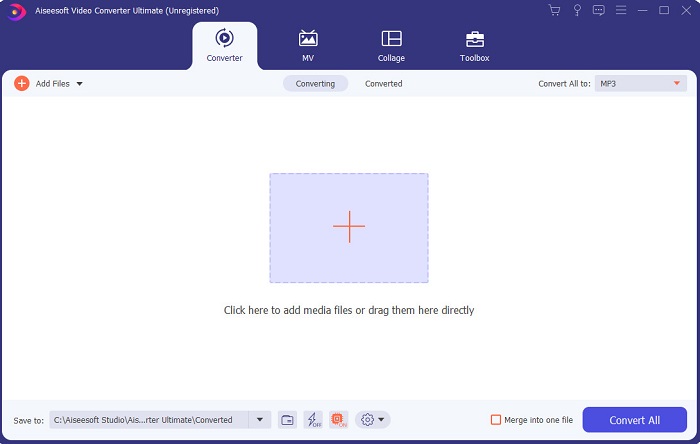
Ha a szerkesztés okoz gondot, akkor a Video Converter Ultimate kárpótol érte. Több funkciót kínál szerkesztésnél, mint az iMovie vagy a listán szereplő többi eszköz. Ez egyben a legjobb iMovie‑alternatíva Windowsra és Macre is. Lehetővé teszi, hogy a felhasználó magas minőségű szerkesztési élményt kapjon, minimális tanulási idővel. Vagyis még ha kezdő vagy újonc vagy is a videószerkesztésben, ezzel a szoftverrel akkor is profi érzetű szerkesztést tudsz végezni egyszerűbb munkafolyamatok mellett. Csak könnyen érthető útmutatókat tartalmaz, hogy a felhasználók el tudják végezni a kívánt szerkesztéseket. Bár a felület már most is jó, még mindig ráférne egy komolyabb frissítés – ahogy mondani szokták, mindig van hová fejlődni.
Ingyenes letöltés Windows 7 vagy újabb rendszerre Biztonságos letöltés
Ingyenes letöltés macOS 10.7 vagy újabb rendszerre Biztonságos letöltés
2. VSDC ingyenes videószerkesztő
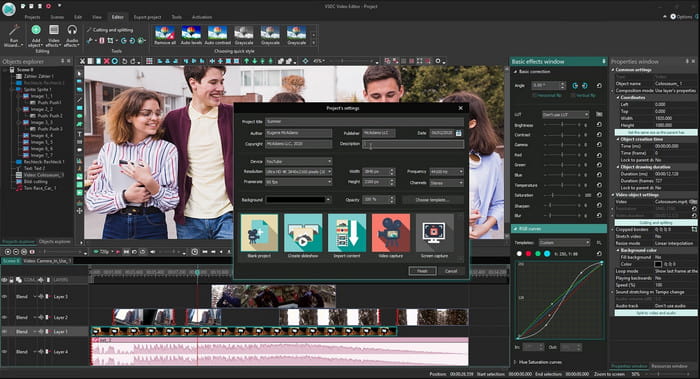
A VSDC Free Video Editor az egyik legjobb ingyenes szerkesztő, amelyet Windowson használhatsz. A szoftver felhasználói felülete minden frissítéssel egyre jobb lett. Mégis, tovább kellene fejleszteni, hogy igazán kiemelkedő legyen. Emellett ennek a Windows 10‑es iMovie‑alternatívának néhány szerkesztési funkciója rejtve van az eszköz almenüiben. Emiatt nehéz lehet megtalálni a kívánt szerkesztési lehetőségeket. A Pro verzió ára viszont nagyon olcsó a többi bemutatott eszközhöz képest. A szerkesztési funkciók azonban ennek megfelelően inkább átlagosak. Tesztelés közben néhány hibával és összeomlással is találkoztunk.
3. Davinci Resolve
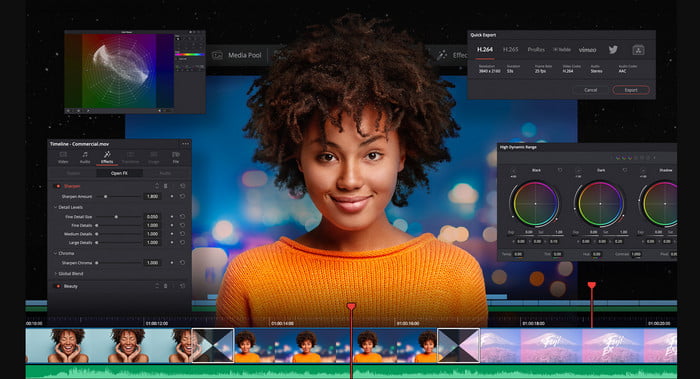
A Davinci Resolve rengeteg olyan szerkesztési funkciót kínál, amelyekkel tovább javíthatod a videódat. Azt mondják, hogy az Adobe Premiere és az Apple Final Cut szerkesztési funkcióinak kombinációját nyújtja. Ennek a kombinációnak köszönhetően rengeteg fejlett eszközre számíthatsz, hogy a videód még jobb legyen, mint valaha. A használatának elsajátítása azonban terhes a kezdők és azoknak a haladó felhasználóknak is, akiknek nincs szerkesztési tapasztalatuk. Mindemellett ez az iMovie PC‑re a legjobb alternatíva a fejlett funkciók terén, de nem éppen pénztárcabarát: több mint 300 dollárba kerül, így a lista legdrágább szerkesztője.
4. HitFilm Express
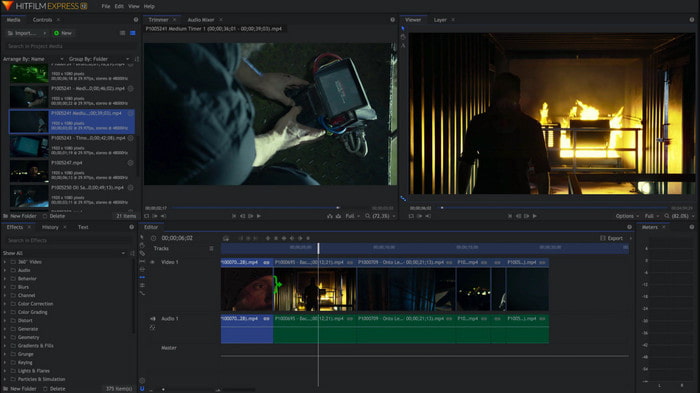
A HitFilm Express teljesítménye miatt sok felhasználó nagyra értékeli. Bár néhány oktatóanyag elérhető hozzá, ezek még mindig nem elég részletesek ahhoz, hogy teljesen bemutassák a szerkesztő használatát. Emellett hiányoznak bizonyos animált átmenetek, amelyekre szükség lehet egy igazán különleges videóhoz. Ha azonban csak egyszerű szerkesztést szeretnél végezni, érdemes kipróbálni, mert olyan, mint az iMovie, csak PC‑n is elérhető. Ugyanakkor számíts néhány kisebb‑nagyobb hibára és váratlan összeomlásra használat közben.
5. Windows Movie Maker
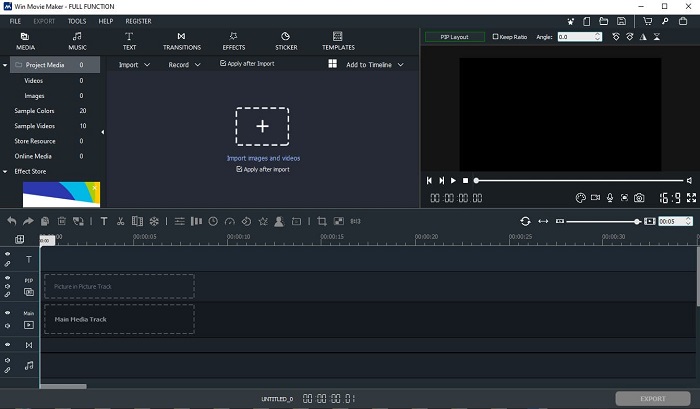
A Windows Movie Maker 2016 végén lett igazán népszerű, mert néhány fejlettebb funkciót is kínált. Bár ma már nem része natívan a Windows médiaprogramjainak, még mindig az egyik lehetséges iMovie‑alternatíva PC‑re letöltve. Ugyanakkor légy óvatos, honnan töltöd le: sokan próbálták meg letölteni a programot a netről, és ismeretlen forrásokból származó vírusokat kaptak a gépükre. Alapvető szerkesztési funkciókat kínál, amelyekre szükséged lehet. Ha azonban igazán látványos, „lehengerlő” végeredményt szeretnél, nem feltétlenül érdemes ezt választani. Ha viszont egyszerű szerkesztésre vágysz, akkor töltsd le és próbáld ki.
2. rész. GYIK az iMovie for Windows alkalmazással kapcsolatban
Mi a legjobb eszköz a GIF-ek szerkesztéséhez?
Mivel a GIF‑ek ma már trendinek számítanak, sok felhasználó szeretné elkészíteni a saját GIF‑jeit. A GIF‑ek mérete ráadásul sokkal kisebb, mint más videóformátumoké. Ha most erre a linkre kattintasz, egy új weboldal nyílik meg, amely bemutatja, melyik a legjobb GIF‑szerkesztő PC‑re, Macre, iOS‑re és Androidra.
Hogyan adjunk háttérzenét a videóhoz?
A videószerkesztés nagyszerű dolog, de tudtad, hogy a háttérzene hozzáadása is a szerkesztési folyamat része? Ha szeretnéd megtudni, hogyan adhatsz zenét a videóhoz, kattints erre a linkre, és folytasd ott.
Miért szerkesztjük a videókat?
Mivel ez az utómunka része, egyesítéssel, a szükségtelen videók kivágásával, háttérzene hozzáadásával és egyebekkel csiszolja a videót. Ennek a szerkesztő szoftvernek köszönhetően nagyon sokat tudunk kifejezni magunkat a szerkesztéssel.
Következtetés
Összegzésként: a videószerkesztés nagyon fontos fázis, amelyet komolyan kell vennünk. Még ha nincs is meg a teljes, profi szerkesztőkészleted, akkor is képes lehetsz a vágásra és szerkesztésre. Az itt bemutatott 5 eszköz szinte mind ugyanazokra az alapelvekre és funkciókra épül, mint az iMovie. Ráadásul a Video Converter Ultimate az a kivételes szerkesztő, amellyel olyan lenyűgöző videót készíthetsz, amire senki sem számítana tőled. Mire vársz még? Ha ki akarod használni a fejlett szerkesztési funkciókat, nagyon kedvező áron és egyszerű használat mellett, töltsd le az Ultimate Convertert a PC‑dre.
-
 MPEG-4 fájlok online tömörítése - Nincs letöltés, nincs vízjel
 Nincs elég fájltárhelyed az összes MPEG-4 fájl megőrzéséhez? Íme néhány megoldás, amelyek segíthetnek a videofájlok kicsinyítésében.
-
 A VOB-fájlok online és ingyenes tömörítése [Nincs letöltés]
 Módszereket keres a VOB fájlok tömörítésére? Ebben a cikkben megismerheti a VOB fájlok méretének csökkentésének legjobb módját.
-
 Hogyan tömörítsünk egy OGV fájlt a minőség romlása nélkül
 Nem tud nagy OGV fájlokat küldeni másoknak? Nos, ez a cikk 2 egyszerű módszert mutat be az OGV-fájlok egyszerű tömörítésére.
