


 Video Converter Ultimate
 Screen Recorder
 Videó javítás
 Biztonságos letöltés
Teljes oktatóanyag a Weibo vízjel eltávolításáról, amelyet tudnia kell
A Weibo egy ismert közösségimédia-platform, amelyet olyan információk megosztására, terjesztésére és megszerzésére használnak, mint a Twitter, amelyet gyakran használhat Kínában. Itt bélyegképeket, fényképeket és videókat is közzétehet és letölthet. Az exportálás után azonban megjelenik egy vízjel. Sok felhasználó szeretné eltávolítani, mert megzavarja a tartalom látványát.
Annak ellenére, hogy több ezer vízjel‑eltávolító érhető el, kevés eszköz képes ténylegesen hatékonyan eltávolítani a vízjeleket. Ha tehát nem tetszik a letöltött vizuális médián megjelenő vízjel, ez a cikk összegyűjti a legjobb eszközöket a használathoz. Kipróbáltuk őket, hogy bizonyítsuk: valóban működőképesek és gyakorlatiasak a vízjel eltávolításában. Hogy megtanulja, hogyan távolítsa el a Weibo‑vízjelet, olvassa végig ezt a cikket.

1. rész: A vízjel eltávolítása a Weibo videóról az Ultimate Watermark Remover segítségével
A Weibo‑vízjel más eszközöknél gondot jelenthet, mert a legtöbb eszköz elmosódott foltot hagy a vízjel helyén. Ha azonban a FVC Video Converter Ultimate programot használja, nem marad elkenődés a vízjel után. Akár nagy, akár kicsi a vízjel, ez az eszköz nyom nélkül képes hatékonyan eltüntetni. Így gondtalanul élvezheti a Weibo‑ra exportált videó megtekintését. Más szavakkal: ezzel az eszközzel gyerekjáték a vízjel eltávolítása.
Ezenkívül ezt az eszközt más dolgokra is használhatja, például kivágásra, összevonásra, tömörítésre, kivágásra, GIF-ek létrehozására stb. És ha vízjelet szeretne hozzáadni a videójához, hogy senki ne lophassa el Öntől, akkor ezt a szoftvert használhatja. Ez az a többfunkciós szoftver, amelyre szükség van az asztalon. Szeretné tudni, hogyan távolítsa el a vízjelet a Weibo videóról? Kövesse a következő lépéseket, ahogy lépésről lépésre elmagyarázzuk, hogyan kell ezt megtenni.
Ingyenes letöltés Windows 7 vagy újabb rendszerre Biztonságos letöltés
Ingyenes letöltés macOS 10.7 vagy újabb rendszerre Biztonságos letöltés
': Mielőtt végrehajtaná a következő lépéseket, győződjön meg arról, hogy exportálta azt a Weibo-videót, amelyről eltávolítani szeretné a vízjelet, hogy könnyen megtalálhassa a mappában.
1. lépés. Először is töltse le a szoftvert az asztali gépére, és válassza ki a verziót az operációs rendszerének megfelelően. A telepítés után kövesse a képernyőn megjelenő WinRAR‑telepítési folyamatot, kattintson a Start Now gombra a program indításához, majd lépjen tovább.
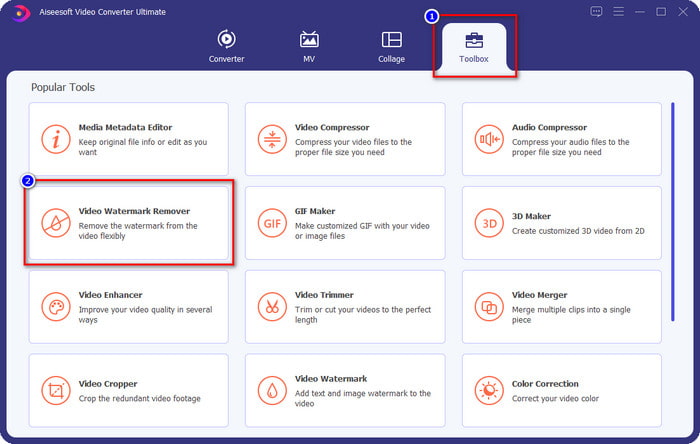
2. lépés. Lépjen a Toolbox (Eszköztár) részhez, és keresse meg a Video Watermark Remover opciót, majd kattintson rá.
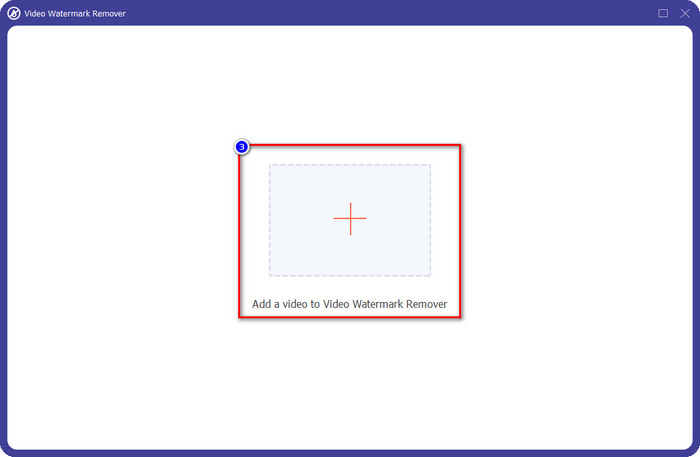
3. lépés. Kattintson a + gombra, keresse meg a mappában a korábban letöltött, Weibo‑vízjellel ellátott videót, kattintson a fájlra, majd az Open gombra, hogy feltöltse.
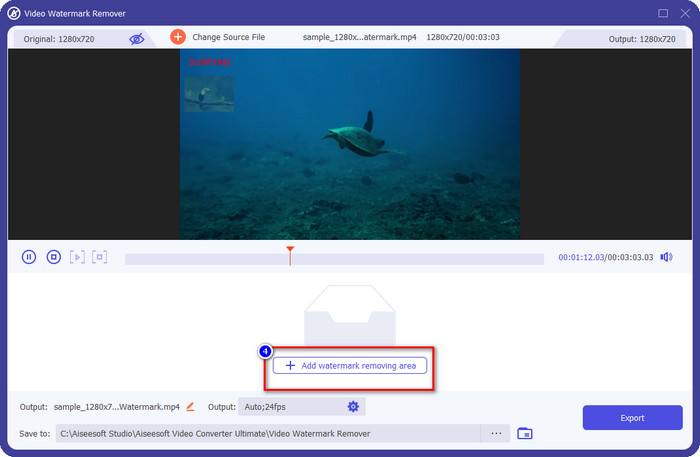
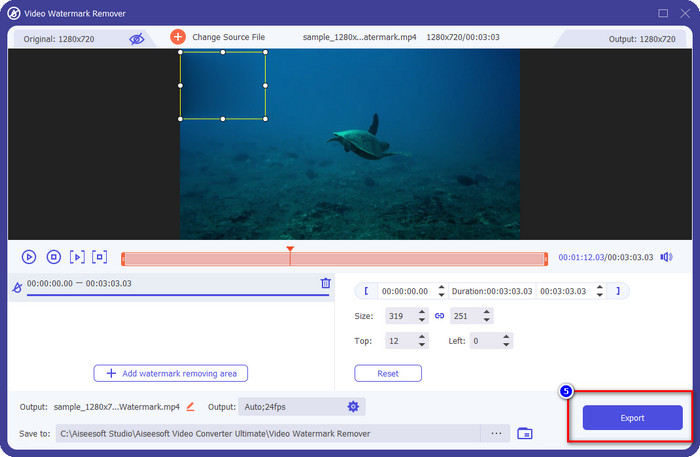
4. lépés. Az újonnan megjelenő ablakban kattintson az Add Watermark Removing Area (Vízjel‑eltávolítási terület hozzáadása) lehetőségre, hogy továbblépjen a vízjel eltávolításához.
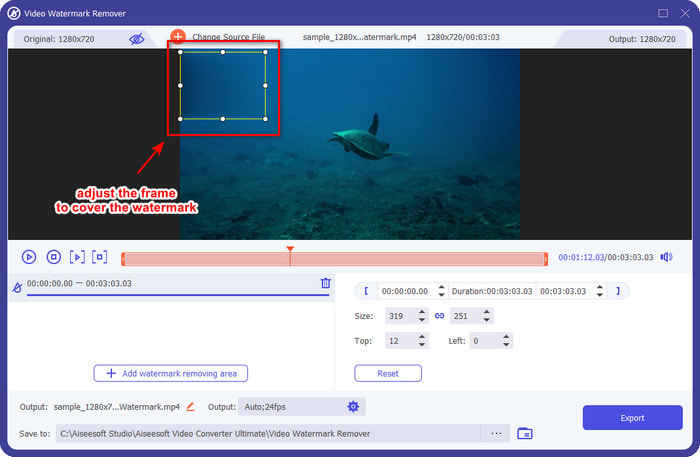
5. lépés. Húzza és tartsa lenyomva a kijelölő dobozt, hogy lefedje a vízjelet; igény szerint nagyíthatja vagy kicsinyítheti is, majd fedje le vele teljesen a vízjelet, mielőtt exportálna.
6. lépés. Miután a kijelölő dobozt a vízjelre helyezte, kattintson az Export gombra, hogy eltávolítsa a vízjelet a feltöltött videóról. Várakozásra szinte nincs is szükség, mivel a program ultra‑gyors feldolgozást kínál; néhány másodpercen belül máris megkapja a Weibo‑videót vízjel nélkül.
2. rész: Hogyan távolítsuk el a vízjelet a Weibo Photo alkalmazásból a weben található ingyenes verzió használatával
Hogyan lehet Weibo‑fotókat vízjel nélkül menteni? Ha közvetlenül a Weibo‑ról exportálja a képet, nem tudja vízjel nélkül elmenteni. Viszont használhatja a FVC Free Watermark Remover eszközt a képeken lévő vízjel eltávolítására. Ez egy teljes körű vízjel‑eltávolító képekhez. Funkcionalitás szempontjából bátran mondhatjuk, hogy ez az eszköz messze felülmúlja a weben elérhető többi vízjel‑eltávolítót. Ha tehát el szeretné távolítani a vízjelet egy képről, ez lehet az első választása. Bár képes eltüntetni a vízjelet a képekről, videókról nem tudja eltávolítani, mint ahogy azt az Ultimate eszköz megteszi.
Ennek ellenére ingyenes a használata, a webes felülete letisztult, így nem is fog megjelenni olyan reklám, ami zavarhatná. Szeretné tudni, hogyan kell használni ezt a webes eszközt? Ezután kövesse az alábbi lépéseket, és próbálja ki saját maga.
Megjegyzés: Ugyanúgy, mint a videónál, töltse le a kívánt Weibo-képet, és helyezze el egy jól látható és könnyen elérhető mappába.
1. lépés. Hogy elérje a webalapú vízjel‑eltávolítót, kattintson erre a linkre, hogy megnyissa.
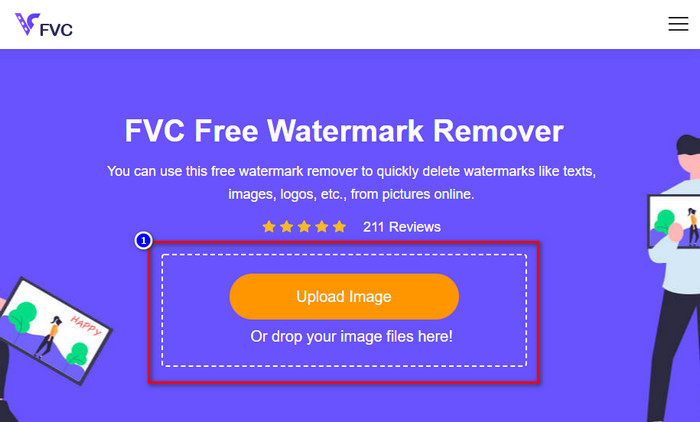
2. lépés. A webes felületen kattintson az Upload Image (Kép feltöltése) gombra, ekkor egy mappaablak jelenik meg; keresse meg a képet, majd nyomja meg az Open gombot a feltöltéshez.
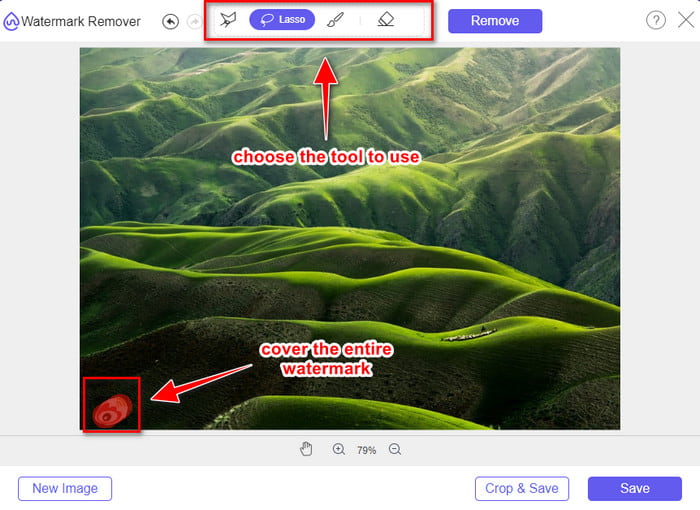
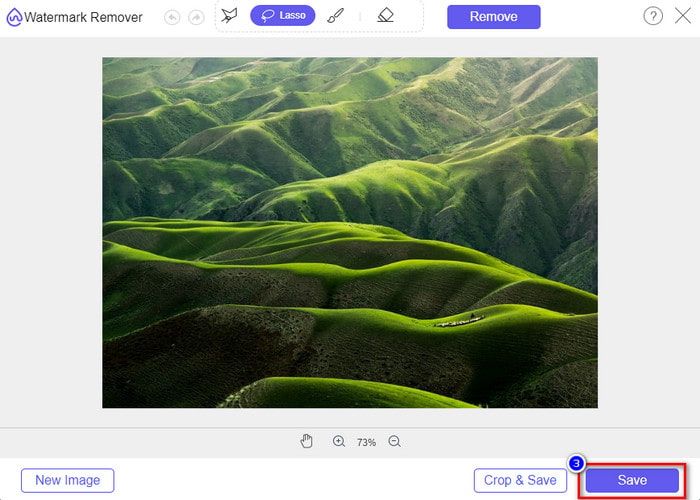
3. lépés. Itt körberajzolhatja a vízjelet az eltávolításhoz; ügyeljen rá, hogy a vízjel minden egyes része a megrajzolt területen belül legyen.
4. lépés. Nyomja meg a Remove gombot, hogy eltávolítsa a képen lévő vízjelet.
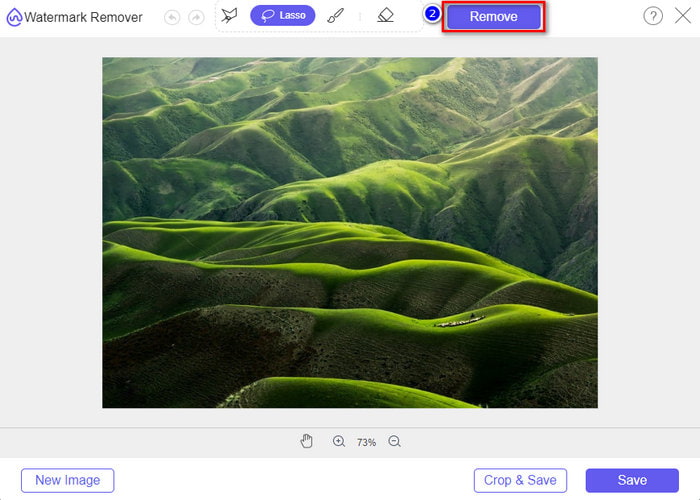
5. lépés. Miután eltávolította a vízjelet a Weibo‑képről, kattintson a Save gombra, hogy letöltse a Weibo‑képet vízjel nélkül.
Összefüggő:
Hogyan távolítsuk el a TikTok‑vízjelet
Hogyan adjunk vízjelet a videóhoz
3. rész. GYIK a Weibo vízjel eltávolításával kapcsolatban
Miért lett a Weibo vízjel elmosódott az exportálás után?
Egyes eszközök elmossák a vízjelet, így az nem látható a Weibo-ra exportált vizuális adathordozókon. De nem minden eszköz homályosítja el a vízjeleket; egyesek nyom nélkül eltávolítják a vízjelet a vizuális adathordozón. Tehát, ha el szeretné távolítani a vízjelet a Weibo-ról anélkül, hogy elmosódna, ismernie kell a fent említett eszközt, amely segít eltávolítani.
Elfedhetem a Weibo logót az exportált fájlon?
Igen tudsz. Ily módon nem fogja látni a Weibo vízjelet a fájlban. A módosítás azonban lefedné a fájl egyes részeit, így ahelyett, hogy segítene, ronthatja a fájlt. Tehát vízjel-eltávolítóra van szükség a fájl vízjelének törléséhez.
A Weibo összes exportált fájlja rendelkezik vízjellel?
Bármilyen típusú fájl exportálása ezen a mikroblog-platformon nyomot hagy. Nem számít, mi az, a vízjelek hozzáadódnak a fájlhoz. Ennek ellenére eltávolíthatja a cikkben korábban említett eszközzel.
Következtetés
Elképesztő, igaz? Az FVC rendelkezik mindazzal az eszközzel, amire szüksége lehet a Weibo‑vízjel azonnali eltávolításához videókról és képekről. Még ha nincs is tapasztalata vagy nem profi ebben a fajta szerkesztésben, a fent említett eszközzel akkor is könnyedén elvégezheti. Ha tehát vízjelet szeretne eltávolítani egy képről – akár Weibo‑ról exportálták, akár nem –, az FVC Free Watermark Remover az az eszköz, amelyre szüksége lesz. Videók és GIF‑ek esetén azonban olyan, könnyen használható és megfizethető professzionális szoftvert kell használnia, mint a FVC Video Converter Ultimate. Mire vár még? Távolítsa el a vízjelet a vizuális médiatartalmairól, hogy élvezhesse őket bármiféle zavaró jel nélkül.
-
 A legjobb módja Vízjel hozzáadásának egy videóhoz a Photoshop alkalmazásban Windows és Mac rendszeren
 Szeretné tudni, hogyan lehet vízjelet hozzáadni egy videóhoz a Photoshopban? Ebben az esetben ez a cikk megadja azt a dolgot, amit tudnod kell.
-
 3 legjobb megoldás a vízjel egyszerű eltávolítására a videókról
 Szeretné eltávolítani a bosszantó vízjelet a videóról? Ebből a blogból megismerheti a különböző ötleteket a vízjel eltávolításával kapcsolatban a videókon.
-
 4 legjobb módszer a vízjel eltávolítására a GIF-ről [Online és offline]
 El kell távolítani a vízjelet a GIF-ről? Az ebben a cikkben található eszközzel megismerheti a különböző stílusokat a platformján elérhető különböző vízjel-eltávolítókkal.
