


 Video Converter Ultimate
 Perekam Layar
 Perbaikan Video
 Unduhan Aman
Cara Mudah Mengompres Gambar hingga 50KB Tanpa Kehilangan [2024]
Ukuran berkas gambar bervariasi karena informasi terperinci dan resolusi tinggi, terutama saat ini, dengan apa yang disediakan kamera dan perangkat modern. Karena konten digital terus menjadi tren pada tahun 2024, kami memahami perlunya mengelola dan mengoptimalkan ukuran berkas gambar. Baik untuk meningkatkan kinerja situs web, menghemat ruang penyimpanan, atau memfasilitasi berbagi tanpa hambatan, kompresi gambar yang efisien sangatlah penting.
Jadi, jika Anda sedang mencari alat untuk mengecilkan gambar, Anda sudah berada di jalur yang tepat. Panduan ini akan menunjukkan cara Anda mengompres gambar menjadi 50KB tanpa kehilangan kualitas (lossless), sehingga kualitas tetap tinggi sekaligus ukuran file menjadi lebih kecil. Baca terus untuk mengetahui lebih lanjut!

Bagian 1. Kompres Gambar ke 50KB Tanpa Kehilangan Kualitas yang Jelas
Masalah dengan penggunaan alat kompresi gambar adalah alat tersebut biasanya merusak kualitas gambar, tetapi tidak selalu demikian. Jika dilakukan dengan benar menggunakan alat yang tepat, kualitas gambar dapat dipertahankan atau dikompresi tanpa kehilangan kualitas yang nyata.
Salah satu alat kompresi gambar terbaik yang tetap mempertahankan kualitas gambarnya adalah FVC Free Image Compressor. Alat yang cepat dan mudah digunakan ini dirancang untuk mengompres gambar menjadi 50KB tanpa terlalu banyak mengorbankan kualitas. Alat ini unggul dalam mengompres berbagai format foto seperti JPEG, PNG, SVG, dan GIF, dengan hasil kompresi yang lebih baik dibandingkan beberapa perangkat lunak alternatif. Selain itu, alat ini sepenuhnya gratis dan dapat dengan mudah diakses secara online menggunakan berbagai perangkat. Sementara itu, jika Anda mengompres banyak gambar sekaligus, alat ini sangat cocok karena dapat menangani kompresi gambar secara bersamaan dan menyimpannya dalam satu file zip sehingga Anda dapat mengaksesnya dengan mudah.
Berikut cara mengompres gambar menjadi 50KB dengan FVC Free Image Compressor
Langkah 1. Pertama, buka situs web resmi mereka.
Langkah 2. Setelah itu, klik Upload Images untuk mengimpor foto yang ingin Anda kompres menjadi 50KB.
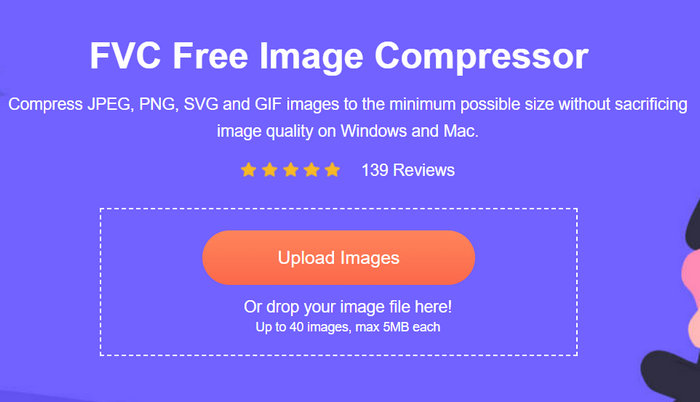
Langkah 3. Setelah proses kompresi selesai, Anda bisa melihat pratinjau ukuran baru gambar Anda yang sudah dikompres. Terakhir, klik Download untuk menyimpan gambar Anda.
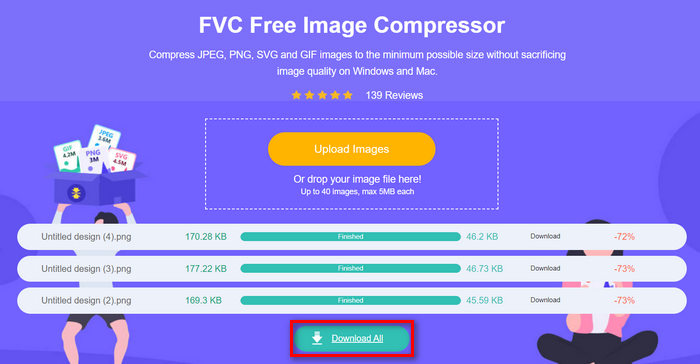
Keunggulan FVC Free Image Compressor adalah pengurang ukuran gambar ini memiliki antarmuka yang sederhana dan sangat intuitif. Pengguna hanya memerlukan dua langkah utama: mengunggah dan mengekspor, karena proses kompresi dilakukan secara otomatis setelah gambar diimpor.
Bagian 2. Kompres Gambar ke 50KB Online dengan Kualitas Kustom
Jika Anda lebih suka alat kompresor gambar daring dengan opsi kualitas yang dipersonalisasi, Duplichecker adalah pilihan yang tepat untuk Anda. Alat ini menawarkan solusi cepat dan mudah untuk mengompresi ukuran berkas gambar kustom sambil tetap menjaga integritas visual. Dengan antarmuka yang ramping, alat ini memberi pengguna solusi cepat untuk memperkecil berkas gambar. Selain itu, alat ini mendukung format JPEG, PNG, dan GIF dan memungkinkan pengguna untuk menyesuaikan pengurangan ukuran keseimbangan berkas mereka. Selain itu, Duplicheck mendukung pemrosesan batch, yang memungkinkan beberapa gambar dikompresi menjadi 50 KB secara bersamaan. Terakhir, alat ini sepenuhnya gratis untuk digunakan.
Berikut cara mengompres gambar menjadi 50KB menggunakan Duplichecker
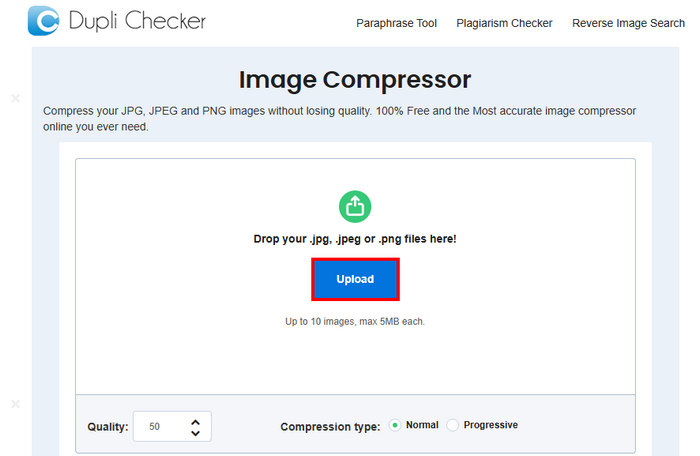
Langkah 1. Untuk mengunggah gambar yang ingin Anda kompres menjadi 50KB, klik tombol Upload.
Langkah 2. Selanjutnya, Anda akan melihat opsi Quality di bagian kiri bawah. Pilih atau ketik kualitas kompresi yang Anda inginkan. Dalam hal ini, ketik 50.
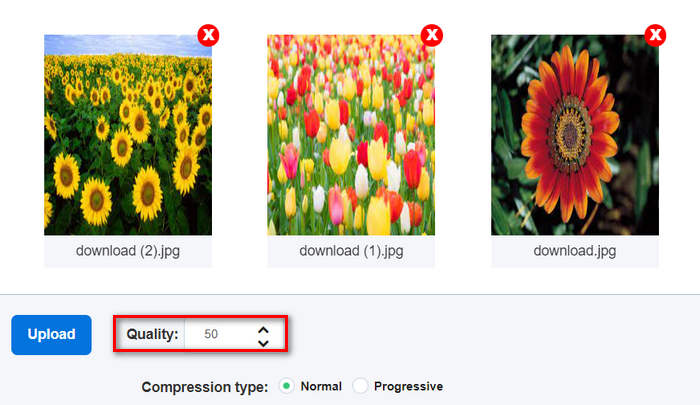
Kualitas gambar ini dalam KB atau Kilobyte.
Langkah 3. Setelah memilih kualitas, Anda dapat memilih jenis kompresi yang Anda inginkan.

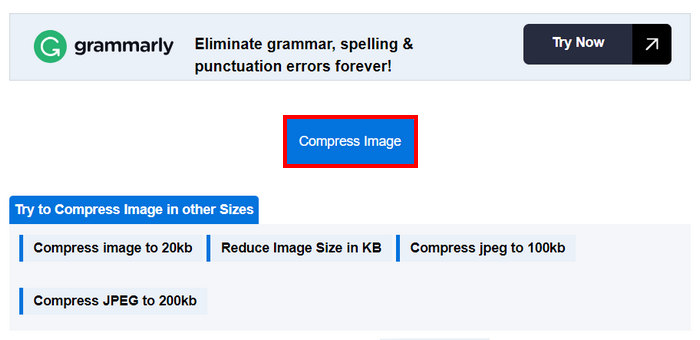
Langkah 4. Jika sudah diatur, gulir sedikit ke bawah dan klik tombol Compress untuk mengompres gambar Anda menjadi 50KB.
Langkah 5. Terakhir, untuk menyimpan gambar yang telah dikompres, klik tombol Download All untuk menyimpan semuanya. File-file ini akan langsung disimpan ke perangkat Anda.
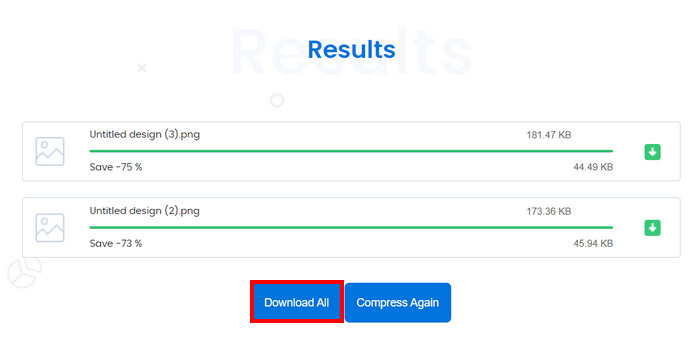
Alat ini memang hebat jika Anda ingin menyesuaikan kompresi gambar hingga 50KB. Namun, setelah konversi dengan beberapa gambar, sistem berhenti, tetapi memuat ulang sistem dapat memperbaiki masalah tersebut.
Bagian 3. Kompres Gambar ke 50KN secara Berkelompok
RedKetchup Bulk Image Resizer adalah alat daring yang dirancang untuk membantu pengguna mengubah ukuran foto dan mengompres gambar menjadi 50KB secara massal. Alat ini merupakan bagian dari rangkaian utilitas pemrosesan gambar online yang ditawarkan oleh RedKetchup dan dikenal efektif. Terakhir, antarmukanya yang ramah pengguna serta kemampuan pemrosesan yang cepat membuat pengguna dapat dengan mudah dan tanpa repot mengompres gambar dalam jumlah banyak sekaligus.
Berikut cara mengompres gambar menjadi 50KB secara massal menggunakan RedKetchup Bulk Image Resizer
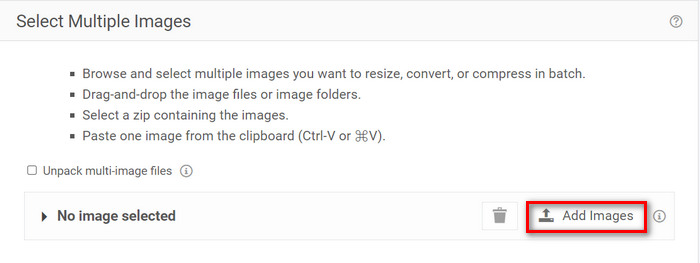
Langkah 1. Pertama, klik tombol Add Files untuk mengimpor gambar yang ingin Anda kompres secara massal.
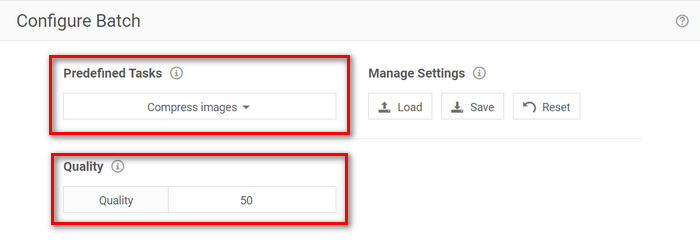
Langkah 2. Sekarang, di bagian Configure Batch, pilih Compress Images pada menu Predefined Task dan ketik ukuran file yang Anda inginkan di menu Quality.
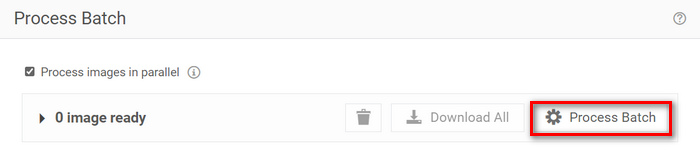
Langkah 3. Setelah itu, klik tombol Process Batch untuk mengompres gambar secara bersamaan.
Langkah 4. Terakhir, untuk menyimpan gambar yang sudah dikompres, klik tombol Download All.
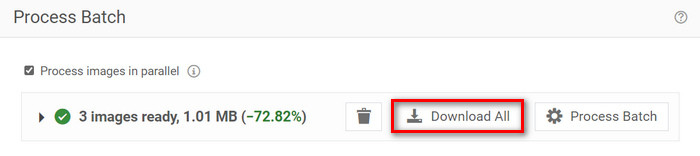
Jadi, jika Anda mencari alat yang dapat memuat banyak file untuk kompresi batch, alat ini memang cocok untuk Anda. Namun, Anda harus berhadapan dengan iklan saat mengunduh file.
Bagian 4. Perbandingan 3 Alat Kompresor Gambar
Mari kita lihat tiga alat yang dapat membantu Anda mengompres gambar menjadi 50KB.
| Alat Kompresor Gambar | Format yang Didukung | Kualitas | Kecepatan | Kompresi Batch |
| Kompresor Gambar Gratis FVC | JPEG, PNG, SVG, dan GIF | Kualitas tinggi | Cepat | Dapat mengkompres 40 gambar sekaligus. |
| Pemeriksa Duplikat | JPG, JPEG, GIF, dan PNG | Kualitas tinggi | Lambat | Dapat mengkompres 10 gambar sekaligus. |
| Pengubah Ukuran Gambar Massal RedKetchup | PNG, JPEG, WEBP, atau HEIC | Kualitas tinggi | Cepat | Dapat mengkompres lebih dari 1000 gambar sekaligus. |
FVC Free Image Compressor menawarkan pemrosesan cepat dan dapat menangani hingga 40 gambar sekaligus, mendukung berbagai format sekaligus memastikan gambar terkompresi berkualitas tinggi. Sementara itu, Duplichecker sedikit lebih lambat tetapi tetap memberikan hasil berkualitas tinggi dan mendukung kompresi batch hingga 10 gambar. RedKetchup Bulk Image Resizer dapat mengompres hingga 1000 gambar sekaligus, menyediakan pemrosesan cepat dan dukungan format luas. Namun, untuk menghindari iklan saat mengunduh gambar terkompresi dengan alat ini, Anda perlu meningkatkannya ke akun premium.
Bagian 5. FAQ tentang Mengompresi Gambar menjadi 50KB
Berapa piksel 50KB?
Jumlah piksel gambar berukuran 50 KB dapat sangat bervariasi tergantung pada kompleksitas, warna, dan algoritma kompresi. Secara umum, gambar berukuran 50 KB memiliki dimensi sekitar 200 × 230 piksel, tetapi ini dapat berbeda berdasarkan konten dan format gambar.
Bagaimana cara mengurangi ukuran file PNG menjadi 50KB?
Untuk mengurangi ukuran file PNG menjadi 50KB, gunakan alat kompresi gambar online seperti FVC Free Image Compressor, Duplichecker, atau RedKetchup Bulk Image Resizer. Unggah file PNG Anda, atur pengaturan kualitas untuk menargetkan ukuran file 50KB, lalu kompres gambar tersebut.
Berapa KB sebuah foto normal?
Ukuran foto normal bervariasi tergantung pada resolusi dan formatnya. Biasanya, foto yang diambil oleh ponsel pintar modern berkisar antara 1MB hingga 5MB.
Kesimpulan
Sebagai kesimpulan, mempelajari cara mengompres gambar menjadi 50KB atau ukuran file lainnya sangat penting saat menangani file gambar berukuran besar. Dengan alat seperti FVC Free Image Compressor, Duplichecker, dan RedKetchup Bulk Image Resizer, Anda dapat mencapai kompresi optimal tanpa mengorbankan kualitas gambar. Baik untuk mengoptimalkan kecepatan pemuatan situs web, menghemat ruang penyimpanan di perangkat Anda, maupun memastikan kemudahan berbagi di berbagai platform, metode ini dapat memberikan solusi praktis bagi Anda.
-
 Cara Mengompres Video MP4 ke Ukuran yang Lebih Kecil
 Video MP4 terlalu besar untuk diunggah? Ingin memperkecil ukuran video? Berikut adalah 3 cara efisien untuk mengompres file MP4 ke ukuran yang lebih kecil tanpa batas.
-
 Review dari Top 10 HD Video Converter Software
 Baca dan Bandingkan untuk mendapatkan software konverter video HD terbaik dari 10 rekomendasi. Berikut adalah ulasan mendetail dari setiap konverter video HD untuk multiplatform.
-
 Apa Itu File MTS dan Bagaimana Mengonversi MTS ke MP4 / MOV / MKV / AVI
 Apa itu file MTS dan bagaimana cara memainkannya? Posting ini memberi Anda instruksi dasar tentang file MTS. Selain itu, Anda bisa mendapatkan 3 cara sederhana untuk mengkonversi file MTS ke MP4, MOV, AVI, MPEG, MTS, MKV atau format lain dengan kualitas tinggi.
