


 Video Converter Ultimate
 Perekam Layar
 Perbaikan Video
Pelajari Apa Pemutar AVI Berbeda yang Dapat Anda Gunakan untuk Memutar File .AVI
Kita semua senang menonton film, drama Korea, serial, dan lain-lain. Jadi, alih‑alih melakukan streaming video di situs web, kita cenderung mengunduh file untuk menghindari loading di layar. Selain itu, file AVI cukup sulit diputar di pemutar media karena format ini perlu dikompresi. Setelah mengompres file, Anda juga harus mengunduh encoder yang digunakan, yang agak merepotkan. Untuk mengatasi masalah ini, kami menghadirkan berbagai AVI Media Player yang bisa Anda gunakan untuk memutar file .avi. Pilih alat yang sesuai dari daftar di bawah ini untuk memperbaiki masalah tersebut. Mari lanjut menjelajahi solusi yang tersedia di web maupun program.

Bagian 1. Pemutar File AVI Online Terbaik
Pemutar Video Gratis FVC
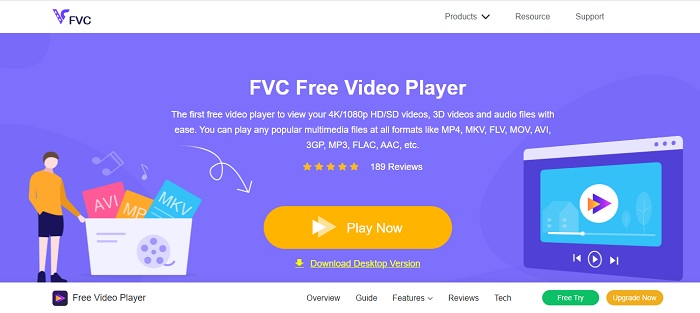
Jika mengunduh pemutar file AVI bukan keahlian Anda, maka Anda harus mempertimbangkan menggunakan FVC Free Video Player. Alat ini bebas iklan, jadi jika Anda mengaksesnya melalui mesin pencari, Anda tidak akan melihat iklan. Karena alat ini gratis dan mudah diakses, sebagian besar pengguna memakainya untuk memutar file AVI di komputer mereka. Namun, alat ini tidak mendukung sebagian besar format dan codec. Meski begitu, ini tetap alat terbaik yang tersedia. Jadi, jika Anda ingin menggunakan alat gratis dari FVC ini, ikuti langkah‑langkah di bawah untuk mengetahui cara memutar file .avi secara online.
Langkah 1. Untuk masuk ke situs utama AVI player online, Anda harus mengklik tautan ini.
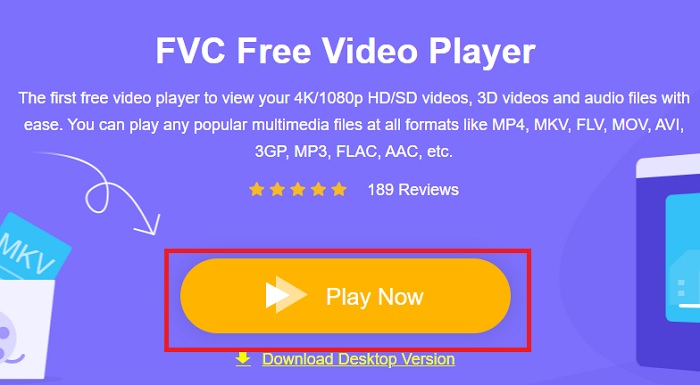
Langkah 2. Klik Play Now untuk mulai dan meluncurkan pemutar media online.
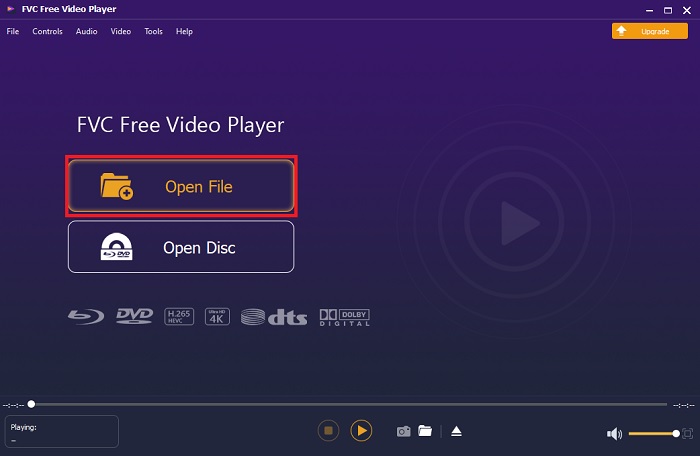
Langkah 3. Tekan Open File lalu cari file AVI yang ingin Anda putar. Kemudian klik open untuk mulai menonton file tersebut.
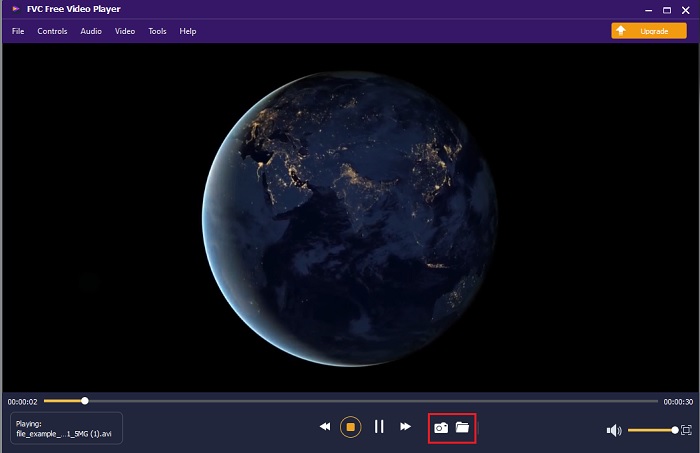
Langkah 4. Saat file AVI diputar di layar Anda, Anda juga bisa mengambil screenshot jika diinginkan. Klik folder untuk melihat tangkapan layar yang baru saja Anda buat.
Langkah 5. Untuk memutar file AVI lainnya atau file video lain, cukup ulangi langkah‑langkah yang disajikan di sini dan nikmati.
Bagian 2. 4 Pemutar File AVI Offline Terbaik
1. Pemutar Blu-ray FVC
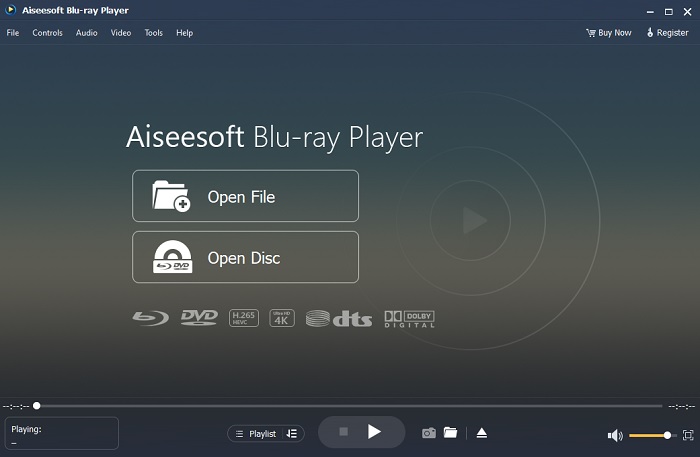
Jika Anda ingin mendapatkan suasana sinematik saat menonton video, maka Anda harus menggunakan Blu-ray Player. Berbeda dengan AVI player biasa, alat ini menjadi populer di kalangan banyak pengguna di seluruh dunia. Selain itu, alat ini memiliki fitur serupa dengan pemutar media lainnya. Namun apa perbedaan utamanya? Pertama, alat ini mendukung dan dapat memutar banyak format. Kedua, pemutar media ini bisa digunakan bahkan ketika proses pengunduhan belum selesai. Terakhir, CD, DVD, atau Blu-ray yang Anda masukkan ke optical disc drive juga dapat diputar di sini. Jadi, Anda bisa merasakan sensasi menonton film di komputer tanpa harus membayar mahal hanya dengan mengunduh alat ini.
Unduh GratisUntuk Windows 7 atau yang lebih baruUnduhan Aman
Unduh GratisUntuk MacOS 10.7 atau yang lebih baruUnduhan Aman
Pro
- Ini mendukung lebih banyak format daripada pemutar media lain yang tercantum di sini.
- Tonton atau dengarkan beberapa detail tentang file meskipun datanya hilang atau retak. Juga, jika Anda memutar video di sini Anda akan merasa seperti berada di bioskop.
- Dapat mengatur efek video dari hue, saturation, brightness, contrast, dan gamma rays.
Kontra
- Alat ini berbayar tetapi tidak mahal.
- Pemutar media yang dapat diunduh ke drive Anda.
2. FileHorse
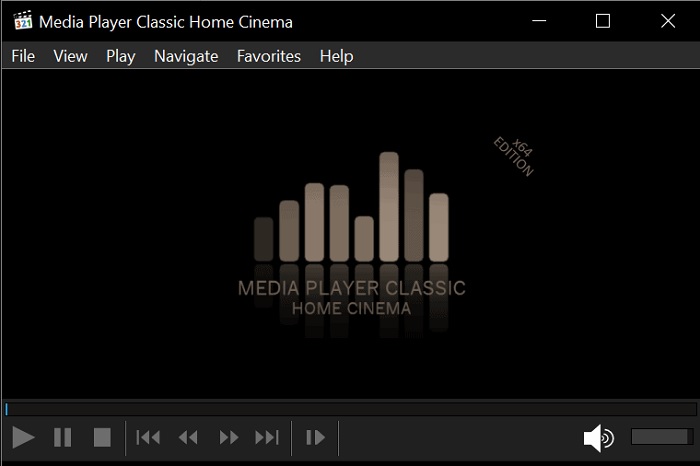
File Horse adalah kumpulan berbagai alat dalam satu situs web. Meskipun AVI player untuk Mac dan Windows ini dapat diakses dengan mudah, situs webnya memiliki banyak iklan. Jadi, hati‑hati agar tidak mengklik iklan tersebut supaya tidak membuka tab baru berisi situs yang tidak diperlukan. Selain itu, iklan mengganggu ini juga dapat membuat sistem Anda menjadi agak lambat.
Pro
- Ini berisi solusi yang berbeda untuk masalah.
- Ini seperti mesin pencari untuk alat.
- Unduh alat di sini secara gratis.
Kontra
- Iklan sial ada di sekitar situs web.
- Pola unduhan untuk alat ini agak kaku. Meskipun memiliki tombol unduh, Anda harus memilih versi alat yang ingin diunduh.
3. VLC Media Player
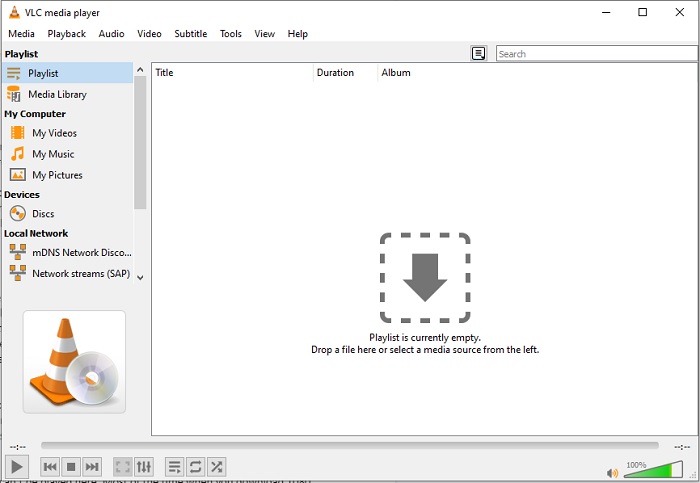
Jika Anda mencari pemutar video AVI yang paling terkenal, maka VLC Media Player adalah jawabannya. Kebanyakan dari kita sudah menggunakan VLC untuk memutar dan menonton video di perangkat kita. Walaupun ini adalah pemutar media yang paling banyak digunakan dalam daftar ini, alat ini tetap sering mengalami bug dan beberapa format tidak dapat diputar karena malfungsi codec. Selain itu, kami juga menguji pemutaran file AVI di sini. Videonya berjalan lancar pada awalnya, tetapi setelah diputar cukup lama, beberapa masalah mulai muncul.
Pro
- Alat yang paling sering digunakan untuk menonton dan memutar video.
- Mendukung sebagian besar format dan codec untuk dimainkan di perangkat lunak ini.
- Anda juga dapat melakukan konversi di sini dengan format file dukungan terbatas.
Kontra
- Beberapa pemutaran video tidak dapat diputar di sini. Sebagian besar waktu Anda mengunduh video 1080 px melalui internet dan memutarnya di sini. Kualitas video akan dikurangi menjadi 720 px.
- Sebagian besar format yang dikenal yang dimainkan di sini mengalami malfungsi seperti AVI dan MOV.
4. Windows Media Player
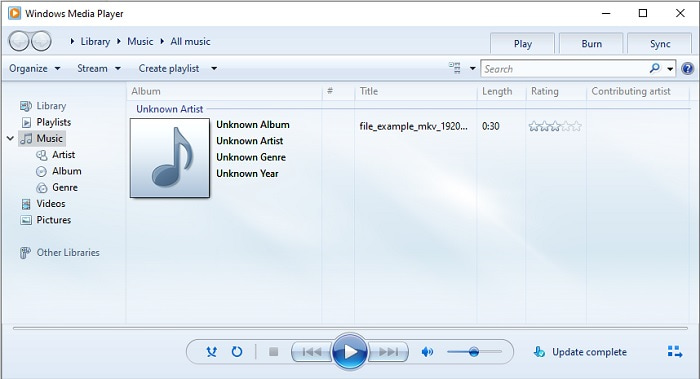
Pemutar AVI bawaan untuk Windows 10 adalah Windows Media Player. Sebagian besar format yang dikembangkan Microsoft berjalan dengan baik jika diputar di sini, seperti AVI. Namun, alat ini bermasalah saat memutar format lain yang dibuat pihak lain, seperti MOV. Selain itu, jika Anda memutar format yang memerlukan codec tertentu, biasanya Anda harus mengunduh perangkat lunak lain hanya untuk memutar video tersebut. Karena pemutar ini mendukung lebih sedikit codec dan format.
Pro
- Tidak perlu mengunduh karena sudah terpasang di desktop Anda.
- Ini jauh lebih mudah digunakan daripada VLC.
- Kompleksitas alat ini tidak terlalu sulit dibandingkan dengan VLC.
Kontra
- Ini hanya tersedia di Windows. Jadi, jika Anda adalah pengguna Mac maka Anda tidak dapat menggunakan alat utama.
- Kurangnya dukungan codec dan format yang berasal dari alat.
Bagian 3. FAQ tentang AVI Player
Bagaimana cara memainkan file .avi di Android?
Pertama, unduh AVI player di Android. Saat Anda mencari aplikasi pemutar media di Play Store, akan ada banyak pilihan yang bisa Anda gunakan untuk memutar file .avi di perangkat Android Anda.
Apakah format AVI merupakan format yang paling ideal?
AVI adalah salah satu format terbaik yang dapat Anda gunakan untuk menyimpan file media mentah namun berkualitas tinggi di dalamnya. Tetapi formatnya tidak terkompresi sehingga sangat ideal untuk mengonversi AVI ke format baru dengan codec. Jadi, untuk mengetahui lebih banyak tentang konverter AVI, klik tautan ini untuk membuka artikel baru yang berfokus pada pembicaraan tentang konverter terbaik.
Mengapa video AVI saya tidak dapat diputar di ponsel Android saya?
Ada beberapa kesalahpahaman umum tentang alasan mengapa file AVI tidak dapat diputar di ponsel Anda. Jadi, untuk mengetahui masalah pada ponsel Android Anda, Anda harus memahami penyebabnya dan belajar cara memperbaikinya. Mari cari tahu mengapa video tidak dapat diputar di ponsel Android Anda.
Kesimpulan
Sebagai kesimpulan, dalam artikel ini kami membahas banyak solusi untuk memperbaiki masalah AVI. Namun, ada satu alat yang memberikan kualitas visual terbaik sebagai pemutar media. FVC Blu-ray player menghadirkan nuansa bioskop atau iMax yang lebih kuat dibandingkan pemutar media lain. Jadi, mengapa Anda harus puas dengan alat kelas A jika Anda bisa mendapatkan produk kelas S dari FVC Blu-ray Player.
-
 op 4 Pemain VOB Terbaik untuk Ponsel Android untuk Penggunaan Berbeda
 Saat Anda mengunduh video VOB dan ingin menontonnya di Android, Anda dapat memilih salah satu yang paling cocok dari 4 pemain VOB teratas berikut dalam artikel ini.
-
 Panduan Luar Biasa tentang Cara Memutar File MOV di Perangkat Seluler Android
 Punya masalah kenapa file MOV kamu tidak bisa diputar di media player android kamu? Kemudian, baca artikel ini, ini akan memberi Anda 2 metode berbeda untuk memperbaiki file MOV dan membuatnya dapat dimainkan.
-
 Pemutar Video HD 1080p Terbaik untuk Windows/Mac/iOS/Android pada tahun 2021
 Jika Anda mencari pemutar video untuk menonton video definisi tinggi 1080p di komputer Anda, lihat pilihan pemutar video HD 1080p terbaik kami untuk Mac, Windows PC, iOS, dan Android.
