


 Video Converter Ultimate
 Perekam Layar
 Perbaikan Video
 Unduhan Aman
5 Pemain GIF Teratas untuk Komputer, Android dan iPhone
GIF animasi dapat menyampaikan lebih banyak informasi daripada gambar statis. Apakah Anda sedang mencari pemutar GIF yang bagus untuk melihat semua jenis file GIF di iPhone, iPad, ponsel Android, atau komputer Anda?
Anda dapat dengan mudah menerima dan mengirim berbagai GIF lucu di aplikasi sosial. Namun, setelah menyimpan GIF di perangkat Anda, beberapa di antaranya tidak dapat langsung dibuka oleh pemutar media bawaan yang Anda gunakan. Jadi Anda mungkin bertanya-tanya apakah Anda perlu menggunakan pemutar GIF untuk memutar GIF tersebut.

Anda dapat langsung melihat file GIF di aplikasi sosial. Namun dalam beberapa kasus, Anda tidak diizinkan membukanya kembali dengan pemutar di komputer atau perangkat Android/iOS portabel Anda. Dengan mempertimbangkan kebutuhan Anda, kami membuat daftar 5 pemutar GIF animasi untuk Anda pilih. Baik Anda mencari pemutar GIF untuk Android, iPhone, atau komputer, Anda dapat menemukan pemutar yang cocok.
Bagian 1. Pemutar GIF Terbaik untuk Mac dan Windows - Pemutar Video Gratis FVC
FVC Free Video Player adalah alat pemutar berkas media gratis yang populer yang dapat membantu Anda memutar berkas GIF apa pun di PC Windows 10/8/7/XP dan Mac. Pemutar GIF gratis ini adalah salah satu perangkat lunak pemutar online yang membantu Anda membuka semua jenis berkas video dan audio. Anda perlu memasang berkas peluncur kecil untuk pemutaran GIF pada penggunaan pertama kali. Perangkat ini kompatibel dengan banyak peramban yang sering digunakan termasuk Chrome, Safari, IE, Firefox, dan lainnya.
Unduh GratisUntuk Windows 7 atau yang lebih baruUnduhan Aman
Unduh GratisUntuk MacOS 10.7 atau yang lebih baruUnduhan Aman
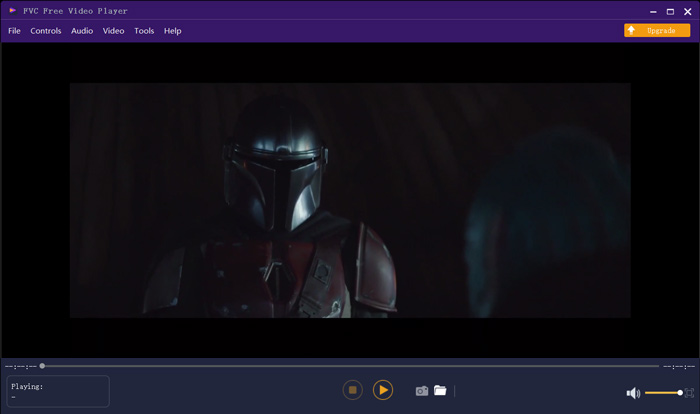
Lebih dari sekadar pemutar GIF gratis, ini sangat mendukung format video dan audio populer seperti MP4, MOV, FLV, AVI, WMV, VOB, MP3, AAC, ALAC, M4A, WAV, FLAC, dan banyak lagi. Tidak ada batasan ukuran file untuk pemutaran GIF. Ini dapat memberi Anda pengalaman visual yang luar biasa. Selain itu, ini mendukung teknologi pengkodean audio DTS-HD dan Dolby TrueHD yang canggih yang dapat menawarkan efek suara yang hebat.
Bagian 2. Aplikasi GIF Player untuk Android - OmniGIF
OmniGIF adalah alat pemutar GIF yang terutama dirancang untuk pengguna Android. Jika Anda ingin membuka GIF di ponsel Android, Anda dapat mengandalkannya. Bukan hanya sebagai pemutar GIF, OmniGIF juga berfungsi sebagai pembuat GIF atau editor GIF. Alat ini memungkinkan Anda dengan mudah mengelola berkas GIF, klip video, dan foto Anda. Untuk pemutaran GIF di perangkat Android Anda, Anda dapat mempercepat dan memperlambat pemutaran, memutar maju dan mundur, memutar frame demi frame, dan melakukan lebih banyak operasi sesuai kebutuhan Anda.
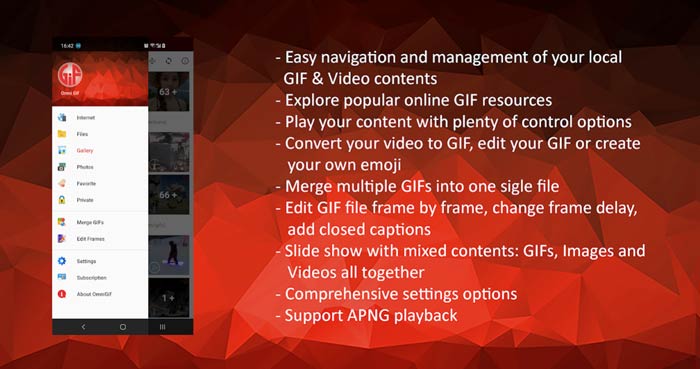
Aplikasi pemutar GIF Android ini memungkinkan Anda menyembunyikan beberapa file pribadi secara diam-diam. Ini juga memberi Anda fungsi pengeditan dan pembuatan GIF yang kuat. Selain itu, OmniGIF memberikan fitur berbagi yang hebat untuk dengan cepat membagikan file GIF, klip video, atau foto Anda ke Facebook, Instagram, Twitter, Messenger, Line, WhatsApp, Gmail, dan lainnya.
Bagian 3. Aplikasi GIF Player untuk iPhone dan iPad - GIF Viewer
GIF Viewer adalah aplikasi pemutar GIF untuk pengguna iOS. Anda dapat memasang aplikasi pemutar GIF ini secara gratis dari App Store di iPhone atau iPad Anda. Aplikasi pemutar GIF ini mampu memutar, mengatur, dan membagikan berkas GIF yang tersimpan di aplikasi Foto dengan mudah. Aplikasi pemutar GIF iOS ini juga memungkinkan Anda menambahkan dan melihat animasi GIF dari sumber lain.
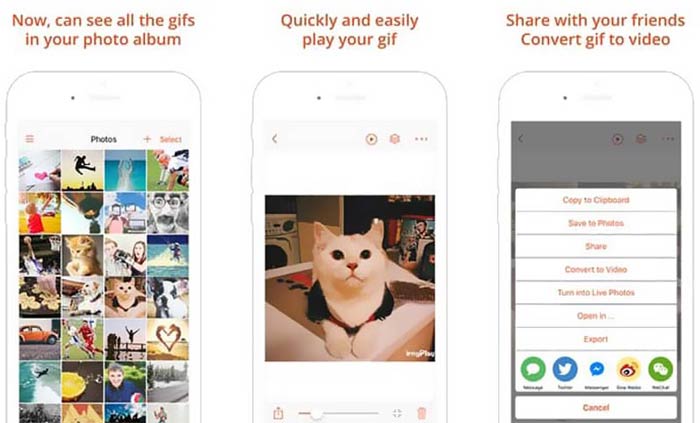
GIF Viewer memiliki kemampuan untuk memutar semua jenis berkas GIF dari penyimpanan lokal, papan klip, iCloud Drive, Dropbox, dan tautan Twitter yang disalin. Selain itu, pemutar GIF ini dapat membantu Anda mengonversi GIF ke video agar pemutaran di perangkat Anda menjadi lebih baik.
Bagian 4. GIF Player untuk Mac dan Windows PC - QuickTime Player
QuickTime Player adalah pemutar media bawaan untuk Mac. Perangkat ini dapat berfungsi sebagai pemutar GIF untuk membuka dan melihat berkas GIF di Mac. Jika Anda menggunakan Mac, Anda dapat langsung membuka berkas GIF dengan pemutar media yang sudah terpasang ini. QuickTime Player juga memiliki versi Windows untuk memutar GIF di PC Windows.
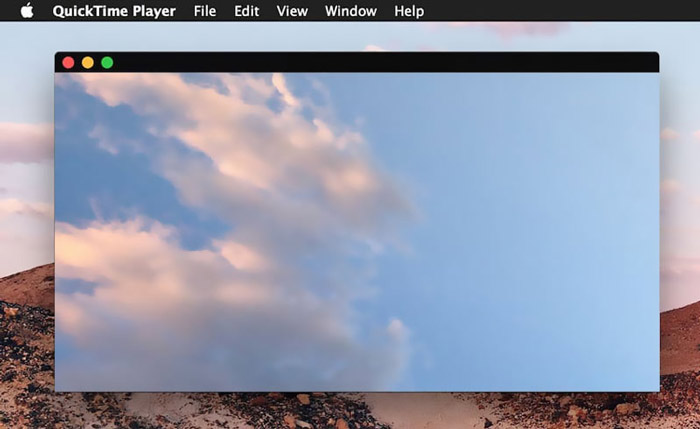
Sebagai pemutar, QuickTime hanya dapat mendukung beberapa format video dan audio yang sering digunakan, seperti MP4, MOV, M4V, AAC, M4A, MP3, dan lainnya. Ini dirancang dengan beberapa fitur pengeditan dan perekaman dasar. Anda dapat mengandalkan pemutar GIF ini untuk menangkap layar Anda dan mengedit file.
Bagian 5. Pemutar GIF Online Gratis - OnlineImageTools
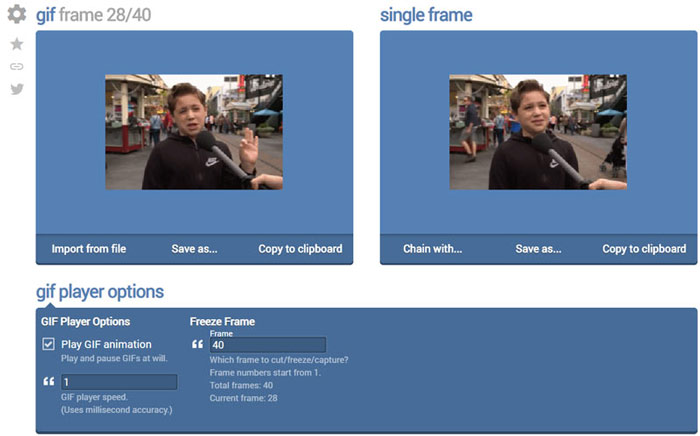
OnlineImageTools adalah alat pemutar berkas GIF online yang memungkinkan Anda melihat GIF di Mac maupun PC Windows. Anda tidak perlu memasang plug-in atau berkas lain untuk memutar GIF. Pemutar animasi GIF berbasis peramban yang gratis ini memungkinkan Anda langsung membuka berkas GIF secara online. Untuk pemutaran GIF, alat ini memungkinkan Anda memutar berkas GIF frame demi frame.
Bagian 6. FAQ dari GIF Player
Pertanyaan 1. Bagaimana cara menyimpan GIF di iPhone?
Saat Anda ingin menyimpan file GIF di iPhone, Anda dapat menekan dan menahan GIF hingga prompt muncul. Kemudian Anda dapat memilih opsi Simpan Gambar untuk menyimpannya di aplikasi Foto.
Pertanyaan 2. Bagaimana cara gratis mengkonversi video ke GIF?
Untuk membuat berkas GIF dari video, Anda dapat mengandalkan Free Online Video Converter yang populer. Alat ini memungkinkan Anda mengonversi klip video apa pun menjadi GIF dengan mudah.
Pertanyaan 3. Bisakah VLC memainkan GIF?
Tidak. Pemutar media VLC hanya dapat membuka file GIF sebagai gambar statis.
Kesimpulan
Baik Anda sedang mencari pemutar GIF untuk komputer atau ponsel, Anda dapat menemukan yang tepat dari 5 alat pemutar GIF yang direkomendasikan di atas. Tinggalkan pesan kepada kami jika Anda masih memiliki pertanyaan tentang pemutar GIF atau pemutaran GIF.
-
 Tutorial untuk Mengompres GIF dan Mengurangi Ukuran File dengan Kualitas Tinggi
 Berikut adalah 2 cara mudah untuk mengompres GIF di komputer atau ponsel Anda. Anda dapat menggunakan Kompresor Video Online Gratis FVC dan Photoshop mengurangi ukuran file GIF dalam berbagai aspek.
-
 10 Pemain FLV Teratas untuk Windows, Mac, iOS dan Android pada tahun 2021
 FLV player membantu Anda dengan mudah mengakses file FLV di perangkat Windows, Mac, Android, iOS Anda. Lihat pemutar file FLV terbaik yang dapat Anda unduh sekarang.
-
 8 Pemutar File SWF Teratas untuk Memutar File Video Flash di Windows dan Mac
 Jika Anda ingin menikmati film dan game SWF di PC dan Mac, Anda dapat mempelajari lebih lanjut tentang fitur unggulan dari 8 pemutar file SWF terbaik dari artikel.
