


 Video Converter Ultimate
 Perekam Layar
 Perbaikan Video
Editor Metadata MP4 Paling Andal untuk Menambah, Mengedit, Menghapus Metadata MP4 dengan Mudah
Tag MP4 dapat membantu Anda mengatur dan mengelola file dengan mengurutkannya berdasarkan metadata. Karena itu, banyak pengguna mencari editor metadata yang tepat untuk menangani tugas ini dengan mudah. Untungnya, hari ini kami telah menyaring pilihan terbaik editor tag yang bisa Anda gunakan pada file MP4 di pasaran. Dengan bantuan riset mendalam, mari kita lihat editor metadata MP4 mana yang sebaiknya Anda gunakan untuk menata file sesuai kebutuhan.

Bagian 1. 4 Editor Tag MP4 Gratis Terbaik yang Tersedia di Web & Offline
VLC Media Player
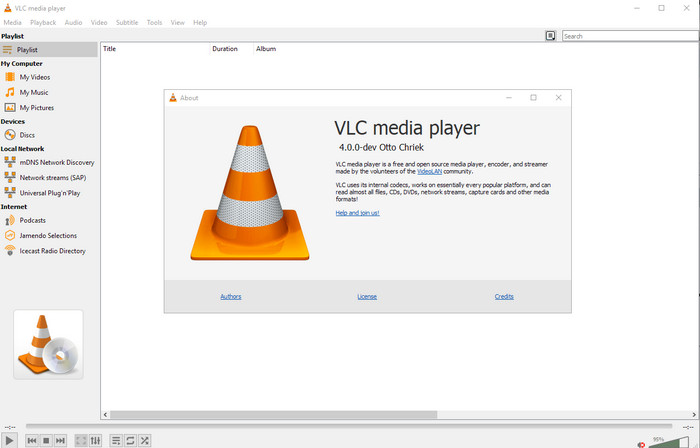
Tersedia di: Windows, Mac, dan Linux
Pertama dalam daftar kami adalah pemutar video terbaik, tetapi jika Anda ingin memiliki editor metadata MP4 gratis, Anda mungkin memerlukan yang satu ini. VLC Media Player memberi Anda pengalaman gratis untuk mengedit atau menghapus tag yang tertanam pada file MP4 Anda. Dengan alat ini, Anda dapat dengan mudah memanipulasi metadata pada file seperti judul, hak cipta, genre, artis, tanggal, waktu, dan lainnya. Meskipun banyak pengguna mengatakan mudah mengedit metadata di sini, ada juga yang berpendapat sebaliknya. Mereka menganggapnya membingungkan dan kurang efektif dibanding editor tag lain. Namun demikian, jika Anda menginginkan alat yang aman untuk diunduh dan sudah terbukti oleh banyak pengguna, Anda bisa mencoba alat ini.
Editor Tag Amvidia
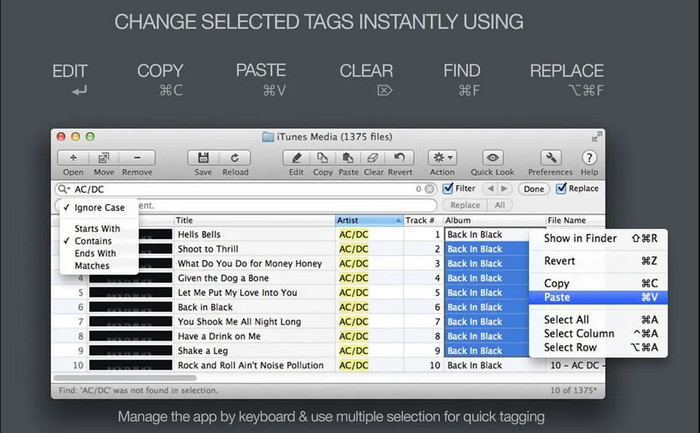
Tersedia di: Mac
Editor metadata MP4 lain di Mac adalah Amvidia Tag Editor. Jika Anda perlu menambahkan metadata, sampul gambar, tag di iTunes, atau mengubah nama file, semua itu bisa dilakukan di sini; jika Anda memerlukan penandaan batch, alat ini juga akan membantu Anda. Selain itu, perangkat lunak gratis ini mendukung banyak format media untuk diunggah ke dalam alat, tetapi Anda harus mengunduhnya terlebih dahulu. Karena fitur mendetail yang didukungnya, pemula mungkin memerlukan waktu untuk menggunakan alat ini karena ada banyak langkah yang harus dilakukan sebelum menambahkan metadata. Selain itu, antarmukanya sudah ketinggalan zaman, mirip dengan VLC.
TigoTago
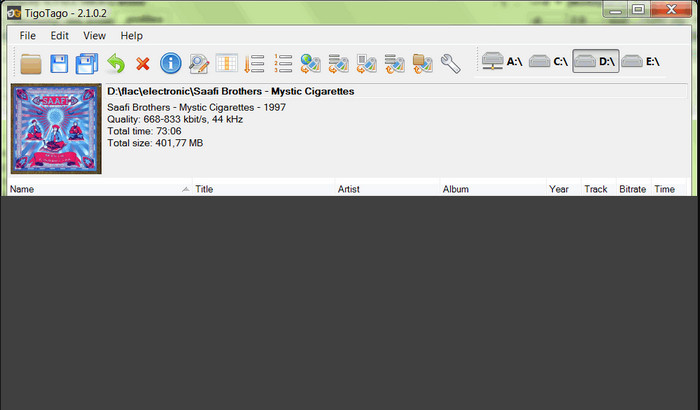
Tersedia di: Windows
TigoTago adalah penanda metadata MP4 lain yang bisa Anda gunakan secara gratis di Windows. Jadi, jika Anda perlu mengedit data atau tag tertentu dari file MP4 Anda, unduh alat ini dan ubah tag MP4 dengan mudah satu per satu. Dengan alat ini, Anda dapat mengisi tag dasar yang dimiliki file, seperti judul, album, track, dan artis, tetapi Anda juga bisa menambahkan tag lanjutan seperti lirik, komentar, dan lain-lain. Jika kita bandingkan alat ini dengan VLC, bisa dikatakan ini jauh lebih baik karena memprioritaskan pengeditan tag. Walaupun menawarkan kemampuan yang lebih baik daripada pemutar media, alat ini tetap memerlukan peningkatan, termasuk pada GUI dan fitur-fiturnya yang lain.
InstantD3 - Editor Tag ID3 Online Gratis
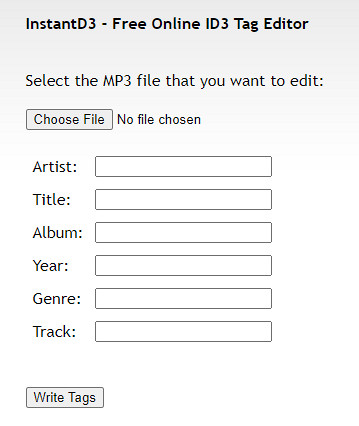
Tersedia di: Web
Jika Anda tidak ingin mengunduh perangkat lunak, Anda dapat mengakses editor tag video MP4 online ini, yaitu InstantD3 - Editor Tag ID3 Online Gratis. Meskipun alat ini tersedia di web, alat ini tidak dapat mencari metadata secara online untuk menerapkan tag yang Anda butuhkan pada MP4 Anda secara otomatis. Alat ini menawarkan antarmuka intuitif untuk memungkinkan pengguna merasakan cara mudah menambahkan tag ke file audio mereka. Karena alat ini gratis, iklan ada di situs web, tetapi kami harus memperingatkan Anda bahwa iklan di situs webnya tidak pantas untuk usia 18 tahun ke bawah. Juga, akses alat dengan risiko Anda sendiri; setelah Anda mengakses situs web alat, koneksi internet Anda tidak diamankan.
Bagian 2. Editor Video Pilihan Terbaik untuk Menambah, Mengedit, dan Menghapus Metadata di Windows & Mac
Tersedia di: Windows, Mac & Linux
Editor metadata MP4 yang disebutkan di atas memang bagus, tetapi FVC Video Converter Ultimate adalah editor metadata yang kuat yang Anda perlukan untuk mengedit atau menghapus metadata. Alat ini menawarkan fitur pengeditan terbaik yang mudah digunakan namun menghasilkan keluaran profesional. Berbeda dengan alat lain di atas yang hanya mendukung format media terbatas, dengan alat ini Anda dapat mengunggah MP4, MOV, MKV, FLV, AVI, dan lebih dari 1000 format lainnya dan dengan cepat mengubah metadata semuanya. Bukankah menakjubkan apa yang bisa dilakukan alat ini? Jika Anda tertarik dengan alat yang luar biasa ini, Anda dapat dengan mudah mengikuti tutorial langkah demi langkah yang kami sediakan untuk mengedit, menambah, dan menghapus tag pada file MP4 Anda.
Langkah 1. Tekan dulu tombol unduh untuk mengunduh editor tag MP4 di Mac atau Windows. Ikuti proses instalasi setelah mengklik file, lalu buka aplikasinya.
Unduh GratisUntuk Windows 7 atau yang lebih baruUnduhan Aman
Unduh GratisUntuk MacOS 10.7 atau yang lebih baruUnduhan Aman
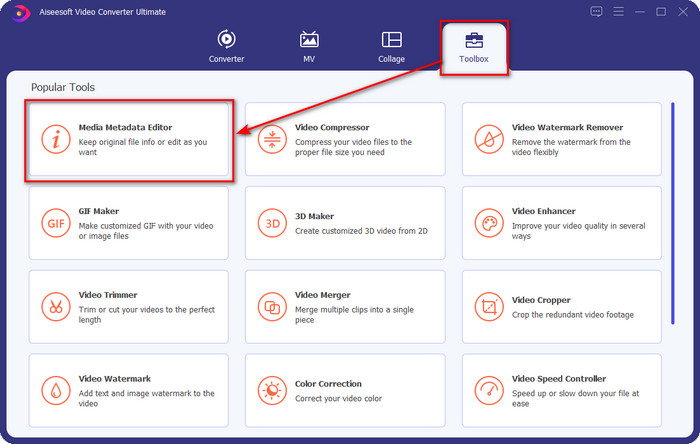
Langkah 2. Setelah Anda membuka editor, pilih Toolbox dari tiga bagian yang tersedia; di dalamnya, klik Media Metadata Editor.
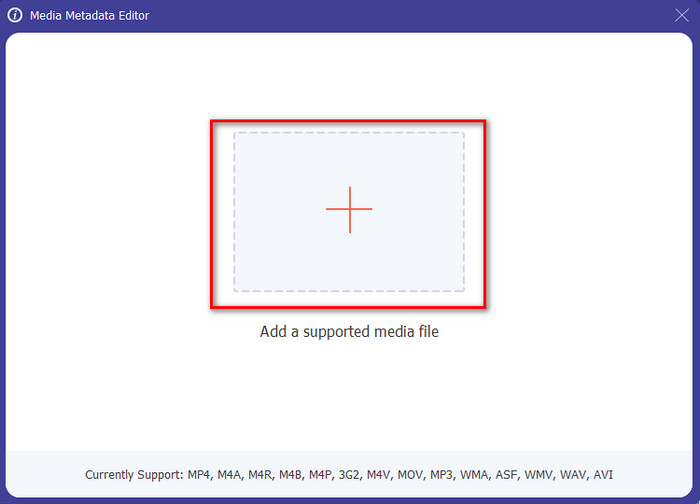
Langkah 3. Untuk mengunggah file MP4, klik tombol +, temukan .mp4 di folder yang muncul, lalu tekan Open untuk memasukkannya.
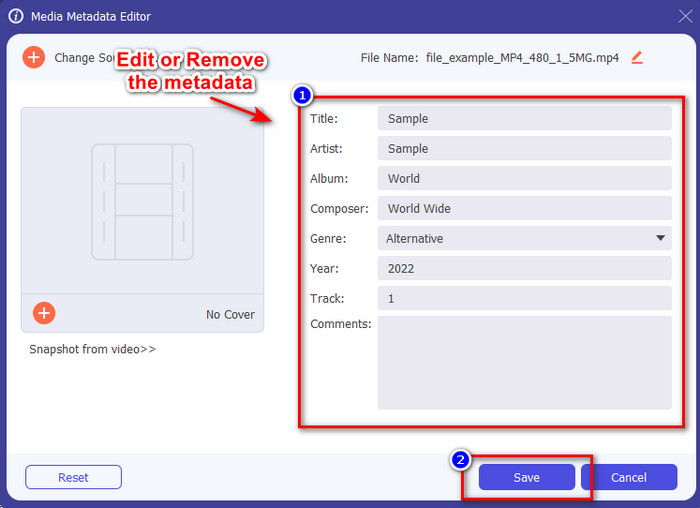
Langkah 4. Tambahkan, hapus, dan edit informasi pada textbox yang muncul di layar Anda; isilah sesuai keinginan Anda. Untuk menyimpan perubahan yang telah Anda buat pada tag MP4, klik tombol Save. Anda akan langsung merasa bahwa tugas ini sangat mudah jika memilih editor yang satu ini.
Terkait:
Bagian 3. FAQ tentang Editor Tag MP4
Bagaimana cara memeriksa metadata MP4 di Windows?
Jika Anda ingin memeriksa metadata file MP4 Anda, ikuti langkah-langkah ini. Pertama, temukan file .mp4, ketuk tombol klik kanan mouse Anda, buka Properties, dan terakhir, klik Details. Semua informasi yang Anda perlukan tentang metadata Anda ada dalam daftar ini. Jadi jika Anda ingin mengeditnya sesuai keinginan Anda, pilih alat yang harus Anda gunakan di atas.
Di mana saya dapat menonton file MP4?
Sebagian besar pemutar media mendukung file MP4 karena ini merupakan format file video standar. Namun pertanyaannya, di mana Anda bisa menonton video MP4 beresolusi tinggi? Dalam hal ini, Anda harus mengklik tautan ini. Semua yang perlu Anda ketahui ada di artikel tersebut.
Bagaimana cara memilih editor tag MP4 terbaik?
Anda harus mengingat beberapa hal sebelum memilih editor metadata MP4 yang akan Anda gunakan; jika Anda tidak tahu apa ini, Anda dapat bergantung pada standar ini. Pertama, pastikan editor metadata mendukung format yang Anda miliki; tidak semua editor mendukung rentang format yang luas. Menggunakan editor metadata yang tidak mendukung format Anda tidak akan berguna. Kedua, pastikan alat itu mudah digunakan; jika Anda baru dalam mengedit metadata, pastikan alat yang Anda pilih tidak terlalu kaku untuk dipelajari. Terakhir, pastikan aman digunakan; jika dapat diunduh atau online, Anda perlu tahu apakah itu aman untuk digunakan. Pastikan bahwa sebelum Anda menggunakan editor, Anda harus mengikuti semua standar sederhana ini untuk mendapatkan yang terbaik.
Kesimpulan
Editor metadata MP4 yang kami tambahkan dalam artikel ini dapat membantu Anda dengan cepat mengedit, menambah, atau menghapus metadata pada file MP4 Anda. Dengan ulasan yang relevan tentang alat-alat tersebut, sekarang kita dapat membandingkannya dan melihat mana yang paling sesuai dengan kebutuhan kita dalam mengedit tag MP4. Jika Anda masih belum memutuskan mana yang sebaiknya digunakan, kami menawarkan yang terbaik dalam daftar: FVC Video Converter Ultimate. Alat yang luar biasa ini akan memenuhi kebutuhan Anda; satu-satunya cara untuk memilikinya adalah dengan mengunduhnya. Jadi, klik tombol unduh, ikuti langkah yang kami sediakan untuk Anda, dan nikmati mengedit tag tanpa kerepotan.
-
 5 Cara termudah untuk Menghapus Metadata di Semua File Media
 Bagaimana cara menghapus metadata? Apakah sulit untuk melakukannya? Apakah saya perlu membeli atau menggunakan alat gratis untuk menghapus tag? Semua pertanyaan ini memiliki jawaban di artikel ini.
-
 5 Ekstraktor Metadata Teratas yang Tersedia Online & Offline [2025]
 Anda dapat menemukan beberapa pengekstrak metadata di pasaran, tetapi hari ini, kami hanya memilih lima pengekstrak tag yang paling banyak dipilih menurut audiens.
-
 5 Editor Metadata Video Terbaik Tahun 2025 [Ulasan yang Tidak Bias]
 Apakah Anda ingin melihat metadata video Anda? Jika demikian, baca detail di bawah ini untuk memahami topik sepenuhnya dan mengetahui alat mana yang paling cocok untuk Anda.
