


 Video Converter Ultimate
 Screen Recorder
 Riparazione video
Breve analisi sul testo disponibile nelle app video Windows/Mac/Android/iOS
Proteggere il tuo progetto è fondamentale, soprattutto se lo pubblichi online per evitare che qualcuno ti rubi il lavoro. Tuttavia, non tutti i siti web possono salvaguardare le tue opere da possibili furti da parte di altre persone. Quindi, prima di caricare il tuo progetto sul web, è consigliabile aggiungere una filigrana. Sebbene una filigrana non possa sempre proteggere completamente il tuo lavoro, possiamo dire che è comunque un ulteriore modo per metterlo al riparo da possibili ruberie. Di conseguenza, in questo articolo forniremo gli strumenti che puoi utilizzare: la maggior parte sono gratuiti, ma per alcuni è necessario pagare per sbloccarne tutto il potenziale. Proprio ora, diamo uno sguardo completo all’app per testo sul video di quest’anno 2022.

Parte 1. 3 delle migliori applicazioni di testo su video che puoi scaricare su Windows e Mac
FVC Video Converter Ultimate
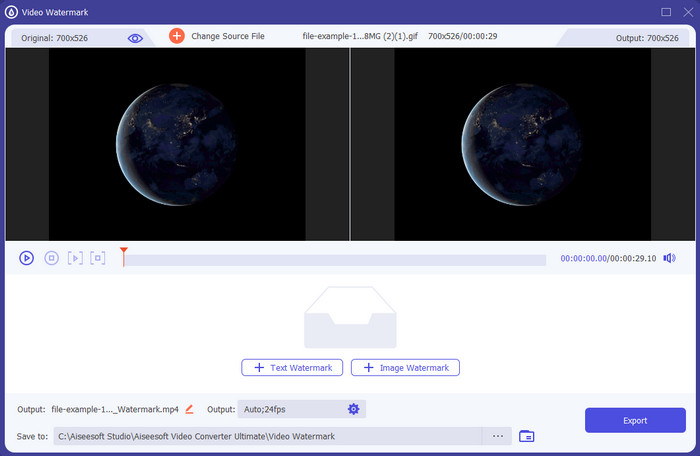
Costo: Versione di prova gratuita disponibile, il prezzo parte da $39,50 per un anno, $55,20 a vita e per 2-5 PC versione Lifetime $119,00.
Piattaforma/e supportata/e: Windows e Mac.
Se desideri un’app per aggiungere testo a un video, devi puntare allo strumento più scelto del 2022, FVC Video Converter Ultimate. Questo strumento supporta numerosi formati in cui puoi effettuare l’upload, quindi aggiungere qui il file video non sarà un problema; puoi anche cambiarne il formato, se necessario. A un primo sguardo all’interfaccia, lo strumento appare pulito e allo stesso tempo professionale. Sebbene sia un tool professionale, gli utenti con poca o nessuna esperienza possono imparare rapidamente a usarlo. La curva di apprendimento non è rigida come quella di Adobe Photoshop.
Inoltre, lo strumento è orgoglioso del suo nome come strumento definitivo perché ha il processo di caricamento e download più rapido, sia che si tratti di uno, due o più file. La codifica del formato file lossy o lossless è semplice e veloce se si utilizza questo strumento. Anche se lo strumento è un po' costoso rispetto all'elenco degli editor di testo video, troviamo comunque questo strumento come il più facile da usare ma anche il più efficace.
Download gratuitoPer Windows 7 o versioni successiveDownload sicuro
Download gratuitoPer MacOS 10.7 o versioni successiveDownload sicuro
Adobe Photoshop
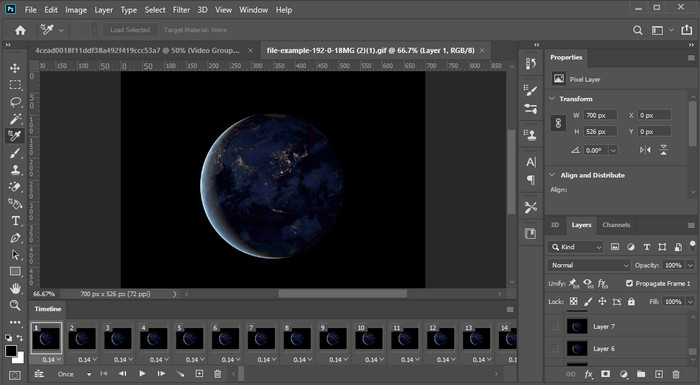
Costo: Prova gratuita di 7 giorni e $20,99 al mese.
Piattaforma/e supportata/e: Windows, Mac e iPad.
Ti serve uno strumento professionale per portare a termine il compito? Ebbene, Adobe Photoshop è lo strumento pro tra questi. La sua interfaccia ricca e le sue funzionalità complete lo hanno reso il primo editor scelto dai professionisti da scaricare sulla propria piattaforma. Inoltre, questo tool offre funzioni di editing avanzate che puoi utilizzare per far apparire il testo sul video meglio che mai.
Tuttavia, questo strumento non è la scelta migliore se sei un principiante nell'editing perché è così tecnico che anche alcuni professionisti hanno bisogno di leggere alcuni tutorial su come eseguire una particolare attività. Ma se vuoi usarlo, aggiungi del testo all'app video; puoi scaricarlo sul sito ufficiale di Adobe.
iMovie
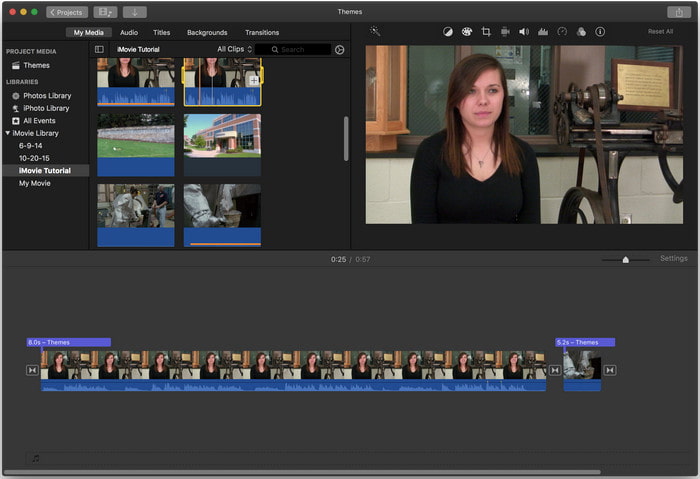
Costo: Preinstallato gratuitamente.
Piattaforma/e supportata/e: Mac e iOS.
Se ti serve uno strumento gratuito sul tuo dispositivo Mac o iOS per aggiungere una filigrana al video, puoi usare iMovie per svolgere questo compito. Questo strumento non è scaricabile su dispositivi Windows o Android perché è esclusivamente per i device Apple. Sebbene lo strumento abbia una piattaforma supportata limitata, è comunque considerato uno dei migliori editor di filigrane che puoi usare su Mac e iOS. La maggior parte dei principianti lo adora perché offre un editing completo gratuitamente. Quindi, se possiedi un Mac o un dispositivo iOS, dovresti prima provare questa app per aggiungere testo sopra il video e vedere se soddisfa le tue esigenze.
Parte 2. 3 migliori applicazioni di testo video disponibili in tutti gli Android e iOS
Tutti gli strumenti sopra menzionati sono disponibili su Windows e Mac, mentre alcuni supportano dispositivi mobili limitati. Cosa succede se si dispone di un dispositivo mobile e si desidera aggiungere del testo come filigrana a un video? Puoi ancora farlo? Puoi farlo con lo strumento che presentiamo di seguito. Leggilo con cautela per sapere se questo strumento sarà sufficiente per le tue esigenze.
Editor video: testo su video
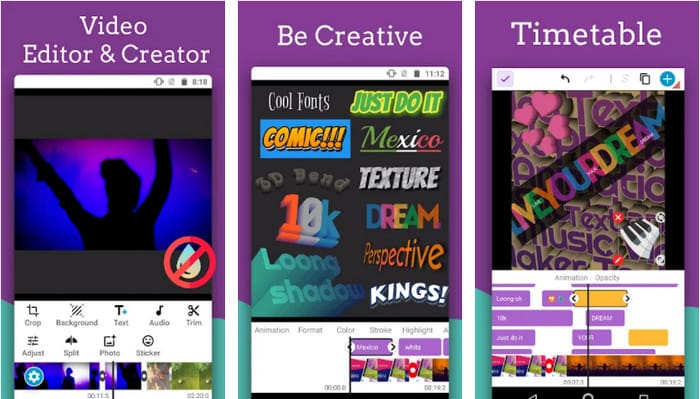
Costo: Download gratuito.
Piattaforma/e supportata/e: Android.
Sebbene ci siano molte app gratuite per aggiungere testo ai video su Android, riteniamo che Video Editor: Text on Video sia eccellente sotto molti aspetti. Questa app Android offre agli utenti numerose funzioni di editing avanzate per rendere il video straordinario. Se vuoi usarla per aggiungere una filigrana al tuo video, include anche animazioni di testo per inserire testo animato nel video.
Sebbene lo strumento sia scaricabile gratuitamente, ci sono ancora molti miglioramenti e necessità di correzioni in questo strumento, come bug e problemi riscontrati da alcuni utenti. Inoltre, alcuni annunci verranno visualizzati una volta aperta l'app sul telefono e utilizzata. Tuttavia, lo sviluppatore continua ad aggiornare lo strumento per diventare il miglior editor video su Android per raggiungere il suo pieno potenziale.
Vont - Testo su video 4+
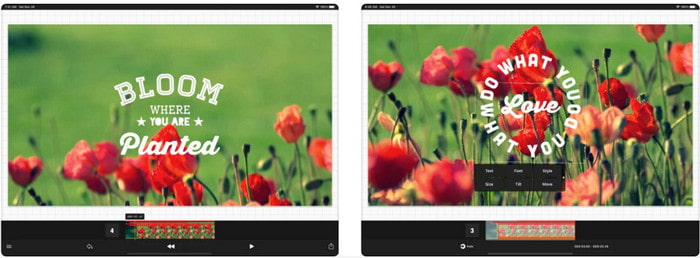
Costo: Download gratuito, acquisti in-app da $2,99 a $9,49.
Piattaforma/e supportata/e: iPhone, iPad e Android.
Vont - Text on Videos 4+ è una delle migliori app per aggiungere testo ai video su tutti i dispositivi mobili. Questa app supporta sia i dispositivi Android sia iOS, quindi è naturale che abbia acquisito reputazione e popolarità su entrambi i fronti. Ma se confrontiamo dove l’app funziona meglio, possiamo dire che è più favorevole sui dispositivi iOS, perché supporta più formati e offre funzioni di editing molto più dettagliate che puoi utilizzare.
Sebbene lo strumento sia migliore su iOS, possiamo comunque convenire che questo strumento è ottimo da utilizzare anche su dispositivi Android per aggiungere velocemente la filigrana su alcuni video.
Testo su video: Easy Vid Editor 4+
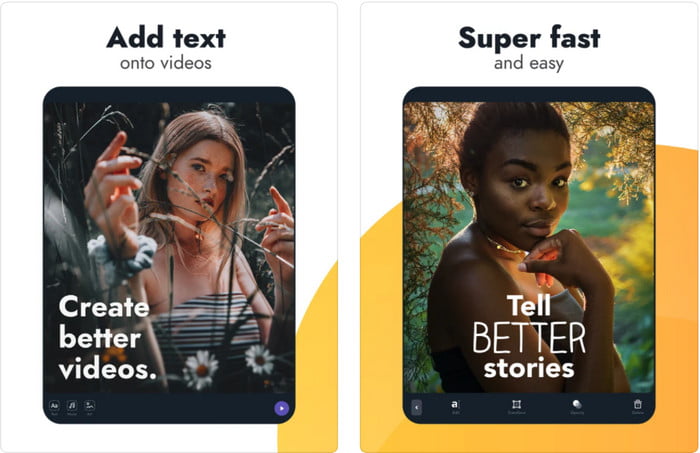
Costo: Download gratuito, acquisti in-app da $1,99 a $49,99.
Piattaforma/e supportata/e: iPhone e iPad.
Se vuoi conoscere la migliore app di testo su video su iOS, non c’è dubbio che sia Text On Video: Easy Vid Editor 4+. Questo strumento supporta diverse funzioni di editing che puoi usare per aggiungere facilmente una filigrana di testo al tuo video con vari stili di carattere.
Come Photoshop, questo strumento promuove la filigrana del testo 3D per aiutarti a manipolare il testo e posizionarlo ovunque come se fosse presente mentre scatti il video o la foto. Anche se lo consideriamo il migliore, continuiamo a pensare che non sia lo strumento professionale di cui avrai bisogno se ti occupi di editing molto dettagliato di cui un professionista ha bisogno.
Correlato:
Aggiungere sottotitoli al video
Parte 3. Domande frequenti sulle app Aggiungi filigrana di testo
È sicuro scaricare un'app di filigrana di testo?
È sicuro se hai scaricato lo strumento sui siti ufficiali o sul downloader. Non causerà alcun problema se lo scarichi dal sito ufficiale. Tuttavia, non tutti i siti Web sono protetti, quindi devi fare attenzione a scaricare il più sicuro per utilizzare lo strumento sul tuo sistema operativo per evitare problemi.
Quale delle app con filigrana di testo funziona meglio, su desktop o telefoni?
Non c'è dubbio che l'app filigrana di testo desktop funzioni meglio per impieghi gravosi perché il desktop ha una CPU più alta rispetto al telefono. Ma se desideri un editing semi-pesato, la filigrana del testo del telefono è la tua scelta, perché puoi portarla ovunque e usarla in qualsiasi momento senza configurare un desktop.
È ideale per l'acquisto per l'app filigrana di testo?
Se hai un budget limitato, ti suggeriamo di utilizzare lo strumento gratuito, ma ci sono alcune limitazioni e te lo aspetti perché è gratuito. Ma se vuoi avere le migliori funzionalità disponibili nella versione premium, ti consigliamo di acquistarla o abbonarti perché non puoi ottenerle con la versione gratuita.
Conclusione
Ora che abbiamo finito di analizzare gli strumenti, è il momento di scaricare quello più adatto a te. Speriamo che questo articolo ti aiuti a decidere quale utilizzare, ma se non riesci a scegliere, ti suggeriamo di optare per FVC Video Converter Ultimate. Poiché è uno strumento tutto‑in‑uno che puoi scaricare su Windows e Mac, e tutte le sue funzioni sono progettate per aiutarti in compiti specifici. Quindi, senza dubbio, è la migliore app per filigrane di testo che puoi scaricare tra quelle sopra elencate.
-
 Come aggiungere gratuitamente audio e musica al video sul tuo computer / telefono
 Questo articolo mostra 4 semplici modi per aggiungere gratuitamente l'audio al video. Indipendentemente dalla traccia audio che desideri aggiungere al tuo video, puoi ottenere risultati soddisfacenti qui.
-
 Trasforma GIF in formato video: converti i meme GIF in video [2025]
 Determina come trasformare GIF in formato video con l'aiuto degli strumenti elencati di seguito. Scegli quale e impara come farlo, mentre raccogliamo prove sufficienti su di loro.
-
 Meravigliose app da GIF a video per dispositivi Android e iOS
 Sapevi che puoi convertire le GIF in qualsiasi formato video che ti piacerà usando il tuo telefono? Scegli le migliori app sul tuo Android o iOS.
