


 ビデオコンバーター究極
 スクリーンレコーダー
 ビデオ修復
ビデオ修復利用可能な 5 つのスロー モーション ビデオ エディターについて深く理解する
カーレース、ボクシング、野球、バレーボールなどの高速な攻防が魅力のスポーツを見るのはお好きですか?これらのスポーツでは、動きを解析するためにハイスピードカメラが欠かせません。もし選手一人ひとりのあらゆる動きを分析したいのであれば、ぜひここで紹介するおすすめのスローモーション動画メーカーをチェックしてみてください。以下のツールを使えば、デスクトップやインターネット環境、スマホさえあれば、特別な機材を追加で用意する必要はありません。読み進めながら、それぞれのツールの特徴をよく確認し、自分に最も合ったものを選んでください。

パート 1.3 Windows PC、Mac、およびオンライン用の最高のスローモーション ビデオ メーカー
1.ビデオコンバーターアルティメット
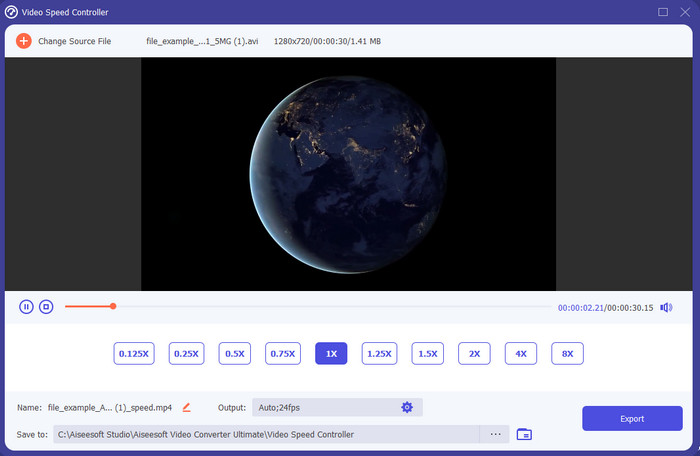
再生中の動画をスローモーションにするには、どのスローモーション動画編集ソフトが一番使いやすいのか知りたいですか?それなら、Video Converter Ultimateを試してみてください。このツールは「ベスト」というだけでなく、まさに驚くべき実力を持っています。編集のプロでなくても使いたくなるような高度な機能が数多く搭載されており、もちろんプロレベルの方にとっても、スキルのレベルに関係なく最適な選択肢となるソフトウェアです。さらに、このツールなら、マニュアルを読んだり操作解説動画を見たりしなくても、簡単にスローモーション効果を動画に追加できます。ほかのツールに比べて、はるかにシンプルな操作手順が用意されているからです。有料ソフトではありますが、価格自体はそれほど高くありません。このツールについてもっと知りたい場合は、以下の主な機能説明を読んでみてください。
Video Converter Ultimate の主な機能:
◆ 基本操作で使える高度なスローモーション動画メーカーアプリ。
◆ ユーザーフレンドリーなツール インターフェイス。
◆ ビデオ スピード コントローラーでビデオの速度を簡単に調整します。
◆ 200 以上のビデオおよびオーディオ形式をサポート。
◆ PC および Mac オペレーティング システムでダウンロードしてアクセスできます。
無料ダウンロードWindows 7 以降に対応安全なダウンロード
無料ダウンロードMacOS 10.7 以降に対応安全なダウンロード
2. ボリス連続時間単位
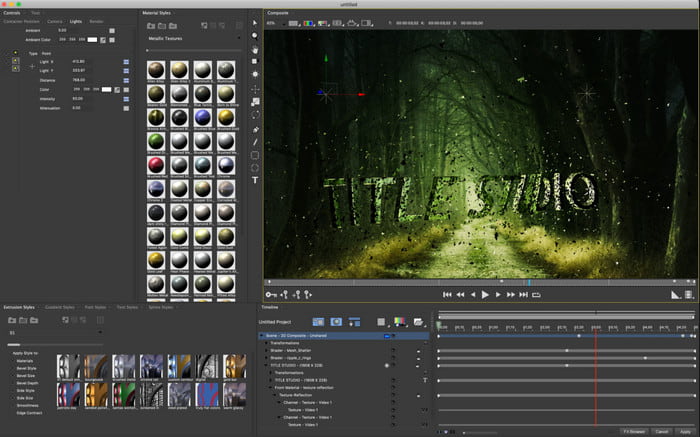
Boris Continuum Time Unitは、本格的なスローモーション動画メーカーアプリを求める方に最適な選択肢です。プロ品質の仕上がりを実現できる点で、これほどのことができるツールは他にありません。さらに、非常に細かい調整が行える編集機能が多数搭載されており、ぜひ試してみたくなるはずです。ただし、他のツールと比べて性能が高い分、価格も桁違いに高額です。また、このツールを使うには高性能なデスクトップ環境が必要で、古いパソコンでは動作しない可能性があります。
長所
- 重い編集を行うのに最適なツールです。
- すべてのプラットフォームと互換性があります。
- ツールのインターフェイスは、プロのツールのように見えます。
短所
- このソフトウェアは、この記事で最も高価です。
- ハイグレードなシステムユニットが必要。
- 編集の経験がない初心者にとっては、最良の選択ではありません。
3.VEED.IO
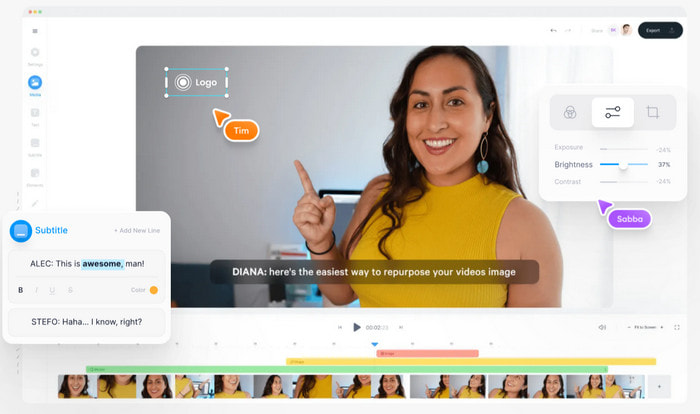
お金を一切かけず、インターネット環境さえあれば使いたいという場合は、VEED.IOにアクセスしてみてください。これは、オンラインで使える最高のスローモーション動画作成ソフトの一つで、シンプルかつ手軽に利用できます。インターフェース全体がとてもすっきりしており、操作手順も分かりやすいため、誰にとっても扱いやすいサービスです。ただし、アップロードできるファイルサイズは50MB未満に制限されています。より大きなサイズのファイルを扱いたい場合は、有料プランへのアップグレードが必要になります。また、購入していない場合、書き出した動画にはウォーターマーク(ロゴ)が入る点にも注意してください。
長所
- インターネット接続があれば誰でも簡単にアクセスできます。
- ウェブサイトに厄介な広告はありません。
- 編集初心者でも扱いやすい。
短所
- ツールの機能は、ツールの無料版では非常に制限されています。
- インターネット依存。そのため、インターネットの速度が遅い場合は、アップロード、ダウンロード、編集のペースが遅いと予想してください。また、インターネットに接続していない場合は、このツールにアクセスできません。
パート 2.2 Android および iOS で最高のスローモーション ビデオ アプリの 2
1 スロプロ
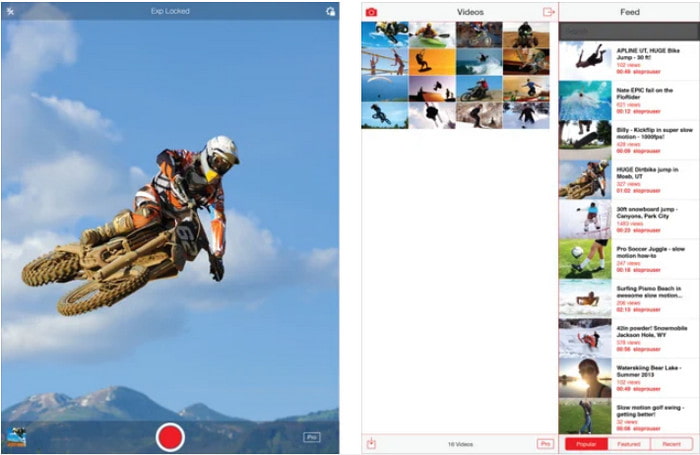
SloProは、iOS向けに無料でダウンロードできる、最高クラスのスローモーション動画アプリです。500〜1000fpsまでのスローモーション再生が可能で、動画を高速再生からスローモーションへ、あるいはその逆へと自在に切り替えることができます。優れた選択肢ではあるものの、いくつか欠点も存在します。たとえば、書き出した動画はカメラロールではなくアプリ内のギャラリーに保存される点や、1000fpsで撮影した場合、すでに利用したユーザーの報告によれば動画がバグっぽくなることがある点などです。それでもなお、無料で使えて簡単にスローモーション再生が行えるという意味では、十分に魅力的なツールと言えます。
長所
- iOS で無料で使用できる最高のスローモーション再生。
- すでに公正な評価と 3.3 の星を獲得しています。
- シンプルで使いやすい。
短所
- 最終出力はギャラリーに直接保存されません。
- SloPro ギャラリーに保存されているすべてのビデオはランダムであり、適切に分類されていません。
- 1000 fps を使用している場合は、バグのあるビデオ出力が予想されます。
2.スローモーションビデオメーカー
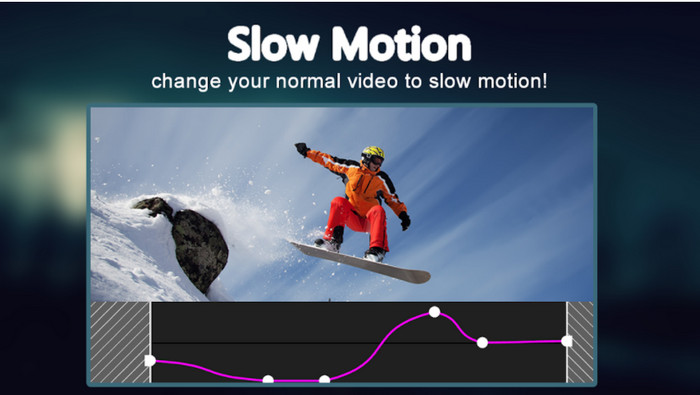
Androidスマホ向けに無料でダウンロードできるスローモーション動画メーカーの中でもおすすめなのが、Slow Motion Video Makerです。このアプリを使えば、動画を簡単に早送り再生したりスローモーション再生したりできます。ただし、予期せず広告が頻繁に表示されるなど、煩わしさも少なくありません。また、スローモーション再生の速度調整は0.5倍までに限られています。総合的には、Androidで動画をスローダウンする用途には便利ですが、過剰な広告表示がアプリの評価を下げている要因になっています。
長所
- アプリは Play ストアから無料でダウンロードできます。
- ビデオをスムーズにスローダウンするために使用されるのは素晴らしいことです。
- アプリの管理は簡単です。
短所
- どこからともなく現れる厄介な広告がたくさんあります。
- 高速化処理がないため、ビデオのダウンロードには時間がかかる場合があります。
パート 3. スロー モーション ビデオ メーカーに関するよくある質問
FPSの役割は?
これは、ディスプレイ パネルに表示される連続する一連のフレームを計算するために使用されます。これは、ビデオ ゲーム、カメラ、映画などの各モーション キャプチャで最も一般的に見られ、私たちの目でさえ 30 ~ 60 fps を見ることができます。
スローモーションでの最高の FPS レートは?
スロー モーション再生でビデオを視聴するために使用できる理想的な FPS は、120 ~ 240 fps です。したがって、より詳細なスローモーション再生が必要な場合は、FPS を高くしてください。
高速モーション再生でビデオを再生する方法は?
動画を早送り再生する方法を知りたい場合は、こちらのリンクをクリックしてみてください。動画を高速再生するために使えるおすすめツール5選を紹介しています。
結論
まとめとして、本記事で紹介したツールはいずれも、ネット上で見つかる優秀なスローモーションメーカーばかりです。この記事を読めば、わざわざ自分で一から探す手間を大幅に省くことができるでしょう。そのなかでも特におすすめしたいのが、Video Converter Ultimateを使って動画クオリティを高める方法です。搭載されている高度な機能はどれも優れていながら、操作はわかりやすく扱いやすいものばかりです。まだ半信半疑という方も、まずはツールをダウンロードして、実際に自分で試してみてください。
-
 携帯電話でMOVファイルを再生するのに最適なAndroidアプリケーション
 MOV 録画が Android で再生できずに困っていませんか?したがって、この場合、Android に最適な MOV プレーヤーを探しています。
-
 AVI ファイルを視聴および再生するための 5 つの強力な AVI プレーヤー [Web & デスクトップ]
 .aviファイルの再生と視聴に使用できるAVIプレーヤーについて説明します。以下を読み続けて、他よりも優れたメディアプレーヤーを選択してください。
-
 Xbox One S2021でファイルをMKVする方法の効果的な方法
 最高のコンバーターを使用して、Xbox OneSでMKVファイルを再生するのに役立つ方法を見つけてください。
