


 ビデオコンバーター究極
 スクリーンレコーダー
 ビデオ修復
ビデオ修復アニメーション画像の作成に使用できる最高のフォト アニメーション メーカーの 4 つ
最近では、多くのソーシャルメディアサイトが、従来の静止画像ではなくGIFを採用しています。GIFはユーザーの目を引き、静止画に比べてはるかに分かりやすくメッセージを伝えられるからです。そこで、どんな写真アニメーションメーカーが使えるのか知りたい場合は、以下のリストを読み進めてください。画像にアニメーション効果を加えるのに最適なツールを探してまとめました。

パート 1. 最高のフォト アニメーション メーカー ソフトウェア
このリストの最初に紹介するのは、圧倒的な編集機能を誇るVideo Converter Ultimateです。これを使えば、写真からアニメーションを作成することが簡単にできます。さらに、このデスクトップソフトは、プロかどうかに関係なく、使える高度な機能によって、あらゆる画像に命を吹き込むことができます。実際にこのソフトを試した全体的な使用感は、他のオンライン・オフラインツールと比べても群を抜いていました。では、シンプルな画像を生き生きと動かす方法を知りたい方は、以下の手順に従って進めてください。
Video Converter Ultimateで画像に命を吹き込む5つの簡単ステップ:
ステップ1. まず、以下のダウンロードボタンをクリックして、現在使用しているOSを選択します。次にソフトをインストールし、セットアップを素早く完了させたら、今すぐ開始をクリックして進みます。
無料ダウンロードWindows 7 以降に対応安全なダウンロード
無料ダウンロードMacOS 10.7 以降に対応安全なダウンロード
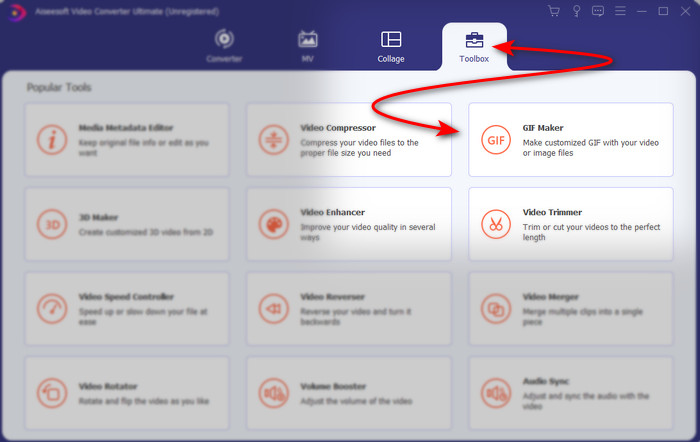
ステップ2. ソフトを起動し、ツールボックスに進んでGIFメーカーを探します。
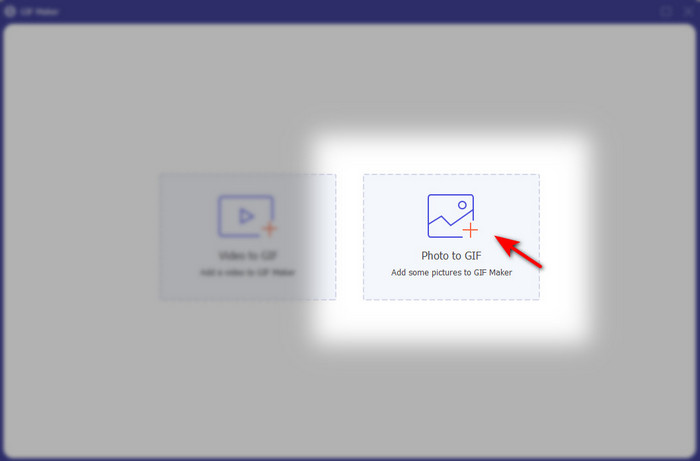
ステップ3. 写真からGIFオプションをクリックすると、画面にファイルフォルダが表示されます。使用するファイルを選択して開くをクリックし、読み込みます。
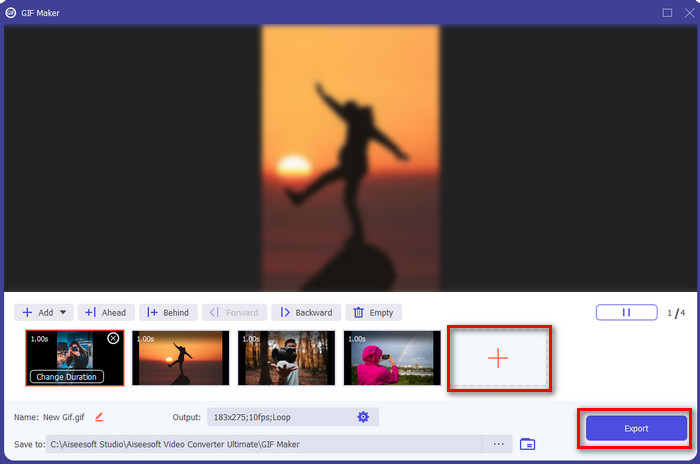
ステップ4. +ボタンをクリックして、写真からアニメーションを作成するために画像を追加します。その後、まず画像をクリックし、続いて再生時間を変更ボタンをクリックして表示時間を設定します。終わったら適用を押して変更を保存します。アニメーションを保存するには、GIFを作成をクリックします。
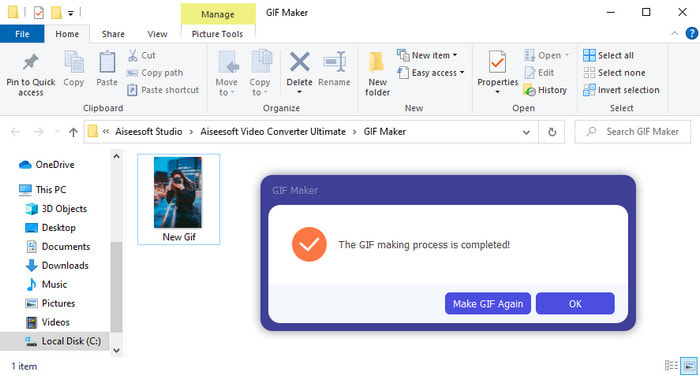
ステップ5. GIFの作成が完了すると、作成されたアニメーションGIFファイルが入ったフォルダが画面に表示されます。ファイルをクリックして、先ほど作成したアニメーションを再生してください。
パート 2. トップ 3 無料のオンライン アニメーション フォト メーカー
トップ1。Ezgif
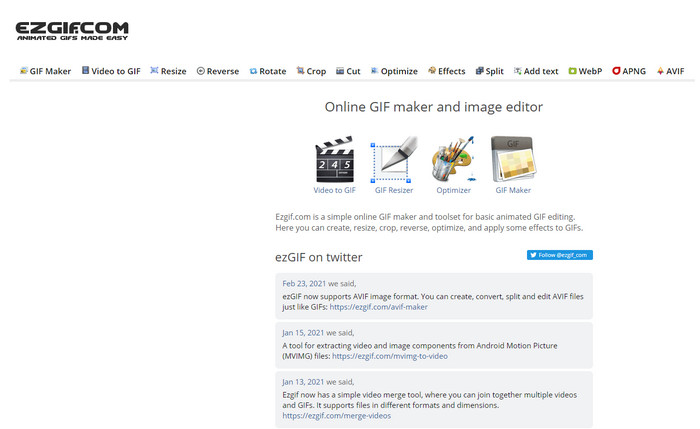
もし、無料で使えるオンラインの写真アニメーションメーカーを探しているなら、Ezgifは有力候補です。このウェブツールは、美しいアニメーション画像を作る分野で定評があります。アニメーション作成が好きな方なら、すでに使ったことがあるかもしれませんし、まだ触れたことがないなら、一度試してみる価値は十分にあります。ただし、一部のユーザーは、このツールには自分が使いたい先進的な編集機能が不足していると感じています。予算をかけたくないなら良い選択肢ですが、プロ向きではなく、どちらかといえば初心者に適したツールといえます。
長所
- アクセスしやすく安全です。
- 簡単なGIFを作ってみたい初心者に最適なツールです。
- セミプロ エディター オンライン ツール。
短所
- ユーザーが素晴らしい体験をすることを制限します。
- インターネット依存ツール。そのため、インターネットがない場合は、このオンライン ツールを使用できないことを期待してください。
トップ 2.カプウィング
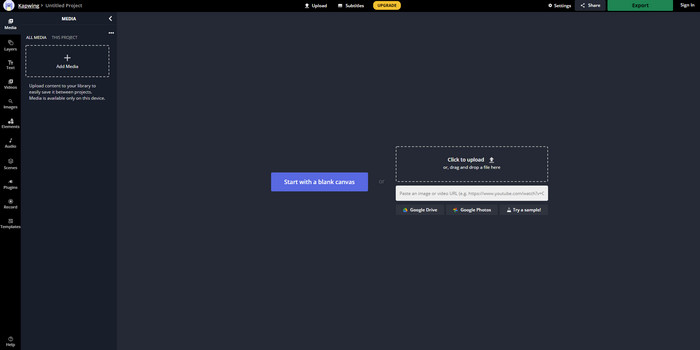
Ezgifとは異なり、Kapwingは画像のビジュアルをより良く見せる点で優れています。このオンラインツールを使うつもりなら、写真からアニメーションGIFを作る方法を知っておくと役立つでしょう。このツールはパフォーマンス、使いやすさ、柔軟性の面で、編集の基礎知識が少しある人であれば誰でも快適に利用できます。ただし、画像ファイルのアップロードやダウンロードには、ほかのウェブツールより時間がかかります。また、最終出力にはウォーターマークが入り、これを削除するにはツールにサインインする必要があります。
長所
- Ezgif に比べて多くの主要な編集機能があります。
- インターネットがあれば誰でもアクセスできる無料のオンライン ツール。
- オンライン ツールのインターフェイスは、エレガントですっきりと見えます。
短所
- 最終出力には、常に左下に透かしが入ります。
- GIF の編集を始めたばかりの人には最適な選択ではありません。
トップ3.GIFMaker.me
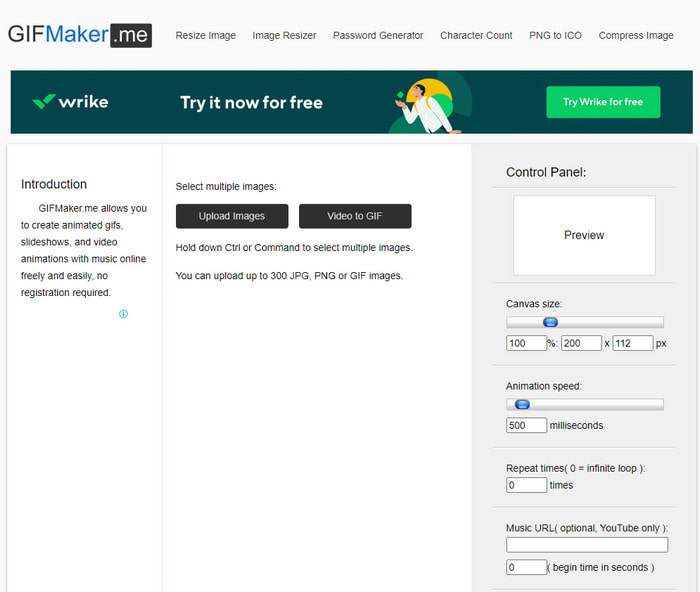
さらにもう一つ、無料で使えるオンラインの写真アニメーションメーカーとしてGIFMaker.meがあります。このウェブツールは、GIF作成の経験がない人にとって非常に扱いやすいのが特徴です。大量の画像をまとめて読み込むだけで、トランジション付きのGIFに変換してくれます。ただし、印象的なGIFを作るための編集機能が乏しいため、本記事で紹介する中では最も評価が低いツールでもあります。とはいえ、細かい編集は不要で、単純なスライドショー画像を作るだけで良いなら、このツールが最適でしょう。
長所
- Web 上で使用できる無料の GIF メーカー。
- メーカーのインターフェースはシンプルで分かりやすいです。
- オンラインツールの右側にシンプルなコントロールパネルが用意されています。
短所
- 厄介な広告が Web インターフェイスに表示されます。
- 使いたい編集機能のほとんどが欠けています。
パート 3. Photo Animation Maker に関する FAQ
アニメーション GIF を壁紙として使用できますか?
生のアニメーション GIF を携帯電話やコンピューターの背景として使用することはできません。ただし、サードパーティのツールを使用して機能させることができます。そのため、その方法を知りたい場合は、このリンクをクリックして続行してください。
Instagram で GIF を共有できないのはなぜですか?
ウェブ全体で最もよく使われているのはGIF形式ですが、一部のプラットフォームはGIFをサポートしていません。たとえばInstagramはPNGとMP4形式しか対応していません。そのため、InstagramでGIFを共有するには2つの方法があります。1つ目はGIFをMP4に変換する方法です。一方、別の方法として、こちらのリンクからInstagramにGIFを投稿する方法をいくつか学ぶこともできます。
GIFの目的は何ですか?
GIFは、他の動画形式と比べてファイルサイズを小さく抑えながら、画像をアニメーションさせる目的で作られた形式です。アニメーションではありますが、GIF(Graphics Interchange Format)は動画形式とは見なされていません。このあたりの詳しい内容については、GIFとは何かを解説した記事をクリックしてじっくり読めば、より多くのことを学べます。
結論
以上をまとめると、ここまでの内容で、写真からアニメーションを作成するために利用できるアニメーションメーカーを把握しやすくなったはずです。ここで紹介したツールはいずれも役立ちますが、その中でもVideo Converter Ultimateは、きっと気に入ってもらえる有力なGIF編集ソフトです。なぜなら、操作が非常に簡単で、インターフェースも優れており、高度な機能がひと通りそろっているからです。このツールに不安があるなら、まずはダウンロードして、上で紹介した手順に沿って実際に試してみてください。
無料ダウンロードWindows 7 以降に対応安全なダウンロード
無料ダウンロードMacOS 10.7 以降に対応安全なダウンロード
-
 AndroidおよびiOSデバイス用のビデオアプリへの素晴らしいGIF
 GIFを携帯電話を使用して好きなビデオ形式に変換できることをご存知ですか? AndroidまたはiOSで最高のアプリを選択してください。
-
 Windows / MacでGIFをWMVに変換する方法に関する簡単なガイド
 GIFをWMV形式に変換する方法を知りたいですか?次に、この記事に従って、選択できるさまざまなソリューションを紹介します。
-
 TSからGIFへ:TSファイルをアニメーションGIFに変換する方法
 この記事を参考にして、TSファイルをGIF形式に変更する方法を学びましょう。以下のリストは、TSとGIFに関するさまざまなアイデアと、TSをGIFに変換する方法を示しています。
