


 ビデオコンバーター究極
 スクリーンレコーダー
 ビデオ修復
ビデオ修復オンラインおよびオフラインでVOBをAVIに変換する3つの方法を学ぶ
VOBファイルはプライベートストリームを保存するために使用され、MPEG-2のような不可逆ビデオ圧縮を使用します。また、2つを比較すると、ほぼ同じ構造になっています。ただし、.vobファイルには、使用する前に制限と仕様があります。そのため、ローカルメディアプレーヤーでVOBファイルを簡単に再生することはできません。さて、それを開く方法を探す時間を節約するために、以下のコンバーターを選択して変換する必要があることをお勧めします。その場合、私たちはあなたに私たちが思いつくことができる最高のコンバーターを提示し、リストにあるツールを使ってオンラインまたはオフラインでVOBをAVIに変換する方法を学びます。
パート1。VOBをAVIオンラインに変換する方法
もし予算にあまり余裕がない場合は、まずは無料で使えるツールを利用することをおすすめします。インターネット上で調べたところ、オンラインコンバーターの中で最適と言われているツールが「FVC Free Video Converter」です。さらに、このツールは、すでに利用した多くのユーザーから「とても簡単で使いやすい」と高く評価されており、その性能に感心したという声も多く聞かれます。ですので、このコンバーターの良さを実感してみたい方は、以下の手順に従って VOB ファイルを AVI 形式に変換してみてください。
ステップ1. コンバーターのサイトにすぐアクセスするには、このリンクをクリックします。
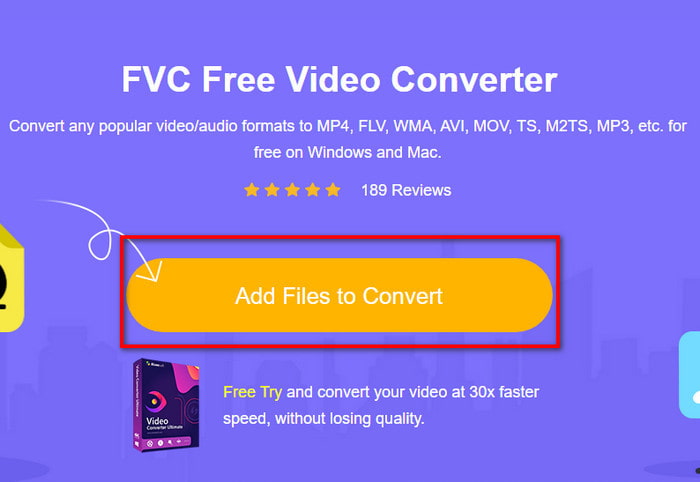
ステップ2. サイト上で Add Files to Convert をクリックしてインストーラーをダウンロードします。数KB程度なので容量を気にする必要はありません。ダウンロード後、もう一度クリックしてツールを起動し、フォルダー内から変換したいファイルを探します。見つけたら Open をクリックして次へ進みます。
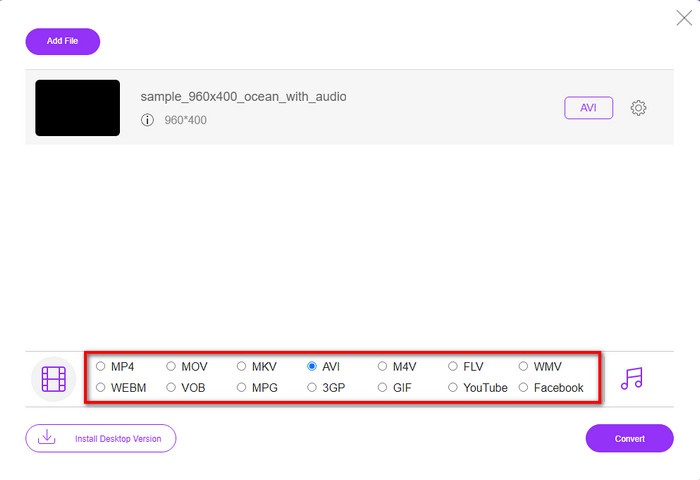
ステップ3. FVC の新しいインターフェースが画面に表示されます。下部のリストから AVI 形式、または変換したい任意の形式を選択します。
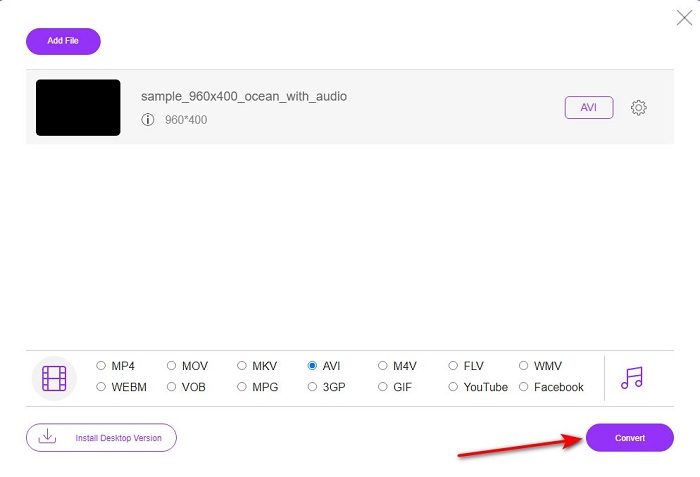
ステップ4. 形式の選択が完了したら、Convert をクリックしてファイルの変換を開始します。
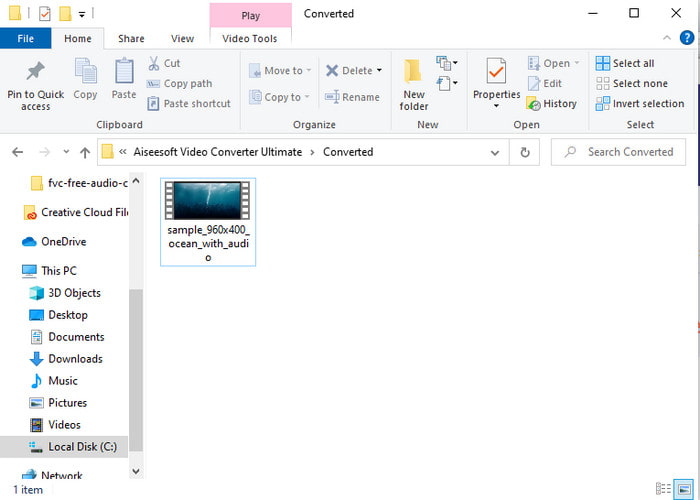
ステップ5. 変換にはおおよそ1分もかかりません。変換が完了すると、新しく変換されたファイルが入ったフォルダーが表示されます。
パート2。WindowsとMacでVOBをAVIに変換する方法
Phenomenal Converterを使用する:FVC Video Converter Ultimate
VOBからAVIへのコンバーターをダウンロードすることを検討している場合、これはあなたが作りたいと思う最良の選択であるに違いありません。 FVC Video Converter Ultimateは、特に変換時に発生する可能性のあるすべての究極の状況を解決する究極のツールとして、常にその名に恥じないものです。このソフトウェアは、前述の2つのツールとは大きく異なります。多分あなたは理由を考えています、そしてそれはあなたがプロであろうと初心者であろうと誰にでも完全に合うからです。このツールを試したときに経験する全体的なパフォーマンスはすでに驚くべきものであり、変換がどれほど高速に実行できるかに感銘を受けています。そして今、あなたが驚異的な変換を体験したいのであれば、私たちは話しているので、以下に示されているステップに従ってください。
ステップ1. まず、このソフトを使用する前にダウンロードする必要があります。ダウンロードが完了したらインストールを行い、セットアップを済ませてから Start Now をクリックします。
無料ダウンロードWindows 7 以降に対応安全なダウンロード
無料ダウンロードMacOS 10.7 以降に対応安全なダウンロード
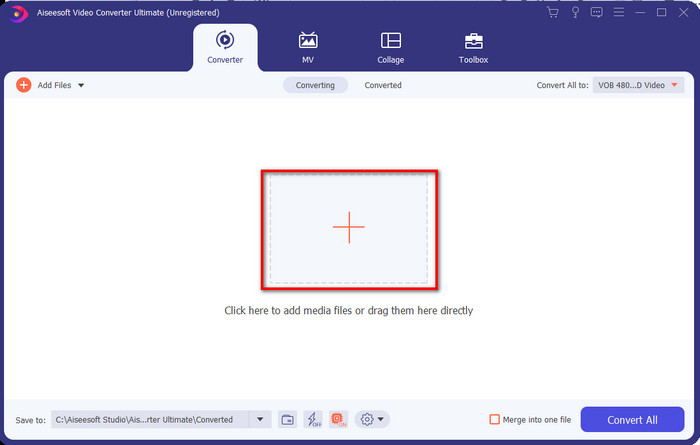
ステップ2. インストールが完了したら、次にソフトウェアを起動します。画面にこのようなインターフェースが表示されます。インターフェース中央の+ボタンをクリックするとフォルダーが表示されるので、そこでファイルを選び、Open をクリックして次の工程に進みます。
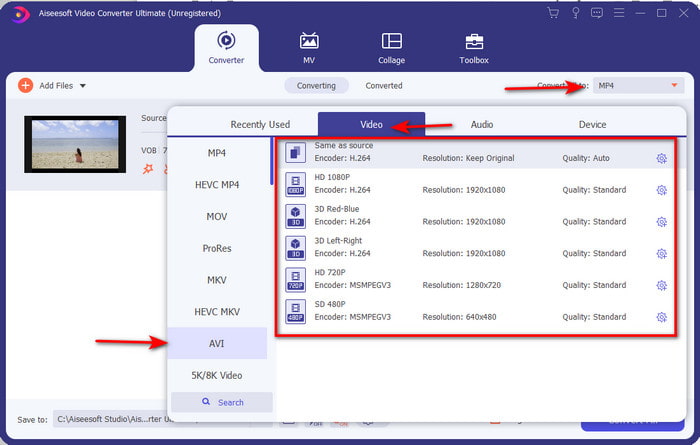
ステップ3. インターフェース左上にある Convert All to ボタンをクリックし、表示される動画カテゴリ一覧から AVI 形式を選択します。
ステップ4. 形式の選択が終わったら、Convert All をクリックして変換を開始します。
![[すべて変換]をクリックします](/images/2021/11/hit-convert-all.jpg)
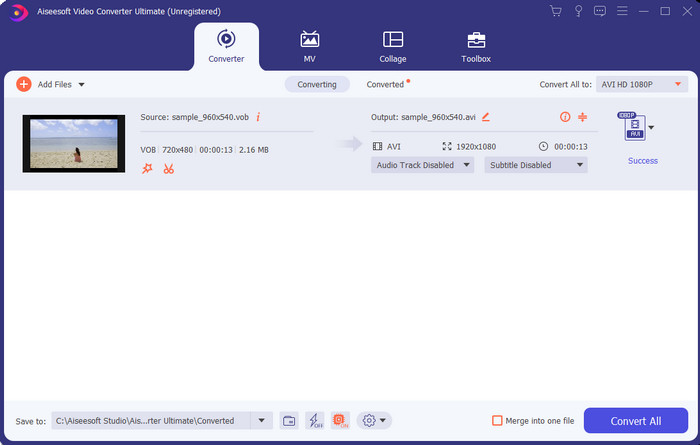
ステップ5. 長時間待つ必要はなく、数秒で完了します。変換が終了すると、先ほど変換したメディアファイルが入ったフォルダーが自動的に開きます。あとはそのファイルをクリックして、変換後の .vob ファイルを再生してお楽しみください。
無料ツールを使用する:HandBrake
無料ツールをお探しなら、HandBrake もおすすめです。FVC Video Converter Ultimate と同様に、インターネット接続がなくても動作します。また、自宅や職場などでデスクトップを持っている方なら、誰でも無料でダウンロードして利用できます。ただし、このツールを使う前に、.NET 5.0 と呼ばれる別のファイルを先にダウンロードしておく必要があります。そのため、「ツールをダウンロードした後に、さらに別のファイルをもう一度ダウンロードしなければならないのが少し面倒」と感じるユーザーもいます。とはいえ、無料で効果的に変換したい場合は、HandBrake を使って VOB から AVI への変換を行い、以下の手順に従って操作してみてください。
ステップ1. まず、ツールをパソコンのドライブにインストールします。
ステップ2. メニューから File をクリックし、フォルダー内の .vob ファイルを指定します。
ステップ3. Format をクリックして一覧から形式を選択し、Start Queue をクリックします。
![[キューの開始]をクリックします](/images/2021/11/click-start-queue.jpg)
パート3。VOBファイルをAVI形式に変換するために使用するのに最適なコンバーターはどれですか
| 特徴 | FVC無料ビデオコンバーター | FVCビデオコンバーターアルティメット | ハンドブレーキ |
| フォーマットの変換 |  | | |
| ハードウェアと変換の高速化 |  | | |
| インターネット接続 | | | |
| ビデオエンハンサーまたは編集 | | | |
| サポートされているプログラム | Webベースのツール | デスクトップベースのツール | デスクトップベースのツール |
パート4。VOBとAVIに関するFAQ
VOBに含めることができる他のファイルは何ですか?
VOBはマルチプレックスDVD形式であるため、ビデオやオーディオだけでなく、字幕、ナビゲーションコンテンツ、メニューも含めることができます。
メディアプレーヤーでVOBファイルを再生できないのはなぜですか?
VOB がメディアプレーヤーで再生できない主な理由のひとつは、この形式がメディアプレーヤーからあまり広くサポートされていないためです。利用可能なVOB プレーヤーは、こちらから入手できます。それでも問題が解決しない場合は、上記で紹介したコンバーターを使って別形式に変換するのが現実的な解決策です。
VOBファイルが大きすぎるのはなぜですか?
このフォーマットが非常に大きい唯一の理由は、DVDに必要なさまざまなデータが含まれているためです。また、ビデオの長さの可能性を除外することはできません。または、ここをクリックして、VOBファイルを圧縮する方法を学習してください。
結論
したがって、VOBファイルを変換する場合は、上記のツールを使用して簡単に変換できます。それ以外に、FVC Video Converter Ultimateは、言及されている他のオンラインおよびオフラインツールの中で本当に際立っているコンバーターです。 WindowsでもMacでも簡単にVOBをAVIに変換できるからです。それでも何を使用すればよいかわからない場合は、驚異的なツールをダウンロードして、明示的な出力を体験し、驚かせる必要があることを強くお勧めします。
-
 VOBからMP4へ–VOBファイルを無料でMP4に一括変換する3つの方法
 この記事では、3つの無料のVOBからMP4へのコンバーターと関連するチュートリアルを紹介します。 Windows / Mac /オンラインでVOBをMP4ファイルに無料で簡単に無料で変換できます。
-
 VOBをFLVに変換する最良の方法[無料およびオンラインで含まれる]
 VOBファイルをFLVファイルに変換したいですか?デスクトップまたはオンラインコンバーターを使用して、タスクを簡単に完了することができます。このガイドを読み、VOBをFLVに簡単かつ迅速に変換する方法を学びます。
-
 VOBファイルとは何ですか?VOBファイルを無料でGIFに変換する方法
 VOBファイルと、リッピング後に共有する方法について詳しく知りたいですか?またはなぜVOBをGIFに変換する必要があるのですか?次に、この記事を注意深く読んでください。
