


 ビデオコンバーター究極
 スクリーンレコーダー
 ビデオ修復
ビデオ修復詳細なレビューでWMVファイルをAVIに変換するために使用される3つのWebおよびデスクトップコンバーターについて
再生できないためにファイルを新しい形式に変換したくなるときがあります。その代表的な例が WMV 形式です。Windows ユーザーであれば、この形式を耳にしたことがあるはずです。WMV は、さまざまな動画・音声ファイルを1つのコンテナにまとめて保存する形式です。しかし、この形式は多くのメディアプレーヤーでサポートされていません。そのため、拡張子 .wmv の動画ファイルを視聴する一番よい方法は、ほかの形式に変換することです。「WMV を AVI に変換できるのか」と、他の人と同じ疑問をお持ちなら、以下をご覧ください。ここでは、利用できるさまざまなオンラインツールと、その手順をまとめています。
パート1。無料でWMVをAVIオンラインに変換する上位3つのコンバーター
トップ1。FVC無料ビデオコンバーターオンライン
インターネット環境があり、このFVC Free Video Converter Onlineを使えば、変換はすぐに行えます。このソフトは、他のオンラインツールとは異なり、より高速で高品質な変換に対応しています。また、このツールではアップロード完了を長く待つ必要がないように設計されています。さらに、このオンラインツールには、変換した動画を保存しておける内蔵ライブラリがあるのも利点です。これにより、変換した動画や音声に効率的かつ簡単にアクセスできます。ただし、インターネットに接続していない場合は、以下で紹介する他のオンラインツールと同様、このツールも利用できません。なお、このツールを試してみたい場合は、以下の手順に従って、WMV を無料で AVI にオンライン変換してみましょう。
ステップ1. まず、こちらのリンクをクリックして FVC の公式サイトへアクセスします。
ステップ2. 次に、Add Files to Convert をクリックして、オンラインツール用のランチャーをインストールします。サイズはごく小さく、安全なので心配はいりません。インストーラーが PC に保存されたら、再度 Add Files to Convert をクリックし、フォルダーから .wmv ファイルを選択して Open をクリックします。
ファイルを一括変換するには、デスクトップ版をダウンロードしてください。
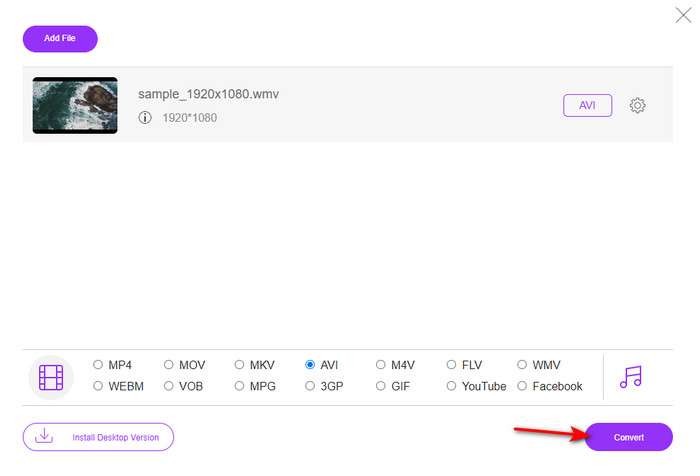
ステップ3. WMV ファイルがインターフェース上に表示されたら、画面下部のオプションから AVI 形式を選択します。
![[オプション]で[AVI]を選択します](/images/2021/11/choose-avi-under-options.jpg)
ステップ4. 形式を選んだら、Convert をクリックして変換を開始します。
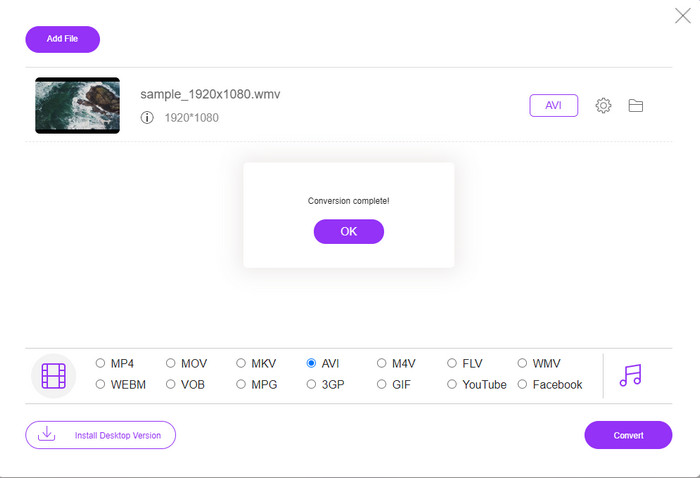
ステップ5. 数分待って処理が完了すると、変換されたファイルが入ったフォルダーが画面に表示されます。それをクリックして、新しく変換した WMV ファイル(AVI 形式)を再生しましょう。
トップ2.Convertio
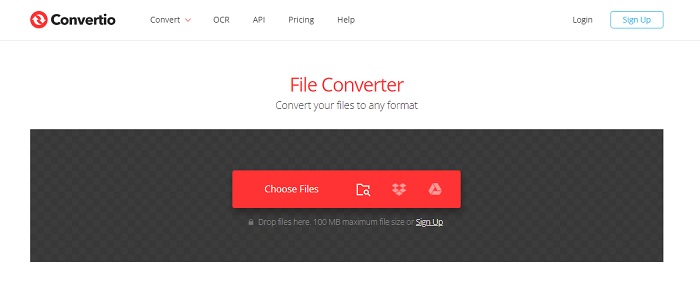
WMV ファイルを無料で AVI に変換できる別のオンラインコンバーターとして Convertio があります。最初に紹介したツールと違い、専用ランチャーをインストールする必要はありません。また、このツールでは PDF、画像、音声など、さまざまなファイルも変換できます。ただし、大きな欠点として、アップロードとダウンロードに時間がかかる点が挙げられます。さらに、これまでに変換したファイルを保存しておける内蔵ライブラリもありません。このコンバーターを使いたい場合は、次の手順に従ってください。
ステップ1. お使いのブラウザーを開き、「Convertio.io」と検索します。
ステップ2. Choose File をクリックし、変換したい WMV ファイルをフォルダーから選択します。その後、ドロップダウン ボタンをクリックして AVI を選択します。
ステップ3. アップロードには時間がかかります。アップロードと変換が完了したら、Download をクリックして変換後のファイルを保存します。
トップ3.CloudConvert
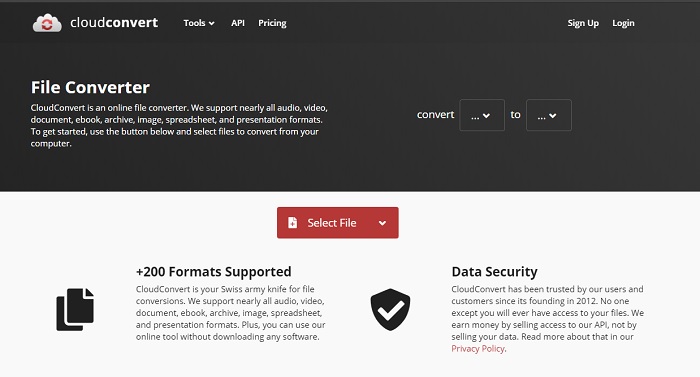
CloudConvert は、対応する小規模な形式を選んで変換できるオンラインツールです。変換処理は安全で、変換履歴をサーバー側に残さないよう配慮されています。Convertio と同様、このツールにも変換済みファイルを保存するライブラリ機能はありません。また、ハードウェアアクセラレーションによる高速化に対応していないため、変換速度はかなり遅めです。それでも、WMV を AVI に無料でオンライン変換してみたい場合は、以下の手順を参考にしてください。
ステップ1. ブラウザーを開き、「Cloud Convert」と検索します。
ステップ2. Select File をクリックし、表示されたフォルダーから .wmv ファイルを探して選択します。
ステップ3. Convert to をクリックして AVI 形式を選び、Convert ボタンを押します。変換が完了したら、Download をクリックして保存します。
パート2。LightningSpeedConverterを使用してMacおよびPCでWMVをAVIに変更する方法
上記のオンラインソフトでは、FVC Video Converter Ultimate が提供する機能を完全には再現できません。多機能なツールを探しているなら、これが最適な選択肢となるでしょう。このソフトはコンバーターとしてだけでなく、編集ツールやGIF メーカーなどとしても利用できます。さらに、このソフトは機能面・速度面ともに期待以上のパフォーマンスを発揮します。実際に使ってみると、その総合力の高さに驚かされるはずです。ぜひこの高性能なコンバーターをデスクトップにダウンロードして試してみてください。それでは、以下の手順に沿って、Mac と PC で WMV を AVI に変換する方法を説明します。
ステップ1. まずツールを利用するために、現在お使いの OS に合ったバージョンをダウンロードします。その後、デスクトップにインストールします。簡単なセットアップなので、1分もかかりません。
無料ダウンロードWindows 7 以降に対応安全なダウンロード
無料ダウンロードMacOS 10.7 以降に対応安全なダウンロード
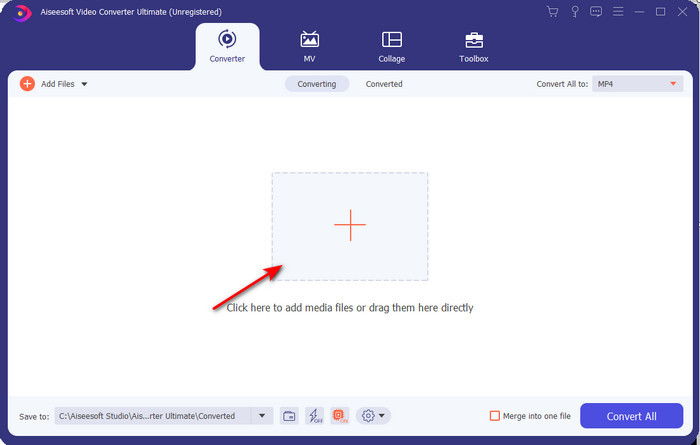
ステップ2. ソフトを起動して次のステップへ進みます。起動後、画面に + のアイコンが表示されるので、それをクリックしてファイルを追加し、Open を選択します。
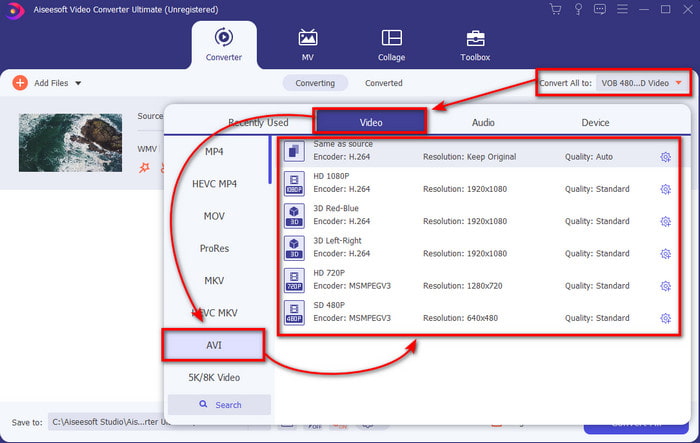
ステップ3. 形式を変更するには、Convert All to のドロップダウンメニューをクリックし、サブメニューから AVI を選択します。
ステップ4. 準備ができたら、WMV ファイルを AVI に変換するために Convert All をクリックします。数秒ほど待てば処理が完了します。
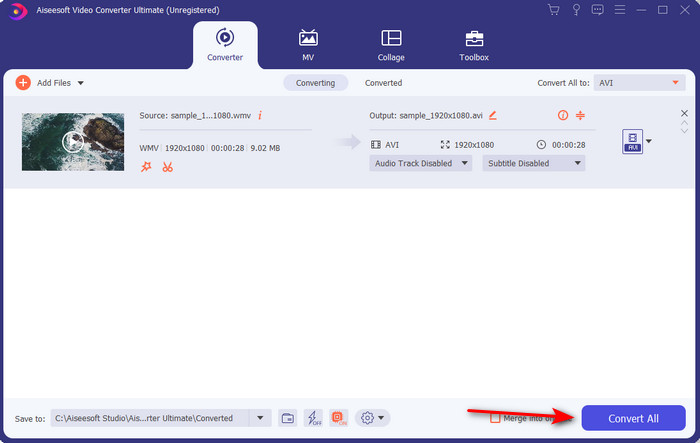
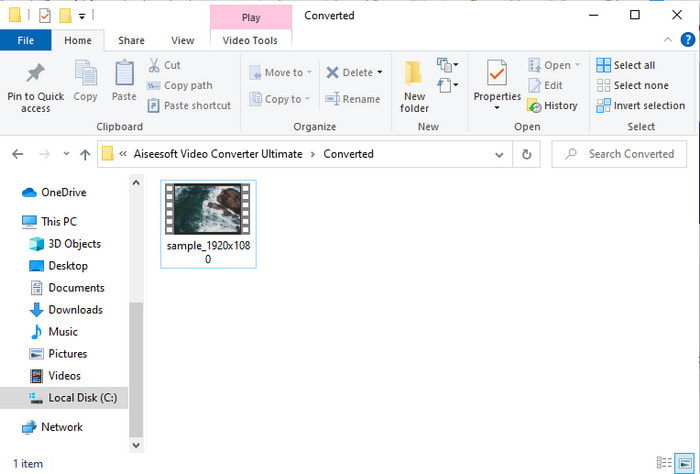
ステップ5. 変換後、数秒前に作成した変換ファイルを含むフォルダーが画面に表示されます。動画ファイルをクリックして再生し、画質を落とすことなく変換された WMV ファイル(AVI 形式)をお楽しみください。
パート3。WMVVSAVI;どのフォーマットが最も効果的か
WMVとAVIは、使用したい一流のビデオファイルコンテナの一部です。上記の2つの形式には、高品質のビデオとオーディオを含めることができますが、この比較表を読んで、それらの違いを判断してみましょう。
| WMV | AVI | |
| としても知られている | WindowsMediaビデオ | オーディオビデオの相互関係 |
| 最適な使用法 | 以前は、オンラインで適切に構造化されたビデオストリーミングを行うために、大きなファイルを小さなファイルに変換していました。 | ビデオとオーディオを別々に保存し、遅延なく同時に再生するために使用されます。 |
| によって開発された | マイクロソフト | マイクロソフト |
| フォーマットのデメリット | メディアプレーヤーからの注目と支持は少なくなります。 | この大きなファイルをはるかに小さいが制限内に圧縮するには、コーデックが必要です。 |
WMVとAVI
Microsoftによって作成されたWMVは、2000年代に最も一般的なビデオ形式の1つでした。 Webで表示したり、Windowsのさまざまなメディアプレーヤーで再生したりできます。また、WindowsMediaPlayerのデフォルトのビデオファイル形式でもあります。しかし、最近は他のフォーマットに引き継がれています。
Resource Interchange File Format(RIFF)に基づいて、AVI形式は1992年にMicrosoftによって導入されました。圧縮率が低いため、高品質のビデオ/オーディオを保存できます。ただし、これによりAVIファイルのファイルサイズが大きくなり、スペースが限られている場合に問題になる可能性があります。
パート4。WMVおよびAVI形式に関するFAQ
WMVをAVIに変更すると、品質に影響しますか?
AVIに変換したときのWMVファイルの品質は変更しないでください。ただし、WMVが変更され、品質が低下したとします。その場合、使用するコンバーターはビデオの高品質ピクセルをサポートしていません。
変換後にWMVのサイズは変わりますか?
WMVのファイルサイズは、元のファイルサイズと少し異なる場合があります。それが変わるのには理由があります。その理由の1つは、圧縮ファイルが非圧縮になり、ファイルサイズが変わることです。ただし、変更は元のファイルサイズに近い必要があり、それほど大きくならないようにする必要があります。
WMVを使用してビデオを電子メールに添付できますか?
はい、Microsoftによれば、WMV形式を使用してビデオを電子メールに添付するのが理想的です。これは、MPEG-4よりも優れた高速の圧縮をサポートしているためです。また、ファイルサイズが非常に小さいため、ミニチュア形式として知られています。ただし、ビデオの品質は変わりません。
結論
最後に、すべてのプラットフォームとソフトウェアがWMVをサポートしているわけではないことを理解しやすくなります。さらに、webtoolは十分に機能しますが、バッチファイルをはるかに高速かつ簡単に変換できるツールが1つあります。それは、FVC Video ConverterUltimateです。このソフトウェアが提供する驚異的な変換を体験したいとします。その場合は、今すぐデスクトップにダウンロードして使用する必要があります。
-
 WMVをMP4に無料&オンラインで変換する方法[解決済み]
 WMVファイルをMP4に変換する方法は? MacとWindowsで簡単な手順でWMVをMP4に変換する4つの簡単な方法を次に示します。
-
 WMVからMP3–無料でビデオをオーディオに変換する方法[デスクトップ/オンライン]
 WMVビデオを見ていると、オーディオ部分が魅力的であることがわかります。したがって、MP3プレーヤーで再生する必要があります。ただし、明らかに、プレーヤーはWMV形式をサポートしていません。それはあなたにWMVをMP3に変換する方法があるかどうか疑問に思います。
-
 PC / MacでWMVファイルをFLVに変換する2つの最も簡単な方法
 WMVをFLVに変換するにはどうすればよいですか?まず、私たちの推奨事項を読んでお気に入りの方法を見つけてから、ガイドに従ってすばやく作業を行う必要があります。

