


 ビデオコンバーター究極
 スクリーンレコーダー
 ビデオ修復
ビデオ修復
 安全なダウンロード
さまざまな機能を備えた5つの最高のスローモーションビデオプレーヤー
スローモーションは、ビデオを再生するのに非常に便利な機能です。特に、チュートリアルビデオを見て詳細な手順を学びたい場合や、すばらしいシーンを楽しんで最もエキサイティングな瞬間のスクリーンショットを撮りたい場合に便利です。さらに、外国映画の字幕を見ることに慣れていない場合は、行をはっきりと読むためにビデオの速度を落とす必要があるかもしれません。
しかし、コンピューター上で動画を任意の速度にカスタマイズして再生できるスロー再生対応動画プレーヤーは多くありません。そこで本記事では、PCでスローモーション動画を再生できる厳選5つのスローモーション動画プレーヤーをご紹介します。価格、機能、長所・短所、対応OSなどを詳しく比較紹介しますので、自分に最適なスローモーション動画プレーヤーを見つけることができます。
パート1:ビデオをゆっくり再生するための5つの最高のスローモーションビデオプレーヤー
1. Windows MediaPlayer-Windowsのデフォルトのスローモーションプレーヤー
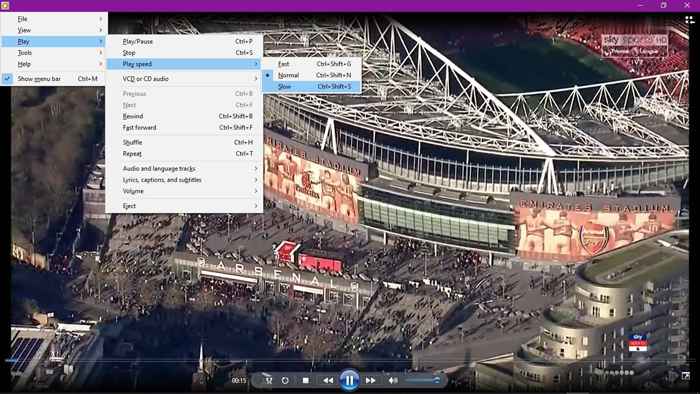
Windowsのデフォルトのビデオプレーヤーとして、Windows MediaPlayerはスローモーションを含む複数の基本機能をサポートしています。低速と高速のオプションは、再生設定にあります。ただし、Windows Media Playerは、MP4、MOV、AVIなどの一部の一般的な形式のみをサポートします。HEVCコーデックやその他のコーデックで高解像度のビデオを視聴する場合は、このスローモーションビデオプレーヤーに対応するエンコーダーをダウンロードする必要があります。
長所
- 1.Windowsで他のビデオプレーヤーをダウンロードする必要はありません。
- 2.オーディオトラックと言語トラックを選択できます。
短所
- 1.フォーマットの制限:MP4、MKV、AVIなどの一般的なフォーマットのみをサポートします。
&#8226価格:Windowsユーザーは無料
&#8226サポートされているオペレーティングシステム:Windows
こちらもおすすめ:Windows Media Player が動作しない場合は?
2.VLC MediaPlayer-すべてのプラットフォーム向けのオープンソースビデオプレーヤー
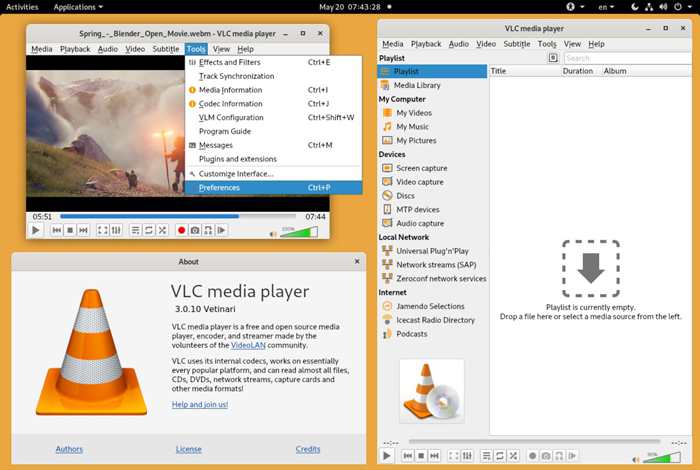
VLC Media Playerは、スローモーションビデオを再生するために一般的に使用されるビデオプレーヤーでもあります。ただし、速度の調整はサポートされていないため、スローモーションで編集されたビデオしか再生できないことに注意してください。ただし、それでも、複数のビデオを高品質でスムーズに再生できる強力なビデオプレーヤーです。
長所
- 1.すべてのプラットフォームと互換性があります:Windows、Mac、Linux、さらにはモバイル。
- 2.複数のビデオフォーマットとコーデックをサポートします。
短所
- 1.速度調整機能はありません。
- 2.ビデオ効果を編集するためのいくつかの機能。
- 3.インターフェースは初心者にとって少し複雑です。
&#8226価格:無料
&#8226サポートされているオペレーティングシステム:Windows、Mac、Linux、iOS、Androidなどのクロスプラットフォーム
3.FVC無料ビデオプレーヤー-複数の効果を備えた最も簡単なビデオプレーヤー
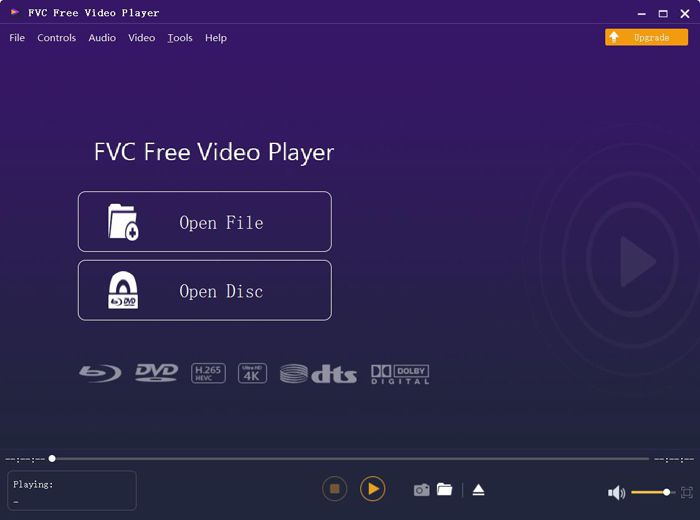
FVC Free Video Player は、無料でオンライン再生できる、使いやすいソフトです。ソフトをダウンロードせずに、高画質で MP4、MOV、WMV、3GP、FLV、さらには DVD 動画まで再生できます。VLC メディアプレーヤーのように再生速度を細かく調整することはできませんが、動画の拡大・縮小やフィルターの追加など、便利な機能を多数備えています。
長所
- 1.スローモーション効果でビデオを再生することができます。
- 2.ボタンをクリックして、いつでも画面をキャプチャします。
- 3. HD / 4K解像度で一般的なすべてのフォーマットをサポートします。
- 4.ビデオをズームしたり、ビデオにフィルターを追加したりするための複数のビデオ編集機能。
短所
- 1.ビデオの速度を調整できません。
- 2.フルスクリーンをサポートしていません。
&#8226価格:無料およびオンライン
&#8226サポートされているオペレーティングシステム:Windows、Mac
4.スローモーションビデオ-Windows用のプロのスローモーションビデオプレーヤー
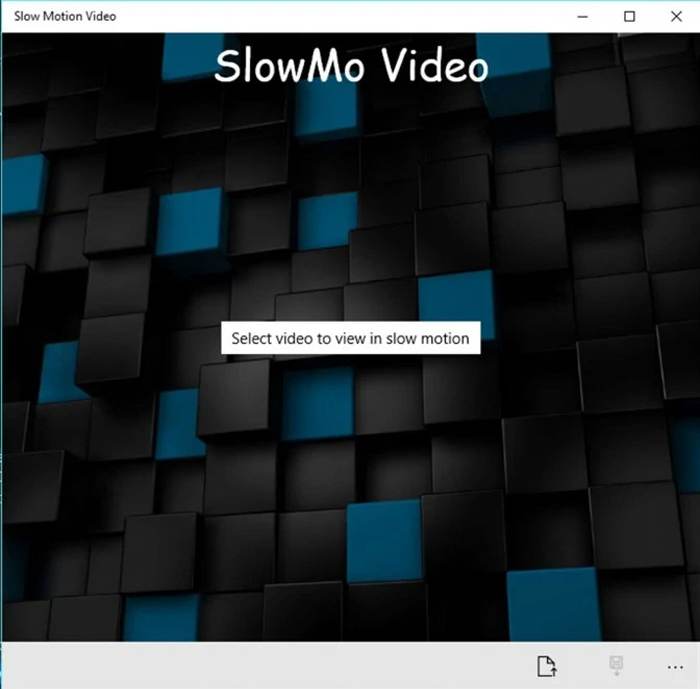
名前が示すように、スローモーションビデオはスローモーションビデオを作成するための特定のビデオプレーヤーです。さらに、2倍の高速をサポートし、半分の時間でビデオを視聴できます。ビデオを編集するための他の機能がないため、誰もが使用できる非常にシンプルなスローモーションビデオプレーヤーです。
長所
- 1.ユーザーフレンドリーで直感的なインターフェース。
- 2.ビデオを自由に遅くしたり速くしたりすることができます。
短所
- 1.編集機能がほとんどなく単純すぎる。
&#8226価格:無料
&#8226サポートされているオペレーティングシステム:Windows
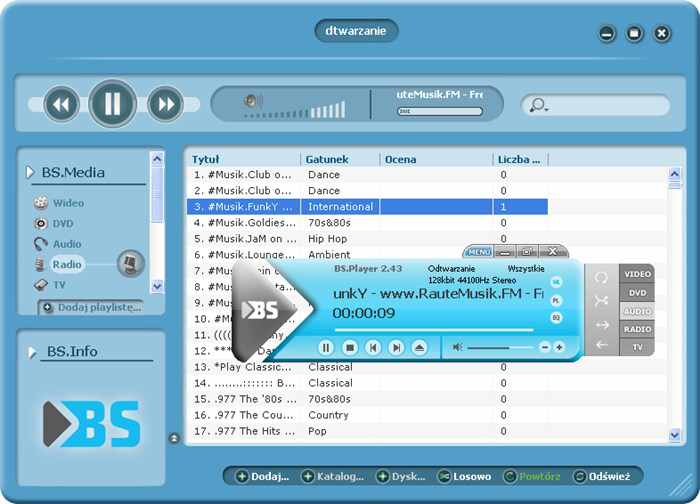
5.BS。プレーヤー-非常に強力なスローモーションビデオプレーヤー
BS.Player は、VLC メディアプレーヤーの優れた代替ソフトとして知られており、高音質なオーディオで有名です。一般的ではない形式も含め、幅広い動画・音声フォーマットに対応しています。特筆すべき点は、このスローモーション動画プレーヤーが、最低 1% 単位で動画をスロー再生できることです。さらに、有料版では視聴体験を向上させるための、より多くの便利な機能が利用できます。
長所
- 1.さまざまな国に90以上の言語を提供します。
- 2.複数のビデオおよびオーディオ形式をサポートします。
短所
- 1.無料版の限定機能。
- 2.ユーザーのための複雑なインターフェース。
&#8226価格:無料版または$26.99
&#8226サポートされているオペレーティングシステム:Windows
パート2:スローモーションビデオプレーヤーのFAQ
1.ビデオを見るためにスローモーション効果を作成するにはどうすればよいですか?
実際、スローモーションビデオを作成するということは、ビデオの速度を調整してビデオの速度を落とすことを意味します。これはビデオエディタで非常に一般的な機能ですが、ビデオを見ているときにリアルタイムでスローモーションビデオを作成するには、上記の5つのビデオプレーヤーのいずれかを選択できます。
2. Window Media Playerでスローモーションビデオを再生できますか?
はい、可能です。Windows Media Player は Windows ユーザー向けの標準的で基本的な動画プレーヤーですが、再生速度の調整に対応しています。再生ボタンをクリックし、再生速度メニューを選択してください。その後、低速オプションを選べば、動画をスローモーションで再生できます。
3. 0.5倍の速度でスローモーションでYouTubeビデオを再生するにはどうすればよいですか?
YouTube アプリまたはブラウザで目的の動画を開きます。次に、設定アイコンが表示されるので、それをクリックして再生速度を選択します。0.5xオプションをクリックすると、YouTube 動画をスローダウンして再生できます。
結論
この記事では、スローモーションでビデオを再生するのに最適なものを選択するのに役立つ機能の詳細な紹介とともに、5つの最高のスローモーションビデオプレーヤーを紹介しました。また、さまざまなビデオプレーヤーでサポートされている形式にも注意を払う必要があります。すべての形式のビデオを高品質で再生するには、FVC Free VideoPlayerが最適です。他にご不明な点がございましたら、以下にコメントを残してください。
-
 VRビデオプレーヤー– 2021年の5つの最高のVRビデオプレーヤーのレビュー
 VLCはVRを再生できますか?最高のVRビデオプレーヤーは何ですか? VRヘッドセットでビデオを再生する方法は? VRビデオプレーヤーに関するすべての質問は、ここで回答できます。
-
 Windows10用のWindowsMedia Player –これが究極のガイドです
 Windows10用のWindowsMedia Playerはどこでダウンロードできますか?メディアプレーヤーが機能しない場合の最良の選択肢は何ですか?これがあなたが知っておくべき究極のガイドです。
-
 Windows / Mac / iOS / AndroidでHD映画を見るのに最適な10のHDプレーヤー
 これはあなたの最新のHDビデオプレーヤーのレビューです。市場のトップ10HDプレーヤーの偏りのない長所と短所を得ることができます。すべてのフォーマットをサポートする最高のHDプレーヤーを読んで選択するだけです。
