


 ビデオコンバーター究極
 スクリーンレコーダー
 ビデオ修復
ビデオ修復WindowsとMacで4つの最高のオフラインとオンラインのSWFからFLVへのコンバーターを見つけてください
私は現在、Youtube、Facebook、MySpaceなどのビデオ共有サイトにSWFファイルをアップロードするためのソリューションを探しています。この問題を解決する最も簡単な方法を見つけるのを手伝ってもらえますか?
この問題はよく起こります。特に、動画ファイルの拡張子が .swf の場合によく見られます。この形式はウェブ上では一般的ですが、動画共有サイトにそのままアップロードしても再生できません。したがって、SWF ファイルを共有したい場合は、FLV のような、より幅広くサポートされている形式に変換する必要があります。そこでこの記事では、オフラインおよびオンラインで使える SWF から FLV への変換ツールの「隠れた名品」を4つご紹介します。

パート1。FVCFreeVideoConverter Onlineを使用して、SWFをFLVOnlineに無料で変換します。
FVC Free Video Converter Online は、SWF を FLV に無料でオンライン変換できる、他に並ぶもののないビデオコンバーターです。このウェブツールは、PC にソフトをインストールすることなく、ファイルを別形式に変換することに特化しています。変換機能に加えて、ニーズに合わせて動画・音声の各種パラメータを変更することも可能です。この軽量なウェブコンバーターの使い方を知りたい場合は、以下の手順をコピーして試してみてください。
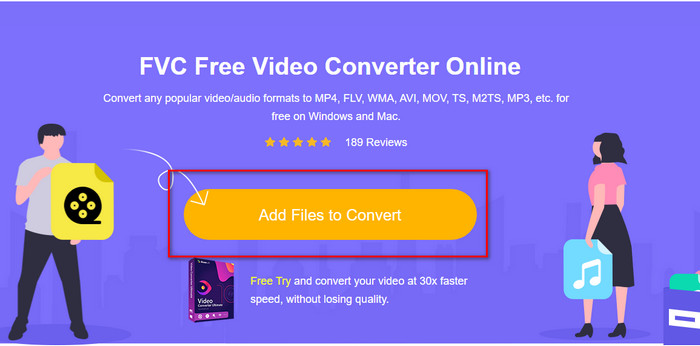
手順 1. このリンクをクリックして新しいタブを開き、FVC Free Video Converter Online の公式ページにアクセスします。
手順 2. サイト上で Add Files to Convert をクリックします。PC のフォルダー画面が表示されるので、.swf ファイルを選択して Open を押します。
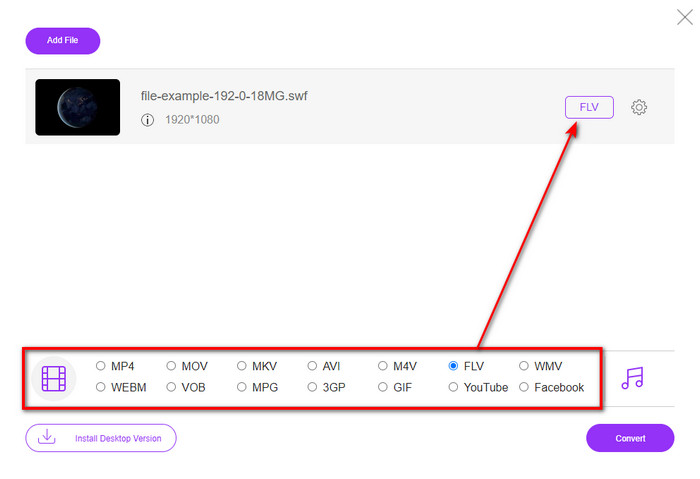
手順 3. ファイルを追加したら、一覧から FLV 形式を選択します。
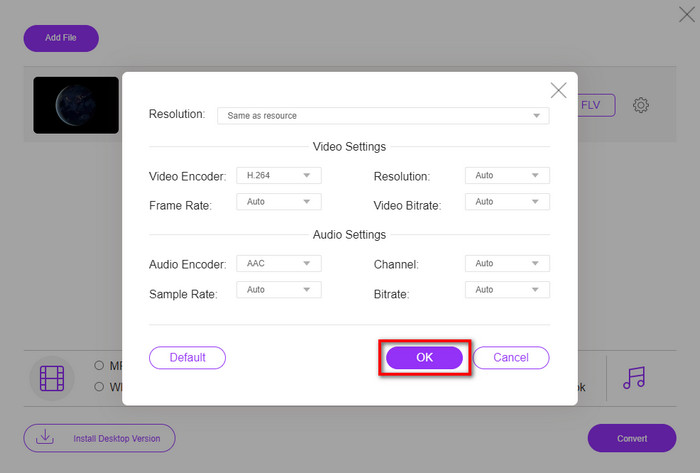
動画や音声の詳細設定を変更したい場合は、歯車アイコンをクリックします。
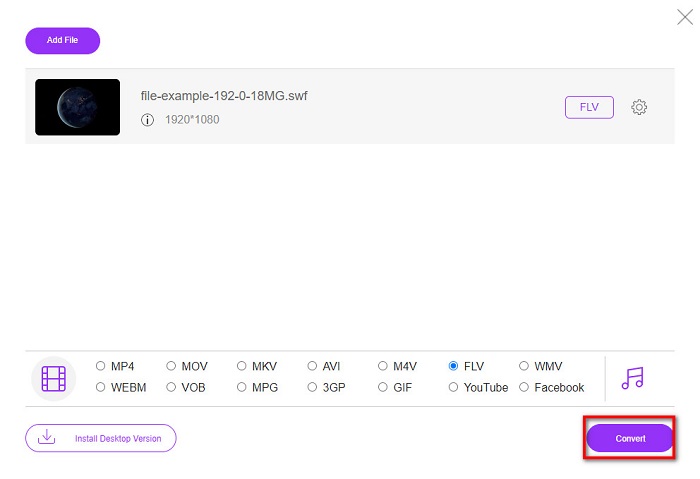
手順 4. 変換を開始するには、Convert ボタンをクリックします。
パート2。FFmpegでSWFをFLVに変換する
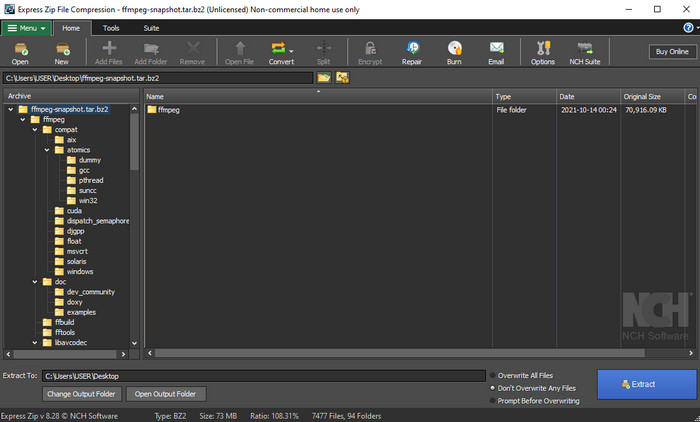
FFmpeg は、独自のインターフェースとコマンド操作で SWF を FLV に無料変換できるツールです。このコンバーターをすでに知っている方なら使い方もご存じかもしれませんが、そうでない方も多いでしょう。簡単に説明すると、このコンバーターは、一般的なウェブ上の動画変換サイトや、ダウンロードしてボタン操作で使うソフトとは異なります。ボタンをクリックして操作するのではなく、コマンドプロンプトから命令を入力して操作します。
手順 1. FFmpeg コンバーターをドライブにダウンロードし、起動します。
手順 2. パソコンでコマンドプロンプトを開きます。
手順 3. CMD 上で SWF ファイルがあるフォルダーに移動し、そのファイルを指定します。次のコマンドをコピーしてコマンドプロンプトに貼り付け、ffmpeg -i input.swf -vn -ar 44100 -ac 2 -b:a 192k output.flv と入力してから Enter キーを押すと、変換処理が開始されます。
パート3。フラッシュでSWFをFLVに変換する
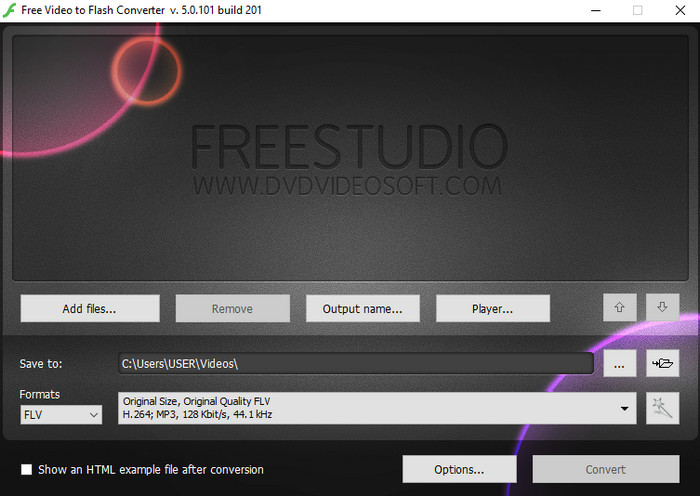
Free Video to Flash Converter は、Windows で無料ダウンロードして使えるコンバーターです。このコンバーターでは、選択できる形式が2種類用意されており、FLV と SWF のみの変換に特化しています。そのため、SWF ファイルを AVI、MP4、MOV、MKV などに変換したい場合には、このツールでは対応できません。それでは、Flash で SWF を FLV に変換する方法を、さっそく見ていきましょう。
手順 1. Flash Converter の公式ソフトを Windows にダウンロードし、インストールして起動します。
手順 2. Add Files をクリックして、変換したいファイルを追加します。その後、Formats を押して FLV を探して選択し、あわせて画質も選択できます。
手順 3. 右下にある Convert ボタンをクリックして、変換を開始します。
パート4。WindowsとMacで最高のSWFコンバーターの助けを借りてSWFをFLVに変換する方法
上記で紹介した3つのオンライン・オフライン SWF から FLV へのコンバーターにまだ満足できない場合は、FVC Video Converter Ultimate を試してみてください。このコンバーターは、特に変換スピードの速さにおいて、ユーザーの期待を大きく上回るツールです。優れた変換機能に加え、動画をより良く仕上げる高度な編集機能や、さまざまな用途に使えるツールボックスも搭載しています。さらに、下記の手順に従えば、ファイル変換を 101% の成功率で行えるといっても過言ではありません。
手順 1. ツールを使用する前に、Windows または Mac のドライブにダウンロードし、インストール手順に従ってセットアップしたうえで起動します。
無料ダウンロードWindows 7 以降に対応安全なダウンロード
無料ダウンロードMacOS 10.7 以降に対応安全なダウンロード
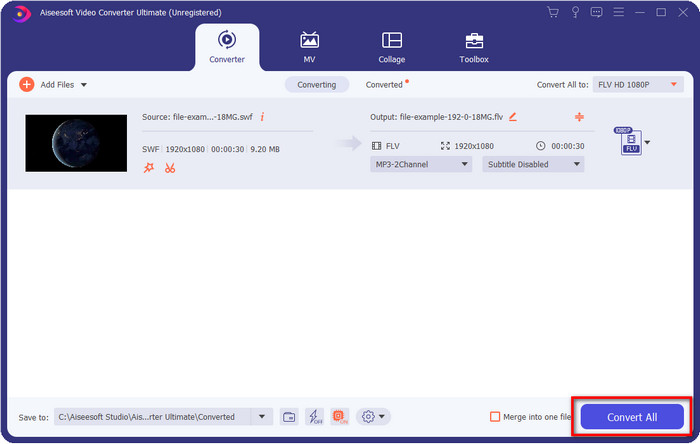
手順 2. ツールが起動したら、Add Files をクリックして、変換したい SWF ファイルを追加します。
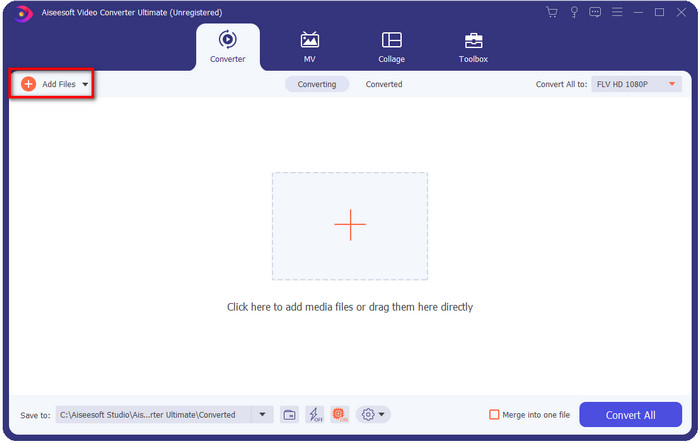
手順 3. Convert All to をクリックし、FLV 形式を選択します。高画質を指定したり、元の画質を維持したりすることも可能です。

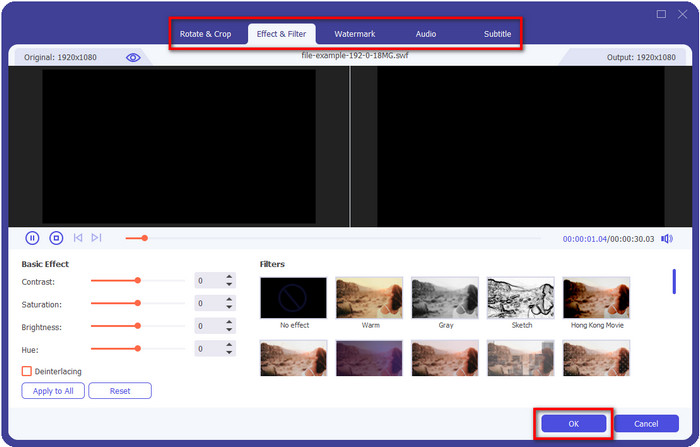
動画の仕上がりをさらに良くしたい場合は、魔法の杖(wand)アイコンをクリックします。すると、Crop(トリミング)、Rotate(回転)、Add Effects(エフェクト追加)、Subtitle(字幕)、Audio(音声)、および Watermark(ウォーターマーク) など、さまざまな編集機能の画面が表示されます。編集内容を保存するには、OK をクリックします。
手順 4. Convert All をクリックすると変換が開始されます。SWF から FLV への変換にはそれほど時間はかからず、変換完了後には FLV ファイルが保存されたフォルダーが画面に表示されます。
パート5。SWFとFLVの拡張知識
ShockWaveファイルまたはSWFはAdobe形式ですが、Macromediaが作成しました。ウェブ上で使用されるベクターベースのアニメーションとサウンドを維持することで知られています。さらに、ベクターベースであるため、グラフィックのスケーリングを簡単に調整してフィットまたはズームインできます。ベクターアニメーション以外のファイルサイズは非常に小さいため、インターネット接続が遅い場合でもビデオをより速くロードできます。ただし、ビデオ共有プラットフォームで共有したい場合は、この形式はサポートされていません。
FLVもAdobeの下にありますが、この形式はSWFよりも優れています。 FLVまたはFlashVideo形式は、ほとんどのWebサイトの標準ビデオ形式です。この形式には、ビデオとオーディオを対象とした2つの異なるコーデックを含めることができます。また、SWFファイルと同様に、この形式はファイルをWeb上でより高速にロードするために小さいです。ドライブにFLVファイルをダウンロードすると、まだ完了していなくても、メディアプレーヤーで再生できます。
SWFにはFLV形式で見つけることができる多くの欠陥があるため、SWFをFLVに変換すると役立ちます。特にビデオファイルが長い場合、.swfには1秒あたりのフレーム数が限られているため、使用できない可能性があります。しかし、FLVは長いビデオを簡単に保持できます。さらに、品質面で焦点を当てたい場合、FLVはSWFよりも優れた品質を備えています。
パート6。SWFからFLVへの変換に関するFAQ
SWFファイルは透過性をサポートしていますか?
PNGやGIFと同様に、この形式もトゥルーカラーのグレースケールをサポートするか、1つの色を割り当てて透明にします。
SWFビデオはどこで見ることができますか?
現時点では、標準のメディアプレーヤーでは SWF ファイルの再生に対応していないため、そのままでは視聴できません。ただし、このリンクをクリックすると、Windows や Mac で使えるおすすめ SWF メディアプレーヤー4選について詳しく知ることができます。
電話の.swfを保存できますか?
SWFファイルを携帯電話に保存することは可能ですが、ローカルメディアプレーヤーで再生することはできません。このフォーマットは電話の互換性のためではなく、ウェブのためです。したがって、この拡張子でファイルをダウンロードする場合は、それを使用できないことを期待してください。ただし、携帯電話でMP4などの再生可能な形式に変換できます。
結論
この記事では、SWF の画質を落とさずに SWF を FLV に変換できる、優れたコンバーターを紹介しました。これらのツールを比較した結果、FVC Video Converter Ultimate こそが、この問題を解決するための「隠れた宝物」であるとわかりました。紹介したツールの中でも、最も優れた出力品質と、高速な変換処理を実現しています。あとは、ウェブからアクセスするか、ソフトをダウンロードするかして、自分の用途に合った「宝物」を選び、SWF 変換の悩みを解決してください。
-
 DVをFLVに変換するのに役立つDVからFLVへのコンバーター[2022]
 DVからFLVへの変換に使用するのに最適で簡単なツールを探している場合は、ここに読むのに最適な記事があります。この記事のすべての情報を掘り下げて、優れた洞察を持ってください。
-
 品質を損なうことなくMPGをFLVに変換する方法[実証済み]
 このメディアプレーヤーでお気に入りの映画を見る必要がありますが、MPGはサポートされていません。この記事で紹介するこれらのコンバーターを使用して、MPGファイルをFLVに変換してみてください。
-
 最も簡単なオフラインおよびオンラインの方法でTRPをFLVに変換する
 TRPビデオファイルを手間をかけずにすばやくFLVに変換しますか?この記事を読んで、状況に最適な最高のソフトウェアとオンラインサービスを提供してください。
