


 ビデオコンバーター究極
 スクリーンレコーダー
 ビデオ修復
ビデオ修復
 安全なダウンロード
iOS および Android で画像の解像度を上げるためのアプリに関する完全なレビュー
With a single click, we can capture everything we want with the built-in camera of our smartphones. Though everyone can capture images on their phone, not everyone can capture 1080p images or even higher because of faulty lenses. When purchasing a phone, users tend to look for a camera capable of capturing wide-lens, ultra-wide lens, macro lens, or telephoto. Yet phones that use this type of lens are pricey. No wonder people are looking for a way to increase their images without purchasing a high-end camera. This article will help you recognize and share a truthful review about the apps to increase your photo resolution quickly.
パート 1. Android と iOS で利用可能な画像解像度を上げるためのトップ 4 アプリ
Pixlr
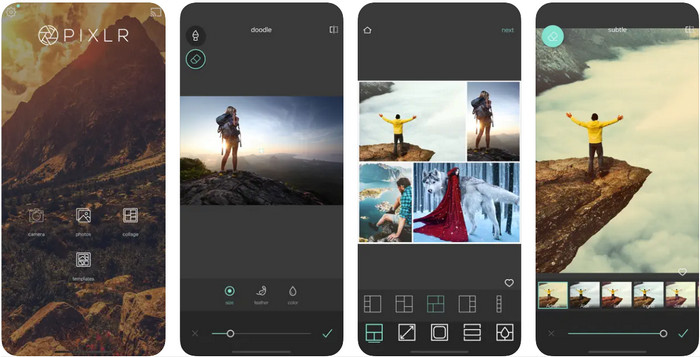
Pixlr is an app that increases the photo resolution to turn your blurry images into the best quality ever! It is a free-to-download app on Android and iOS; It supports additional features you can use if you purchase the premium version. You unleash your creativity with this image editor and explore amazing things to transform your image into an impressive one. In addition to that, this app does support a wide range of formats, so uploading photos here wouldn't cause you much trouble. Though the app seems to be the first choice, the ads are killing this app because they are popping out of nowhere. If you don't like the ads, you must purchase the app to remove them while using it.
長所
- この画像エディタを Android と iOS で問題なく使用できます。
- ほとんどの画像形式の解像度を簡単に向上させることができます。
- 自由に使用できる追加の編集機能をサポートしています。
短所
- 広告がこのアプリを殺しています。
- プレミアム版を購入しないと制限がありました。
レミニ
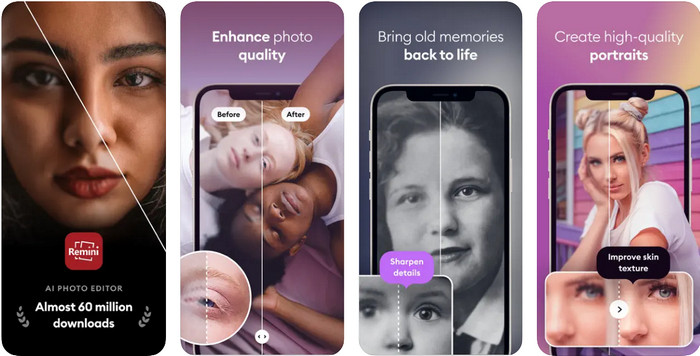
Remini can make photos higher resolution app on iOS, but you can download this app also on Android. The app offers unique features you can use to instantly enhance the image you input and turn them into HD. To make your photo even better, you can't go wrong with downloading this app because of its Artificial Intelligence. Also, you can transform your old, blurry, pixelated images here to fix them instantly. Even though the app supports an AI, most users of it encounter problems, including the displayed ads. The freest app doesn't minimize the displaying of ads on their free version, and one of the apps we are talking about is the Remini.
長所
- 画像編集の定期的な更新を受け取ります。
- それはあなたを助けることができる高度なAI技術を持っています 画質を向上させる.
- その機能は高度ですが、それでも使いやすいです。
短所
- 広告はまったく最小化されません。
- 最近の更新で多くのクラッシュが発生します。
ピクプラス
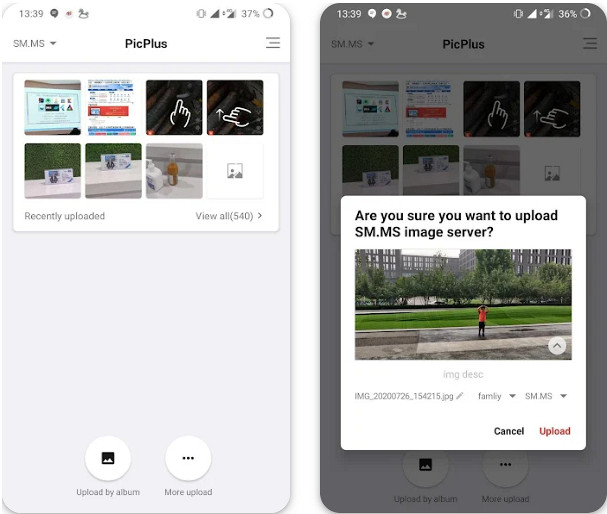
Is there an app to increase the photo resolution? No need to ask this question because Picplus is here to help you. It is an ideal app to improve your images by adding retouch, filters, and double exposure, aside from improving your resolution. Even though you aren't an expert on using an image editor if you download and use this app as your solution, you can also use this app to compile images into a single photo, a collage. Like the other app we mention here, this app can't optimize the popping of ads while users are using this app.
長所
- 画像の見栄えを良くするための追加の編集機能をここで利用できます。
- このアプリを使用すると、トレンディな 3D 効果を画像に追加できます。
- このアプリを使用する場合、経験豊富な画像編集者である必要はありません。
短所
- 無料版を使用すると広告が表示されます。
- 解像度は向上しませんが、画像を改善できます。
スナップシード
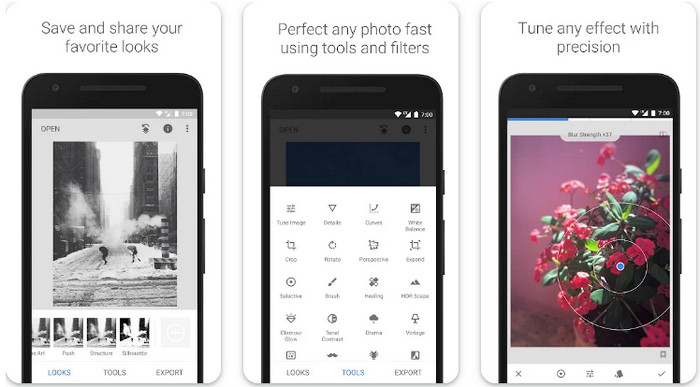
Snapseed is the most popular app to improve image resolution in this list and worldwide. Most mobile users who edit images tend to use this app because of the editing options it provides that could make your picture look the best. Unlike any other app you can download on Android and iOS, you wouldn't need to purchase it because its features and functions are accessible to all users. Though the app is free on mobile, the options for editing your images could be a problem here because of the app's advanced features. Nevertheless, learning how to use this app is worthy of anyone's time to make their images look eye-catchy and the best.
長所
- 画像を簡単に編集できます。
- 傷や傷跡を治癒機能で取り除くことができます。
- 無料で携帯電話にアプリをダウンロードしてください。
短所
- 機能が多すぎて、何を使用するかを見つけるのが難しくなることがありました。
Tingo: AI 顔エディター レタッチ
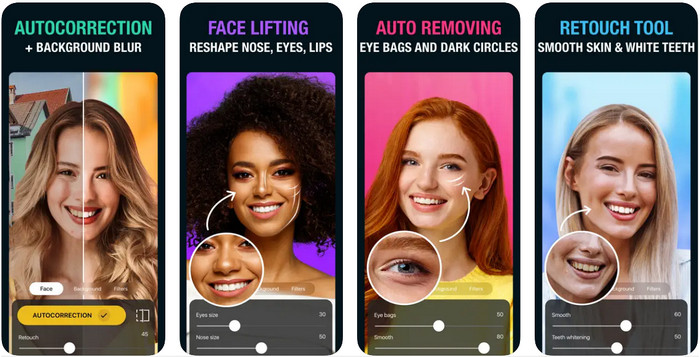
Last on the list is the Tingo. It is an AI-powered free app to increase the photo resolution you can download on your phone. This app became beneficial to all users who have downloaded it because of what it offers them, such as auto-correction, skin smoother, teeth whitener, and many more. If you are going to enhance a selfie image, then you can go wrong in picking this app to edit the image you have. However, this selfie editor is available on iOS and doesn't support an Android version. Also, you can't use the full feature of this app if you don't subscribe to its plan.
長所
- その AI 技術を活用して、イメージを向上させることができます。
- その機能により、セルフィー画像に最適なエディターです。
- iPadでもiPhoneでも、iOSデバイスに無料でダウンロードできます。
短所
- Android 版には対応していません。
- プレミアム機能を使用して画像を改善するには、サブスクライブする必要があります。
- セルフィー以外の画像に使用される可能性は低くなります。
パート 2. おまけ: 広告なしで画像の解像度を上げるオンライン ソリューション
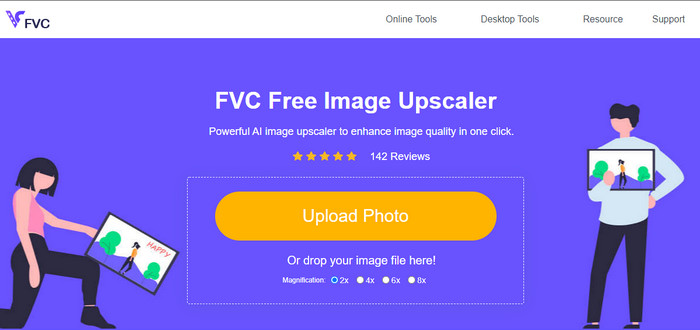
Are you tired of the ads that are popping out? Well, you can still manage to use an app that increases the photo resolution without downloading it on your mobile device, and that is FVC Free Image Upscaler. This online software can improve your images into a better looking without adjusting. All the things that need to be improved can be detected using the algorithm that the AI can understand. So, if you want to use this tool to make your resolution higher, like 1080p, 4k, or even more, then choose to use this tool.
パート 3. 写真の解像度を上げるアプリに関する FAQ
画像がぼやけるのはなぜですか?
レンズの不良、品質の選択の悪さなど、画像がぼやける理由は数多くあります。このアプリに含まれているツールを使用して写真を編集すると、写真の品質を向上させることができます。
画像をHDに変換することは可能ですか?
Absolutely, you can turn your image into a high definition or in short-term HD. If you are ready to learn how to do it, you can click this link and follow the tutorial we add here.
写真の品質を向上させる必要がありますか?
はい、画像の色を際立たせるために、画像を高品質にする必要があります。それを行う前に、モバイル デバイスにダウンロードできるアプリなどのツールが必要になります。
結論
モバイル デバイスで写真の解像度を上げるための上位 5 つのアプリを既に共有しています。チュートリアルを追加しませんでしたが、Android と iOS の直感的なインターフェイスにより、画像の解像度を簡単に上げることができます。この記事を読んだ経験に基づいて、この記事を 1 ~ 5 つ星で評価してください。
-
 画像の解像度を上げる方法【改善方法5つ】
 画像の解像度が低いために問題がありますか?もう心配しないでください!ここでは、画像の解像度を上げる方法を説明します。
-
 トップエンハンサーでiPhoneの写真解像度を向上させる
 iPhoneの写真の解像度を改善したいですか?この記事では、使用できる最高のツールと、知っておくべきその他のトリックについて説明します。
-
 オンラインとオフラインでの古い写真の復元 [簡単な手順]
 古い写真を復元したいですか?これらのツールを使用すると、古い写真の復元プロセスがわかります。この投稿を読んで、最も簡単な方法を学びましょう。
