


 ビデオコンバーター究極
 スクリーンレコーダー
 ビデオ修復
ビデオ修復
 安全なダウンロード
画像に滑らかな絹のような肌を持たせるために使用しなければならない写真の傷の除去剤
外に出かけたり、旅行に出かけたり、自分撮りをする典型的な日を過ごしたことはありますか?私たちのほとんどは、何百万人ものネチズンに見られるように、自分たちの写真を撮り、それをWebに投稿する準備ができています。傷があると自信を失うことがあります。皮膚の破壊は、特にティーンエイジャーにとって典型的です。あなたは一人ではないので、それを世界に示すことを恥ずかしがる必要はありません。どうやら、ブランドの美容製品や化粧品を購入すると、見栄えを良くするために最低でも数百ドルもかかるでしょう。
化粧品を買う代わりに、フィルターを使ってシミを消してみませんか?元気を出してください!今日は、ウェブ、デスクトップ、そしてスマホでも使える最高のシミ消し写真ツールをご紹介します。

パート1。あなたがこの2022年に持っていなければならない最高の写真傷除去剤[オンラインとオフライン]
失った自信を取り戻すために、投稿したい画像の傷を取り除くために写真編集者に頼ることができます。私たちはあなたの写真をさらに美しくするのを助けることができるトップ5のソフトウェアを参加させます。
FVCフリーウォーターマーク削除
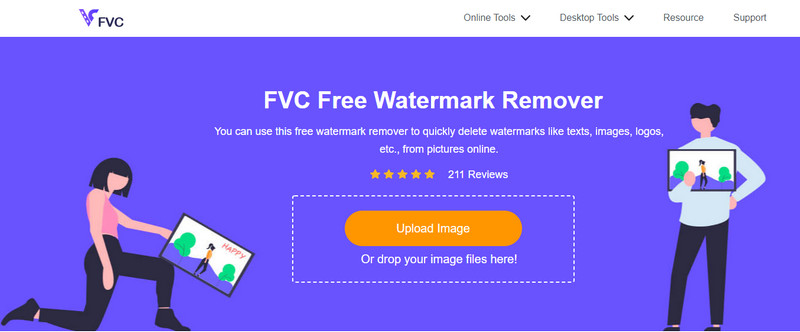
最初にご紹介するのは、画像のウォーターマークを消すのに最適なツールです。とはいえ、写真のシミやニキビを修正することもできる万能ツールで、それがFVC Free Watermark Removerです。このツールなら、画像のシミを取り除いたらすぐに結果を確認できます。競合ツールもいくつかありますが、オブジェクトやシミの除去に関しては、こちらのほうがはるかに優秀です。シミだらけの写真を、なめらかなシルク肌のように仕上げてくれるのが本ツールの魅力です。また、オンラインツールでありながら操作性が高く、直感的なインターフェースのおかげで、プロでなくても誰でも簡単に使いこなせます。
オンラインの写真の傷の除去剤を使用したいとします。その場合、その名前をクリックしてファイルをアップロードし、傷を強調表示して削除し、保存することが簡単にできます。
長所
- このツールをダウンロードする必要はありません。
- 物体や傷を取り除く速度は優れています。
- このアプリを試してみたい方ならどなたでもご利用いただけます。
- なげなわ、多角形、またはブラシを使用して、削除する傷を強調表示します。
- システム要件がなくても、さまざまなOSでアクセスできます。
短所
- 使用するにはインターネット接続が必要です。
- 写真編集のための他のプレミアム機能は利用できません。
- 強調表示されている傷を取り除くという単一の仕事をします。
アドビフォトショップ
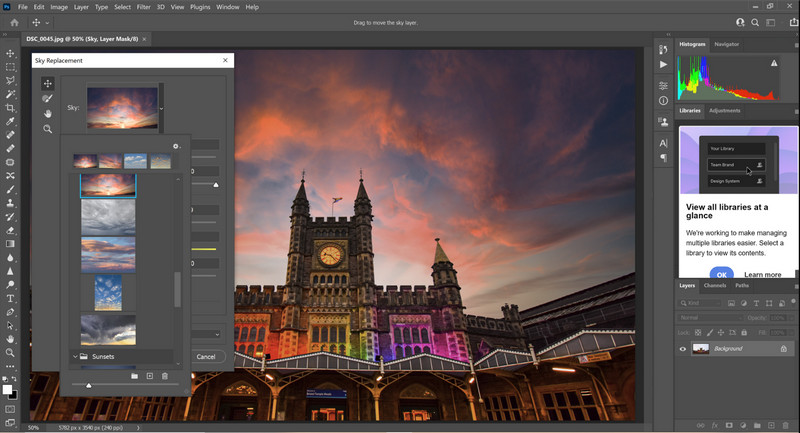
Adobe Photoshopは、多機能なシミ消し用の写真編集ツールで、さまざまなプラットフォームにダウンロードできます。画像の美肌補正を手間なくこなせるツールとして、多くのユーザーに知られています。市場に出回っているほかの編集ソフトではなかなか見られない強力な機能を備えており、プロのクリエイターが素晴らしい作品を作るためによく利用しています。ただし、プログラムの専門的な要素が多いため、操作がやや重く感じるかもしれません。初心者の方が使い始める場合は、慣れるまでにある程度の時間が必要ですが、それだけの価値は十分にあります。
長所
- これは、ダウンロードできるフル機能のパッケージ取引エディターです。
- それはあなたの編集をより良くするために追加のプラグインをサポートします。
- 市場に出回っている他の画像エディタよりもコンパクトです。
- 無料トライアルがサポートされています。
短所
- このツールを購入することは高価かもしれません。
- システム要件があります。
- ローエンドデバイスでは応答しなくなりました。
Adobe Lightroom
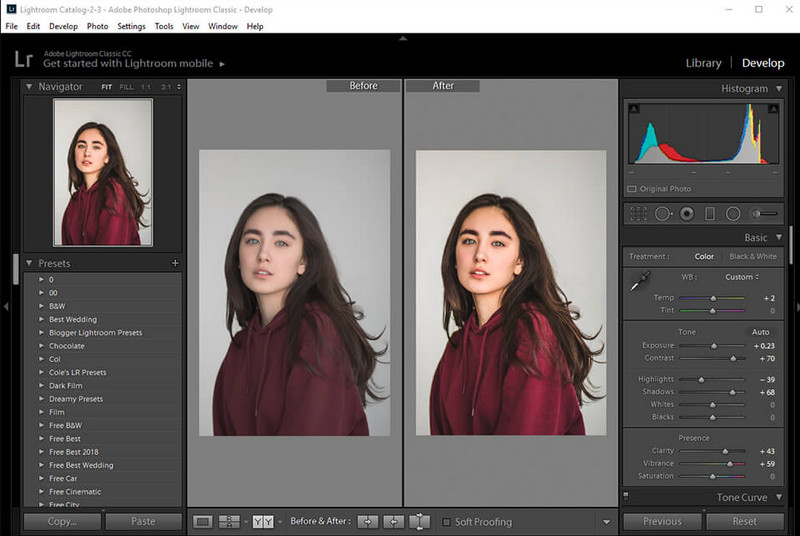
Photoshopよりも簡単な方法でシミを消したい場合は、もう一つのAdobe製品を使うのがおすすめです。Adobe Lightroom は、Adobe Photoshop と比べると軽量なシミ消し用フォトエディターです。Photoshop ほど多機能ではないものの、シミやニキビの除去に関しては依然としてトップクラスの実力を誇ります。このソフトを使えば、RAWファイルよりもさらに魅力的な仕上がりにするために、多くの設定やオプションを細かく調整できます。編集だけでなく、写真の整理も行えるのが特徴です。このツールを購入すれば、1本のソフトで複数の機能が統合された環境を手に入れられます。
長所
- Photoshopを学ぶよりも、使い方を学ぶ方が簡単です。
- これは、デバイスにダウンロードできる軽量の画像エディタです。
- Photoshopでは利用できないプリセットの大規模なベースをサポートしています。
- 無料トライアルがサポートされています。
短所
- あなたがそれを利用するならば、アプリは高価である可能性があります。
- 厳格なシステム要件に従う必要があります。
piZap
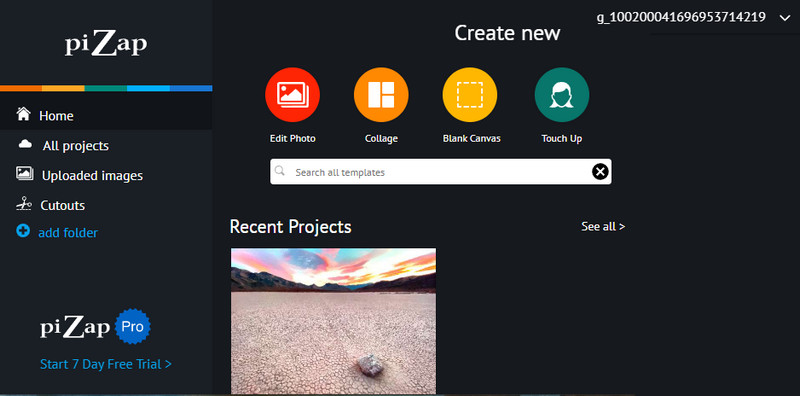
Pizapは、シミ取りに対応したオンラインフォトエディターで、写真の悩みを解消するのに役立ちます。このツールを使えば、シミのある写真を、なめらかな肌に変えることができます。オンラインツールながら機能が豊富で、写真をアップロードするだけで、より良い画像へと変換してくれます。明るさやコントラストなどの基本調整から、フィルター、グラフィック、ステッカーなど、画像編集に必要なものは一通りそろっています。利用前にアカウントの作成、もしくは既存アカウントでのログインが必要です。また、使用中に広告が表示されるほか、有料のプロ版を購入しないと高画質での書き出しができない点には注意が必要です。
長所
- あなたはあなたが望むように創造的であることができます。
- 画像の調整に使用できる複数のプリセット。
- アクセスは無料です。
短所
- 他のフィルターは無料版では利用できません。 7日間の試用版を購読または使用すると、その役割を果たします。
- 無料版は、高品質の画像のエクスポートをサポートしていません。
パート2。あなたがダウンロードしなければならないiPhoneとAndroidのための最高の写真の傷の除去剤
顔の傷の除去剤-Android用の滑らかなスキーと美化の顔
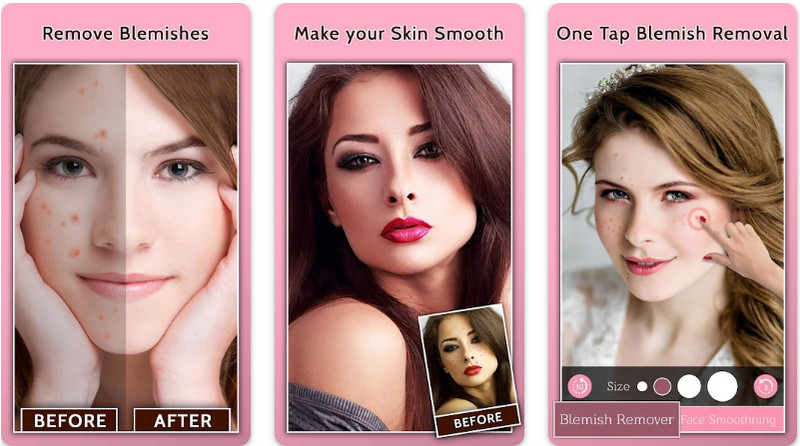
Face Blemish Removerは、Android向けの無料シミ消し写真アプリです。このアプリを使えば、わずかな調整で理想的な美肌を手に入れられます。アプリを利用すれば、シミやニキビのない写真を簡単に作成可能です。さらに、憧れの芸能人のような、よりなめらかな肌に見せるための美肌フィルターも備わっています。ただし、すべての機能を使うにはアプリ内課金が必要で、広告非表示にしない限り、表示広告も入ります。それでも、1分足らずで見た目をぐっと魅力的にしてくれる優秀なアプリといえます。
長所
- 画像の傷を取り除くためにAndroidデバイスに無料でダウンロードしてください。
- 追加のメイクアップフィルターはこちらから入手できます。
- 傷を取り除くために選択したフィルターを自動的に追加します。
短所
- 広告はこのアプリをペスカリングしています。
- フル機能とプレミアムバージョンを購入する必要があります。
iOS用にきび除去剤ピンプルリムーバー4+
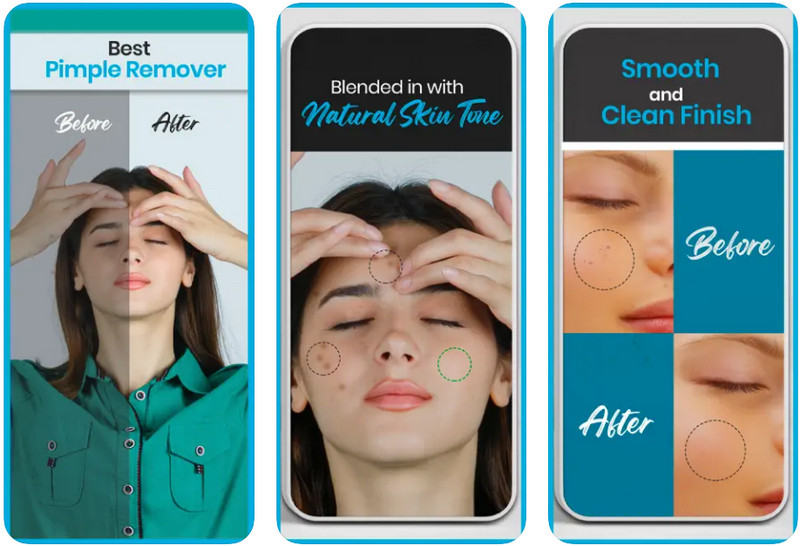
Blemish Editor Pimple Remover 4+は、iPhoneの写真からシミを無料で取り除けるアプリです。画像編集の多機能なツールを備えており、写真に対してさまざまな加工を行えます。このアプリは、写真のシミやニキビを素早く取り除き、よりなめらかで美しい仕上がりにしてくれます。インターフェースは分かりやすく、目的の作業をしっかりこなしてくれます。ただし、使い方が簡単な反面、機能面ではやや制限があります。シミ取り以外の高度な編集機能はほとんどなく、基本的にはシミ除去に特化したアプリだと言えるでしょう。
長所
- シンプルなGUI、そしてそれはユーザーフレンドリーです。
- アプリ内購入なしで無料でダウンロードできます。
- フィルターをサポートしてお肌を滑らかにします。
短所
- 画像編集の機能が制限されています。
- iPadでは利用できません。
さらに詳しく読む:
パート3。写真の傷の除去に関するFAQ
オンラインで傷を取り除くために使用できる最高のアプリは何ですか?
FVC Free Watermark Removerは、画像の傷を取り除き、すぐに結果を出すのに役立つ最適な傷除去剤です。これについても詳しく知りたい場合は、パート1をお読みください。
写真の傷を取り除く必要がありますか?
画像の傷を取り除き、ウェブに投稿すれば自信を持てるようになる人もいます。したがって、画像の傷を取り除きたい場合は、上記で追加したアプリを使用できます。
傷を取り除くための最良の方法は何ですか?
インターネットであまり参照する代わりに、必要な薬を処方するか、医師に相談することができます。または、必要がない場合は、この記事で追加した傷の除去剤を使用できます。それらをよく読んで、どのツールがニーズに合うかを見つけてください。
結論
自信を持つことはあなたが最も必要とするものです!使用できる傷のある写真リムーバーがわかったので、次に1つを選択します。それぞれについて行ったレビューが、どのツールが編集のニーズに適しているかを知るのに役立つことを願っています。この記事が使用するツールを知るのに役立った場合は、以下の料金をお知らせください。
-
 低解像度の画像をオンラインで高解像度に変換する方法
 低解像度の画像をオンラインで高解像度の画像に変換する方法を学びたい場合は、この記事が最適です。方法を学ぶために完全に読んでください。
-
 シュートプルーフ透かしを削除する方法の簡単な方法
 これらの簡単な方法に従って、シュートプルーフ透かしを削除します。これらの驚くべき透かしリムーバーを使用して、画像から耐射透かしを簡単に削除します。
-
 Bandicam透かしを簡単に削除する方法[3つの効果的な方法]
 Bandicamの透かしを削除するにはどうすればよいですか?ツールを使用して、効果的に対処する方法をここに追加します。
