


 ビデオコンバーター究極
 スクリーンレコーダー
 ビデオ修復
ビデオ修復
 安全なダウンロード
Facebookの写真のサイズを変更する方法の簡単な手順
多くのミレニアル世代や大人は、最も人気のあるソーシャルメディアプラットフォームとして Facebook を利用しています。Facebook は、画像をアップロードして友達と共有・送信できるアプリです。そして多くの人が、Facebook にアップロードするために高画質な画像を求めています。もしあなたも高解像度で高品質な写真をアップしたいのであれば、その手助けをするツールがあります。幸いなことに、iPhone・Android・オンラインで、画像を素早く効率的にリサイズできるアプリが見つかりました。そこで本記事では、腰を据えて読み進めていただければ、すぐにFacebook 用に写真をリサイズする方法が分かるようになります。

パート1。 Facebook用にiPhoneで写真のサイズを変更する方法
iPhone デバイスを使用している場合は、AppStore からアプリをダウンロードして、写真のサイズを変更できます。さらに、iPhone デバイスで使用できる無料のアプリもあります。ただし、すべてのアプリが高品質の出力を生成するわけではありません。そのため、画像のサイズを即座に変更するのに最適なアプリを探しました。
Remini は、iPhone にダウンロードできる最も人気のある写真リサイズアプリのひとつです。このアプリは、直感的な機能を備えているため、ユーザーインターフェースが分かりやすく使いやすいのが特徴です。さらに Remini は、AI(人工知能)によるエンハンサーを使って画像を強化でき、画像を自動的にリサイズしつつ、最高品質まで高めてくれます。それだけではなく、このアプリでは動画エンハンス機能を使って動画の画質を向上させることも可能です。また、JPEG、JPG、PNG など、一般的な画像形式をすべてサポートしています。このアプリの素晴らしい点は、App Store から無料でダウンロードできることです。Facebook のカバー写真用に画像をリサイズするためにこのアプリを使ってみたい場合は、以下の手順に従ってください。
Remini アプリを使用して画像のサイズを変更する方法:
ステップ1. App Store を開き、Remini を検索してデバイスにダウンロードします。インストールが完了したら、アプリを起動します。
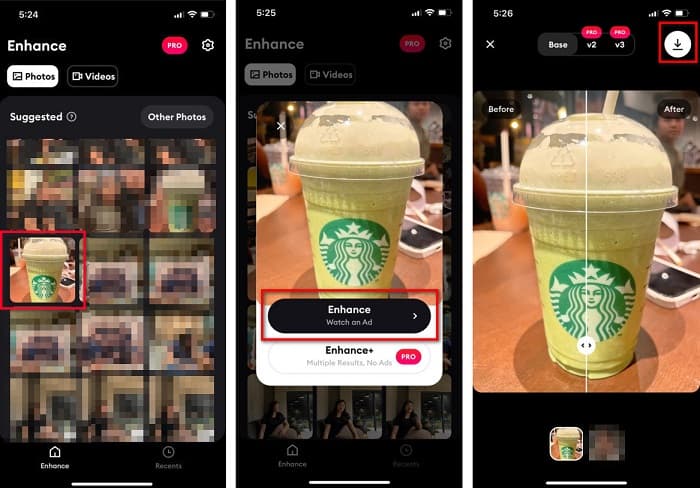
ステップ2. アプリを開くと写真一覧が表示されるので、エンハンスしたい画像を選択します。その後、Enhance ボタンをタップして次の画面へ進みます。
ステップ3. 次の画面へ進む前に、まず広告を視聴する必要があります。視聴後、画像のビフォー/アフターが表示されます。画面右上のダウンロードアイコンをタップします。
パート 2. Android で Facebook 用に写真のサイズを変更する方法
あなたはAndroidユーザーですか?心配しないでください;また、画像のサイズ変更に使用できるアプリケーションも紹介します。 PlayStore からダウンロードできるアプリはたくさんありますが、その中から最高のものを選んで紹介します。 Android で Facebook の画像のサイズを変更する方法については、以下をお読みください。
AI Photo Enhancer & PixelLeap は、画質を向上させるために画像をリサイズするのに適した、もうひとつの優秀なアプリです。この写真リサイズアプリは Play ストアから無料でダウンロードでき、安全に利用できます。加えて、古い写真を補正・修復したい場合にも、AI Photo Enhancer & PixelLeap が役立ちます。AI テクノロジーにより、リサイズしたい画像をアップロードするだけで、アプリが自動的に画像をエンハンスしてくれます。さらに、インターフェースがシンプルなので、初心者にも非常に使いやすいアプリです。また、歪み補正(rectify)、色付け(colorize)、アニメーション化(animate)、表情付与(emote)、明るさ補正(brighten)など、さまざまな編集機能も備えています。ただし、このアプリには広告が多く、視聴に時間がかかるうえ、出力画像にウォーターマークが入るという難点があります。それでも、トリミングせずに Facebook 用の写真をリサイズしたい場合には、有力な選択肢となるアプリです。
AI Photo Enhancer と PixelLeap を使用して画像のサイズを変更する方法:
ステップ1. Android デバイスに AI Photo Enhancer & PixelLeap をインストールします。
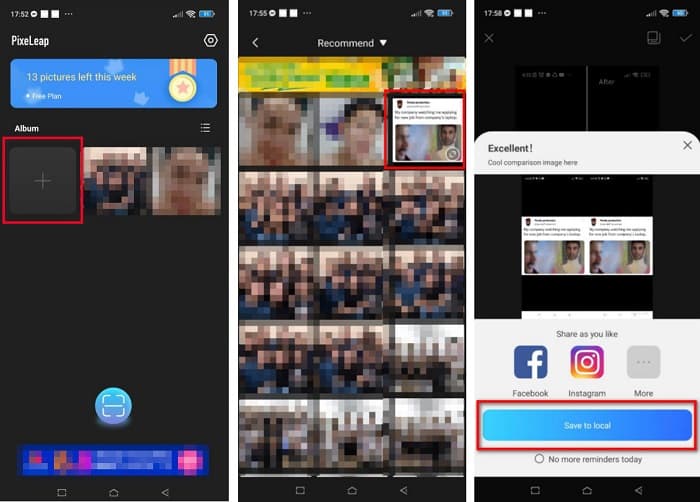
ステップ2. アプリのメイン画面で、リサイズしたい画像をアップロードするために「+」マークのボックスをタップします。その後、次の画面へ進む前に広告の視聴が求められます。
ステップ3. リサイズしたい画像を参照して選択し、タップします。画像を選んだら、Enhance オプションをタップします。アプリが自動的に画像をエンハンスしてくれるので、Save to local をタップして出力画像を保存します。
パート 3. Facebook 用にオンラインで写真のサイズを変更する方法
オンライン アプリケーションを使用する利点は、デバイスのスペースを節約できることです。それに加えて、ブラウザで使用できる無料でアクセスできる Web アプリが多数あります。したがって、オンライン アプリケーションを使用して画像のサイズを変更し、Facebook にアップロードする場合は、Facebook 用に写真のサイズを変更する方法を紹介します。
FVC Free Image Upscaler は、画像を 2 倍・4 倍・6 倍・8 倍まで拡大できる、オンラインで使える最高の写真リサイズツールです。シンプルなユーザーインターフェースのおかげで、初心者でも簡単に画像をリサイズできます。さらに、JPEG、JPG、PNG、BMP など、あらゆる画像形式に対応しています。このアプリケーションのさらに優れた点は、AI 技術を用いて画像内の低解像度部分を自動検出し、そこを重点的にエンハンスしてくれることです。また、失われたピクセルや色の質感、細部を完全かつきれいに修復することも可能です。加えて、Google、Firefox、Safari など、あらゆる Web ブラウザからアクセスできます。したがって、FVC Free Image Upscaler を使って画像をリサイズまたはエンハンスしたい場合は、以下の簡単な手順に従ってください。
FVC Free Image Upscaler を使用して Facebook の画像のサイズを変更する方法:
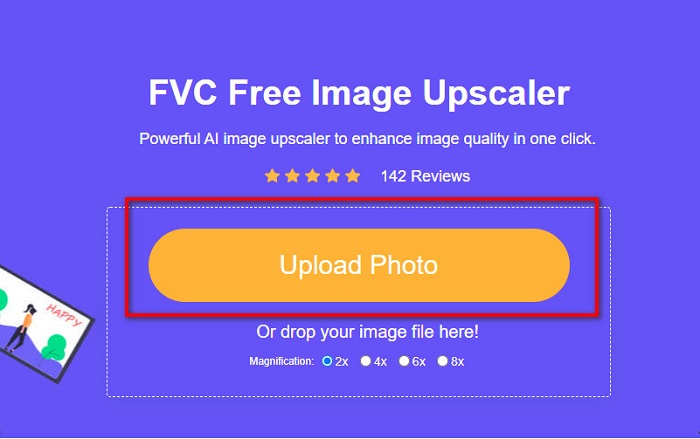
ステップ1. ブラウザを開き、検索ボックスに FVC Free Image Upscaler と入力します。用意されたリンクをクリックして、直接サイトへアクセスすることもできます。Upload Photo をクリックしてツールを起動します。
ステップ2. ソフトウェアのメイン画面で、Upload Photo をクリックし、リサイズしたい画像をインポートします。
ステップ3. 次の画面で、出力画像に適用したい拡大倍率を選択します。2x、4x、6x、8x の中から選べます。選択したら次へ進みます。
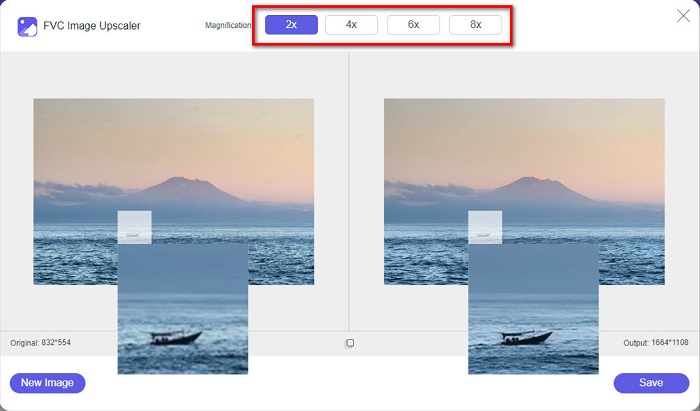
ステップ4. 最後に、Save ボタンにチェックを入れて出力画像をパソコンに保存します。元のファイルとリサイズ後の画像の違いを確認できるでしょう。わずか数秒で画像が保存されます。
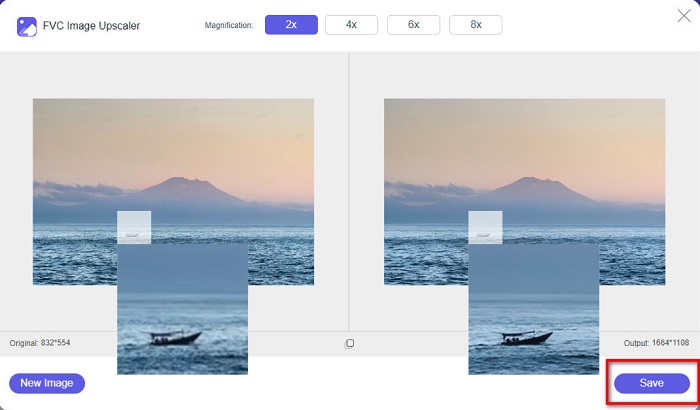
以上です! ABC と同じくらい簡単に、画像を強調してサイズを変更できます。
関連記事:
オンラインとオフラインで画像をシャープにする 4 つの簡単な方法
画像のリサイズ方法 – Adobe で画像サイズを変更する[オンライン・オフライン対応]
パート 4. Facebook 用に写真のサイズを変更する方法に関する FAQ
Facebookに最適な写真の比率は?
写真の比率については、アスペクト比 4:5、1200 x 1500 ピクセルの縦長の画像を使用するのが最適です。また、正方形の画像が必要な場合は、解像度を 1080 x 1080 ピクセルにする必要があります。
Facebookの投稿のサイズは?
ピクセル化を回避し、読み込み時間を短縮するために、Facebook 投稿の推奨画像サイズは 1200 x 630 ピクセルです。
Facebookにアップロードするのに最適な画像形式は何ですか?
Facebook にアップロードするのに最適で推奨される画像形式は JPG 形式です。 RGB カラーが 15 MB 未満の JPG 形式をアップロードすることをお勧めします。
結論
本記事では、Facebook 用に写真をリサイズするための解決策をいくつか紹介しました。記事全体を通してお読みいただければ、必要な手順はすべて理解できたはずです。iPhone・Android・オンラインアプリのいずれを使っても、好きな画像を問題なくリサイズできます。なかでもより良い結果を求めるなら、デバイスの容量節約にも役立つ FVC Free Image Upscaler の利用をおすすめします。
-
 最高のフォトリサイザーアプリオンライン、オフライン、Android、iPhone
 最高の写真サイズ変更アプリは何ですか?ページをクリックして、ファイルの補正やサイズ変更に使用できる最も強力な写真リサイズ アプリのトップ 5 を確認してください。
-
 画像のサイズを変更する方法 - Adobe 画像のサイズ変更 [オンラインおよびオフライン]
 アドビのサイズ変更画像を探している場合は、解決策があります。この投稿をよく読んで、PC で Adobe を使用して画像のサイズを変更する方法を学んでください。
-
 見逃してはならないオフラインおよびオンラインのGIF引伸機トップ4
 この投稿は、最高の GIF 拡大機能を探している場合に役立ちます。お使いのコンピューターで最高のパフォーマンスを発揮するオンラインおよびオフラインの GIF 引き伸ばし機をリストしました。
