


 ビデオコンバーター究極
 スクリーンレコーダー
 ビデオ修復
ビデオ修復以下の無料チュートリアルでAVIをMP3に変換する方法
言われているように、AVIファイルはあなたが望むビデオとオーディオのための最高の品質を保存します。残念ながら、これの悪い部分は巨大なファイルサイズです。保存されているメディアファイルの3〜4分ごとに、ファイルサイズは最大3〜4ギガバイトになる可能性があります。これは、AVI形式のユーザーとしては圧倒的です。悲しみや欲求不満を感じる前に、高品質のAVIオーディオをコンピューターに保存する方法があります。それの品質を失うことなく、それは変換することです。 AVIをMP3に変換する方法を知りたい場合は、正しい道を進んでいます。変換方法と、高品質のMP3オーディオを生成するために使用できる他の利用可能なコンバーターについて説明します。この記事を読み続けると、私たちが話している変換プロセスを理解できます。

パート1。AVIをMP3オンラインに変換する方法
1.FVC無料MP3コンバーター
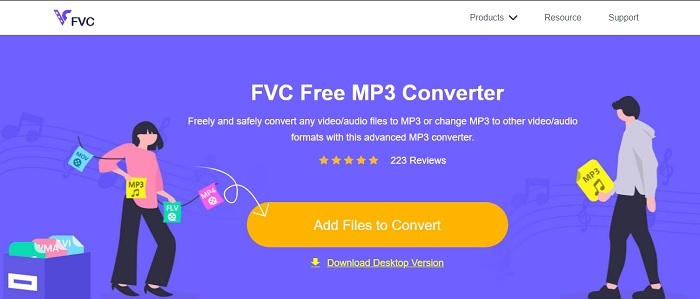
オンラインでどの無料AVI MP3変換ツールが一番良いのか知りたいなら、これがその答えです。FVC が提供する、究極のコンバーターであるFVC Free MP3 Converterのお試し版と言えるツールです。変換作業を行ううえで、このオンラインツールは大きな利点をもたらしてくれます。もしここで紹介しているツールをランキングするとしたら、本ツールは常に1位に位置するでしょう。さらに、セキュアな圧縮を提供するだけでなく、高速変換も実現しています。変換処理がどれほど速いのか知りたいですか?それなら、以下の手順に従って実際に試してみてください。きっと驚かされるはずです。
ステップ1. ツールのメインページへ進むには、リンクをクリックします。
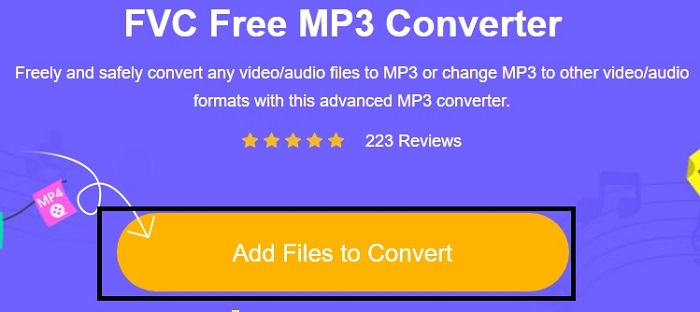
ステップ2. Add Files to Convert ボタンを押し、ツール起動のためにAllowをクリックします。
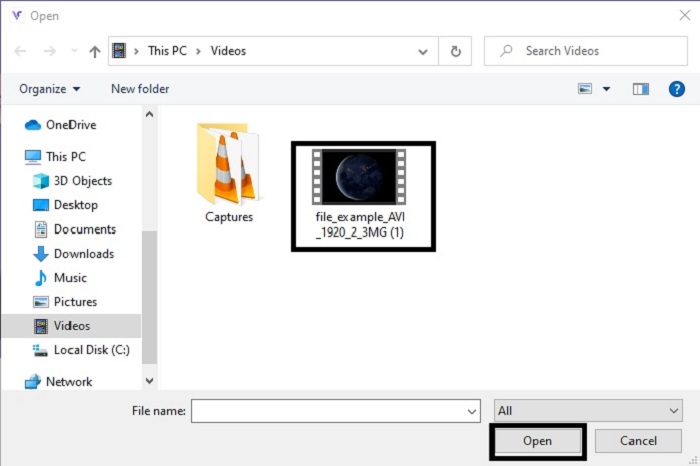
ステップ3. 変換したいファイルを選択します。選択後、Openをクリックして先へ進みます。
ステップ4. AVI ファイルを MP3 音声形式、または希望する任意の形式に変更します。
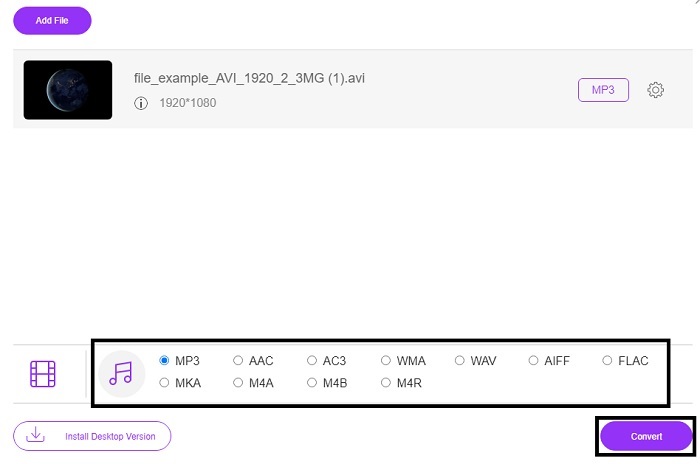
ステップ5. 変換を開始するには、Convertをクリックし、完了まで数分待ちます。完了したら、後でフォルダを開いて確認できます。
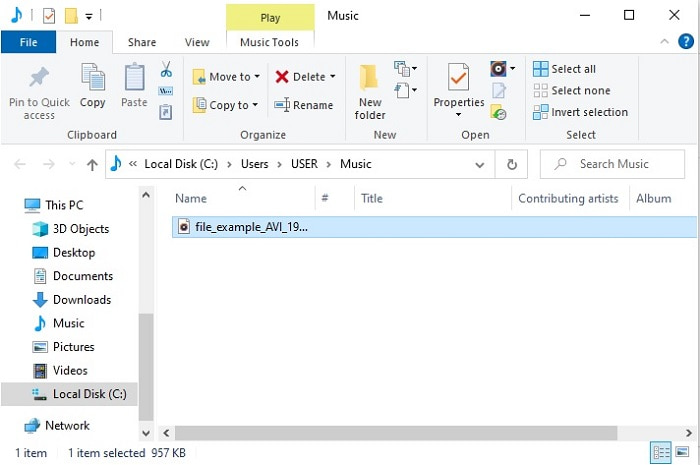
2. Convertio
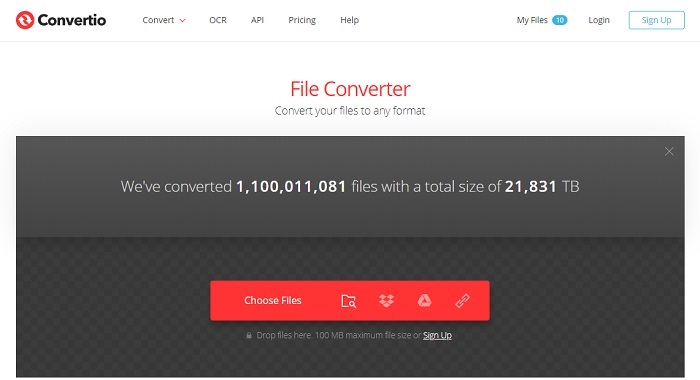
もし「Macで無料でAVIをMP3に変換する」方法についてであれば、Convertioが力になってくれます。このツールはWindows向けにも高品質な圧縮・変換を提供します。FVC Free MP3 Converterとは異なり、このツールはドキュメント、電子書籍、ベクター画像などの変換にも対応しています。ただし、最初のツールのようにビットレート、fps、コーデックなどを細かく変更することはできません。変換速度は速く効率的ですが、それでも総合的には前述の1つ目のツールの方が優れています。それでも、このツールはシンプルで非常に使いやすいため、一度試してみる価値はあります。初心者はもちろん、上級者であっても問題なく使用できます。
ステップ1. Convertio の公式サイトにアクセスします。
ステップ2. 変換したいファイルを選択してアップロードします。
ステップ3. MP3形式を選択し、変換開始(convert)をクリックします。
3.ザムザール
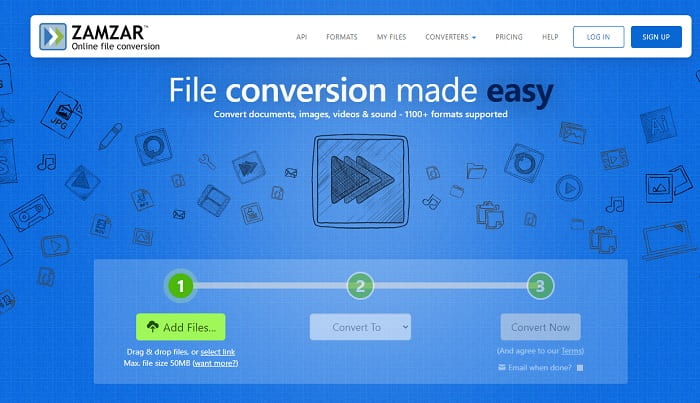
オンラインでAVIファイルをMP3に変換したい場合は、Zamzarを利用してみてください。さらに、このツールはとてもシンプルで、昔からあるクラシックなコンバーターのような使い心地を提供します。ただし少し不便なのは、音声・画像・動画など、あらゆる形式が1つのドロップダウンメニュー内にまとめられている点です。そのため、目的の形式を探すのにやや手間がかかりますが、それでも十分に使いこなせるレベルです。このツールは最大50MBまでのファイルサイズ、かつ1回につき1ファイルのみの変換に対応している点を覚えておきましょう。Zamzar の使い方を知りたいですか?それなら、以下の手順に従ってください。
ステップ1. Zamzar の公式サイトを検索してアクセスします。[Add file]をクリックし、変換したいファイルを選択します。
ステップ2. 「convert to」のサブメニューから、最終的な出力形式を選択します。
ステップ3. 「convert now」をクリックして変換を開始します。
パート2。PCとMacで最高のAVIからMP3へのコンバーター
オンライン上のAVIからMP3への変換ソフトの素晴らしい機能についていろいろ述べてきましたが、それでもなお、FVC Video Converter Ultimateはウェブ全体で見ても変換ツールの王者と言えます。ファイル変換がここまで進化していることを想像したことはありますか?より具体的に言えば、このソフトを個人用コンバーターとして利用すれば、単なる変換以上のことが可能になります。
上記のオンラインツールとは対照的に、このソフトウェアは変換だけでなく、トリミング、拡張、ボリュームブースターなども専門としています。上記の最初のツールを使用する代わりに、このツールを使用してみませんか?それでは、AVIファイルで完璧な変換を行い、MP3形式に命を吹き込む方法について説明します。このツールを変換するプロセスについてより深く理解するには、以下の手順に従ってください。
ステップ1. ダウンロードボタンをクリックして、FVC公式のUltimate版ツールをダウンロードします。セットアップ手順に従ってインストールを進め、最後に「完了」をクリックして設定を保存します。
無料ダウンロードWindows 7 以降に対応安全なダウンロード
無料ダウンロードMacOS 10.7 以降に対応安全なダウンロード
ステップ2. すべて完了すると、ソフトウェアが自動的に起動し画面に表示されます。画面はこのようなイメージです。
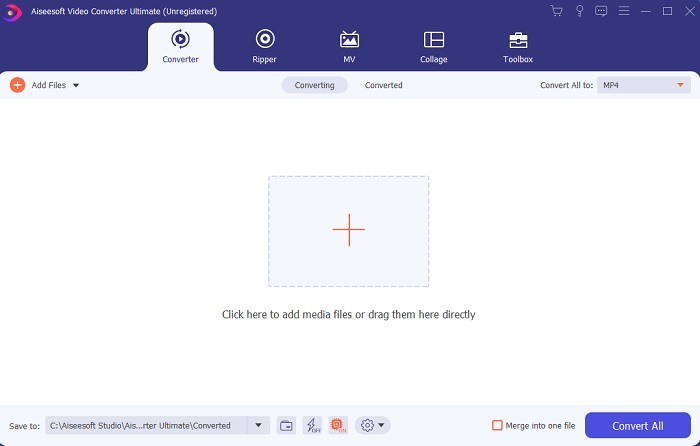
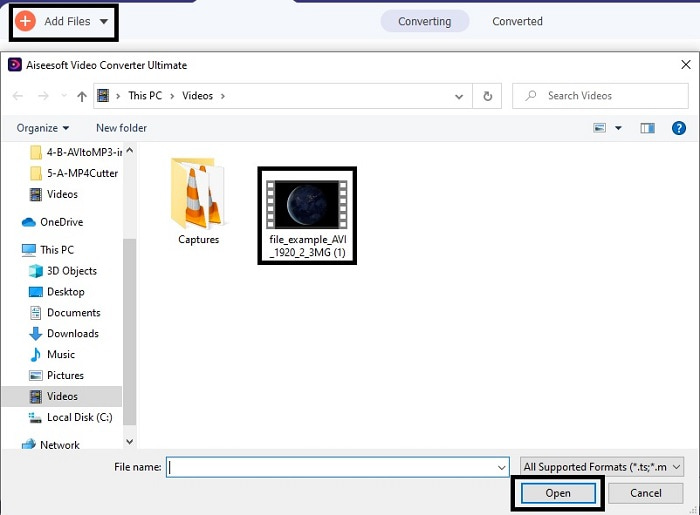
ステップ3. メイン画面で、Add Filesボタンをクリックし、変換したいAVIファイルを選択します。補足として、ファイル数が多い場合はドラッグ&ドロップにも対応しています。
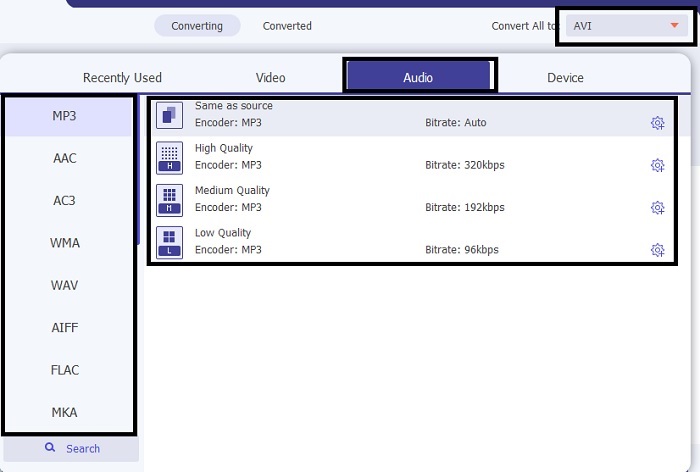
ステップ4. 右上に小さなサブメニューが表示されているので、そこをクリックします。MP3形式、または希望する任意の音声・動画形式を選択します。選択後、Convert Allをクリックすると、まもなく変換プロセスが開始されます。
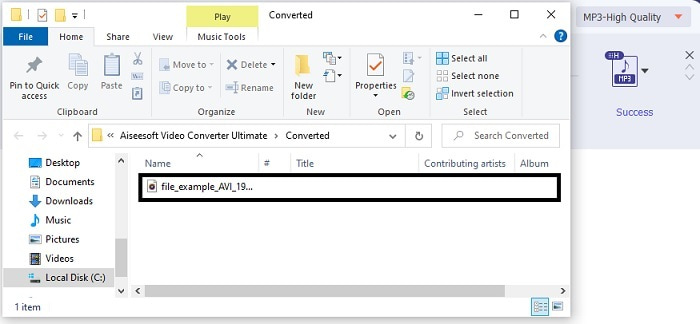
ステップ5. 変換には数秒ほどかかり、完了すると画面にファイルマネージャーが自動的に開きます。変換されたファイルをクリックして再生し、音質をさらに高めたい場合は、後からツールバーの編集機能を確認してください。
そのほか、このツールを使えばWMVをMP3へ、あるいはMOVをMP3へ変換することも可能です。
パート3。AVIからMP3に関するFAQ
MP3とは何ですか?
MP3は高品質のオーディオフォーマットを保存します。最も一般的に使用されているオーディオ形式であるため、最近非常に人気があります。 MP3の最良の例は、曲、録音、その他多数です。
MP3は損失がありますか、それとも損失がありませんか?
MP3は、不可逆データ圧縮の一例です。これは、前述のAVIのような他の非圧縮と比較して、オーディオデータの保存に最適です。
MP3はビデオファイルを保存できますか?
答えはノーです。MP3はオーディオファイルの保存専用です。ただし、ユニバーサルマルチメディア形式としても知られているMP4であるMP3の改良版でビデオファイルを追加することができます。 MP3とMP4の違いを知るには、ここをクリックしてください。
結論
これで、AVIオーディオ形式ではなく、MP3形式に変換する方が明確になりました。上記のリストは、変換方法と、ニーズに合う他のオプションについて説明しています。しかし、それでもFVC Video Converter Ultimateには、リストされている他の機能の中でも機能があります。たぶん、あなたは大丈夫な機能を編集せずに単純なコンバーターが欲しいと思っているかもしれません。しかし、長期的には、リストのコンバーターでは見つけることができない何かが欠けていると感じるでしょう。これが起こるのを待つ代わりに、これを使って将来に備えてみませんか。したがって、将来の変換を確保するには、準備するための究極のツールを入手する必要があります。
-
 4 100%FLVビデオファイルをMP3形式に変換するための作業方法
 FLVをMP3ファイルに変換する方法は?あなたがする必要があるのは、この記事を注意深く読み、あなたの好きな方法を見つけて、あなたが望むものを得るために私たちのステップバイステップガイドに従うことです。
-
 品質を損なうことなくOGGをMP3に変換するためのトップ4の方法
 コンピューターやモバイルデバイスで聴くためにOGGファイルをMP3形式に変換するにはどうすればよいですか?ここでは、デスクトップまたはオンラインでそれを行う5つの最も簡単な方法を共有します。
-
 4つの無料オーディオコンバータでM4AをMP3に変換する方法
 M4Aを再生できず、MP3に変換する必要がありますか?オンラインでM4AをMP3に変換する無料の方法はありますか?この投稿では、iTunes、オンラインおよびプロフェッショナルオーディオコンバータを使用してM4AをMP3に変換するための4つの無料の方法を共有しています。
