


 ビデオコンバーター究極
 スクリーンレコーダー
 ビデオ修復
ビデオ修復
 安全なダウンロード
Mac 用のトップ 5 の無料 ISO プレーヤーのレビュー
Windows 7 や Windows 10 のパソコンで ISO ファイルを簡単に再生する方法をお探しですか?Windows や Mac で使える最高のISO プレーヤーはどれでしょうか。
ISO やISO ファイルの再生方法についてあまり詳しくないかもしれません。実際のところ、ISO ファイルとは主に DVD・CD・Blu-ray などの再生用途向けに作成された圧縮ファイルです。通常、DVD や CD ディスクのバックアップを作成するために使われます。しかし、これらの ISO ファイルは Windows Media Player や QuickTime Player では直接開くことができません。そのため、ISO ファイルを開くための何らかの方法、あるいは ISO プレーヤーを見つけることが非常に重要になります。

この記事では、パソコンで ISO 映画を視聴するのに役立つ 5 つの優れた ISO メディアプレーヤーを紹介します。各ISO プレーヤーの主な機能を確認し、その中から好みのものを選んで ISO ファイルを再生できます。
パート 1. Windows PC および Mac 用の無料の ISO プレーヤー - VLC Media Player
VLC media player は、ほぼすべての動画・音声フォーマットに対応した、最も人気のあるサードパーティ製再生ツールと言えるでしょう。さらに、Windows 10/8/7 の PC、Mac、Linux コンピューターで使える ISO プレーヤーとしても機能します。ISO イメージファイル、DVD、Blu-ray、VCD、オーディオ CD を再生できる機能を備えています。
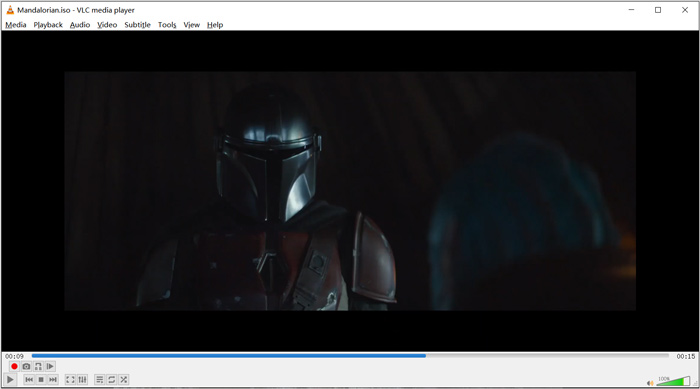
オープンソースのメディア プレーヤーである VLC では、追加のコーデックをダウンロードして、ビデオとオーディオの再生を最適化できます。 ISO ファイルを右クリックして、プレーヤーとして VLC を選択できます。また、ISO ビデオ再生用に直接ドラッグ アンド ドロップすることもできます。
パート 2. Windows および Mac 用の Blu-ray ISO プレーヤー - Aiseesoft Blu-ray プレーヤー
Aiseesoft Blu-ray Player は、Blu-ray や DVD の ISO ファイルを含む、あらゆる機能を備えた再生ツールです。あらゆる Blu-ray ディスク、Blu-ray フォルダー、DVD、CD、および ISO イメージファイルに幅広く対応しています。この ISO プレーヤーは、Windows 10/8/7/XP/Vista の PC と Mac の両方に対応しています。ISO ファイルや Blu-ray、DVD ディスクを、リアルな HD 映像効果で再生できます。さらに、H.265/HEVC でエンコードされた 4K 動画も、スムーズかつ無劣化で再生可能です。
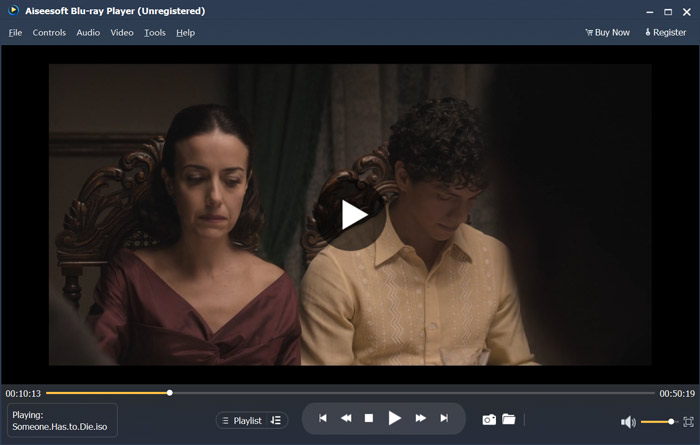
この ISO プレーヤー ソフトウェアは、ISO ファイルを高品質で再生するための無料試用版を提供します。 ISO の再生のみが必要な場合は、有料版にアップグレードする必要があります。 DTS-HD と Dolby TrueHD の両方をサポートしています。そのため、ISO ビデオの再生中に素晴らしいサウンド体験を得ることができます。 ISO イメージ ファイル プレーヤーとして、ISO の再生を完全に制御できます。 Blu-ray、DVD ディスク、ISO ファイルに加えて、よく使用されるビデオおよびオーディオ形式もサポートしています。
ISO ファイルの再生に加えて、4K UHD プレーヤーとしても機能し、4K 映画を再生できます。
パート 3. TV および PC 用の ISO プレーヤー - DVDFab プレーヤー 6
DVDFab Player 6 は、ISO ファイル再生機能を備えた優れた 4K プレーヤーソフトです。高画質のままパソコンで ISO ファイルを再生することができます。単なる ISO プレーヤーにとどまらず、DVD・Blu-ray・4K 動画にも対応しています。DVDFab Player 6 には、すべてのメディアライブラリを効率的に管理できる「Poster Walls」機能が搭載されています。
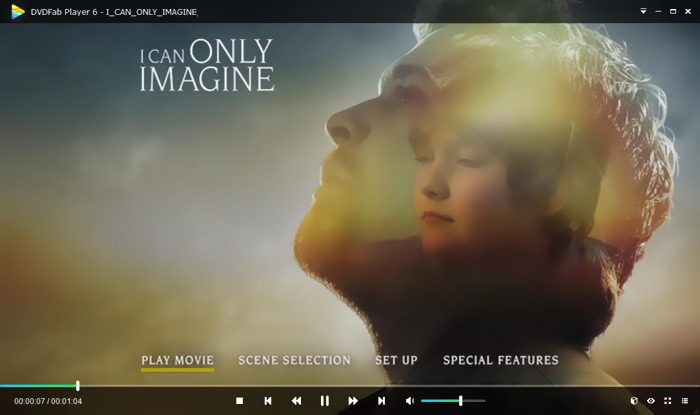
DVDFab プレーヤー 6 は、ISO 再生用に PC モードと TV モードの 2 つのモードを提供します。この ISO プレーヤーを開き、ファイル エクスプローラーを使用して ISO ファイルをすばやく見つけることができます。 HD ビデオの再生に加えて、HDR10 および Hi-Res オーディオ出力のサポートを搭載しています。このプレーヤーには他にも多くの機能が設計されています。ただし、DVDFab プレーヤー 6 は完全に無料ではありません。これらの機能を利用するには、Standard または Ultra バージョンにアップグレードする必要があります。
パート 4. ISO プレーヤー ソフトウェア - PowerDVD
PowerDVD は、DVD、Blu-ray 映画、ISO イメージファイル、さまざまな動画・音声ファイルを再生できる高機能なマルチメディアプレーヤーです。ISO メディアプレーヤーとして、Windows PC と Mac のどちらでも ISO 映画の再生をサポートします。高度な TrueTheater テクノロジーを採用しており、よりシャープなディテールとシームレスな動画再生を実現します。
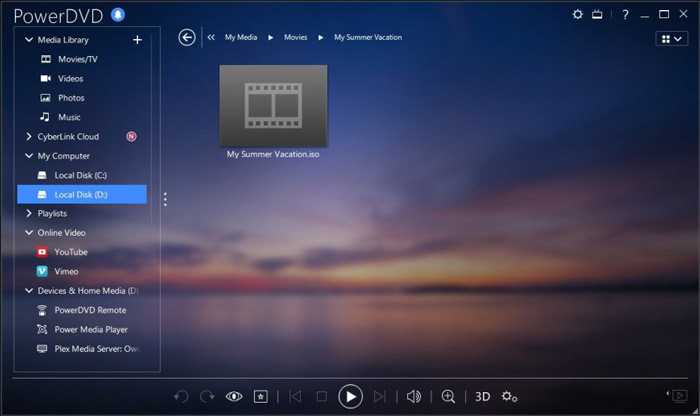
PowerDVD では、ISO ファイルを再生するための無料バージョンを提供しています。しかし、それはまた、他の多くの機能を持っています。 Blu-ray および 4K ムービーの再生には制限がある場合があります。これらの制限を削除するには、有料版にアップグレードする必要があります。
パート 5. Windows 10/8/7 PC および Mac 用の無料の ISO プレーヤー - KMPlayer
KMPlayer は、高画質で ISO イメージファイルを再生できる、人気のオープンソースメディアプレーヤーです。この無料の ISO プレーヤーはマルチコアデコード技術を採用しており、どんな DVD や ISO 映画でも高い映像・音質を保ちながら、CPU 使用率を抑えて再生できます。また、3D 動画の再生機能も備えています。
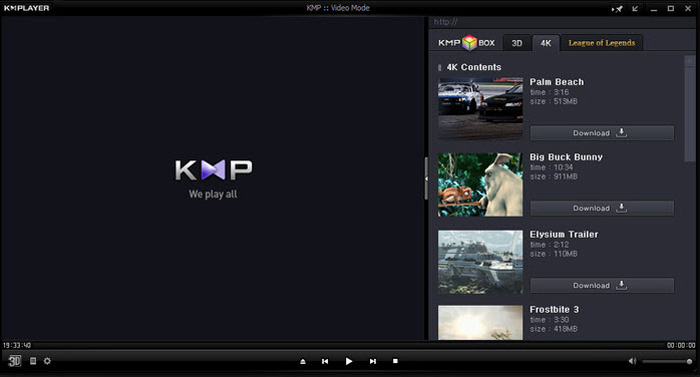
KMPlayerはリージョンフリーのDVDプレーヤーの一種です。 DVD コレクションを手軽に管理できます。 DVD メニュー、字幕、オーディオ トラック、および再生効果をカスタマイズする簡単な方法を提供します。同様に、ISO ファイルのサポートも充実しています。
パート 6. ISO プレーヤーの FAQ
質問 1. ISO イメージ ファイルとは何ですか?
ISO イメージ ファイルは、実際には CD、DVD、または Blu-ray ディスク全体のコピーです。これは、光ディスクに書き込まれたすべてのセクタからのデータ コンテンツで構成されます。 ISO は、光ディスクからディスク イメージング ソフトウェアで作成できます。ディスクの内容全体を 1 つの ISO ファイルに正確に複製できます。イメージ ファイルの最も一般的な使用法は、DVD または Blu-ray ディスクに書き戻すことです。 ISO イメージ ファイルを DVD に書き込むには、サードパーティのユーティリティに依存する必要があります。
質問 2. Windows 10 で ISO イメージをマウントする方法は?
Windows 10 には、ISO イメージ ファイルをマウントするための組み込みの方法があります。それを右クリックして、[マウント] オプションを選択できます。その後、ISO ファイルがこの PC の下に新しいドライブとして表示されます。
質問 3. Windows 10 用の ISO ファイルを作成する方法を教えてください。
Windows 10 用の ISO ファイルを作成する場合は、Windows 10 のダウンロード ページにアクセスして、メディア作成ツールをインストールできます。ページに移動したら、[ツールを今すぐダウンロード] ボタンをクリックします。作成ソフトを開き、別のPC用のISOファイルなどのインストールメディアをクリックします。 Windows の言語、アーキテクチャ、およびエディションを選択できます。その後、ISO ファイルを選択し、次に [次へ] を選択して、Windows 10 用の ISO ファイルの作成を開始します。
質問 4. ISO ファイルをデジタル MP4 ビデオにリッピングする方法は?
ISO をデジタルの MP4 や MOV 動画にリッピングしたい場合は、ISO コンバーターをダウンロードして、ISO イメージファイルを高画質の動画に変換できます。
質問 5. Kodi は ISO ファイルを再生できますか?
はい、Kodi は ISO および IMG DVD イメージまたは DVD ビデオ イメージに保存された DVD ビデオ ムービーをネイティブにサポートしています。 Kodiを無料でダウンロードし、ISOファイルを追加して、簡単に再生を開始できます。
結論
この記事では主に、ISO とその再生方法について解説しました。このページからは 5 つの優れたISO プレーヤーをおすすめしています。ISO ファイルや DVD 映画を再生したくなったときは、ここで紹介したどのソフトにも安心して任せることができます。
-
 WebExARFプレーヤーでARFファイルを開いて変換するためのチュートリアル
 WebEx ARFPlayerを使用するための詳細な手順は次のとおりです。 WindowsおよびMacコンピューターでWebExARFファイルを簡単に再生および変換できます。さらに、3番目のARFプレーヤーでも再生エクスペリエンスを向上させることができます。
-
 GIFプレーヤー-WindowsPC、Mac、Android、iPhoneに最適な5つのGIFプレーヤー
 どのプログラムがGIFファイルを開きますか? AndroidでGIFを表示するにはどうすればよいですか? iPhoneにはGIFを開くためのGIFプレーヤーがありますか?この投稿では、5つの最高のGIFプレーヤーを共有しています。
-
 希望の字幕付きのMKVファイルを再生するトップ8のMKVプレーヤー
 希望の字幕付きのMKVビデオを再生したい場合は、PC / Mac用の上位8つのMKVファイルプレーヤーについて詳しく学び、要件に応じて希望のプレーヤーを選択できます。
