


 ビデオコンバーター究極
 スクリーンレコーダー
 ビデオ修復
ビデオ修復
 安全なダウンロード
WindowsとMac用の8つの最高のウェブカメラレコーダー
Webカメラレコーダーは、ビデオを撮影しながら自分の表情も同時に記録できる便利なツールです。最近では多くのノートパソコンに内蔵カメラが搭載されていますが、こうしたデバイスには録画機能を強化するような高度な機能があまりありません。そのため、高機能な編集機能を備えた優れたWebカメラレコーダーを探している人が増えています。どのWebカメラレコーダーが優れているのか知りたい方は、本記事をお読みください。

パート1。Windows用の5つの最高のWebカメラレコーダー
あなたはあなたがウェブカメラの記録をするのを助ける多くのツールを見つけることができます。ただし、すべてのツールに優れた機能があり、高品質のビデオを作成できるわけではありません。このパートを読むと、Windowsデバイスにダウンロードできる5つの最高のWebカメラレコーダーがわかります。
Aiseesoftスクリーンレコーダー
価格:$47.20(買い切り版)
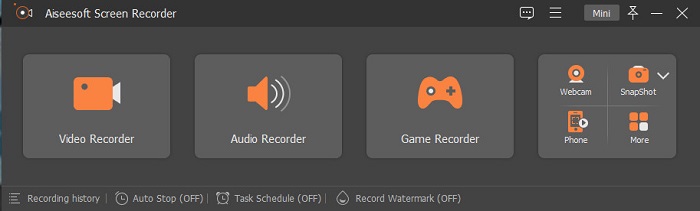
Aiseesoft Recorderは、Windows向けにダウンロードできるWebカメラ動画録画ツールです。この画面録画ソフトを使えば、簡単な手順でWebカメラの録画が行えます。さらに、直感的なインターフェースを備えており、無料で利用できます。また、画面の特定部分だけを録画したい場合にも対応しているのが特徴です。加えて、内蔵のゲームレコーダー機能を使えば、ゲームの決定的なハイライトシーンを録画することもできます。このスクリーンレコーダーにはタスクスケジューラー機能もあり、PCから離れている間に録画を予約しておくことが可能です。ビデオとオーディオの両方を録画できるため、多くのユーザーに利用されています。
長所
- 使いやすいソフトウェアインターフェースを備えています。
- それはあなたがあなたのスクリーン、オーディオ、そしてあなたのゲームを記録することを可能にします。
- それはあなたが透かしを記録し、あなたの記録のためのスケジュールを作成することを可能にします。
- WindowsやMacを含むすべてのメディアプラットフォームでダウンロードできます。
短所
- 独自の機能を使用する前に、アプリを購入する必要があります。
Bandicam
価格:$39.95
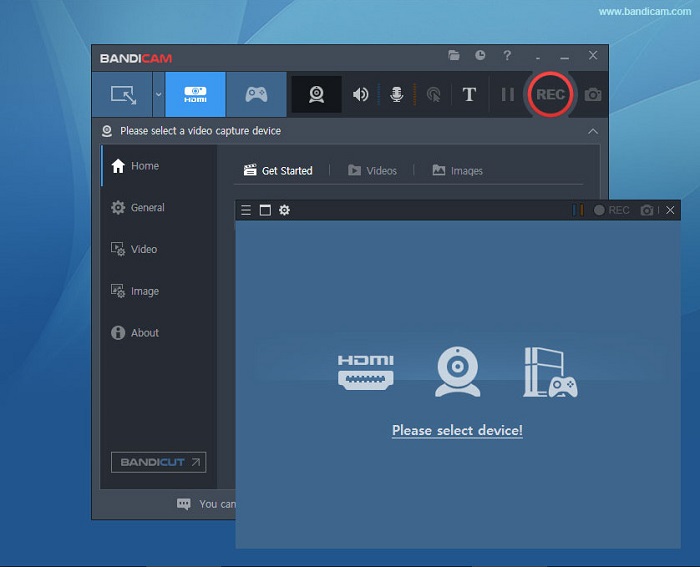
Bandicamは、多くのプロフェッショナルが使用しているWebカメラ録画ソフトです。Bandicamを使えば、Webカメラ映像とPCの音声を同時に録画できます。さらに、2つの動画ファイルを結合したり、画面の一部だけを選んで録画することも可能です。また、.aviや.mp4形式で高画質な動画を出力できます。サウンドミキサー機能付きの録画ソフトを探しているなら、Bandicamは最適なツールと言えるでしょう。ただし、インターフェースの操作がやや難しく、初心者にはあまり優しくありません。それでも、プロ並みの動画を作成できるため、習得する価値のあるソフトです。
長所
- レコーダファイルのファイルサイズは、他のソフトウェアよりもはるかに小さくなっています。
- それはあなたが高品質で2Dと3Dビデオを記録することを可能にします。
- ウェブカメラレコーダーとオーディオレコーダーが内蔵されています。
短所
- 使いにくいソフトウェアインターフェースを備えています。
- ライブストリームビデオでは動作しません。
Schoology
価格:$7.5〜$10
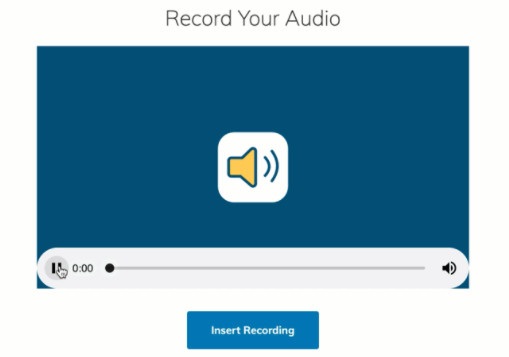
SchoologyはHTML5対応のWebカメラレコーダーで、HTML5動画の録画に対応しています。このWebカメラレコーダーは、講義、プレゼンテーション、授業関連の動画などで主に利用されるツールです。また、このツールを使えば、PCの映像と音声の両方を録画できます。さらに注目すべき点として、学生同士がオンラインで交流できるコミュニケーションハブとしても機能するプラットフォームであることが挙げられます。インターフェースもシンプルで、誰でも扱いやすいユーザーフレンドリーなツールです。
長所
- インターネットにアクセスしなくても、録音出力をダウンロードできます。
- シンプルなGUIを備えています。
- 生徒と教師のためのコミュニケーションハブです。
短所
- 使用する編集機能が制限されています。
ManyCam
価格:$99(プレミアム版)
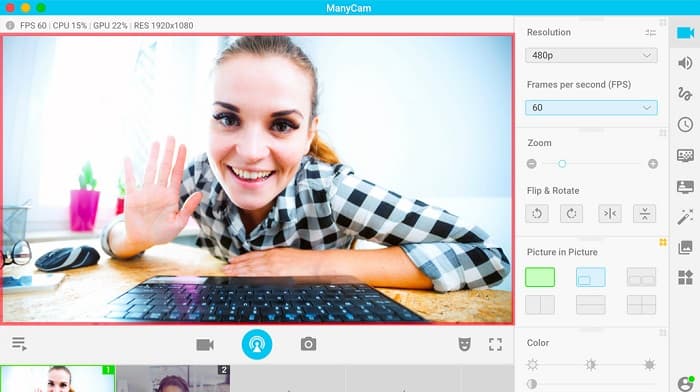
ManyCamは、Windows 10向けの画面・Webカメラ録画ソフトです。なめらかで高品質な動画を、簡単な操作で録画できます。インターフェースがシンプルなため、ユーザーフレンドリーなツールと言えます。Webカメラレコーダーとして、ライブ配信、オンライン授業、講義などに広く利用されています。さらに、4K動画の配信や画面キャスティング(スクリーンキャスト)機能にも対応しています。リアルタイムのカメラコントロール設定が可能なツールを探しているなら、このソフトが適しています。ただし、利用できる機能の多くは手動操作が必要です。
長所
- それはあなたが4Kビデオをストリーミングしてそれらの高品質を記録することを可能にします。
- 無料試用版を使用しても透かしは含まれていません。
- 使いやすいツールです。
短所
- 特別な機能にアクセスする前に、アプリを購入する必要があります。
YAWCAM
価格:無料
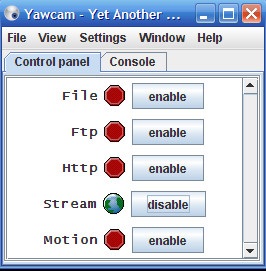
最後にご紹介するWebカメラレコーダーがYAWCAMです。このWebカメラレコーダーは、個人利用向けに動画の配信および録画が可能で、PNG、JPG、GIF、MJPEGなど、標準的なファイル形式に対応しています。Webカメラレコーダーの中でも、最もシンプルなインターフェースを持つツールとして知られています。そのため、初心者で、できるだけ簡単に使えるソフトウェアを探している方にはぜひ試してほしいツールです。
長所
- PNG、JPG、GIF、MJPEGなどの最も一般的なファイル形式をサポートしています。
- シンプルなGUIを備えています。
- 透かし出力は生成されません。
短所
- 編集機能やトランジション効果はほとんどありません。
パート2。Mac用の3つの最高のウェブカメラレコーダー
過去数年間、Mac用のビデオ編集ソフトウェアはそれほど変わっていません。ただし、MacにはWebカメラレコーダーが組み込まれていません。しかし、この部分では、Macユーザーに最適なWebカメラレコーダーを知ることができます。
iMovie
価格:無料(Mac版)
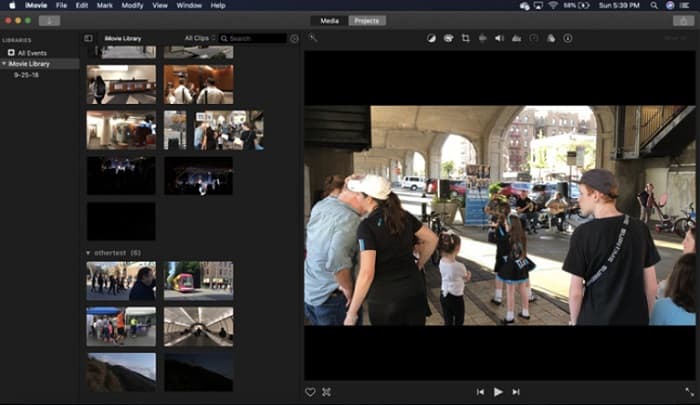
iMovieは、Macに標準搭載されている動画編集ソフトです。多彩な機能を備えているため、Macユーザーの間で最も人気のある動画編集アプリケーションのひとつとなっています。MacでWebカメラを使って録画したい場合にも、iMovieは最適なアプリです。インターフェースがすっきりしており、直感的に操作できます。さらに、サウンドトラックの追加、動画・音声のカットやトリミング、テキストオーバーレイの挿入など、さまざまな編集機能を利用できます。
長所
- 直感的なユーザーインターフェイスを備えています。
- 分割、トリミング、トリミングなど、多くの編集機能があります。
- HDおよび4kビデオをサポートします。
短所
- サポートするビデオ出力が少なく、MP4の互換性に問題があります。
- Macでのみ互換性があります。
CamWizウェブカメラレコーダー
価格:$9.99(Pro版)
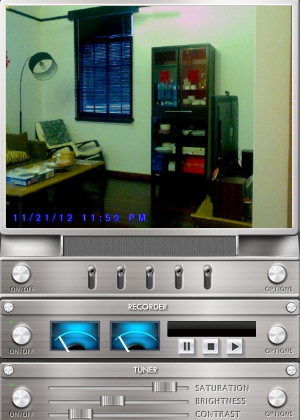
CamWiz Webcam Recorderは、Mac向けにダウンロードできるWebカメラ動画録画ソフトです。このWebカメラレコーダーを使えば、システムの音声も同時に録音できます。さらに、このツールを利用してWebカメラ動画のプレビュー、録画、再生を行うことが可能です。出力動画の画質を選択できるツールを探しているなら、このソフトがぴったりです。また、暗い部屋や夜間に録画する場合でも、ナイトビジョンモードを搭載しているため、暗所でもWebカメラ映像を確認しながら録画できます。
長所
- ビデオのコントラストと明るさを調整するためのチューナーモジュールが組み込まれています。
- 暗視モードがあります。
- 使いやすいソフトウェアインターフェースを備えています。
短所
- 使用する編集機能が制限されています。
- バグの問題があります。
OBS Studio
価格:無料
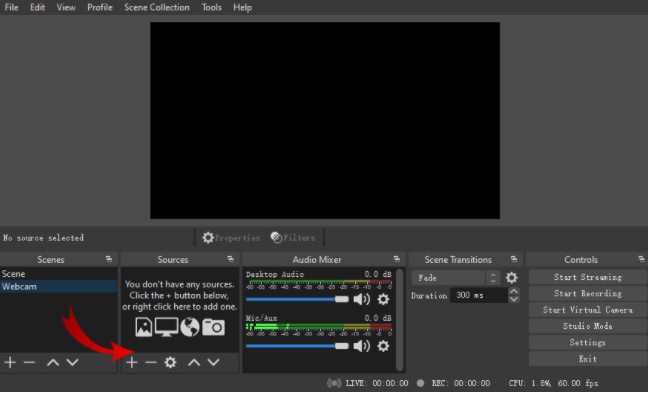
もうひとつの画面・Webカメラ録画ソフトとしておすすめなのがOBS Studioです。このオープンソースのWebカメラレコーダーは、Macで人気の高いソフトウェアです。多くの人がこのツールを利用している理由は、無料でダウンロードできることにあります。さらに、画面の特定領域だけを指定して録画することも可能です。業界標準レベルの動画を制作するために、多くのプロフェッショナルもこのレコーダーを利用しています。
長所
- 使用する高度な編集機能があります。
- 直感的なユーザーインターフェイスを備えています。
短所
- オープンソースアプリであるため、クラッシュする傾向があります。
関連記事:
パート3。Webカメラレコーダーに関する比較チャート
どのウェブカメラレコーダーを使用するかはまだ決まっていませんか?使用するアプリケーションの決定をお手伝いします。このパートでは、すべてのツールが持つより詳細な特性と機能について説明します。包括的に読んでください。最後にどのツールを使用するのが最適かを判断できることを願っています。
| 特徴 | Aiseesoftスクリーンレコーダー | Bandicam | Schoology | ManyCam | YAWCAM | iMovie | CamWizウェブカメラレコーダー | OBS Studio |
| オーディオシステムを録音できます |  | | | | | | | |
| 使いやすいソフトウェアインターフェース | |  | | | | | | |
| サポートされているシステム | Windows、Mac、Linuxを含むすべてのメディアプラットフォームで利用可能 | Windowsで利用可能 | WindowsとMacで利用可能 | Windowsシステムで利用可能 | WindowsとMacで利用可能 | Macで利用可能 | WindowsとMacで利用可能 | Windows、Mac、およびLinuxで利用可能 |
| 編集機能があります | | | | | 限定 | | 限定 | |
| 高品質の出力を生成します | | | | | | | | |
パート4。最高のウェブカメラレコーダーに関するFAQ
ウェブカメラで録画している場合、オーディオシステムを録画しますか?
はい。 Webカメラの録音を行っている場合は、Webカメラからの音声が付属しています。ただし、画面録音を行っている場合、一部のツールは音声を同時に録音しません。
ウェブカメラの録画に一般的に使用される形式は何ですか?
ほとんどのWebカメラレコーダーは、MP4出力形式のWebカメラ記録を生成します。
ノートパソコンのウェブカメラはどこまで到達できますか?
10メガピクセルのラップトップWebカメラの最高設定では、10〜15フィートの範囲を見ることができます。
結論
ご覧のとおり、Webカメラの記録に使用できるWebカメラレコーダーはたくさんあります。ただし、すべてのWebカメラレコーダーが同じ機能と価格を備えているわけではありません。したがって、価格に見合う価値があり、使用するのに最適な機能を備えたWebカメラレコーダーをお探しの場合は、Aiseesoft Screen Recorderをダウンロードして、このツールが提供する優れた品質を体験してください。
-
 すべてのプラットフォームでアクセス可能な7つの壮大なボイスレコーダー
 オーディオ録音の方法を学びたいですか?次に、この記事にアクセスして、ニーズに合う最高のオーディオレコーダーについて説明します。
-
 WindowsとMacで利用可能な4つの最新のオーディオ録音ソフトウェア
 デスクトップにオーディオ録音ソフトウェアが必要ですか?その場合、この記事は最高のものなどについてのアイデアでいっぱいです。したがって、必要な場合は、この記事をお読みください。
-
 AndroidとiOSで最も人気のある5つのオーディオレコーダーアプリ[2022年更新]
 どのオーディオレコーダーアプリを使うべきかわからないのですか?もしそうなら、この記事はあなたがあなたのオーディオ録音タスクであなたを助けるであろうアプリを選ぶのを助けるでしょう。
