


 ビデオコンバーター究極
 スクリーンレコーダー
 ビデオ修復
ビデオ修復F4VファイルをAVIメディアファイル形式に変換する4つの最も簡単な方法
MacromediaはF4Vを導入し、その後、AdobeはF4Vを開発して、最新の高品質ビデオストレージと競合しました。また、FLVには制限があるため、FLVの代替フォーマットとして作成されます。さらに説明すると、F4VファイルはH.264コーデックを備えたISOベースメディアファイル形式を使用してファイルのサイズを小さくします。このフォーマットには高品質の出力が含まれていますが、F4Vは他のフォーマットよりも互換性が低くなっています。そしてそれだけでなく、Adobe Flash Playerがすでに廃止されているため、このフォーマットも段階的に廃止されています。
もしあなたも、ほかの人と同じように「.f4v ファイルがメディアプレーヤーで再生できない」という問題を抱えているなら、以下を読み進めてください。ここでは、再生できない .f4v を AVI 形式に変換することで再生可能にする、さまざまなツールを紹介します。さっそく、オンライン/オフラインのツールを使って、F4V を AVI に変換する方法を見ていきましょう。

パート1。驚異的なF4VからAVIへのコンバーターを使用してF4VをAVIに変換する方法を学ぶ
問題解決に役立つ最高のコンバーターを探しているなら、FVC Video Converter Ultimate が有力な候補になります。私たち自身がこのツールをテストし、さらにユーザーコメントも確認しましたが、「Ultimate」という名前は伊達ではなく、ソフトウェアの性能と機能もまさに「究極」といえます。なかでも特筆すべきなのが、高速変換とハードウェアアクセラレーションに対応している点で、このソフトを使うユーザーは長時間待たされることがありません。
さらに、GIF の作成、動画の倍速・スローモーション再生、反転、音量ブーストなどを行いたい場合にも対応できます。このように高度な機能を備えたツールであるため、利用には料金の支払いが必要ですが、100ドルを超えるような高額になることはありません。まだ購入するかどうか迷っている場合は、以下の手順を読み進め、実際に操作しながらF4V ファイルを AVI に変換してみましょう。
手順 1 この高機能なツールを使う前に、まずはデスクトップにダウンロードします。その後インストールと簡単なセットアップを行い、Start Now をクリックしてソフトを起動します。
無料ダウンロードWindows 7 以降に対応安全なダウンロード
無料ダウンロードMacOS 10.7 以降に対応安全なダウンロード
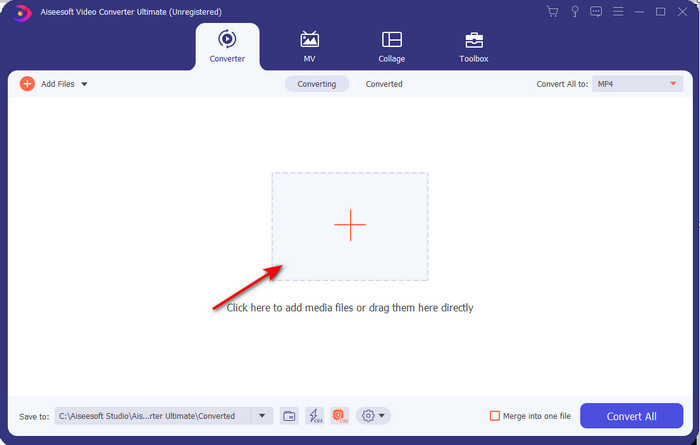
手順 2 ツールを起動したら、Add Files をクリックするか、+ボタンを押します。するとフォルダが開くので、.f4v 形式のファイルを探して選択し、Open をクリックします。
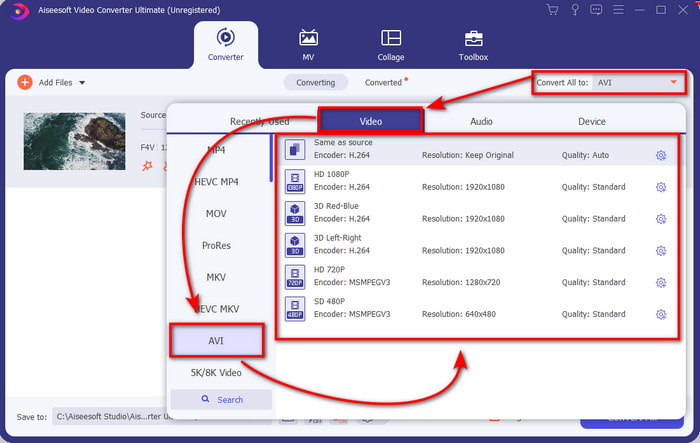
手順 3 ファイルを読み込んだら、画面右上の Convert All to をクリックし、出力形式として AVI を選択します。
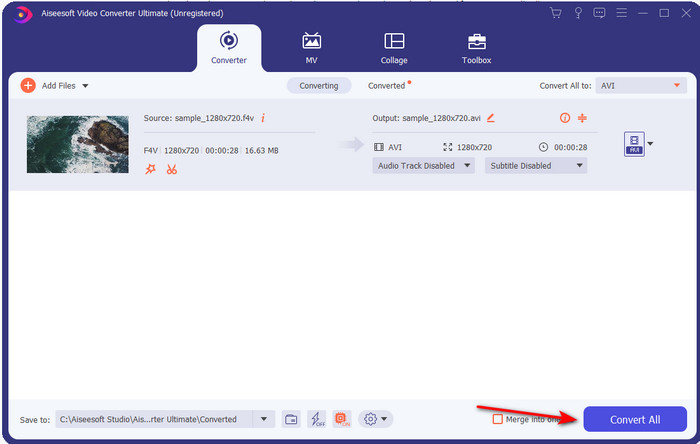
手順 4 準備ができたら、変換処理を開始するために Convert All をクリックします。数分ほど待つと、F4V から AVI への変換が完了します。
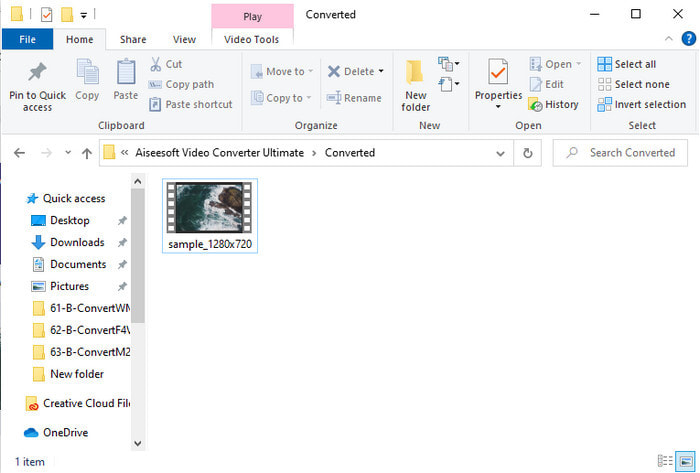
手順 5 変換が終わると、デスクトップ上で自動的にフォルダが開き、変換された .f4v ファイル(AVI 形式)が表示されます。動画ファイルをクリックすれば、これまで再生できなかった動画をパソコンで視聴できますし、必要であればスマートフォンへ転送して再生することもできます。
パート2。3つの利用可能なWebコンバーターを使用してF4VをAVIオンラインに変換する方法を学ぶ
1.FVC無料ビデオコンバーターオンライン
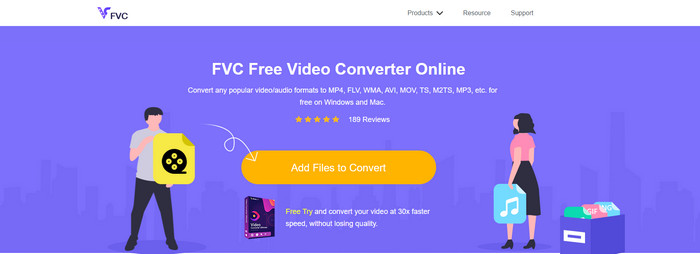
どのオンラインコンバーターが一番良いか知りたい場合は、FVC Free Video Converter Online が有望です。ここでは、ビットレートやフレームレート(fps)を変更して変換前に画質を高めるなど、使いたくなる機能がひと通りそろっています。すでに何百万人ものネットユーザーが、このウェブツールの総合的なパフォーマンスを高く評価しています。また、対応形式も中程度の数が用意されており、さまざまな形式のファイルをアップロードできます。ただし、デスクトップ版 Ultimate のように、動画を細かく編集して「見栄え良く」仕上げるといった機能は備えていません。それでも、手軽にF4V を AVI 形式に変換したいなら、以下の手順に従って操作してみてください。
手順 1. このリンクをクリックして、FVC Free Video Converter Online のページを開きます。
手順 2 つづいて Add Files to Convert をクリックしてツールを起動し、フォルダから新しい形式に変換したいファイルを選択して、Open をクリックします。
![[ファイルを追加]を押して変換します](/images/2021/11/press-add-files-to-convert.jpg)
手順 3 ファイルが読み込まれたら、画面下部の出力形式一覧から AVI を選択します。
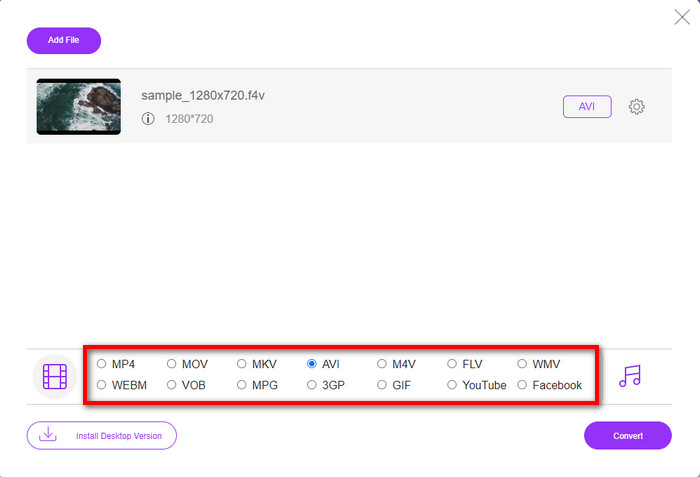
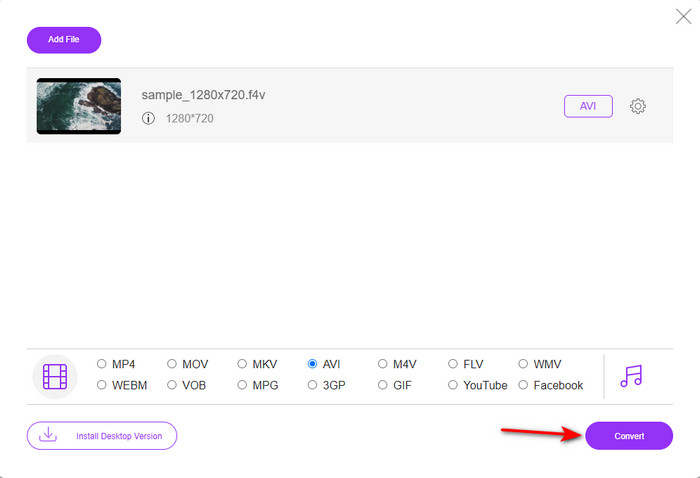
手順 4 AVI 形式を選んだら、Convert ボタンをクリックして変換を開始します。
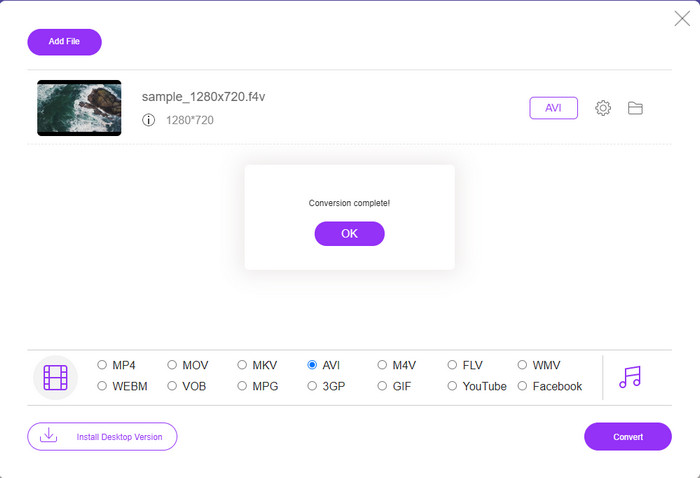
手順 5 数分待つとファイルのダウンロードが始まり、その後、変換済みファイルが保存されているフォルダが表示されます。
2.ザムザール
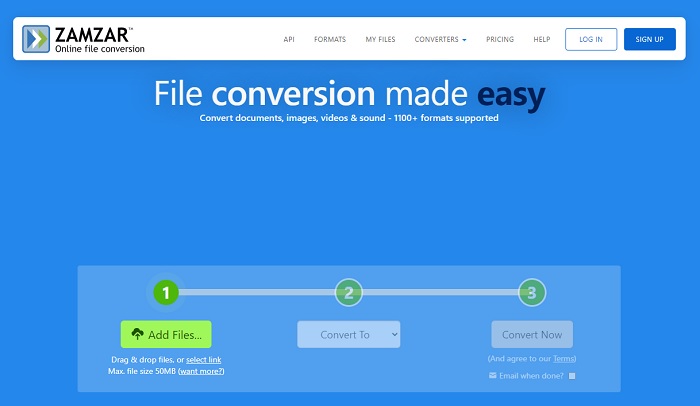
オンラインで使用できるもう一つの代替コンバーターが Zamzar です。ほかのコンバーターと同様、このツールも利用・アクセスにはインターネット接続が必要です。ここで紹介しているウェブツールはいずれも、変換処理を行うためにオンライン環境を前提としています。多くのユーザーに使われていることもあり、Zamzar は対応形式の多さから人気を集めています。また、基本的に無料で利用できますが、このツールには変換できるファイルサイズに制限があります。具体的には .f4v ファイルが 50MB を超える場合は、下記の仕様どおりこのツールでは変換できません。それより小さいファイルであれば、以下の手順に従って、F4V を AVI にオンライン変換することができます。
手順 1 お使いのウェブブラウザを開き、「Zamzar」と検索します。
手順 2 Add Files をクリックして変換したいファイルを選択します。その後、出力形式に AVI を選び「Convert to」を設定し、Convert をクリックします。
手順 3 変換処理が終わるまで待ち、新しい画面が表示されたら、Download をクリックしてファイルを保存します。
3. ConvertFiles
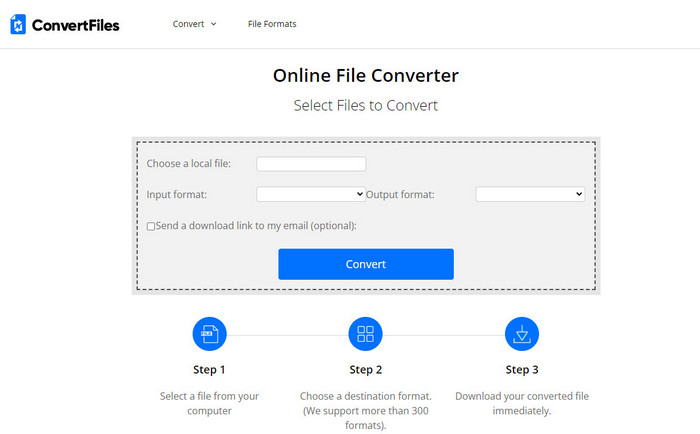
よりシンプルで、数分で完了する変換プロセスを望むなら、ConvertFiles を試してみるとよいでしょう。このツールは変換中も変換後も安定して動作します。ただし、インターフェース上に広告が非常に多く表示されるため、そこが大きな欠点です。また、オンライン・オフラインを問わず、他のコンバーターと比べると処理時間が長くかかる傾向があります。一方で、Zamzar よりも大きなファイルサイズをアップロードできるという利点があります。F4V ファイルを AVI に変換するためにこのツールを使いたい場合は、以下の手順を実行してください。
手順 1 ウェブブラウザを開き、「Convert Files」と検索して、サイトを開きます。
手順 2 Choose a Local File をクリックしてフォルダを開き、変換したいファイルを選択します。その後、Output Format で AVI を選択し、Convert をクリックして変換を開始します。
手順 3 変換が完了したら、青色でハイライトされた URL をクリックすると新しいページに移動します。表示されたリンクをクリックして、変換後のファイルをダウンロードします。
パート3。どちらの形式が優れているか。 F4VとAVI
ええと、F4VとAVIはせいぜいコンテナとしての役割を果たします。ただし、これらの形式には多くの共通点があり、それらの目的は同じではありません。たとえば、高品質のビデオを小さなファイルサイズで保存し、DRM MPEG-4ビデオデータを保持して保護する場合は、F4Vが最適です。ただし、同期されたメディア再生をサポートする高品質のビデオを保存するとします。その場合、オーディオとビデオの両方で異なるコンテナがあるため、AVI形式を選択する必要があります。それにもかかわらず、AVIファイルのサイズは、圧縮されていないため、多くのデバイスやデスクトップでさえ処理するには大きすぎます。
パート4。F4VからAVIへの変換に関するFAQ
F4Vを変換すると、変換後に解像度が低下しますか?
ビデオの解像度は、新しい形式に変換した後でも元の品質を維持する必要があります。場合によっては、多くのユーザーがF4Vの品質が低下したことを経験します。理由の1つは、設定した品質のレートが低いか、使用するツールが1080または4kビデオをサポートしていないことです。
メディアプレーヤーでF4Vを再生できないのはなぜですか?
この形式(F4V)は複数のメディアプレーヤーで再生可能ですが、すべてのプレーヤーが対応しているわけではありません。そのため、この形式の動画を確実に視聴したいなら、別の形式に変換するか、F4V 動画の再生に対応したサードパーティ製メディアプレーヤーを導入するのが賢明です。
F4Vを圧縮してサイズを小さくする必要がありますか?
F4V のファイルサイズは、AVI 形式と比べるとそれほど大きくありません。ただし、このコンテナ形式のファイルを圧縮しようとすると、画質が低下してしまう可能性があります。F4V 動画を圧縮する方法については、こちらのページをご覧ください:F4V 動画を圧縮する方法。
結論
この記事を終えると、F4Vとは何か、なぜそれを変換する必要があるのかについての洞察が得られます。この記事に記載されているすべてのオンラインおよびオフラインソフトウェアは正常に機能します。すべてのツールは優れていますが、FVC VideoConverterUltimateは他のツールの中でも際立っています。このソフトウェアはうまく機能するため、インターネット接続がなく、このツールは瞬く間に変換プロセスを完了することができます。さて、私たちが話している驚異的な変換を体験したい場合は、今すぐダウンロードしてください。
-
 Win / MacでTSをオンラインでAVI / MKV / MOV / WMVに変換する方法
 TSファイルをAVI / MKV / MOV / WMVにすばやく変換したいですか?この記事では、オンラインおよびオフラインのビデオコンバーターと完全なガイドを紹介します。たぶんあなたはここで最高の無料のTSコンバーターを手に入れることができます。
-
 [無料&オンライン] Mac/WindowsコンピュータでMTSをAVIに変換する7つの方法
 MTSをAVIに簡単に変換する方法は?このガイドでは、品質を損なうことなく、WindowsまたはMacでMTSファイルをAVIに変換する7つの無料で簡単な方法を紹介します。
-
 7つの無料ビデオコンバーターでMP4をAVIファイルに変換するチュートリアル
 AVIをMP4ビデオに変換するためのすべての無料の方法を手に入れたいですか?この記事をお見逃しなく。 Windows、Mac、iPhone、Android、およびオンラインでAVIファイルをMP4に無料で変換する7つの方法を次に示します。
