


 ビデオコンバーター究極
 スクリーンレコーダー
 ビデオ修復
ビデオ修復Android の便利なアプリケーションを使用して Android のビデオを高速化する [2025]
今では、スマートフォンは私たちが毎日使っているテクノロジーの中で最も多用途なものと言えます。このデバイスがあれば、たくさんの機材を用意しなくても、コミュニケーションを取ったり、録画したり、トリミングやカット、速度変更などの編集を行ったりできます。そこで本記事では、ダウンロードできるサードパーティ製アプリを使って、Androidで動画を倍速再生する方法をご紹介します。補足情報として、Androidスマホには、標準で動画の再生速度を上げる機能がほとんど搭載されていません。そのため、その機能が欲しい場合は、本記事を読み進めて、信頼して使えるさまざまなアプリをチェックしてみてください。

パート1。Androidでビデオを高速化する方法
1. FilmoraGo
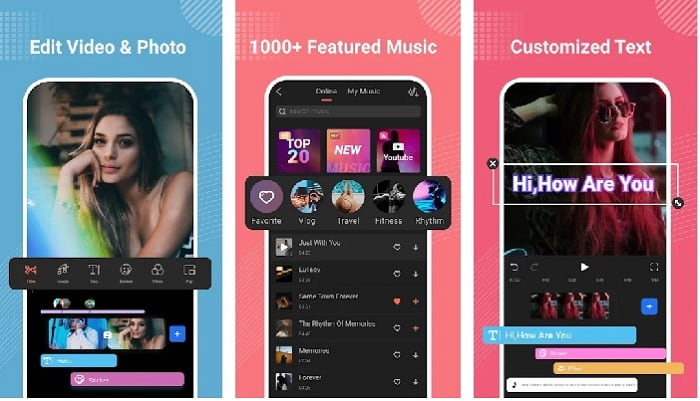
Filmora は、デスクトップ版とほぼ同じ機能を体験できるアプリを Android 向けに開発しました。Filmora Go は、見栄えの良い動画を作成するのに使える、無料の動画編集アプリの中でも特に優秀な一本です。さらに、このツールには、動画編集の経験がない人でも使いこなせるほど豊富な機能が揃っています。ただし、無料版で使えるのは一部の機能だけです。例えば、Android で動画を倍速再生する機能は無料ですが、利用には制限があります。見た目はほぼ完璧なツールですが、アプリレビューには、ユーザーが改善を望んでいる点もいくつか挙がっています。
長所
- これは、Androidデバイスで使用できる無料ですが強力なビデオエディタです。
- このツールは、これまでに見た中で最高のレビューの1つを受け取り、4.6つ星を獲得しています。
- このツールは、デスクトップで最高のエディターの1つとしての評判をすでに築いています。
短所
- ここでファイルの損失が発生することがあります。
- 編集してもファイルのエクスポートがめちゃくちゃになることがあります。
- ほとんどの場合、オーディオとビデオは同期していません。
2.ハイパータイムラプス
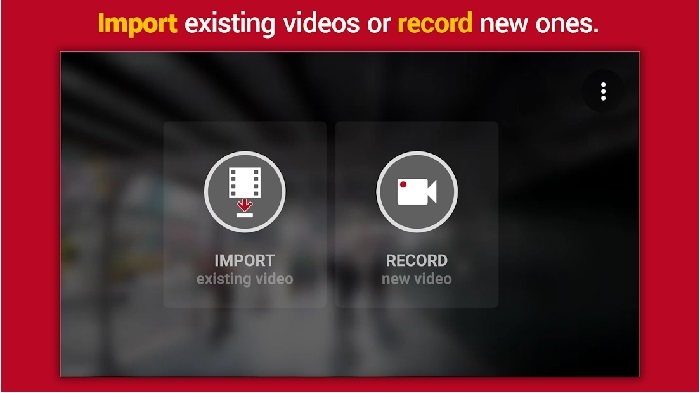
Hyper Timelapse は、無料でダウンロードできるAndroid で動画を倍速再生できるアプリの一つです。このアプリはすでに星4.1という高評価を獲得しています。しかし、レビュー欄を読むと不満の声が多く、内容はあまり良くありません。実際に使ってみたところ、インターフェースはそれほど悪くなく、倍速機能も優秀でしたが、動画を書き出そうとするとアプリがクラッシュしてしまいました。また、タイムラプス機能を使うと、時間が経つにつれて動画ファイルのサイズがどんどん大きくなっていきます。つまり、このアプリでは長時間のタイムラプス動画を撮影するのはほぼ不可能ということです。
長所
- あなたが初心者であっても、アプリは非常に使いやすいです。
- タイムラプスが組み込まれています。
- ツールのインターフェースは大丈夫ではありません。
短所
- このツールでは、クラッシュとバグがまだ発生しています。
- 実行するたびにクラッシュするため、最終出力は保存されません。
3. Lapse It
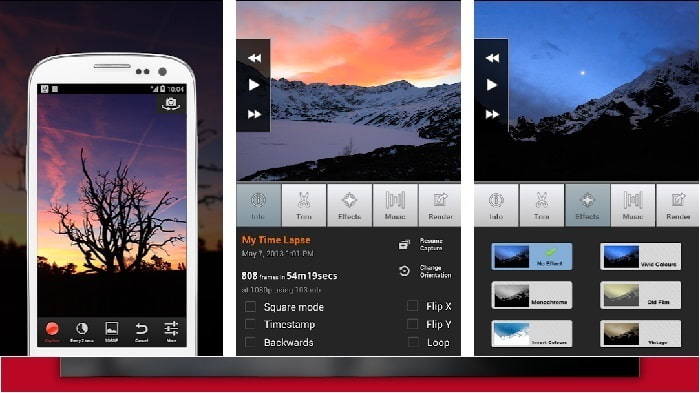
もしAndroid で動画を倍速再生できるアプリを探しているなら、Lapse It を試してみるのも一つの手です。このツールは、先ほど紹介した 2 つのアプリを組み合わせたような存在で、タイムラプス撮影、コマ撮り(ストップモーション)、編集機能まで使えます。Android で使うには魅力的に聞こえるかもしれませんが、本記事で紹介している中では最も評価が低くなっています。アプリの評価は星3.5にとどまり、レビューでは「役に立たないアプリ」という厳しいコメントも多く見られます。一方で、「以前は素晴らしい動画を作るための定番アプリだったが、今ではこれより優れたアプリがたくさんある」といった声もあります。
長所
- 多くのユーザーが使いたがるユニークで強力な機能を備えています。
- このアプリは、Androidで最高のレンダリングを行うことができます。
- ビデオのカスタマイズは、Android上のこのアプリの助けを借りて簡単に行うことができます。
短所
- 更新が行われた後もクラッシュやバグが発生しているため、ツールはSクラスからDクラスに変更されました。
- それを実行する方法についての指示は明確ではありません。
- すべての動画のエンディングには、常にポップアップ広告が表示されます。
パート2。よりプロフェッショナルなスピードコントローラーが必要ですか? Video Converter Ultimateをお試しください!
Video Converter Ultimate は、優れた仕上がりを求めるならぜひ使ってみたい、非常にユニークなツールです。このツールを使えば、動画の速度変更も簡単に行えます。また、搭載されている機能全体を見ても、一般的な Android アプリを大きく上回る完成度です。ただし、このソフトウェアは Android デバイスではサポートされておらず、直接インストールして使うことはできません。それでも、スマホで録った動画を取り込んで編集することはでき、その際にフリーズやクラッシュ、バグなどに悩まされることはありません。ですので、Android の動画をどのように倍速再生するかを知りたい場合は、以下の手順を参考にしてください。
ステップ1 まず最初に、このツールをダウンロードします。ダウンロードが完了したらインストールを実行し、簡単なセットアップを済ませてから「完了」をクリックして次へ進みます。
無料ダウンロードWindows 7 以降に対応安全なダウンロード
無料ダウンロードMacOS 10.7 以降に対応安全なダウンロード
ステップ2 次に、ツールボックスを開き、動画スピードコントローラーを探してクリックし、起動します。
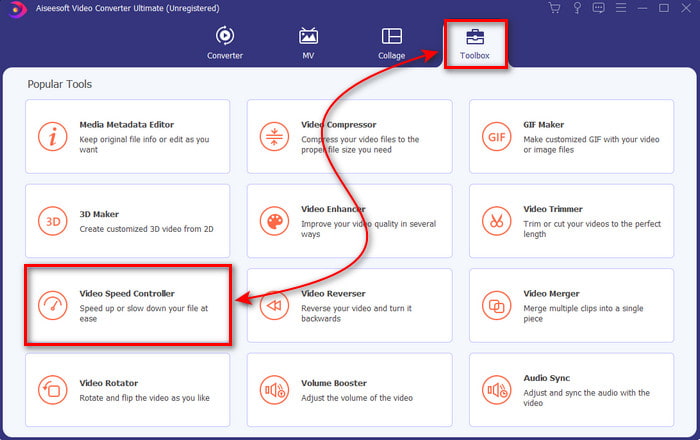
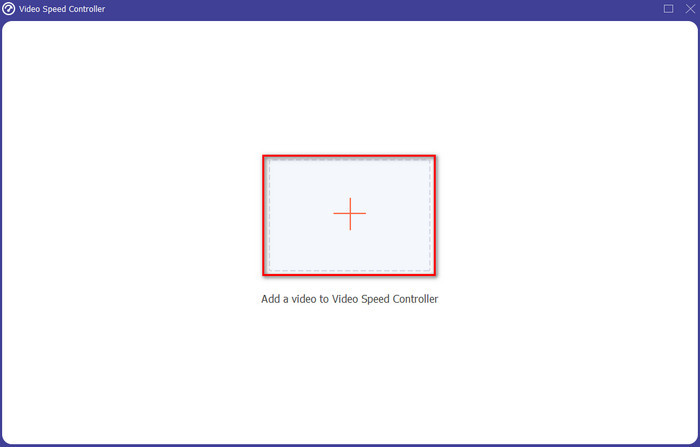
ステップ3 すると新しい画面が表示されるので、「+」ボタンをクリックしてファイルを追加します。クリックするとフォルダーが表示されるので、倍速再生したいファイルを選択し、開くをクリックします。
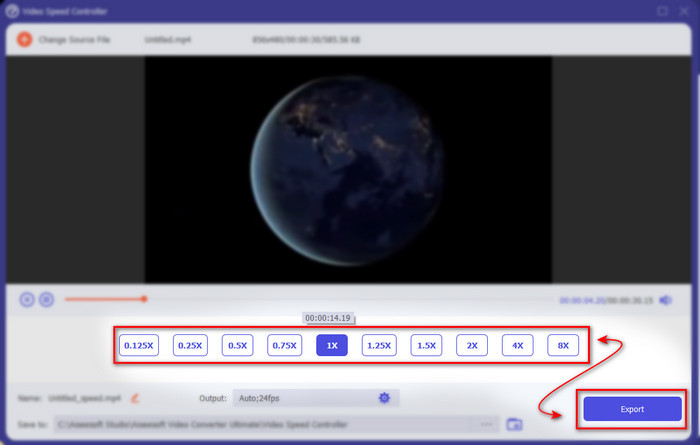
ステップ4 さらに別の画面が表示されるので、ここで小さなボックスから希望する再生速度を選択します。倍速した動画を書き出す準備が整ったら、書き出しをクリックします。
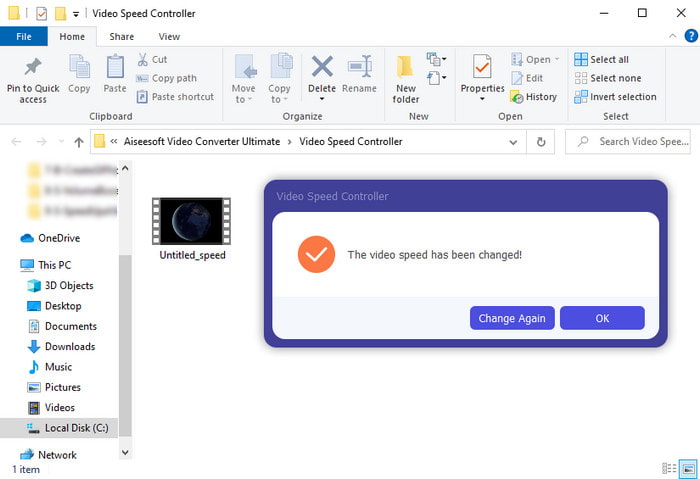
ステップ5 しばらく待つと処理が完了し、先ほど倍速にした動画ファイルが入ったフォルダーが表示されます。動画ファイルをクリックして、倍速版の映像を再生してみてください。
パート3。Androidでのビデオの高速化に関するFAQ
ビデオの速度を上げると、その品質が損なわれますか?
ビデオの速度を上げようとしている場合は、ビデオの品質に変化がないことを期待してください。ただし、使用しているアプリが高品質のビデオ出力をサポートしていない場合は、ビデオ出力が自動的に減少することを期待してください。
スローモーションでビデオを見ることができますか?
答えは「はい」です。おすすめのスローモーション動画プレーヤー5選を活用すれば可能です。新しい記事に移動するには、このリンクをクリックしてください。
ビデオの速度を上げる必要があるのはなぜですか?
動画を2倍速以上で再生したくなる理由はたくさんあります。その理由を知りたい場合は、2倍速動画とは何かについて解説しているこの記事を読んでみてください。
結論
まとめると、ここで紹介したツールはどれも Android スマホで使うには優れたものばかりですが、その中でもひときわ目立つのがVideo Converter Ultimateです。このツールを使えば、バグやトラブルに悩まされることなく編集作業が行えます。ただし、このツールは Android 版が用意されていないため、利用したい場合はデスクトップにダウンロードする必要があります。この優れたソフトウェアの全機能を楽しみたい方は、ぜひパソコンにインストールして試してみてください。
-
 iPad 2025でMKVファイルを再生する方法
 iPad 2でMKVファイルを再生する方法は? iPad Pro / Air / 2で再生するためにMKVをMP4に変換できますか?この投稿では、iPadでMKVをプレイする2つの簡単な方法を共有しています。
-
 [解決済み] VLCがDVDを再生しない、修正方法
 VLCはDVDを再生できますか? VLC が DVD を再生できないのはなぜですか? VLC で Windows 10 で DVD を再生するにはどうすればよいですか?この投稿では、VLC が DVD を再生しない問題を修正するための 3 つのヒントを共有しています。
-
 [解決済み] Chromebook 2025 で MP4 ファイルを再生する
 Chromebook で動画を再生できますか。 Chromebook で USB から MP4 ファイルを再生する方法この投稿では、Chromebook で MP4 を再生する 3 つの方法を共有しています。
